IDE Integrations

Your IDE Ensures Bad Code Never Ships

With CodeAnt AI inside your IDE. Catch bugs, vulnerabilities, and quality issues before you commit.

Trusted by Startups to Fortune 500

Shift-Left Security Starts in the IDE

Visual Studio Code logo — CodeAnt AI IDE security extension for VS Code

Visual Studio Code

Inline AI reviews and instant fix suggestions inside your editor.

Works across all repos, local, cloud, and enterprise setups.
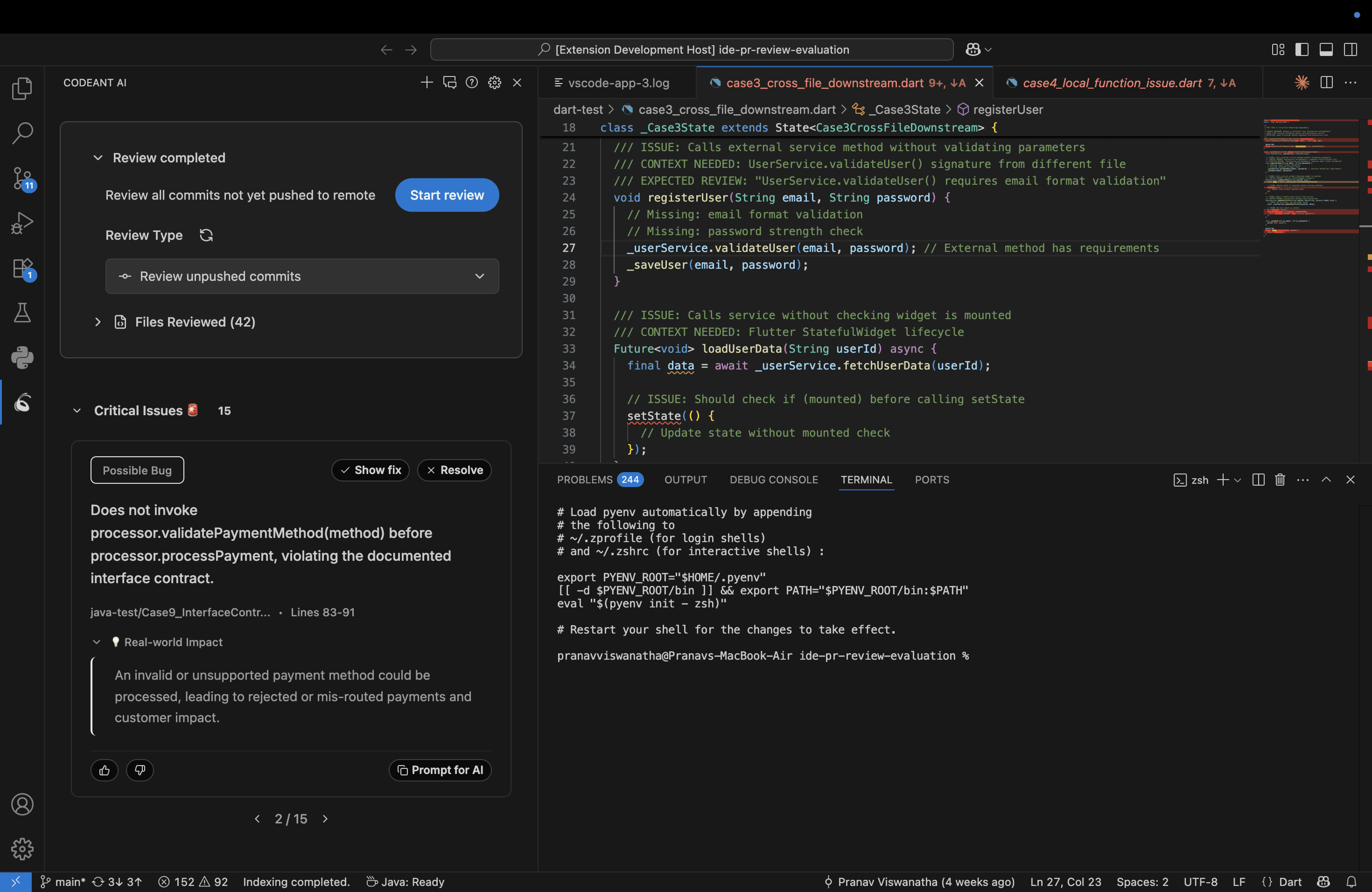
CodeAnt AI security plugin inside Visual Studio Code showing inline vulnerability alerts, SAST findings, and one-click fix suggestions in the editor — real-time defensive security without leaving VS Code
JetBrains logo — CodeAnt AI security plugin for IntelliJ, PyCharm, and WebStorm

JetBrains (IntelliJ, PyCharm, WebStorm)

Deep static and semantic AI reviews via CodeAnt's review engine.

Auto-enforces your team's best practices, in-editor.
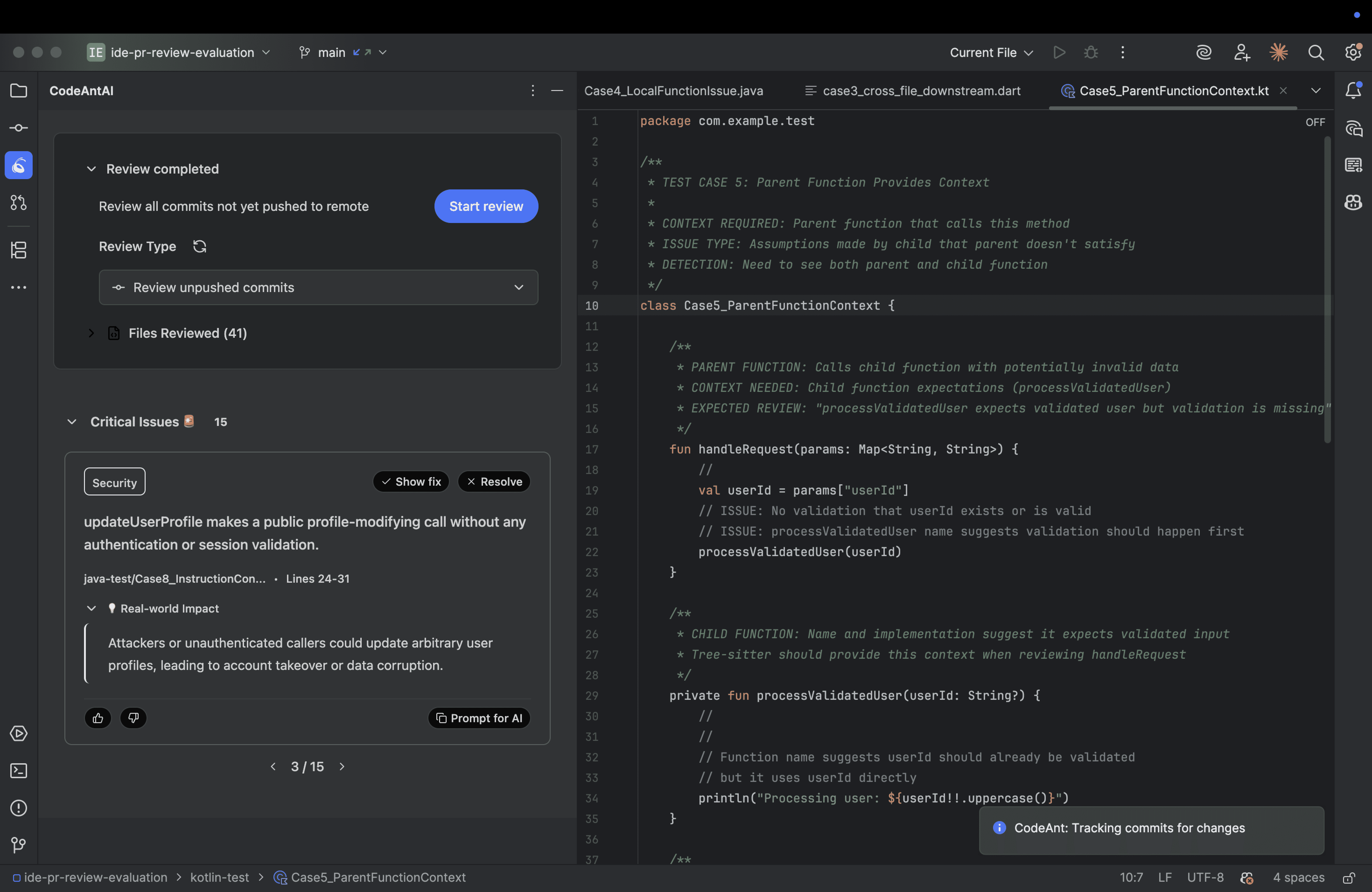
CodeAnt AI security panel inside JetBrains IntelliJ IDE displaying AI-powered SAST results, vulnerability severity classifications, and remediation guidance embedded in the editor for enterprise development teams
Cursor IDE logo — CodeAnt AI real-time vulnerability detection for Cursor

Cursor

Runs alongside your AI copilot, checking logic & security in real time.

See Code Health scores directly inside Cursor's sidebar.
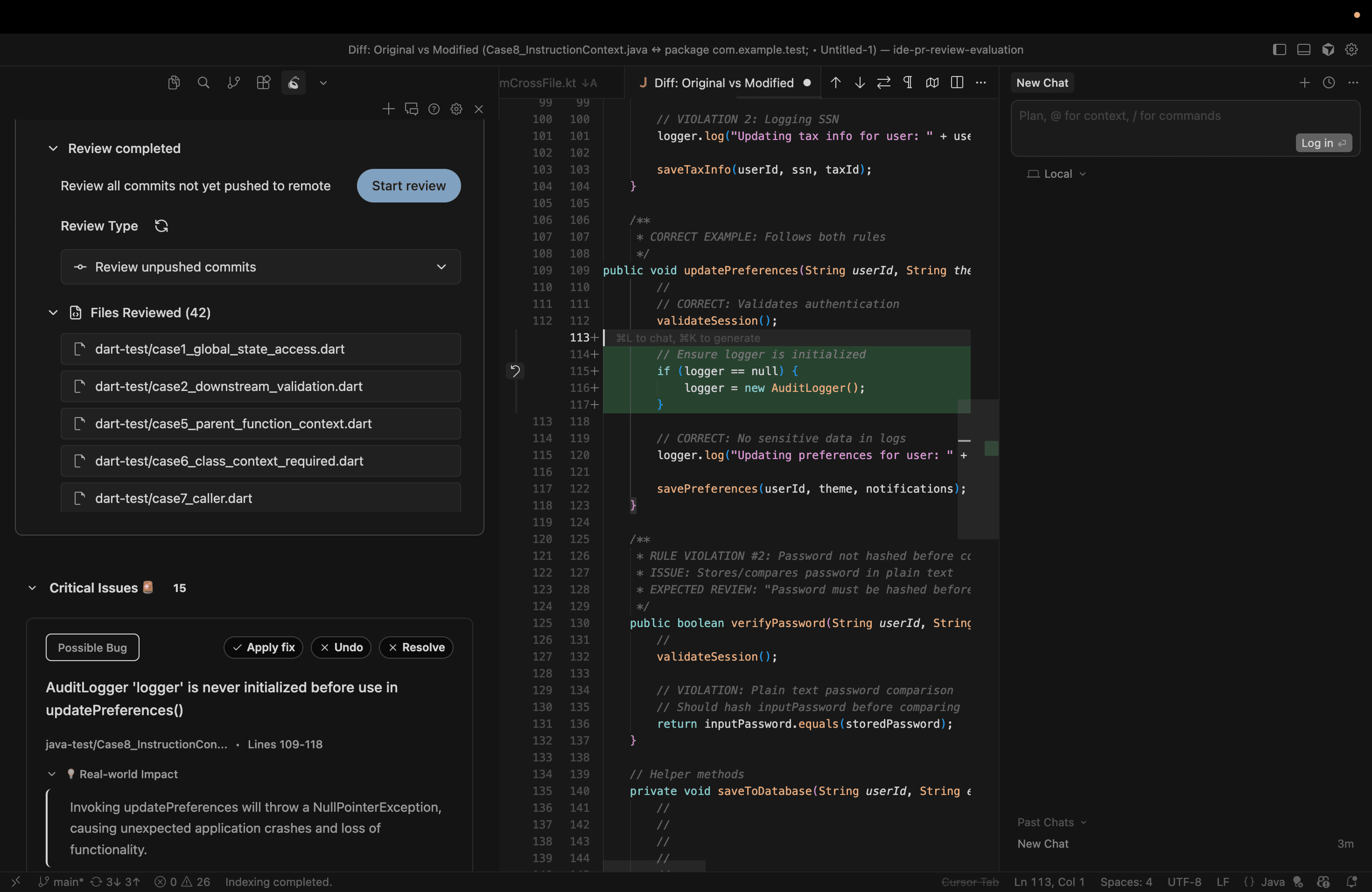
CodeAnt AI vulnerability detection integrated into Cursor IDE, showing real-time security feedback on AI-generated code including insecure patterns, injection risks, and exploit-prone logic flagged as the developer types
Windsurf IDE logo — CodeAnt AI security integration for Windsurf

Windsurf

Detects untested, duplicated, or insecure blocks as you type.

Built for remote and distributed teams across branches.
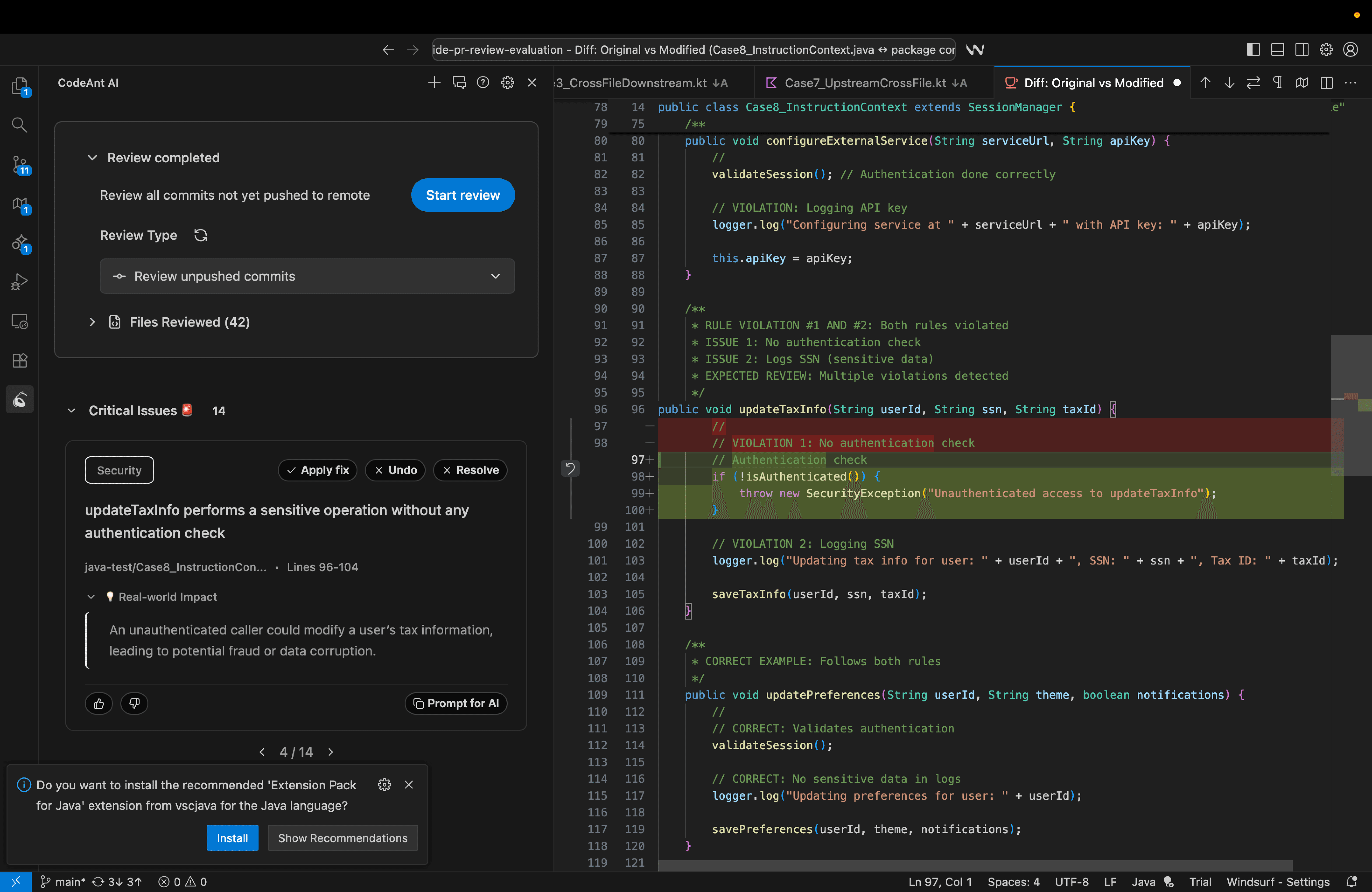
CodeAnt AI security integration inside Windsurf IDE highlighting insecure code blocks, dependency vulnerabilities, and misconfigured patterns in a cloud-based development environment for distributed security-conscious teams

Your IDE Does More Than Just Code Reviews Now

Push Protection

Block secrets before they reach your repo. Runs on every push, detecting exposed keys, tokens, and credentials in real time.
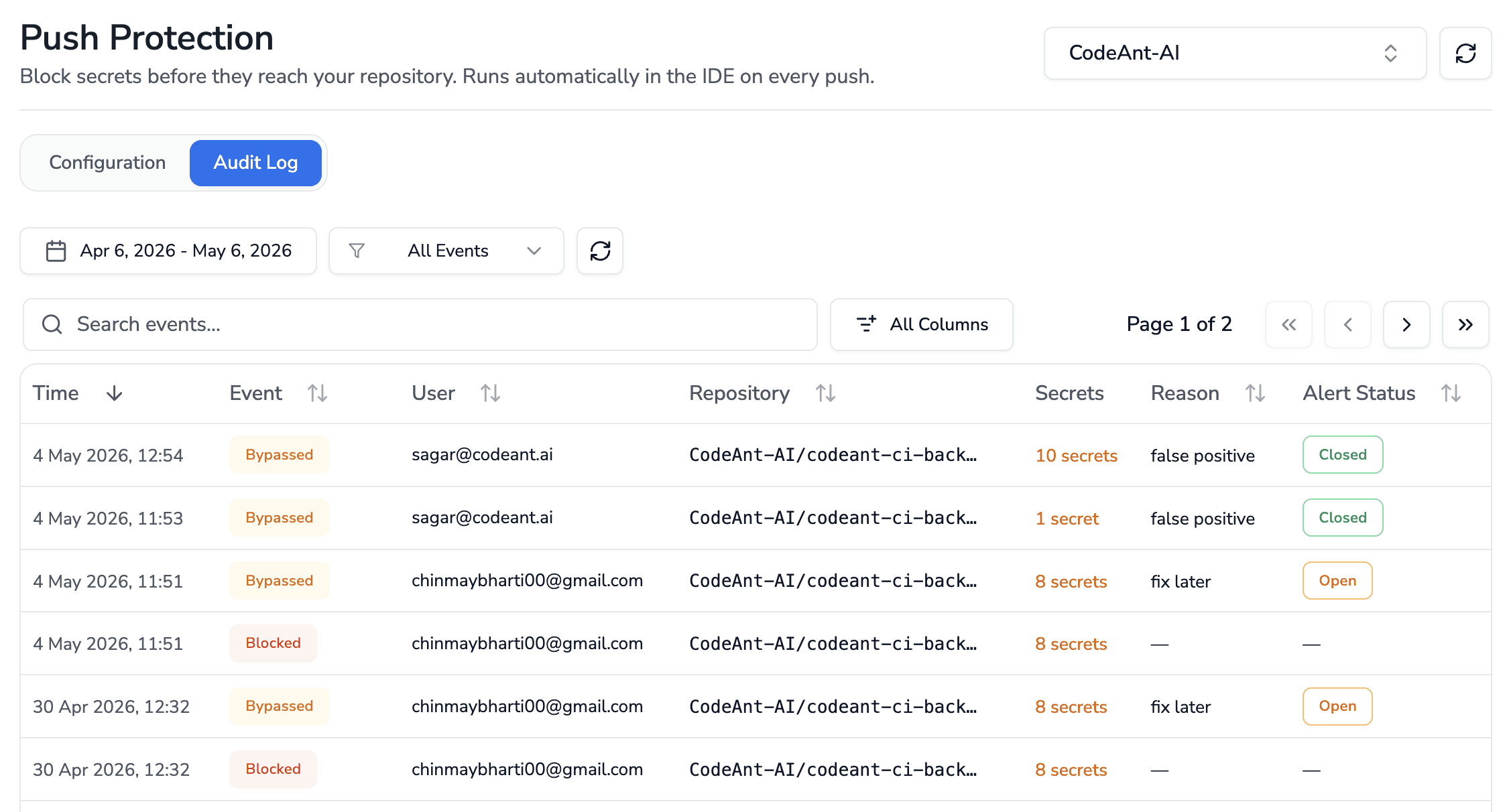
CodeAnt AI Push Protection audit log displaying bypassed secret detection events, with repository, user, secret count, and alert status columns.

IDE Linters

Auto-install language linters across your team's IDEs. Catch code quality issues right where developers write code.
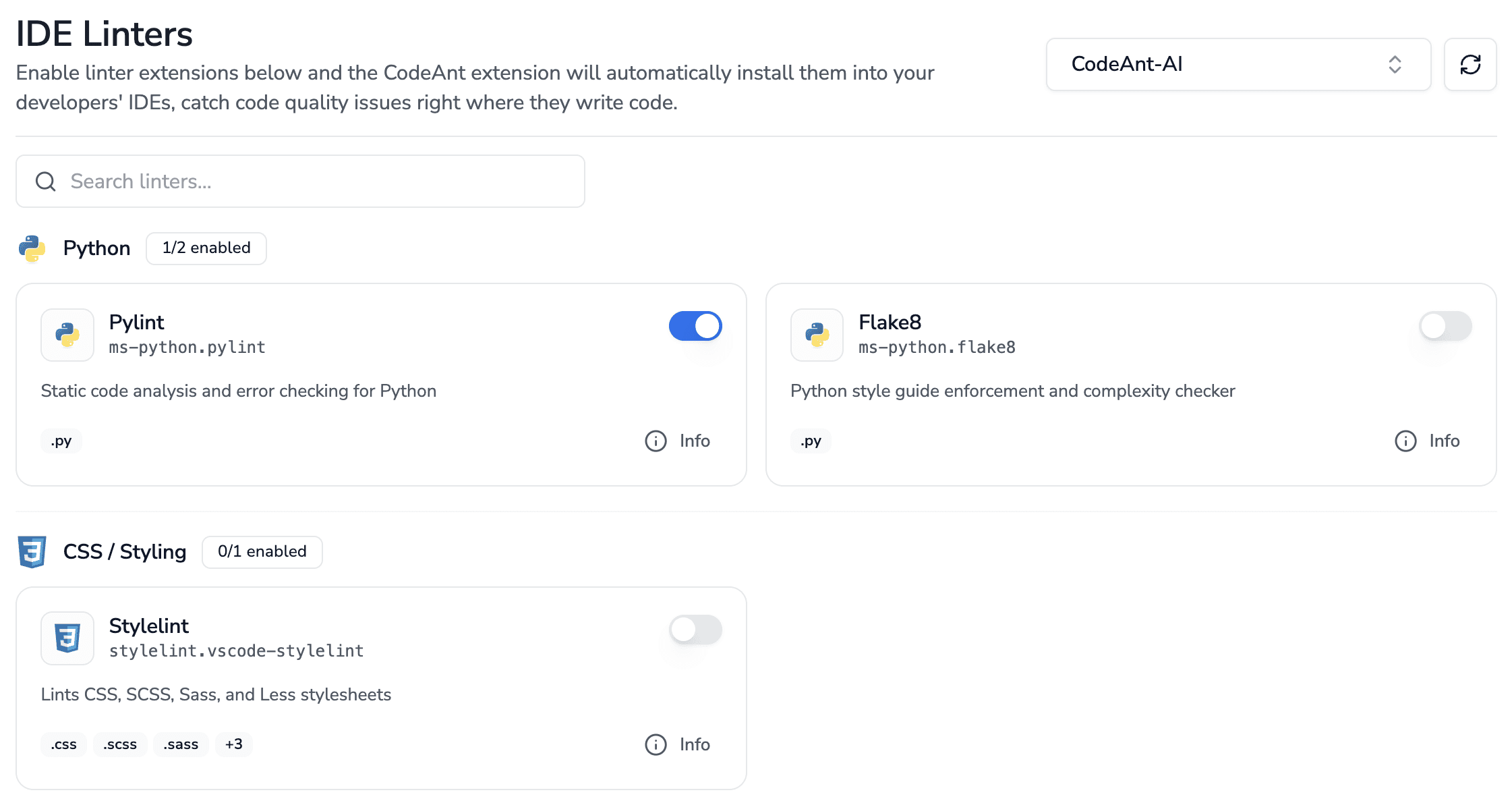

CodeAnt AI IDE Linters dashboard showing enabled linter extensions for Python, CSS, and Java, with toggle controls to auto-install them across developer IDEs.

Why Best Teams Love CodeAnt AI

Enterprise-grade security

CodeAnt AI is HIPAA compliant
SOC 2 Type II certified — CodeAnt AI is independently audited and compliant with SOC 2 Type II security standards

No code storage

Zero data retention

5M+ PRs/month

Handles effortlessly

1 Billion+

Lines of Code Scanned

Git Integrations
CodeAnt AI and Bitbucket integration
Codeant AI and Gitlab integration
CodeAnt AI and Azure Devops integration
CodeAnt AI and Github integration

Why Best Teams Love CodeAnt AI

Enterprise-grade security

CodeAnt AI is HIPAA compliant
SOC 2 Type II certified — CodeAnt AI is independently audited and compliant with SOC 2 Type II security standards

No code storage

Zero data retention

5M+ PRs/month

Handles effortlessly

1 Billion+

Lines of Code Scanned

Git Integrations
CodeAnt AI and Bitbucket integration
Codeant AI and Gitlab integration
CodeAnt AI and Azure Devops integration
CodeAnt AI and Github integration

Why Best Teams Love CodeAnt AI

Enterprise-grade security

CodeAnt AI is HIPAA compliant
SOC 2 Type II certified — CodeAnt AI is independently audited and compliant with SOC 2 Type II security standards

No code storage

Zero data retention

5M+ PRs/month

Handles effortlessly

1 Billion+

Lines of Code Scanned

Git Integrations
CodeAnt AI and Bitbucket integration
Codeant AI and Gitlab integration
CodeAnt AI and Azure Devops integration
CodeAnt AI and Github integration