

You're staring at a 47-file PR diff, trying to figure out what this change actually does. The lines are all there, green additions, red deletions, but the execution flow? That's buried somewhere in your mental model of the codebase.
PR diffs show you what changed. Sequence diagrams show you how those changes behave at runtime. Reviewers often debate which one matters more, but the real question is when to use each, and whether AI tools can generate both automatically.
This guide breaks down the strengths and trade-offs of PR diffs versus sequence diagrams, with practical guidance on combining them for faster, more accurate code reviews.
What Are PR Diffs and Why Reviewers Depend on Them
When you open a pull request, the first thing you see is the diff. A PR diff (pull request diff) shows line-by-line code changes between two branches. Additions appear in green, deletions in red. This color-coded view answers the most basic question every reviewer has: what exactly changed?
Diffs work well for small, focused changes. A five-line bug fix or a renamed variable is easy to understand at a glance. The format is universal across GitHub, GitLab, Azure DevOps, and Bitbucket,, so every developer already knows how to read one.
Line-by-Line Change Tracking
Every diff breaks down modifications to individual lines. You see which functions were added, which logic was removed, and which variables were renamed. This granularity helps reviewers catch typos, logic errors, and style violations quickly.
The format is simple: a minus sign marks deleted lines, a plus sign marks added lines. Everything else stays the same. Reviewers scan the colored sections to focus on what matters.
Context Windows Around Modified Code
Diffs don't show changes in isolation. They include surrounding unchanged lines, typically three to five lines above and below each modification. This context window helps reviewers understand where changes fit within the existing file without opening the full source.
For example, if you modify a function's return statement, the diff shows the function signature and nearby logic. You get enough context to evaluate the change without switching tabs.
Inline Comments and Threaded Discussions
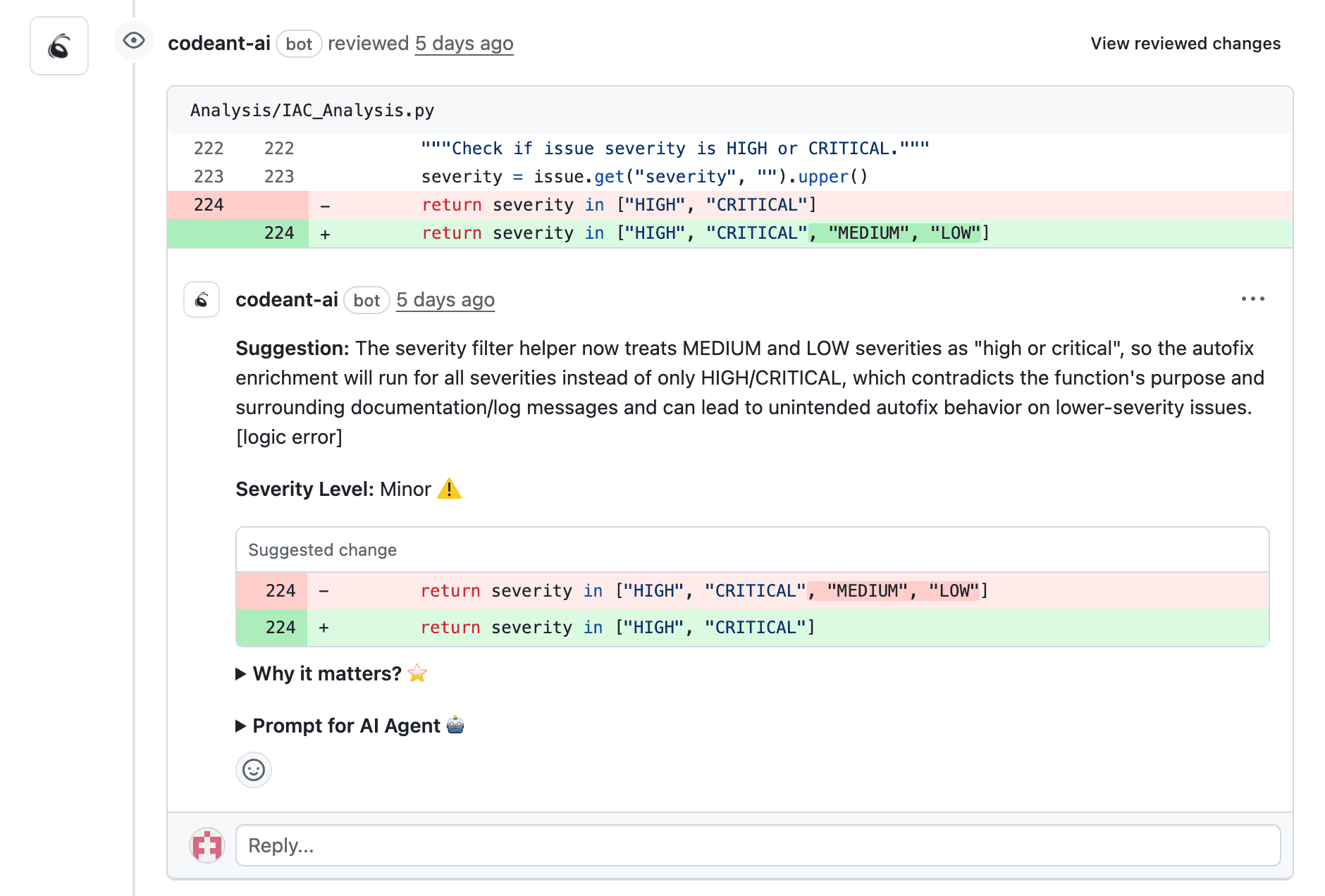
Most Git platforms let reviewers leave comments directly on specific lines within the diff. Clicking a line number opens a comment box tied to that exact location. Other team members can reply, creating threaded discussions.
Inline comments keep feedback precise and actionable. Instead of saying "the validation logic looks wrong," a reviewer can point to line 47 and explain exactly what to fix.
What Are Sequence Diagrams in Pull Request Reviews
While diffs show what changed, sequence diagrams show how changes affect execution. A sequence diagram is a visual representation of interactions between components over time. Think of it as a map showing which module calls which, in what order, and what data flows between them.
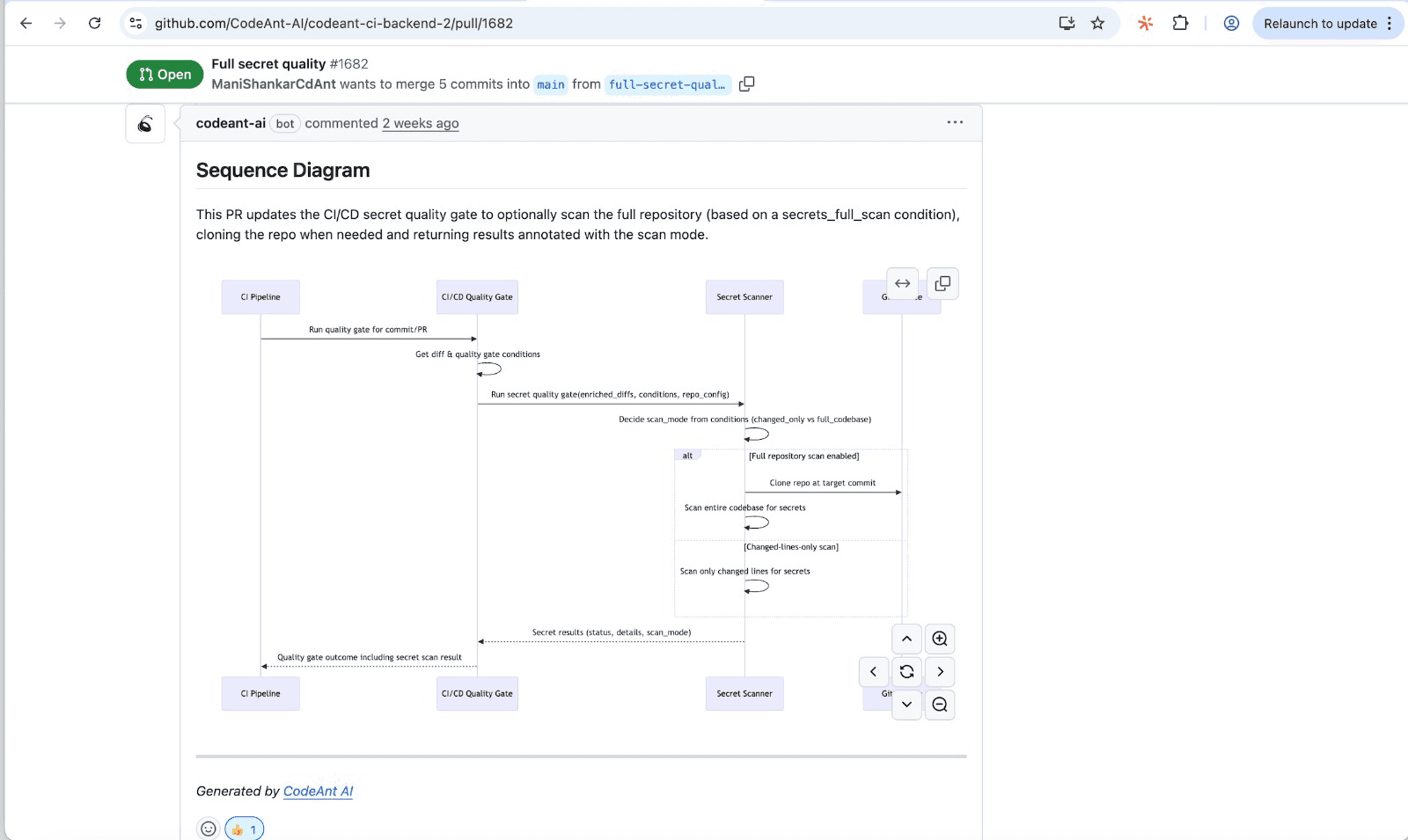
For complex PRs that touch multiple services or introduce new workflows, a sequence diagram communicates intent faster than scrolling through hundreds of changed lines.
Visual Representation of Control Flow
Sequence diagrams display the order of operations from left to right. You see the entry point (an API handler, a background job, an event consumer), the downstream modules it invokes, and external dependencies like databases or third-party APIs.
Each arrow represents a function call or message. The vertical axis represents time, so you can trace execution flow from top to bottom. Complex logic that spans multiple files becomes a single, readable picture.
Auto-Generated vs Manually Created Diagrams
Some teams create diagrams manually using tools like Mermaid or PlantUML. Others use AI-powered platforms that auto-generate diagrams from PR changes.
Manual diagrams: Offer precision but add overhead. Someone has to create and maintain them
Auto-generated diagrams: Save time but may miss nuance. The tool infers flow from code structure
CodeAnt AI generates sequence diagrams automatically for every PR, focusing on the primary flow plus high-risk branches. Reviewers get signal without noise.
Mapping Component Interactions
Sequence diagrams reveal dependencies that aren't obvious from reading code line by line. When a PR modifies an authentication service, the diagram shows every downstream component that relies on it.
This visibility helps reviewers assess blast radius before approving. If a change to the payment module triggers calls to three other services, the diagram makes that clear immediately.
PR Diffs vs Sequence Diagrams Compared
So which one do reviewers actually use? The honest answer: both, depending on the situation. Diffs and diagrams answer different questions, and the best reviews combine them.
Aspect | PR Diffs | Sequence Diagrams |
Shows | Static code changes | Dynamic behavior and flow |
Best for | Understanding what changed | Understanding how changes affect execution |
Cognitive load | Lower for small changes | Lower for complex interactions |
Default availability | Built into all Git platforms | Requires additional tooling or manual creation |
Information Density and Cognitive Load
Large diffs overwhelm reviewers. A 2,000-line PR becomes an archaeology project where you're digging through files trying to reconstruct intent. Sequence diagrams compress that complexity into a single visual.
On the other hand, diagrams add a layer of abstraction. They show the flow but hide implementation details. For a simple change, a diagram might be overkill.
Static Changes vs Dynamic Behavior
Diffs answer "what code changed?" Sequence diagrams answer "what happens when this code runs?" Both questions matter, but they serve different purposes.
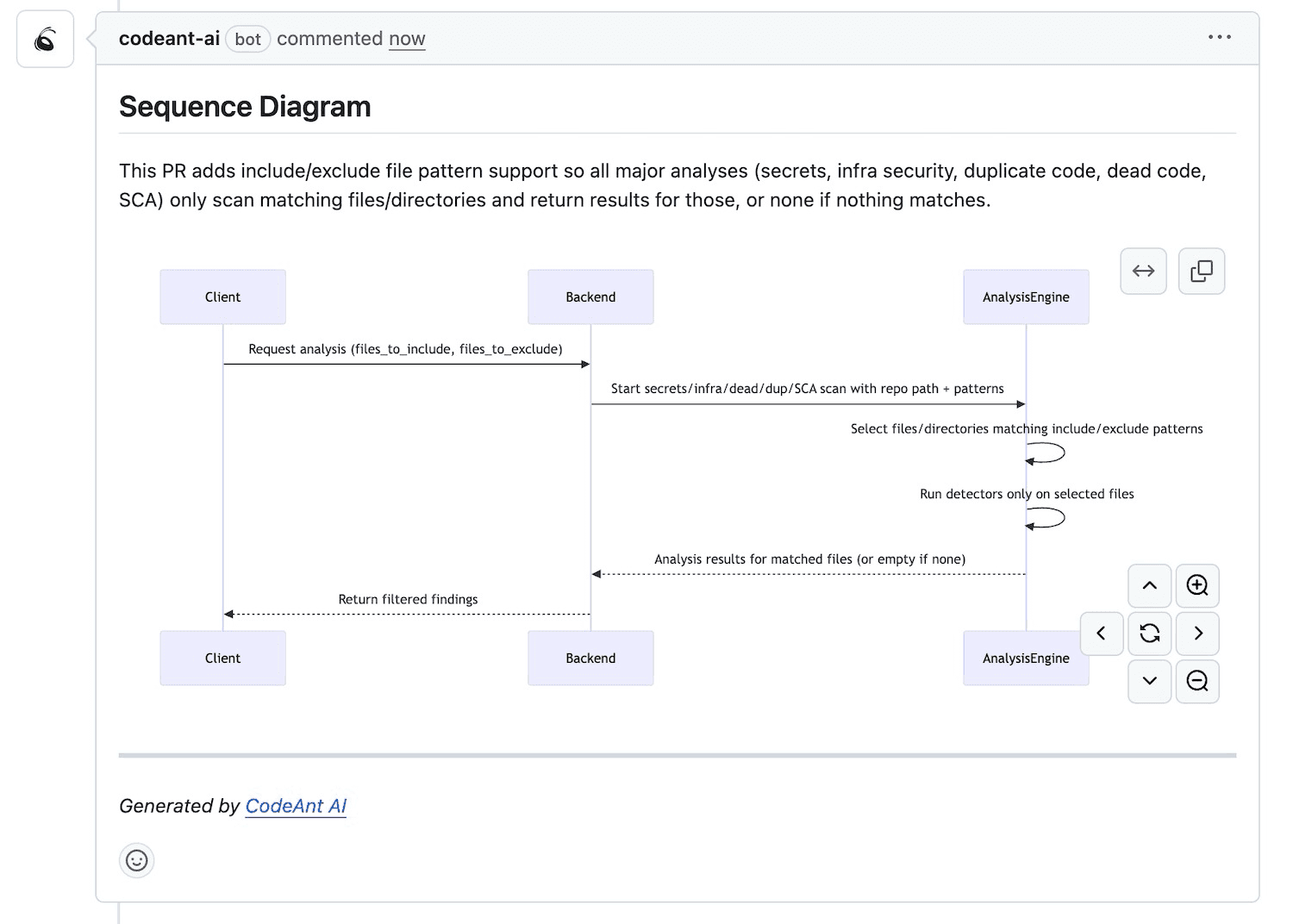
A diff might show a new function, but only a diagram reveals that the function triggers three downstream API calls and a database write. Reviewers evaluating performance or security implications benefit from seeing the full execution path.
Trade-offs in Review Speed and Accuracy
For a five-line bug fix, a diff is all you need. The change is contained, the intent is obvious, and adding a diagram would slow things down.
For an architectural refactor touching twelve files across four services, a sequence diagram saves reviewers from mentally simulating execution paths. The trade-off is setup time, unless your tooling generates diagrams automatically.
How AI Code Review Tools Generate Visualizations
Modern AI-powered code review tools analyze PRs to produce summaries, diagrams, and impact rankings automatically. Instead of manually creating documentation, you get artifacts generated from the code itself.
Codebase-Aware Analysis
AI tools trained on your codebase recognize patterns, team standards, and architectural decisions. When you open a PR, the tool already knows how your authentication module works and can flag when changes deviate from established patterns.
This context awareness separates AI code review tools from simple linters. A linter checks syntax. An AI reviewer understands your system.
Automated PR Summaries
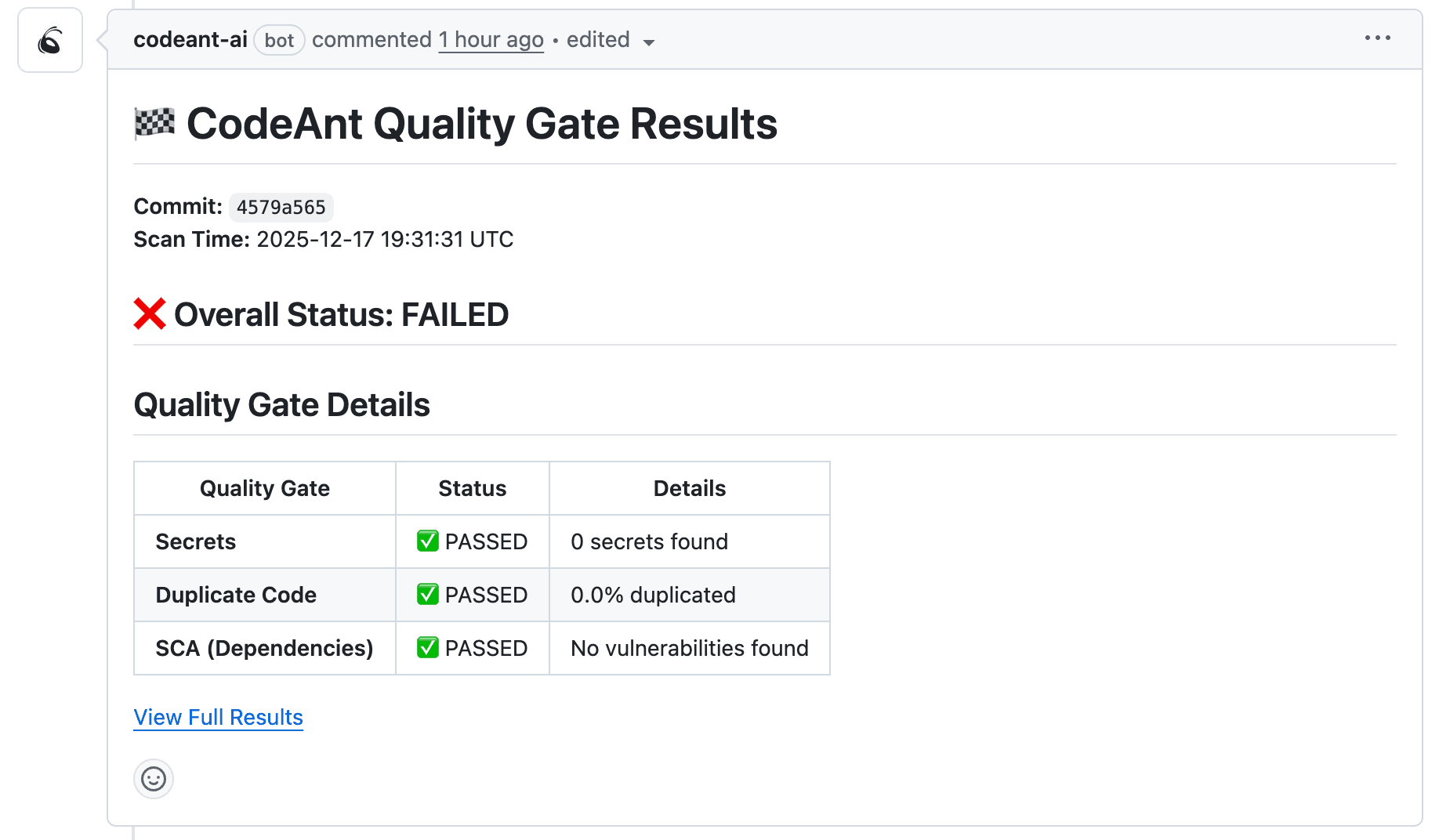
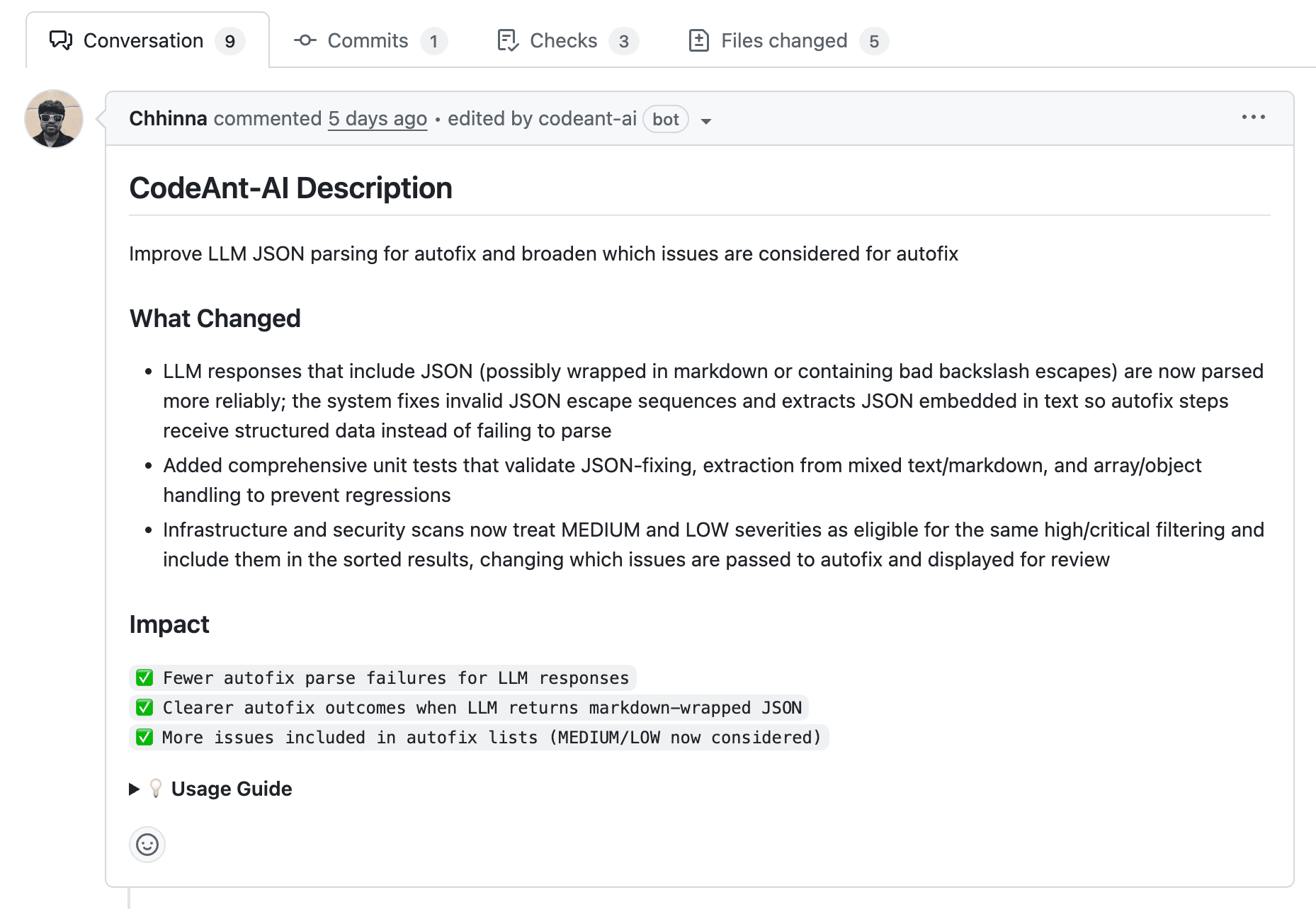
Before diving into the diff, reviewers benefit from a plain-language summary of what the PR does. AI-generated summaries answer "what is this PR trying to accomplish?" in seconds.
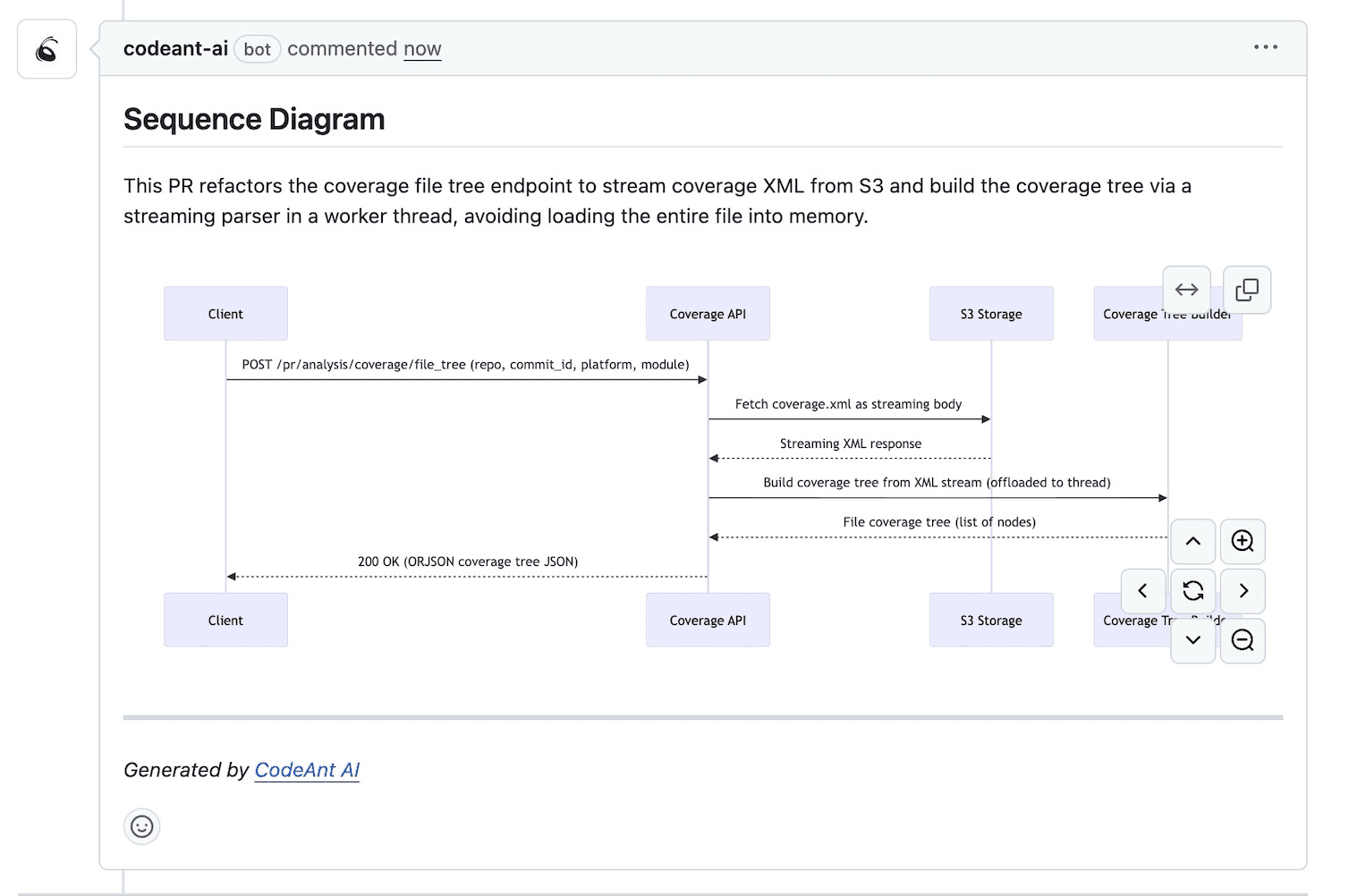
CodeAnt AI generates summaries automatically, along with sequence diagrams that capture the core runtime flow introduced by each change. Reviewers can triage quickly before examining individual files.
Impact-Ranked Findings for Large Diffs
Not all changes carry equal risk. AI tools prioritize findings so reviewers focus on high-impact areas:
Security-sensitive code: Authentication, authorization, input validation
API changes: Breaking changes to public interfaces
Database modifications: Schema changes, new queries, transaction handling
This ranking helps reviewers allocate attention where it matters most.
When to Use PR Diffs vs Sequence Diagrams
Choosing the right tool depends on the type of change you're reviewing. Here's a practical breakdown:
Small isolated bug fixes: PR diffs alone suffice. Changes are contained and easy to follow
Architectural refactors: Sequence diagrams help reviewers understand how restructured code affects execution flow
Cross-service API integrations: Diagrams reveal how services communicate after changes
Security-sensitive code changes: Combine both. Diffs for exact changes, diagrams for attack surface visualization
Small Isolated Bug Fixes
A one-line null check or a typo correction doesn't require visualization. The diff tells the whole story. Adding a diagram here would be overkill and slow down the review.
Architectural Refactors and Redesigns
When you're restructuring how components interact, reviewers benefit from seeing the new interaction patterns visually. A diagram shows the "after" state clearly, while the diff shows the implementation details.
Cross-Service API Integrations
Microservices architectures involve many moving parts. When a PR changes how Service A calls Service B, a sequence diagram clarifies the communication flow. This is especially helpful for reviewers unfamiliar with the full system.
Security-Sensitive Code Changes
Security reviews benefit from understanding both the exact code changes and the execution paths affected. A diff shows the new input validation logic. A diagram shows every path that reaches it.
What to Look for in AI-Powered Code Review Tools
If you're evaluating tools that provide both diff analysis and visualization, here's what matters:
Visualization and Summarization Capabilities
Look for auto-generated summaries, sequence diagrams, dependency graphs, and impact analysis. The best tools produce artifacts without manual effort.
Security Scanning and Quality Gates
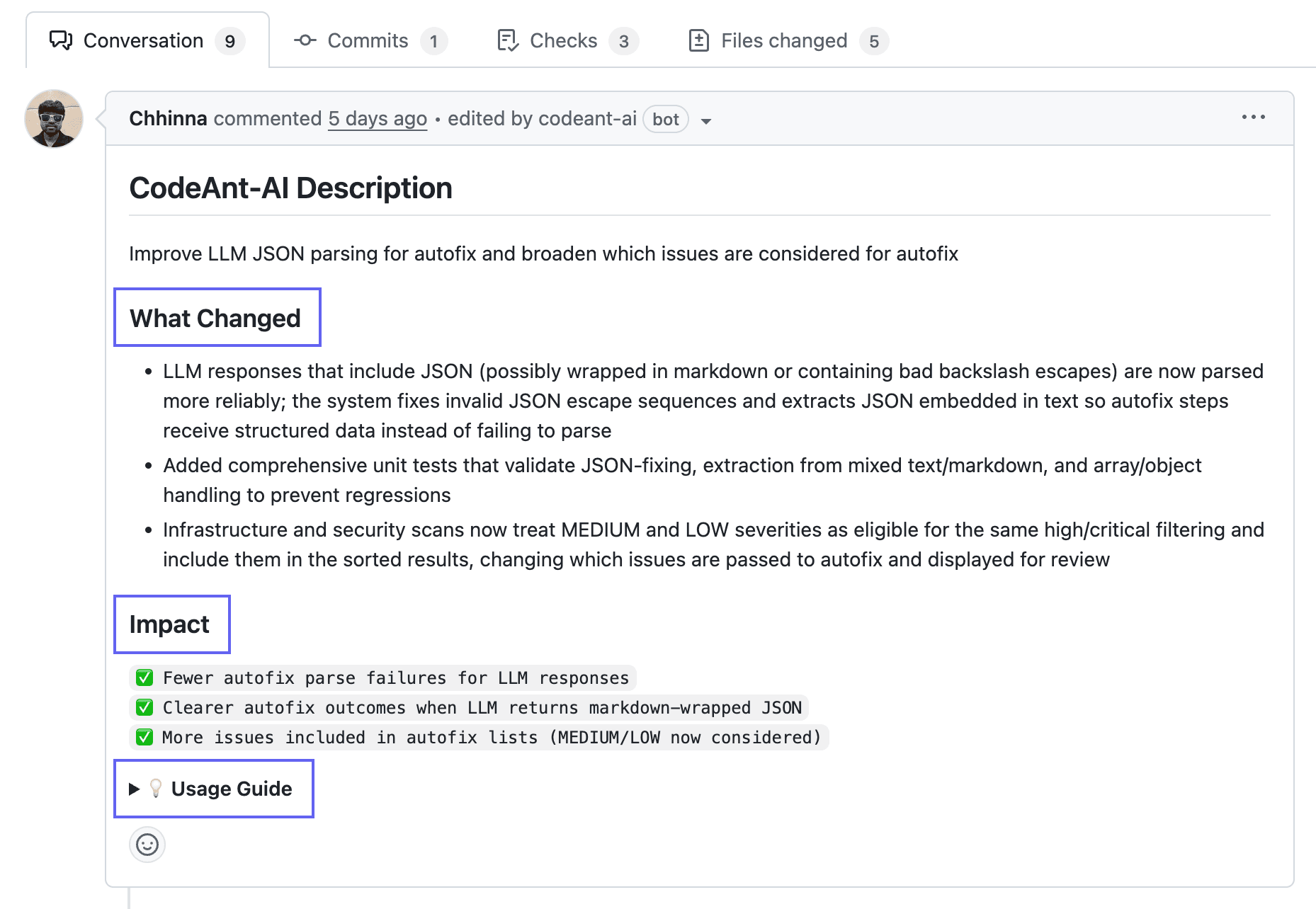
Tools that flag vulnerabilities, secrets, and compliance issues during review catch problems before merge. CodeAnt AI combines AI code reviews with security scanning and quality gates in a single platform.
Git Platform Integration Depth
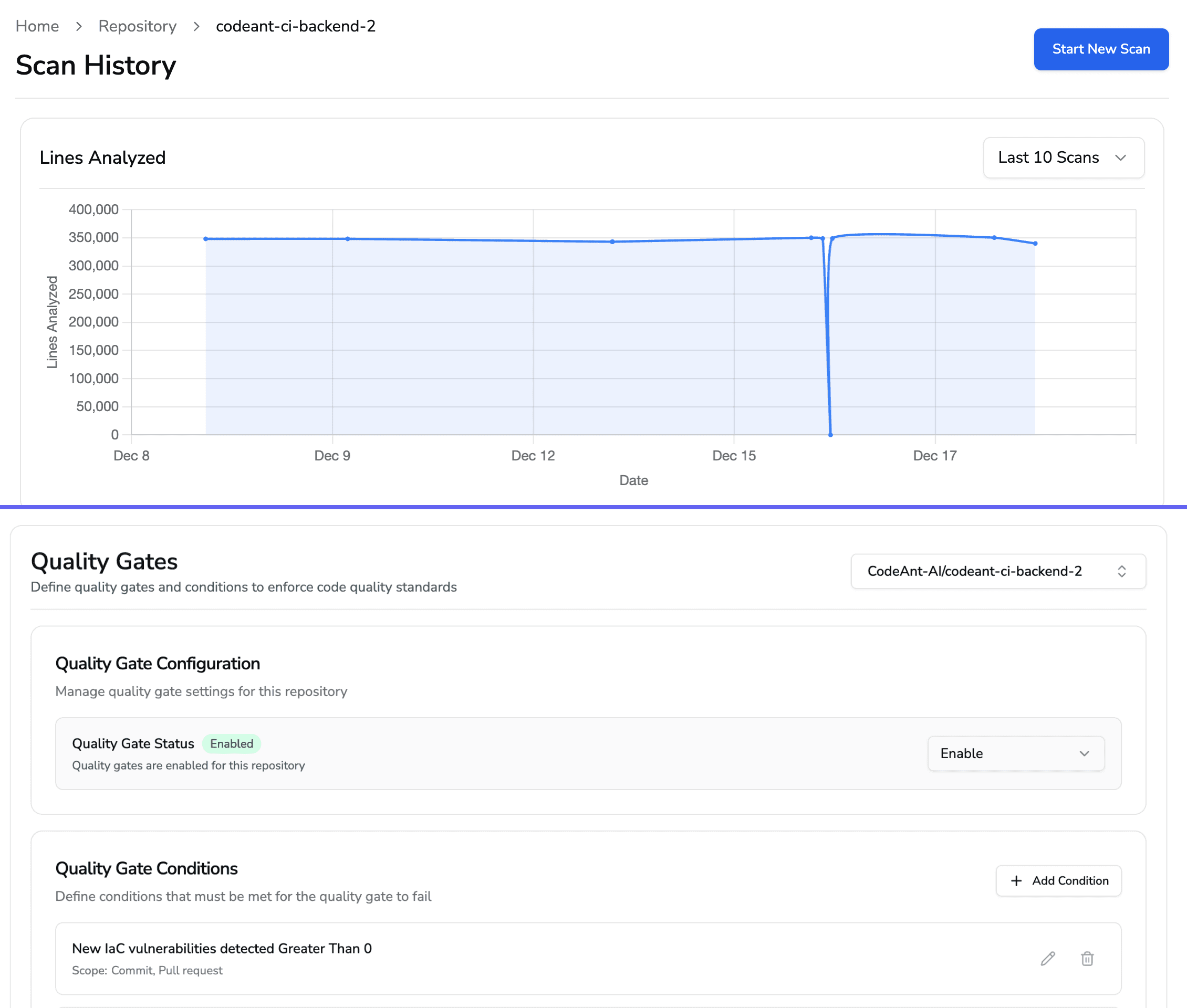
Native integration with GitHub, GitLab, Azure DevOps, and Bitbucket means inline comments, status checks, and workflow automation without context switching.
Metrics Dashboards and DORA Tracking
Tracking review time, cycle time, and deployment frequency helps teams measure and improve their code review process over time. DORA metrics (Deployment Frequency, Lead Time, Change Failure Rate, Mean Time to Recovery) provide a standard framework.
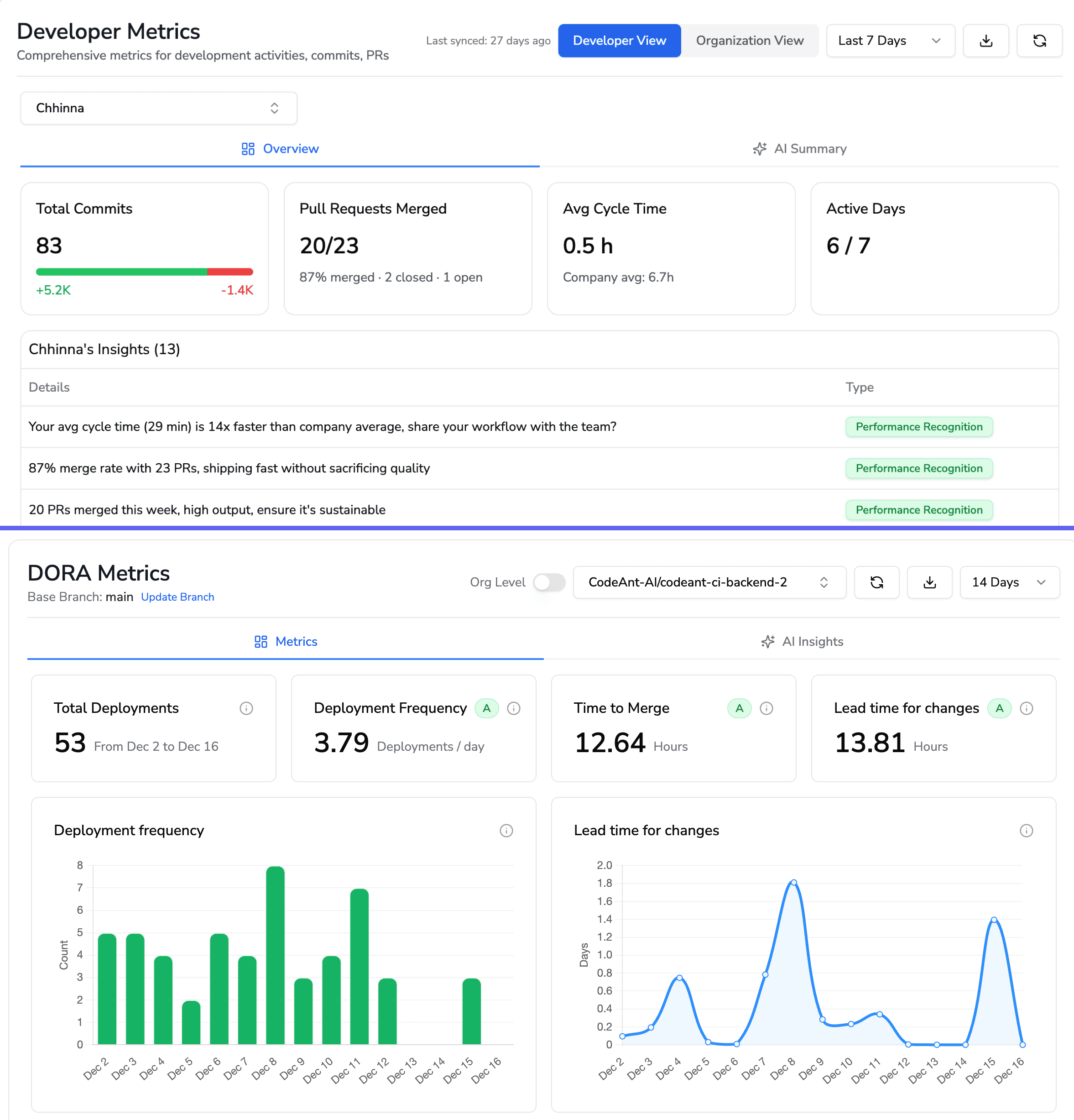
How Stacked Diffs Fit into Modern Code Review
Stacked diffs represent a workflow where large features are broken into dependent, sequential PRs. Instead of one massive PR, you create a "stack" of smaller PRs that build on each other.
Breaking Large PRs into Reviewable Units
Each PR in the stack addresses one logical change. Reviewers evaluate each piece independently, then the stack merges in order. This approach keeps individual diffs small and focused.
For example, a new feature might become three stacked PRs: database schema changes, API endpoints, and frontend integration. Each PR is reviewable on its own.
Maintaining Reviewer Focus with Smaller Changes
Smaller diffs reduce cognitive load. Reviewers catch issues that get buried in large PRs. The trade-off is coordination overhead since you're managing multiple PRs instead of one.
Teams at companies like Meta and Google use stacked diffs extensively. The workflow requires tooling support, but the review quality improves significantly.
Building a Faster and Safer Code Review Workflow
The most effective review workflows combine PR diffs with AI-generated visualizations and summaries. Here's what that looks like in practice:
Use PR diffs as your foundation: Every review starts with the diff
Add sequence diagrams for multi-component changes: When changes affect execution flow, visualize it
Adopt AI code review tools: Auto-generate summaries and prioritize findings
Integrate security scanning: Catch vulnerabilities during review, not after merge
By standardizing per-PR artifacts like sequence diagrams, the review process becomes faster and more consistent. Reviewers immediately identify what changed, where it propagates, and what could break.
Ready to streamline your code reviews with AI-powered analysis and visualization? Book your 1:1 with our experts to know more.

