AI Code Review
How to Prevent Authorization and Error-Handling Issues Early in Development

Sonali Sood

Founding GTM, CodeAnt AI
A broken access check slips through code review on Thursday. By Monday, it's in production, and someone's accessing data they shouldn't. Authorization, validation, and error-handling issues share a frustrating pattern: they're easy to miss during development and expensive to fix once they're live.
The shift-left approach changes this equation. By moving security checks, validation enforcement, and error-handling standards earlier in the development lifecycle, teams catch these issues when they're cheapest to fix, during the pull request, not the incident postmortem. This guide covers the common patterns that reach production, practical techniques for catching them early, and how to automate enforcement so nothing slips through.
Why Early Detection of Authorization and Error-Handling Issues Matters
Catching authorization, validation, and error-handling issues early in the Software Development Lifecycle (SDLC) comes down to one core idea: shift-left. This means moving testing, security checks, and quality gates earlier in development rather than waiting until the end. When you adopt a "fail fast" mentality, your system reports problems immediately instead of letting flawed processes continue.
The alternative is painful. Authorization flaws discovered in production often mean emergency patches, security incidents, and late-night debugging sessions. Validation gaps let corrupted data slip into your database. Poor error handling creates cryptic messages that frustrate users and make debugging a nightmare.
Late detection hits teams in predictable ways:
Security breaches: Unauthorized access reaches production and exposes sensitive data
Debugging costs: Issues found in production take significantly longer to trace and fix than issues caught during code review
Compliance risks: Missing audit trails and inconsistent error logging trigger audit failures
Poor user experience: Cryptic error messages increase support tickets and frustrate users
Common API Error-Handling Issues That Reach Production
Before jumping into solutions, it helps to understand what typically goes wrong. The same patterns show up repeatedly across codebases, and they're all preventable with the right approach.
Authorization and Authentication Failures
Authentication verifies who you are. Authorization determines what you can access. Mixing up the two, or skipping checks entirely, creates serious vulnerabilities.
Common broken access control patterns include missing role checks, insecure direct object references (where users manipulate IDs to access other users' data), and privilege escalation through predictable endpoints. Authorization issues often slip through code review because they require context about user roles and data ownership that's easy to overlook.
Input Validation Gaps
When user input isn't validated, bad things happen. Injection attacks exploit unvalidated input to execute malicious code. Malformed data causes crashes or corrupts databases.
The fix seems obvious: validate everything. But teams often rely solely on client-side validation, which attackers bypass trivially. Server-side validation is non-negotiable because every input that crosses a trust boundary deserves scrutiny.
Inconsistent Error Response Formats
APIs that return errors in different formats frustrate consumers. One endpoint returns {"error": "Not found"}, another returns {"message": "Resource missing", "code": 404}, and a third returns plain text. This inconsistency breaks client-side error handling and makes debugging painful for everyone involved.
Information Leakage in Error Messages
Stack traces, database errors, and internal file paths exposed in error messages create security vulnerabilities. Attackers use this information to map your infrastructure and identify attack vectors. A verbose error message might seem helpful during development, but it becomes a liability in production.
Incorrect HTTP Status Codes
Returning wrong status codes confuses clients and monitoring tools. When everything returns 200 OK, even errors, your dashboards lie to you.
Scenario | Incorrect Code | Correct Code |
Invalid user input | 500 Internal Server Error | 400 Bad Request |
Missing authentication | 404 Not Found | 401 Unauthorized |
User lacks permission | 200 OK with error body | 403 Forbidden |
Resource doesn't exist | 500 Internal Server Error | 404 Not Found |
API Error-Handling Best Practices for Validation
Validation is your first line of defense. Done well, it rejects bad requests immediately and provides clear feedback. Done poorly, it lets problems cascade through your system.
1. Validate Input Before Processing
The fail-fast principle applies here: reject invalid requests at the entry point before any computation begins. Check required fields, data types, formats, and ranges. If something's wrong, throw an exception immediately rather than letting the request proceed further into your business logic.
2. Use Schema Validation for Request Bodies
JSON Schema or OpenAPI schema validation acts as an automated gatekeeper. You define your expected request structure once, and the schema enforces it consistently across all requests. This catches malformed requests before your business logic ever sees them.
3. Sanitize and Normalize User Input
Validation checks what the input is. Sanitization ensures it's safe to use. Escape special characters, encode output appropriately, and normalize data like trimming whitespace or lowercasing emails. This prevents injection attacks even when validation passes.
4. Return Actionable Validation Error Messages
Error messages that tell users exactly what's wrong reduce support burden and improve experience:
Bad: "Validation error"
Good: "The 'email' field requires a valid email address"
Bad: "Invalid input"
Good: "The 'startDate' value cannot be after 'endDate'"
Include field-level errors, not just generic failures.
Secure Authorization Error Handling Without Leaking Sensitive Data
There's a tension between helpful error messages and security. Too much detail helps attackers. Too little frustrates legitimate users. Finding the balance requires intentional design.
Balancing Helpful Messages with Security
External-facing errors stay generic while internal logs capture full details. Users see "Authentication failed." Your logs record the specific reason: expired token, invalid signature, or revoked access. This principle of least information protects your system without leaving engineers blind during debugging.
When to Use Generic vs. Specific Auth Error Responses
For login failures, use generic messages like "Invalid credentials" to prevent user enumeration attacks. Attackers can't determine whether an email exists in your system. For permission errors in authenticated contexts, you can be more specific since the user's identity is already known. "You don't have access to this resource" is appropriate here.
Logging Authorization Events for Audit Trails
Compliance frameworks expect detailed authorization logs. What to capture:
Successful logins: Track who accessed the system and when
Failed login attempts: Detect brute-force attacks early
Permission denials: Identify misconfigured access controls
Privilege escalation attempts: Flag suspicious behavior for investigation
How to Standardize Error Responses Across Your Codebase
Consistency matters. When every endpoint returns errors in the same format, clients can handle them reliably, and monitoring tools can parse them accurately.
Designing a Consistent Error Response Structure
A standard error object typically includes an error code, human-readable message, details array for field-level specifics, trace ID for log correlation, and timestamp. The structure stays identical whether it's a 400 or 500 error.
Implementing Global Exception Handlers
Centralized exception handling ensures all errors pass through a single formatter. In Spring, that's @ControllerAdvice. In Express, it's error middleware. In .NET, it's exception filters. Whatever your framework, the pattern is the same: catch exceptions at the boundary and transform them into consistent responses.
Enforcing Standards Through Automated Code Review
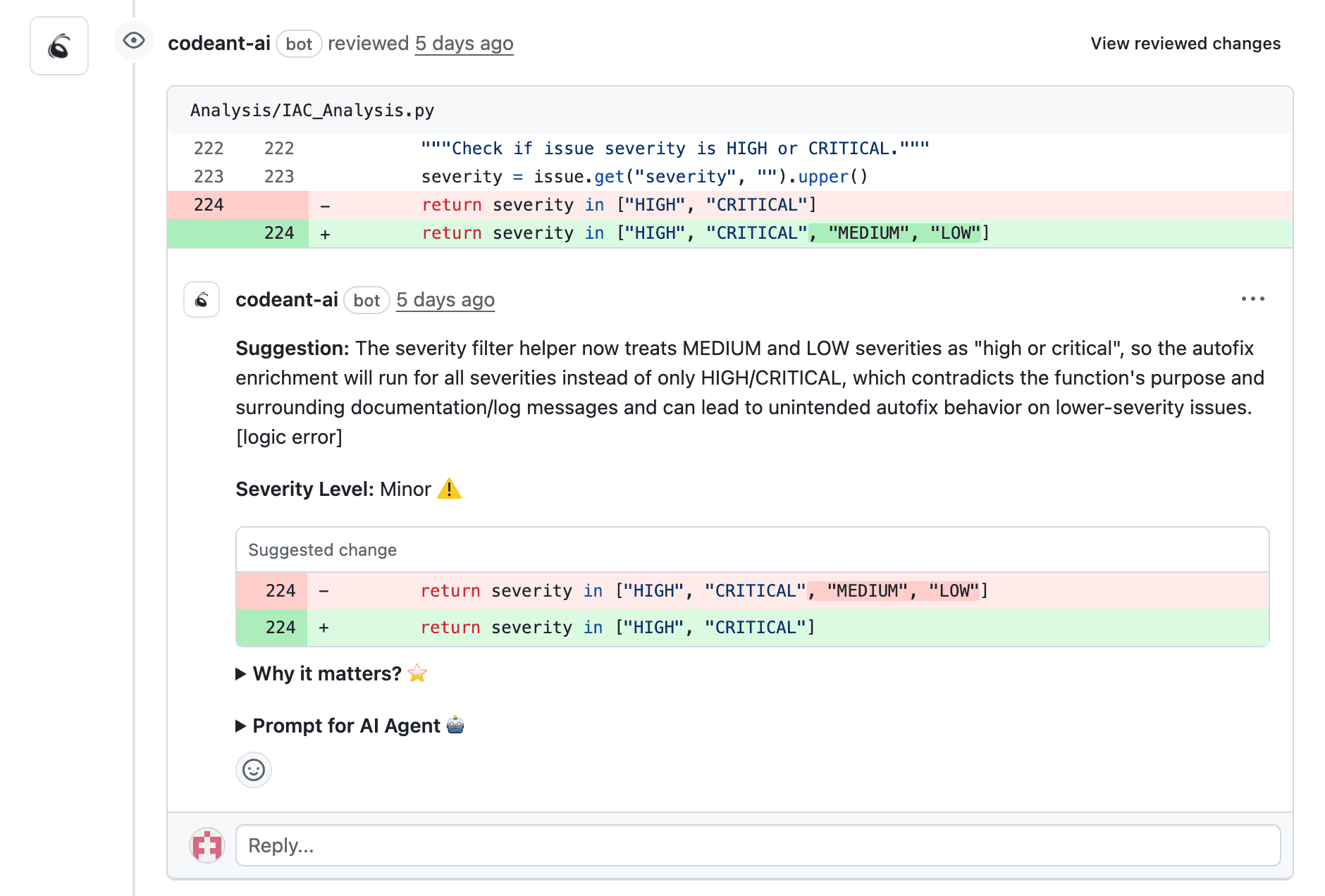
Manual enforcement doesn't scale. Automated tools catch deviations from error-handling patterns during pull requests, before code merges. CodeAnt AI's line-by-line PR analysis flags inconsistent error formats, missing exception handlers, and exposed sensitive data automatically.
Using Logging and Monitoring to Detect Issues Early
Prevention catches most issues. Monitoring catches the rest. Together, they create a safety net that keeps problems from reaching users.
What to Log for Authorization and Validation Events
Use appropriate log levels: INFO for successful operations, WARN for validation failures, ERROR for authorization blocks. Structured logging in JSON format makes logs searchable and parseable by monitoring tools.
Setting Up Alerts for Error Patterns
Threshold-based alerts act as early warning systems. A sudden spike in 401 responses might indicate a credential stuffing attack. A surge in validation errors could mean a client integration broke. Configure alerts for patterns, not just individual errors.
Using Correlation IDs for Tracing Issues
Correlation IDs link requests across services. When a user reports an error, the trace ID in their error response lets you find every log entry for that request across your entire system. This is essential for debugging distributed architectures.
Automating Authorization and Validation Checks in Your Pipeline
Shift-left security means running checks on every commit, not just before release. Automation catches issues when they're cheapest to fix.
Static Analysis for Authorization Flaws
Static Application Security Testing (SAST) tools scan source code for authorization anti-patterns before merge. SAST identifies missing access checks, broken access control, and insecure direct object references without running the code.
Automated Pull Request Checks for Validation Patterns
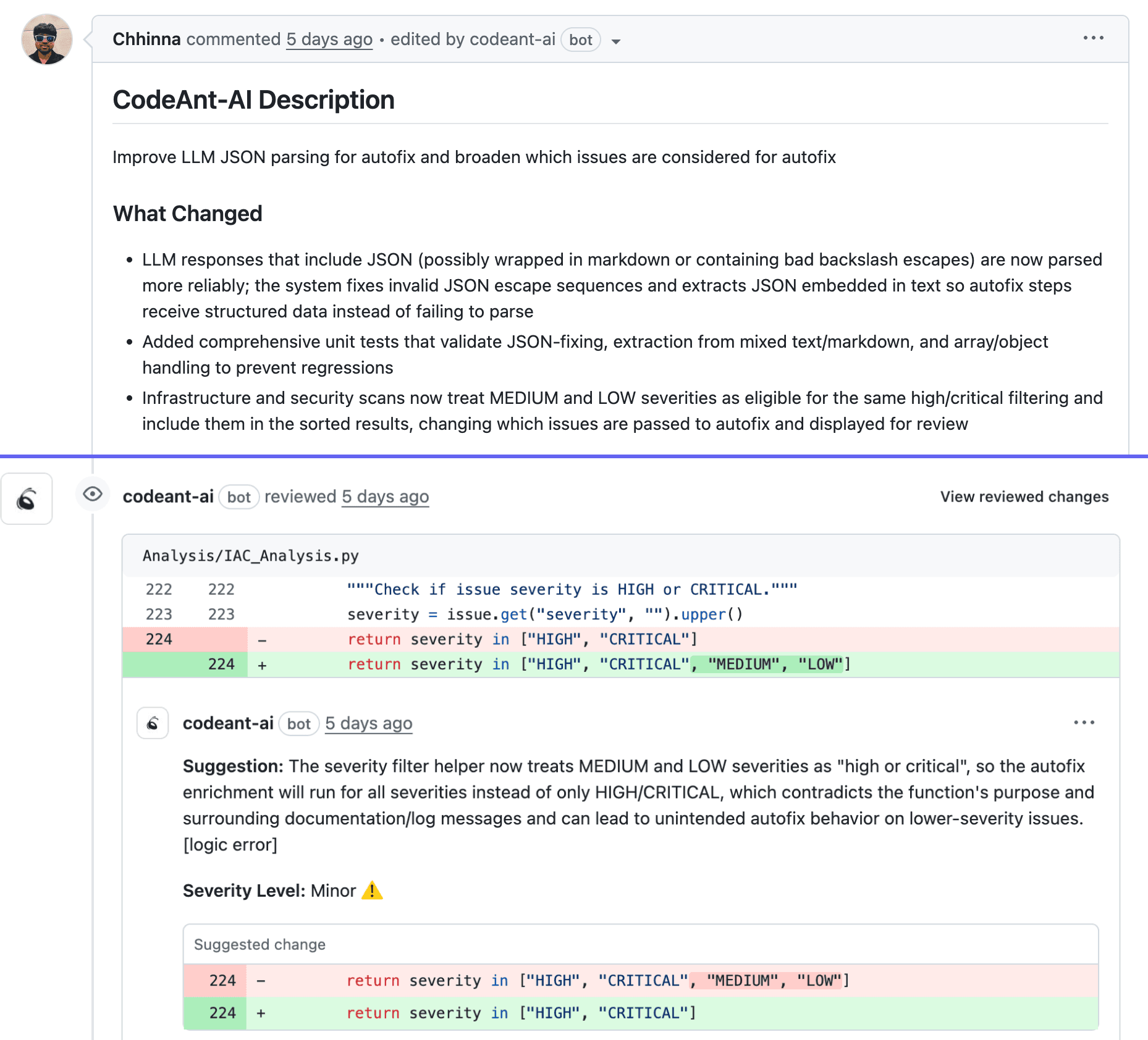
Automated code review flags missing input validation, inconsistent error handling, and exposed sensitive data in error messages. CodeAnt AI analyzes every PR line-by-line, catching issues human reviewers often miss under time pressure.
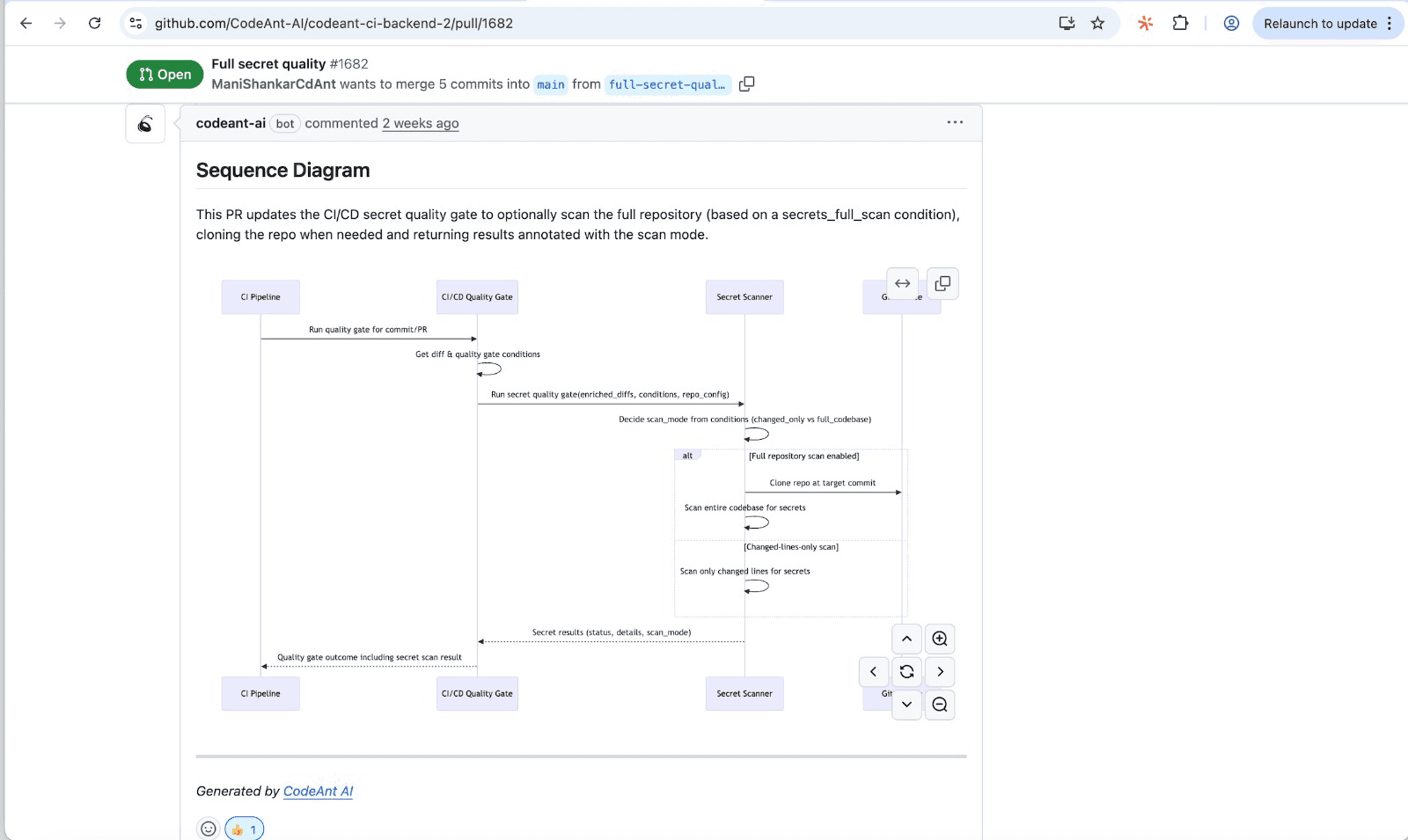
Tip: CodeAnt AI generates sequence diagrams for each PR, showing authorization checks, validation points, and error paths at a glance. Reviewers can immediately see if a new endpoint is missing access control.
Integrating Security Scanning into CI/CD
Quality gates block merges when code doesn't meet standards. If a PR introduces an authorization vulnerability or inconsistent error handling, the build fails. This makes quality non-negotiable rather than optional.
Testing Strategies That Catch Errors Before Production
Automation enforces standards. Testing verifies behavior. Both are essential, and they serve different purposes.
Unit Testing Authorization Logic
Test role-based access control, permission checks, and edge cases. What happens with an expired token? Revoked access? A role that doesn't exist? Each of these scenarios deserves explicit test coverage.
Integration Testing for Error Scenarios
Test error flows end-to-end. Send invalid requests and verify the response format. Simulate downstream failures and confirm graceful degradation. Trigger timeouts and check that error messages are appropriate.
Negative Testing for Validation Edge Cases
Negative testing deliberately uses invalid inputs to verify proper handling. Test boundary conditions, malformed data, and injection payloads. If your validation works, the tests pass. If not, you've found a gap before attackers do.
How AI-Powered Code Review Prevents Issues Before Merge
Human reviewers catch many issues, but they're inconsistent, especially under deadline pressure. AI-powered review adds a consistent layer that catches what humans miss.
AI Detection of Authorization Anti-Patterns
AI identifies missing access checks, insecure direct object references, and broken authentication patterns. It recognizes when a new endpoint lacks the authorization middleware that similar endpoints use. Large PRs make these patterns easy to miss, but trained models spot them reliably.
Predictive Analysis for Validation Gaps
AI learns from your codebase patterns. When a new endpoint handles user input differently than established patterns, it flags the inconsistency. This catches validation gaps before they become vulnerabilities.
Continuous Learning from Your Codebase
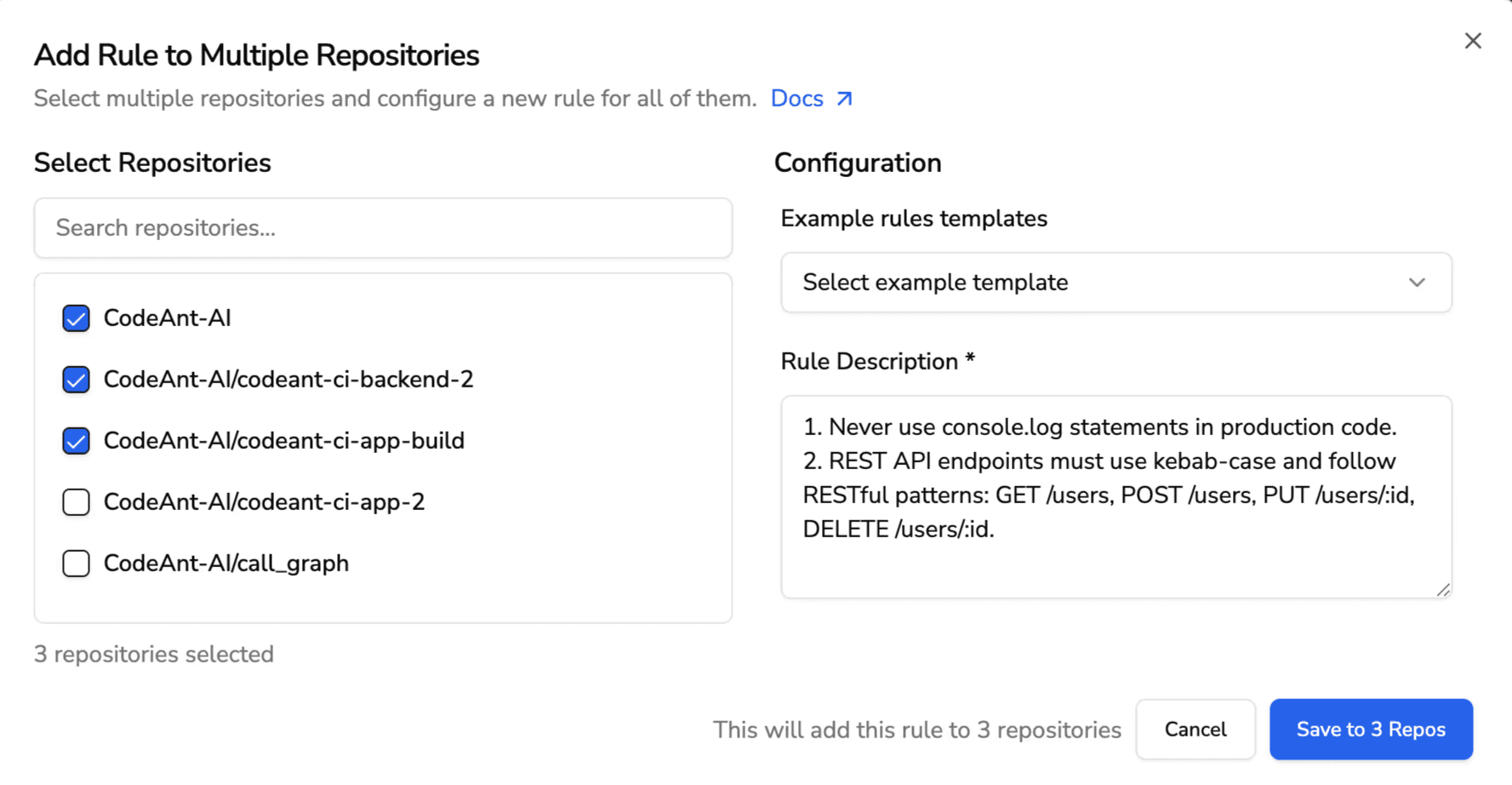
Organization-specific learning means the AI adapts to your team's conventions, standards, and common mistakes. CodeAnt AI enforces custom rules based on your codebase, not just generic best practices.
Ship Secure Code Faster with Proactive Error Prevention
Early detection of authorization, validation, and error-handling issues is achievable. It requires combining consistent error formats, proper logging, and thorough testing with automation that enforces standards on every commit.
The shift-left approach works. Teams that catch issues during development spend less time firefighting in production. They ship faster because they're not blocked by security reviews at the end.
Ready to catch authorization and error-handling issues before they reach production?Try it out in our self-hosted version.
FAQs
Should exceptions be thrown early and caught late in API error handling?
How do you test authorization logic without deploying to production?
What is the difference between authentication and authorization errors in APIs?
How do you enforce consistent error-handling standards across multiple development teams?
Can static analysis tools detect authorization vulnerabilities before code is merged?