AI Code Review
What Reviewers Should Look for First in AI-Generated Sequence Diagrams (2026 Guide)

Sonali Sood

Founding GTM, CodeAnt AI
AI-generated sequence diagrams save hours of manual documentation work—but they can also mislead your entire team if nobody catches the errors. A phantom service here, a reversed call direction there, and suddenly your architecture decisions are based on fiction.
The real skill isn't generating these diagrams. It's knowing exactly what to verify before you trust them. This guide covers the five elements reviewers check first, the common mistakes AI tools make, and how to build diagram validation into your existing code review workflow.
What Are AI-Generated Sequence Diagrams
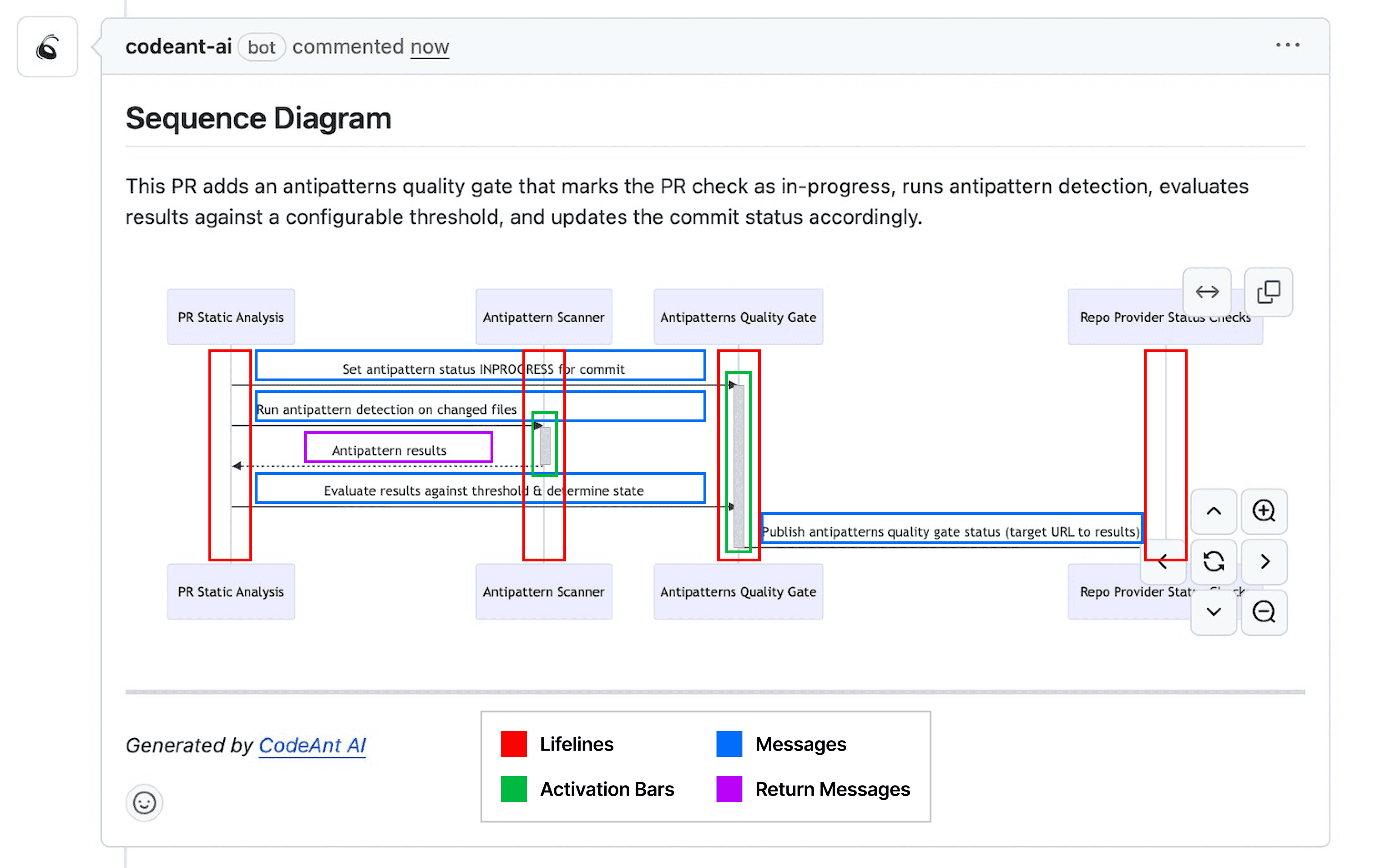
Sequence diagrams are UML visualizations showing how objects and components interact over time. They read top-to-bottom, with vertical lifelines representing participants and horizontal arrows showing messages passed between them.
AI-powered tools now generate sequence diagrams automatically from source code, natural language prompts, or pull request diffs. Instead of manually drawing every interaction, you get a visual snapshot of system behavior in seconds.
Here are the core components you'll encounter:
Lifelines: Vertical lines representing objects, services, or actors in the interaction
Messages: Horizontal arrows showing method calls or data passed between lifelines
Activation bars: Rectangles on a lifeline indicating when an object is actively processing
Return messages: Dashed arrows showing responses flowing back to the caller
Why AI Sequence Diagrams Require Human Review
Reviewers checking AI-generated sequence diagrams first verify accuracy of flow and logic, ensuring components, messages, and timing reflect actual system behavior. After confirming logical accuracy, reviewers then check clarity (concise labels, standard notation), completeness (all key actors and steps), and consistency with coding standards.
AI tools can misinterpret complex code logic, hallucinate non-existent method calls, or omit critical error paths entirely. Since diagrams often inform architecture decisions and onboarding, errors can propagate downstream and lead to flawed designs.
The best approach is "trust-but-verify." AI handles the tedious work of tracing call flows, while you confirm the output matches reality. Common risks include:
Misinterpreted logic: AI may confuse asynchronous flows with synchronous ones or misunderstand conditional branching
Invented components: Diagrams might include phantom actors, services, or methods that don't exist in your codebase
Missing paths: Critical alternative flows like exception handling, timeouts, and edge cases often disappear in favor of the "happy path"
Five Elements to Verify First in Any AI Sequence Diagram
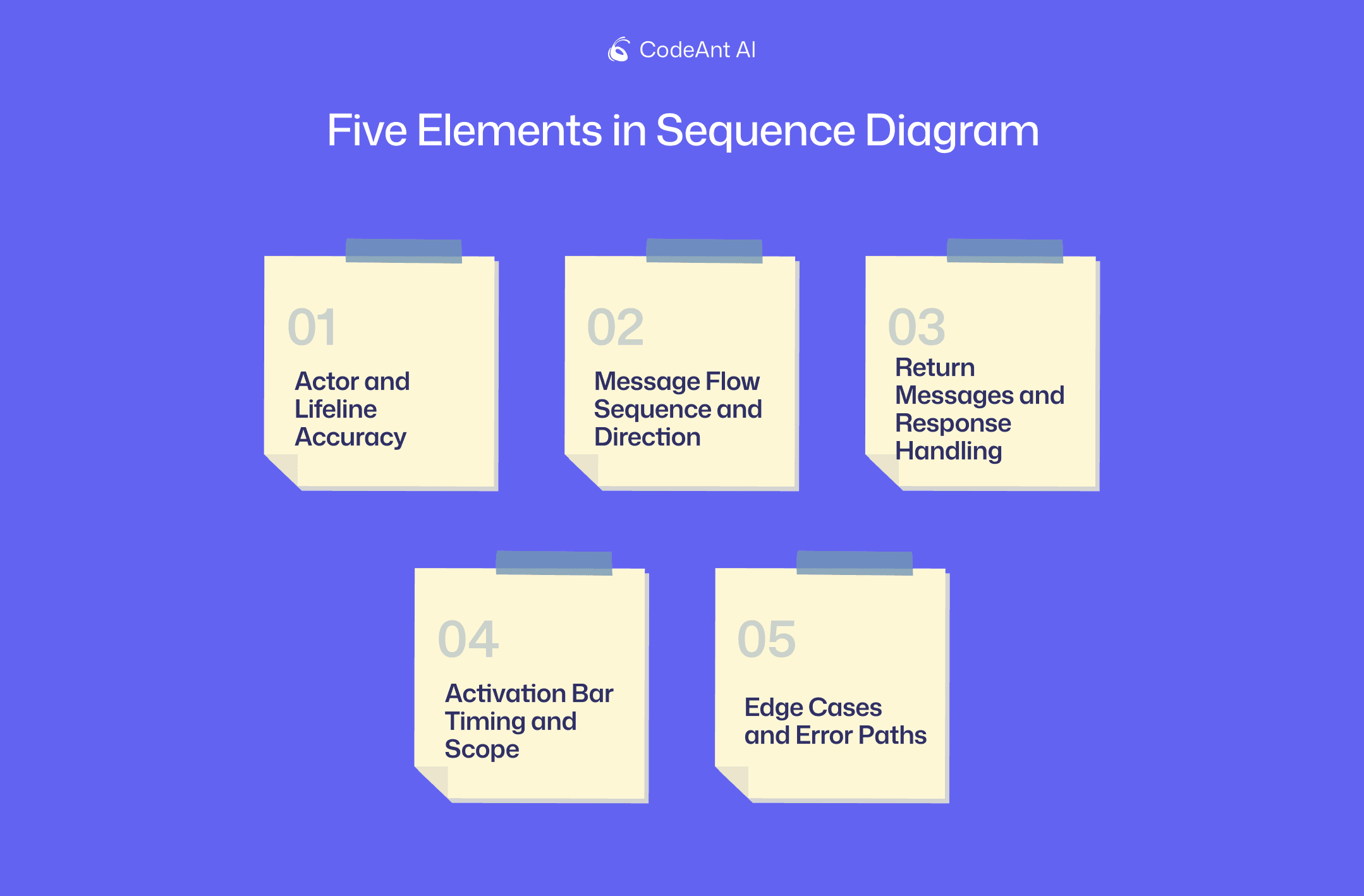
The following five checkpoints form a systematic review process. Each builds on the previous, helping you catch the most impactful errors quickly.
1. Actor and Lifeline Accuracy
Start by confirming every actor and lifeline maps to a real class, service, or component in your codebase. Check that naming conventions align with actual code. If your service is called PaymentProcessor, the diagram shouldn't show PaymentHandler.
Watch for "phantom" actors the AI may have invented. Cross-reference the diagram's participants against your architecture documentation or the actual files in the PR.
2. Message Flow Sequence and Direction
Next, verify that the order of method calls matches actual code execution. Message arrows point from caller to callee, so a UserController calling AuthService.validate() means the arrow originates at UserController.
AI tools often reverse call directions or misrepresent the timing of asynchronous callbacks. Trace through the code to confirm the sequence is accurate.
3. Return Messages and Response Handling
Then check that return values appear where expected. AI-generated diagrams frequently omit return messages, especially for void methods, or represent them incorrectly.
Confirm the response types shown match actual method signatures. If getUser() returns a UserDTO, the diagram's return message should reflect that, not a generic "success" label.
4. Activation Bar Timing and Scope
Activation bars show when an object is actively processing. Confirm the bars accurately reflect method execution duration and scope.
Look for nested calls to ensure they display proper hierarchy. Watch for activation bars that extend too long or terminate too early, as this indicates the AI misunderstood the processing lifecycle.
5. Edge Cases and Error Paths
Finally, AI tools typically generate "happy-path" diagrams showing processes succeeding without issues. Check for exception handling, timeout scenarios, and alternative flows.
Missing error paths create significant blind spots. If your code has a try-catch block or handles specific failure conditions, the diagram should reflect those branches.
Element | What to Check | Red Flags |
Actor accuracy | Names match real components | Phantom services, wrong naming |
Message flow | Correct sequence and direction | Reversed arrows, wrong order |
Return messages | Response types match signatures | Missing returns, generic labels |
Activation bars | Proper timing and nesting | Bars too long or too short |
Error paths | Exception handling included | Happy-path only, no failures |
Common Mistakes AI Tools Make in Sequence Diagrams
Knowing the typical failure patterns helps you spot issues faster during review.
Missing or Phantom Actors
AI may omit real participants like middleware, message queues, or databases. Conversely, it might invent actors that don't exist. Always cross-reference against your actual architecture.
Incorrect Message Ordering
Asynchronous operations are a common failure point. AI can confuse callback timing and event-driven flows, showing operations in the wrong sequence. This is especially problematic in systems using message queues or event buses.
Oversimplified Exception Handling
Try-catch blocks, error responses, and fallback logic frequently disappear. The AI favors clean, linear flows over realistic failure scenarios, which can hide potential points of failure from reviewers.
Hallucinated Method Calls
An AI may reference methods that don't exist, have been deprecated, or use incorrect signatures. Validate every method name and its parameters against the actual codebase.
Tip: Use your IDE's "Find Usages" or "Go to Definition" features to quickly verify that each method call in the diagram exists in your codebase.
How to Validate AI Diagrams Against Your Source Code
Cross-referencing diagrams with source code doesn't have to be tedious. Here's a practical approach:
Trace each lifeline to its corresponding class or service. Start by confirming every vertical lifeline represents a real component in your project.
Follow message arrows through actual method implementations. For each message, navigate to the calling method and verify it calls the target method on the correct object.
Confirm return types and response structures match code. Check method signatures to ensure the data structures shown are accurate.
Test edge cases by reviewing exception handlers in source. Look for
try-catchblocks and conditional logic that represent alternative flows.
Modern code review platforms can help automate this process. CodeAnt AI, for example, surfaces mismatches between diagrams and code during pull request reviews, flagging inconsistencies before they reach production.
👉 See how CodeAnt AI validates code flows
Key Quality Metrics for AI Diagram Review
Measurable criteria help teams establish consistent review standards across the organization.
Structural Accuracy Rate
This metric measures whether diagram components (actors, lifelines, messages) correctly map to actual system architecture. "Accurate" means every element has a direct, verifiable counterpart in the codebase.
Diagram Completeness Score
This metric evaluates if all relevant interactions for a given scenario are captured. Completeness drops when return messages are missing or error handling is absent.
Behavioral Consistency with Code
This metric confirms the diagram reflects actual runtime execution. What the diagram depicts should match what the code does when it runs, especially for asynchronous events and operation sequences.
How to Add Diagram Review to Your Code Review Workflow
Treating diagram validation as a standard part of the pull request process keeps quality consistent. Here's how to integrate it:
PR submission: Require updated diagrams for any pull requests introducing architectural changes
Automated checks: Use code review tools to compare diagram claims against code and flag discrepancies
Reviewer checklist: Add the five verification elements as standard review items
Approval gates: Block merges until diagram-code misalignments are resolved
AI-driven code review tools like CodeAnt AI help by automatically flagging inconsistencies. Teams benefit from unified code and diagram validation in one platform, with no context switching between tools.
Best Tools for Validating AI-Generated Diagrams
Several tool categories assist with diagram validation:
AI code review platforms: Analyze code changes and flag inconsistencies between code and diagrams. CodeAnt AI integrates this directly into PR workflows.
UML validators: Check for syntactic correctness and structural compliance with UML standards
Static analysis tools: Trace actual call flows in source code for comparison against diagrams
IDE integrations: Navigate from diagram elements directly to corresponding source code
The most effective approach combines automated tooling with human judgment. AI catches obvious mismatches, while reviewers understand context and intent.
Build a Consistent AI Diagram Review Process
Establishing team-wide standards and checklists for validation keeps everyone aligned. Integrate diagram checks into existing workflows rather than treating them as separate tasks.
A systematic review process catches errors before they impact production systems. The five verification elements (actor accuracy, message flow, return handling, activation timing, and error paths) form a reliable foundation.
CodeAnt AI helps teams validate code and diagram alignment in every pull request. Book your 1:1 with our experts today to know more!
FAQs
How accurate are AI-generated sequence diagrams compared to manually created ones?
Do reviewers require UML expertise to evaluate AI-generated sequence diagrams?
How long does a thorough review of an AI-generated sequence diagram take?
Can AI code review tools validate AI-generated sequence diagrams automatically?
What happens when an AI-generated sequence diagram is fundamentally incorrect?