AI Code Review
Understanding Sequence Diagrams and Static Analysis for Better Code Quality

Sonali Sood

Founding GTM, CodeAnt AI
You've got sequence diagrams mapping out your system's behavior. You've got static analysis catching bugs in every pull request. But here's the question that trips up a lot of teams: are these two approaches doing the same job, or do they actually serve different purposes?
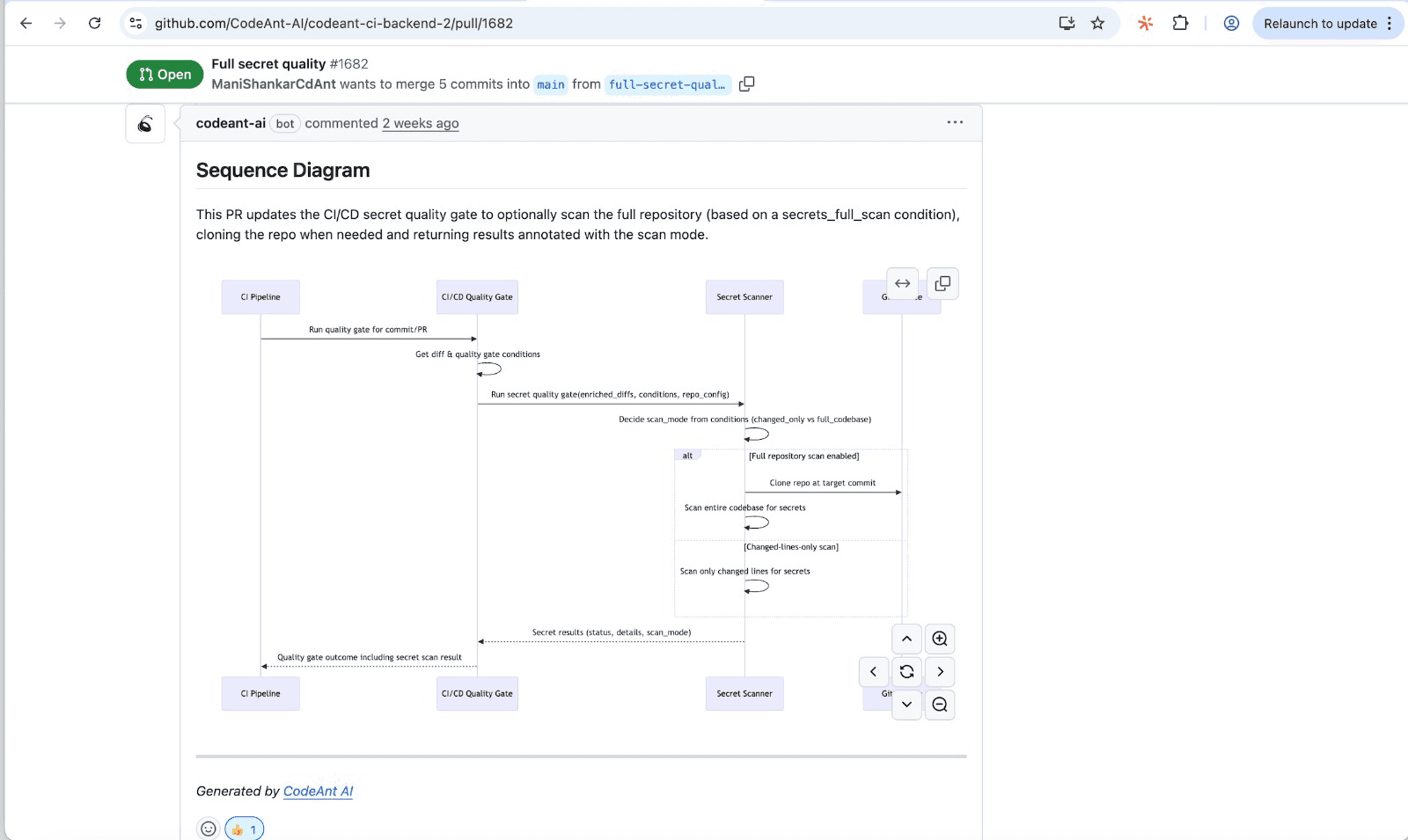
The short answer, they're complementary, not redundant. Sequence diagrams show how your system behaves at runtime.
Static analysis checks whether your code is safe and well-written. This guide breaks down exactly when to use each, where they overlap, and how to combine them for better code quality across your entire development workflow.
Why Compare Sequence Diagrams and Static Analysis
Sequence diagrams and static analysis are complementary, not redundant. They answer different questions about your code. Sequence diagrams show how components interact over time. Static analysis checks whether your code contains bugs, vulnerabilities, or quality issues.
The confusion makes sense. Both help you "understand code better." But sequence diagrams give you a dynamic view—the runtime behavior, the flow of messages between objects. Static analysis gives you a structural view—what exists in your codebase and whether it's safe.
Here's the practical difference:
Sequence diagrams: Answer "how does this system behave?"
Static analysis: Answer "is this code safe and well-written?"
Teams that pick one over the other often end up with blind spots. You might understand the architecture but miss implementation flaws. Or you catch bugs but lose sight of the bigger picture.
What is a Sequence Diagram?
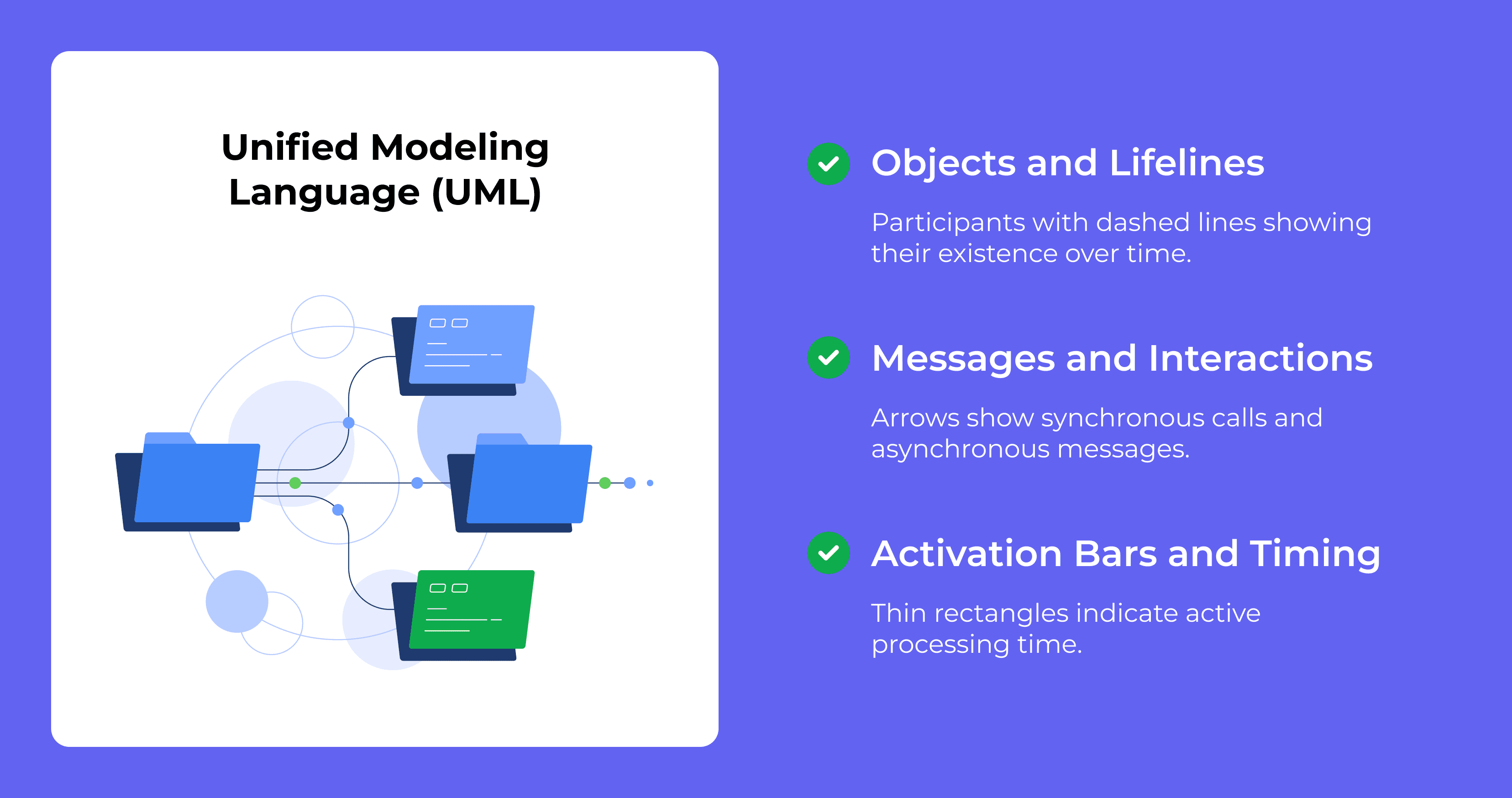
A sequence diagram is a UML (Unified Modeling Language) visual that shows how objects interact over time. UML is a standardized way to model software systems. Sequence diagrams specifically capture the order of messages exchanged between components, making complex workflows easier to follow.
Objects and lifelines
Every sequence diagram starts with participants—the objects, services, or actors involved in an interaction. Each participant gets a vertical dashed line called a lifeline. The lifeline represents that entity's existence throughout the sequence.
Messages and interactions
Arrows between lifelines represent communication. A solid arrow typically indicates a synchronous call, where the sender waits for a response. A dashed arrow shows the return. Asynchronous messages use open arrowheads, meaning the sender continues without waiting.
Activation bars and timing
Thin rectangles on lifelines are activation bars. They show when an object is actively processing a request. You read the diagram top-to-bottom, like a timeline. This makes sequence diagrams useful for debugging race conditions or understanding the exact order of operations.
What is Static Analysis in Software Development?
Static analysis examines source code without running it. Tools scan your codebase automatically to find bugs, security vulnerabilities, and quality issues, often before you even commit.
Static Application Security Testing (SAST) is a specialized form focused on security. SAST identifies vulnerabilities like SQL injection, cross-site scripting, and hardcoded secrets by analyzing code patterns.
Security vulnerability detection
Static analysis tools flag injection flaws, insecure cryptographic practices, and exposed credentials. They catch problems early by matching patterns against known vulnerability signatures. Security bugs found in production cost significantly more to fix than bugs caught during development.
Code quality and complexity checks
Beyond security, static analysis identifies code smells: duplicated logic, overly complex functions, and maintainability issues. Cyclomatic complexity, for example, measures how many independent paths exist through your code. High complexity often correlates with higher defect rates.
Dependency and configuration scanning
Modern static analysis extends to third-party libraries and infrastructure-as-code. Tools scan your dependencies for known vulnerabilities (CVEs) and check configuration files for misconfigurations. Most applications rely heavily on open-source packages, and those packages can introduce risk.
Sequence Diagrams vs Static Analysis Key Differences
Here's where the "complementary vs redundant" question gets a clear answer:
Aspect | Sequence Diagrams | Static Analysis |
Purpose | Visualize object interactions and flow | Detect code defects and vulnerabilities |
Output | Design documentation | Automated issue reports |
When used | Design and architecture phase | Every code change/pull request |
What it catches | Logic flow issues, integration gaps | Bugs, security flaws, code smells |
Automation level | Manual creation (typically) | Fully automated scanning |
Perspective | Dynamic/behavioral view | Structural/static view |
Sequence diagrams help you design and communicate intent. Static analysis verifies that your implementation is correct and secure. Using only one leaves gaps in your quality strategy.
Why Sequence Diagrams Improve Code Quality
Sequence diagrams shine during design, onboarding, and complex system development. They make invisible interactions visible.
Visualizing complex interactions
When multiple services communicate, especially in microservices architectures, it's easy to lose track of dependencies. A sequence diagram reveals hidden coupling, potential race conditions, and unexpected side effects. You can spot issues like circular dependencies before writing any code.
Improving team communication
Diagrams create shared understanding. Instead of explaining a flow verbally and hoping everyone interprets it the same way, you have a visual artifact. This is especially valuable during design reviews and cross-team collaboration.
Documenting system behavior
For compliance requirements, onboarding new engineers, or maintaining institutional knowledge, sequence diagrams serve as living documentation. They capture why the system behaves a certain way, context that code comments alone rarely provide.
Limitations of UML Sequence Diagrams
Sequence diagrams come with real trade-offs that teams often underestimate.
Manual maintenance overhead
Creating and updating sequence diagrams takes time. Unlike automated tools, diagrams don't generate themselves. Someone has to draw them, review them, and keep them current. For fast-moving teams, this overhead can feel prohibitive.
Diagram drift from actual code
Here's a common scenario: the team creates beautiful diagrams during design, then the implementation evolves. Six months later, the diagrams no longer reflect reality. Outdated documentation can be worse than no documentation, it actively misleads.
Scalability challenges for large systems
For complex microservices with dozens of interacting components, sequence diagrams become unwieldy. A single diagram might show so many lifelines and messages that it loses clarity. Teams often end up with either oversimplified diagrams or unreadable ones.
Why Static Analysis Improves Code Quality
Static analysis brings automation and consistency to code quality. It catches issues that humans miss, especially under time pressure.
Automated issue detection in every pull request
Modern platforms like CodeAnt AI integrate static analysis directly into pull request workflows. Every change gets scanned automatically, with findings surfaced as inline comments. This catches bugs before they reach the main branch, without requiring manual effort from reviewers.
Continuous security scanning
Security can't be a one-time audit. Static analysis runs on every commit, catching vulnerabilities as they're introduced. This continuous approach is far more effective than periodic security reviews. Issues get fixed while the code is still fresh in the developer's mind.
Enforcing coding standards at scale
For large teams, consistency matters. Static analysis enforces the same rules across every repository, every developer, every commit. No more debates about style or standards—the tool handles enforcement automatically.
Limitations of Static Analysis Tools
Static analysis isn't perfect either. Understanding its limitations helps you use it more effectively.
False positives and alert fatigue
Overly aggressive rules generate noise. When developers see too many false positives, they start ignoring findings altogether. Tuning your static analysis configuration is essential, but it takes time and expertise.
Missing design intent context
Static analysis knows what your code does, not why you wrote it that way. It can't understand architectural decisions, business requirements, or intentional trade-offs. This is precisely where sequence diagrams and human review add value.
Configuration and tuning complexity
Out-of-the-box rules rarely fit every codebase perfectly. Teams often spend significant effort customizing rule sets, suppressing false positives, and integrating tools into their pipelines.
When to Use Sequence Diagrams vs Static Analysis
The answer isn't either/or. It's knowing which tool fits which situation.
Architecture documentation and onboarding
Sequence diagrams excel here. They communicate system design visually and help new team members understand flows quickly.
Automated code review and security checks
Static analysis owns this space. It runs continuously, catches issues automatically, and scales across teams.
Complex system development and compliance
Use both. Sequence diagrams document design intent. Static analysis verifies implementation correctness. Regulated industries often require both design documentation and automated security scanning.
How to Combine Sequence Diagrams and Static Analysis in Your Workflow
Here's a practical approach to using both techniques effectively.
1. Document critical flows with sequence diagrams
Start with high-value interactions: authentication flows, payment processing, data pipelines. Focus on areas where design clarity matters most and where bugs have the highest impact.
2. Integrate static analysis into pull request reviews
Add automated scanning to every PR. Platforms like CodeAnt AI provide line-by-line feedback, flagging issues before code merges.
Tip: CodeAnt AI automatically generates sequence diagrams for each PR, showing the core runtime flow introduced by the change. This gives reviewers a high-signal view of what the PR actually does, without manually creating diagrams.
3. Validate implementation against design intent
During code review, cross-reference changes against documented sequences. Does the implementation match the intended design? Human judgment bridges the gap between automated analysis and architectural understanding.
4. Track code quality metrics to measure effectiveness
Use maintainability scores, vulnerability counts, and complexity trends to validate your combined approach. If metrics improve over time, your strategy is working.
Building a Unified Code Quality Strategy with AI-Powered Analysis
Modern engineering teams benefit from both design clarity and automated enforcement. The question isn't whether sequence diagrams or static analysis is "better." It's how to use both effectively.
AI-powered code review platforms bring static analysis into every pull request automatically, while also generating visual artifacts that help reviewers understand changes quickly. This combination, automated detection plus visual context, addresses the limitations of each approach individually.
Ready to automate code quality across your team? Book your 1:1 with our experts today to learn more!
FAQs
Is a sequence diagram static or dynamic?
Can static analysis tools generate sequence diagrams automatically?
What is the difference between SSD and SD diagrams?
How do AI-powered code review tools use static analysis?
Do small teams benefit from both sequence diagrams and static analysis?