AI Code Review
Claude Code CLI vs Codex CLI vs Gemini CLI: Best AI CLI Tool for Developers in 2026?

Ninad Pathak

Organic Growth
Claude Code wins on code quality and multi-file reasoning. Opus 4.8 posts 88.6% on SWE-bench Verified, with a 1M-token context window and a built-in OS-enforced sandbox.
Codex CLI wins on value and platform reach. GPT-5.5 comes with the $20 ChatGPT Plus plan, runs natively on Windows, and is fully open source.
Gemini CLI is no longer an option for individual developers. Google retired free, Pro, and Ultra access on June 18, 2026 and moved everyone to the closed-source Antigravity CLI.
Most teams in 2026 end up running more than one of these.
Claude Code | Codex CLI | Gemini CLI | |
|---|---|---|---|
SWE-bench Verified | 88.6% (Opus 4.8) | Not reported | Not reported |
Terminal-Bench 2.1 (same harness) | 84.6% | 84.3% | Not listed |
Context window | 1M tokens, standard pricing | 1M tokens, higher rate past 272K | 1M tokens (enterprise or API key) |
Free tier | No | No | Ended June 18, 2026 |
Starting price | $20/month (Pro) | $20/month (ChatGPT Plus) | Enterprise license or paid API key |
Windows native | Yes (sandbox needs WSL2) | Yes (with Windows sandbox) | Yes (enterprise access only) |
Open source | No | Yes (Apache 2.0) | CLI yes, its successor no |
Best for | Complex multi-file work | Cross-platform teams on ChatGPT plans | Google Cloud enterprises |
Every row in that table changed since the last version of this page. The rest of this comparison walks through why, with sources for each number.
What Changed in 2026: Key Updates Before the Comparison
The market moved significantly since the original version of this comparison. Three changes affect every recommendation below.
Gemini CLI stopped serving individual developers. On June 18, 2026, Google ended Gemini CLI access for free-tier, Google AI Pro, and Ultra users and pointed them at Antigravity CLI, a closed-source Go rewrite. Enterprise Gemini Code Assist licenses and paid API keys still work.
Claude Code shipped an OS-enforced sandbox and Opus 4.8. The old “no sandboxing” knock is dead. Opus 4.8 (May 28, 2026) posts 88.6% on SWE-bench Verified, and a dynamic-workflows research preview lets Claude Code plan a task and run hundreds of parallel subagents in one session.
Codex CLI went native on Windows and moved to GPT-5.5. Native Windows support with its own Windows sandbox landed March 4, 2026, killing the old WSL2 requirement. GPT-5.5 (April 23, 2026) is now OpenAI’s recommended model for most Codex tasks.
None of these are cosmetic version bumps. Each one flips a recommendation this page used to make, which is why the sections below were rebuilt against each vendor’s current documentation rather than lightly edited.
Real Task Benchmark: The Numbers That Actually Matter
Benchmark headlines in this space are harness-dependent, so the table below separates same-harness numbers from vendor-reported ones. All figures are current as of July 2026.
Benchmark | Claude Code (Opus 4.8) | Codex CLI (GPT-5.5) | Gemini (3.1 Pro) |
|---|---|---|---|
SWE-bench Verified | 88.6% (Anthropic-reported) | Not reported | 80.6% (Anthropic-reported) |
Terminal-Bench 2.1, Terminus-2 harness (independent) | 84.6% | 84.3% | Not listed |
Terminal-Bench 2.1, vendor headline | Reported on the public Terminus-2 harness | 83.4% on OpenAI’s own Codex CLI harness | Not reported |
The independent numbers come from Artificial Analysis, which runs every model through the same Terminus-2 agent harness, pass@1 averaged over three repeats. On that footing, Opus 4.8 and GPT-5.5 are a near tie.
Here is the harness caveat nobody prints. OpenAI’s 83.4% headline was produced with its own Codex CLI harness, while Anthropic reports all models on the public Terminus-2 harness, per the footnote on its own Opus 4.8 announcement.
Terminal-Bench scores an agent-plus-model pairing, and each lab publishes the pairing that likes its model best. Whenever a single headline number settles an argument, check the harness before conceding.
What do these benchmarks actually measure? SWE-bench Verified has the model resolve real GitHub issues with multi-step reasoning and passing tests, so it tracks complex, multi-file capability.
Terminal-Bench 2.1 scores agents on 89 real terminal tasks spanning software engineering, sysadmin work, data processing, and security.
One more housekeeping note. We removed the early-2026 timed-refactor comparisons from this page because they were run against models you can no longer select, and their origins do not publish enough methodology to re-verify.
One important caveat: benchmarks measure the model, not the full experience. Token cost per task, harness behavior, and fit with your specific workflow matter as much as raw accuracy scores.
Claude Code: The Most Capable Terminal Coding Agent in 2026

Claude Code is Anthropic’s agentic CLI, running Opus 4.8 as the flagship with Sonnet 5 and Haiku 4.5 below it. It installs in minutes via a native installer, Homebrew, WinGet, or npm, and it now runs natively on Windows 10 1809+ as well as macOS and Linux.
Access requires a paid plan. Pro ($17/month annual, $20 monthly), Max, Team, and Enterprise all include Claude Code, and the free Claude plan does not.
The model ladder gives it range. Haiku 4.5 ($1/$5 per million tokens) handles quick tasks, Sonnet 5 is the volume workhorse at introductory pricing, Opus 4.8 is the flagship, and Fable 5 ($10/$50) sits above it for the hardest agentic work, tying Opus 4.8 on the independent Terminal-Bench run.
What Claude Code does best
Multi-file reasoning is still where it separates from the field. Ask for a feature that touches auth, database models, API handlers, and tests, and its agentic search finds the right files itself and keeps the changes coherent across them, with no manual context selection.
Code quality on complex work backs that up on paper. The 88.6% SWE-bench Verified score on Opus 4.8 is the highest first-party figure any of the three vendors publishes, and SWE-bench is precisely a test of multi-step, multi-file issue resolution.
Context stopped being a weakness. Opus 4.8 and Sonnet 5 include a full 1M-token window at standard pricing, per Anthropic’s pricing docs, where a 900K-token request bills at the same per-token rate as a 9K one.
Parallelism is the newest advantage. The dynamic-workflows research preview (Enterprise, Team, and Max plans) has Claude plan the work, then run hundreds of parallel subagents in a single session for codebase-scale migrations across hundreds of thousands of lines.
The built-in Bash sandbox rounds it out. Commands run inside OS-enforced filesystem and network boundaries, with a proxy that prompts per domain, so full-auto sessions no longer mean full trust.
The workflow layer has matured alongside the models. A CLAUDE.md file at the repo root persists your conventions, architecture notes, and task rules across sessions, and Anthropic’s .claude directory docs now organize settings, hooks, skills, subagents, and auto memory around it.
Slash commands turn repeated prompts into shared, version-controlled templates. Store a refactoring or review prompt once in .claude/commands/ and every developer on the repo invokes it identically, which kills prompt drift on long-running projects.
Automation is first-class as well. Headless mode (claude -p) pipes into shell scripts and CI jobs, hooks intercept tool calls at defined points, and MCP (Model Context Protocol) support connects the agent to databases, issue trackers, and internal tools without custom glue.
Claude Code’s real weaknesses
No free tier remains the biggest barrier. You need a paid plan before the first command, and heavy users graduate to Max at $100/month or more, which adds up quickly across a team.
The sandbox has a platform gap. It runs on macOS (Seatbelt), Linux, and WSL2 (bubblewrap), and native Windows is explicitly unsupported, so Windows users who want isolation are back inside WSL2 anyway.
Verbosity costs money at the margin. Opus-class models produce thorough, heavily documented output, and on API billing that thoroughness is billed per output token, so teams doing high-volume simple tasks should route them to Haiku 4.5 or Sonnet 5 instead.
Closed source is the last consideration. Teams that require an auditable codebase for their tooling cannot inspect Claude Code the way they can Codex CLI or the Gemini CLI repo, and there is no self-hosted deployment, though enterprises can route inference through Amazon Bedrock, Google Cloud, or Microsoft Foundry.
Who should choose Claude Code
Senior developers and teams doing complex, multi-file feature development and refactoring on production codebases. Teams that want the highest-quality output and will pay for it.
Anyone already on a paid Claude plan should start here, since Claude Code is bundled with every one of them. Large-migration teams get the most from dynamic workflows, and orgs that standardize on CLAUDE.md conventions get compounding returns from the shared-prompt layer.
Codex CLI: The Safe, Open-Source Option for OpenAI Teams

Codex CLI is OpenAI’s open-source terminal agent, written in Rust and licensed Apache-2.0, with GPT-5.5 as the recommended model for most tasks since April 2026. The repo sits at roughly 95K GitHub stars, and v0.142.5 shipped July 1, 2026.
Access is bundled rather than metered by default. ChatGPT Plus, Pro, Business, Edu, and Enterprise plans all include Codex, with API-key billing as the alternative.
What Codex CLI does best
Sandboxed execution remains its signature. Commands run inside an OS-level sandbox by default, using Seatbelt on macOS, bubblewrap on Linux, and a native Windows sandbox in PowerShell, per OpenAI’s sandboxing docs.
The default mode is sensible out of the box. workspace-write lets the agent edit files inside the project and run routine local commands, while network access requires approval, and a read-only mode exists for exploration sessions where you want the agent to look but not touch.
Windows support overall is now the best of the three. Codex runs natively in PowerShell, sandbox included, while Claude Code runs natively but sandboxes only under WSL2.
Value is the quiet advantage. A $20 ChatGPT Plus seat covers Codex across the CLI, IDE extension, and web, and GPT-5.5’s API rate pairs $5 input with $0.50 cached input, which is what iterative agent loops mostly consume.
Open source still matters for adoption. Security teams can audit the Apache-2.0 codebase, pin versions, and read exactly what the sandbox allows before turning on any autonomous mode.
Configuration follows the AGENTS.md convention, a project-root instruction file that Codex reads automatically and that other agent tools increasingly honor too. Encode your review rules, naming conventions, and architecture notes there once, and every session inherits them.
Multimodal input is built in. The -i/--image flag attaches screenshots, mockups, or diagrams to a prompt, documented in the CLI reference, which makes “fix the layout in this screenshot” a one-liner.
The Unix ergonomics survived the Rust rewrite intact. Codex pipes cleanly into shell scripts and Git workflows, runs non-interactively via codex exec for CI jobs, resumes sessions with codex resume, switches models with /model, and supports MCP for hooking external tools into a session.
Codex CLI’s real weaknesses
The benchmark story is now a tie, not a win. On the independent Terminus-2 harness, GPT-5.5’s 84.3% sits a hair under Opus 4.8’s 84.6%, so “almost as good for less money” is the honest pitch.
Long-context pricing has a cliff. Past 272K input tokens, the GPT-5.5 API bills input at 2x and output at 1.5x, which matters exactly when you feed it the giant contexts the 1M window invites.
Code quality on sprawling multi-file refactors still draws more review cycles than Claude Code in day-to-day use. Its fixes tend to be locally correct but occasionally drift from project-wide conventions, so large refactors deserve a closer read before merge.
Without a well-maintained AGENTS.md, that drift gets worse. The tool leans on its instruction file for architectural awareness, and teams that skip it end up re-explaining their conventions in every session.
Who should choose Codex CLI
Teams with security-first policies that want sandboxed execution by default, on every OS including Windows. Developers who want an open-source, auditable CLI they can inspect and extend.
Anyone already paying for ChatGPT should try it first, since the marginal cost is zero. It is also the safest recommendation for mixed-OS teams standardizing on one tool, and for CI-heavy teams that want codex exec in their pipelines.
Gemini CLI: The Free, Open-Source Option That Google Retired
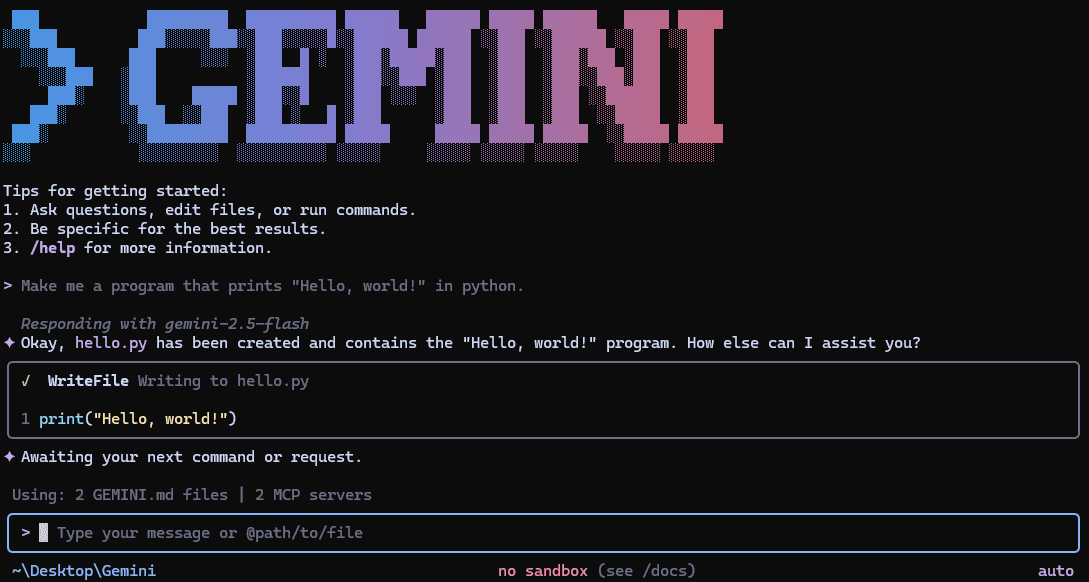
This section used to describe the lowest-barrier tool in the comparison, with 1,000 free requests a day. As of July 2026 that description is history, and if a comparison you are reading still promises those 1,000 free requests, it predates June 18.
What happened to Gemini CLI in June 2026
Google announced the transition on May 19, 2026 and enforced it on June 18, 2026. Individual access ended, and enterprise access did not.
Access path | Before June 18, 2026 | After |
|---|---|---|
Free tier (Google sign-in) | 1,000 requests/day | Ended, directed to Antigravity CLI |
Google AI Pro / Ultra subscription | Higher limits | Ended, directed to Antigravity CLI |
Gemini Code Assist Standard / Enterprise | Full access | Unchanged, keeps the latest Gemini models |
Paid Gemini API key | Usage-billed access | Unchanged |
The open-source repo did not die. google-gemini/gemini-cli shipped v0.49.0 on June 25, 2026 under Apache-2.0, and Google commits to maintaining it for enterprise customers.
The tool exists, and the individual on-ramp does not.
What Antigravity CLI actually is
Antigravity CLI is Google’s replacement for individual developers, announced in the same transition post. It is written in Go, shares its architecture with the Antigravity 2.0 desktop app, and runs asynchronous multi-agent workflows.
Your Gemini CLI investment partially carries over. Agent Skills, Hooks, Subagents, and Extensions migrate as Antigravity plugins, with a migration guide at antigravity.google/docs/gcli-migration.
Two things do not carry over. Antigravity CLI is closed source, where Gemini CLI was Apache-2.0, and Google has not published a stable free-tier quota, which has been cut repeatedly since the platform launched.
Check the current limits in the Antigravity docs before planning any workflow around the free tier. A quota that changed several times in six months is not a stable foundation for a daily workflow.
What the tool still does well (for those who keep it)
For enterprise and API-key users, the CLI itself is unchanged and still well-documented. GEMINI.md carries project instructions across sessions the same way CLAUDE.md and AGENTS.md do, per the repo docs.
Built-in Google Search grounding remains its unique feature. The agent can pull live documentation, current CVEs, and post-training-cutoff API changes into a coding task, which neither Claude Code nor Codex does natively.
Plan Mode is documented and current in the repo. It restricts the agent to reading the codebase and proposing strategy before any file is written, which addresses the most common agent failure mode of implementing before understanding.
Session management is genuinely deep. The docs cover checkpointing with rollback, auto memory, custom commands, headless mode for scripting, and opt-in sandboxing, so the enterprise path is not a legacy afterthought.
Who should choose Gemini CLI (or Antigravity) now
Enterprises with Gemini Code Assist Standard or Enterprise licenses, who keep a maintained, open-source, Apache-2.0 CLI with the latest Gemini models, including Gemini 3.1 Pro’s 1M-token context. Teams deep in Google Cloud and Vertex AI get the same integrations as before.
Individual developers who want to stay in Google’s ecosystem should evaluate Antigravity CLI with eyes open on quota and source access. Everyone else evaluating a free entry point should know that role no longer exists in this comparison.
How Is the AI CLI Different from Tools Like Copilot or Cursor?
GitHub Copilot, Cursor, and similar assistants live inside your editor and accelerate the code you are currently typing. AI CLIs operate on the whole project from the shell, which changes what they can own.
Dimension | Editor assistants (Copilot, Cursor) | AI CLIs (Claude Code, Codex, Gemini) |
|---|---|---|
Where they run | Inside the editor, per file | In the shell, across the repo |
Scope | Completions, small edits, chat | Multi-file refactors, running tests, generating PRs |
Workflow integration | Editor extensions | Git, Docker, CI/CD, scripts, cron |
Context depth | Open files and tabs | Project-wide context up to 1M tokens |
Editor vs terminal
Copilot and Cursor improve productivity line by line, inside a GUI. AI CLIs operate in the shell, handling full-project tasks, running scripts, and navigating many files without an editor open at all.
Scope and control
Editor tools assist with small edits and writing functions. AI CLIs can rename files, run test suites, generate pull requests, and automate deployment tasks across the whole repository, with approval prompts as the control surface.
Workflow integration
Because they live in the CLI, these tools plug directly into Git, Docker, and CI/CD pipelines. That makes them scriptable in ways an editor plugin structurally cannot be.
Context depth
AI CLIs process much larger contexts than editor plugins, up to the 1M-token windows covered later in this page. They reason about your project architecture rather than one function or file.
The two categories also fail differently. An editor assistant that goes wrong wastes a suggestion, while a CLI agent that goes wrong can run a command, which is why the sandboxing section below deserves more attention than it usually gets.
Which AI code editor should you use on the other side of this divide? Read our comparison of Cursor vs Windsurf vs Copilot.
Set-Up
Before capabilities, here is what it takes to get each CLI running in July 2026. Setup converged this year, and the old Windows workarounds are gone.
Claude Code CLI
Setting up Claude Code is straightforward on every platform it supports.
Requirements:
A terminal (Bash, Zsh, PowerShell, or CMD)
macOS 13+, Windows 10 1809+, or a mainstream Linux distribution
A paid Claude plan (Pro, Max, Team, or Enterprise) or a Claude Console API account
Step 1: Install the CLI
Run the native installer for your platform. Native installs auto-update in the background.
# macOS, Linux, WSL
curl -fsSL https://claude.ai/install.sh | bash
# Windows PowerShell
irm https://claude.ai/install.ps1 | iex
Homebrew (brew install --cask claude-code), WinGet (winget install Anthropic.ClaudeCode), npm, and signed apt/dnf/apk repositories are also supported, per the setup docs.
Step 2: Start a session
Navigate into any project directory and launch the CLI.
cd /path/to/your/project
claude
First run opens a browser prompt to log in with your Claude account. After that, you are talking to the agent in your repo.
Step 3: Verify and configure
Run claude doctor to confirm the install, and /sandbox inside a session to review isolation settings. On Windows, installing Git for Windows is recommended so Claude Code can use its Bash tool rather than falling back to PowerShell.
Codex CLI
Getting started with Codex CLI is simple on every OS now, and that sentence used to end with “unless you’re on Windows.”
On macOS or Linux, install with the standalone script or npm, then launch.
curl -fsSL https://chatgpt.com/codex/install.sh | sh
# or
npm install -g @openai/codex
codex
Sign in with your ChatGPT account when prompted, or set an API key with export OPENAI_API_KEY="your-api-key-here" for usage-billed access.
If you are on Windows, read this first (it’s good news now)
The old guidance on this page walked you through WSL2 because Codex did not run natively on Windows. That advice died on March 4, 2026, when OpenAI shipped native Windows support with its own Windows sandbox, per the Codex changelog.
Install natively from PowerShell with the command from the official README:
powershell -ExecutionPolicy ByPass -c “irm https://chatgpt.com/codex/install.ps1 | iex”
Then run codex from your project directory, exactly as on macOS or Linux. The Windows sandbox bounds what the agent can touch in PowerShell sessions, so full-auto modes are contained on Windows too.
WSL2 remains a supported option rather than a requirement. Use it if your toolchain is Linux-native, and use the native install for Windows-native projects.
Everyday commands worth knowing
Interactive mode is the default, and a few variants cover most workflows.
codex # interactive session in the current repo
codex exec “run the test suite and fix failures” # non-interactive, for scripts and CI
codex resume # pick a previous session back up
codex -i screenshot.png “fix the layout issues shown here”
Codex proposes changes and shell commands, and you approve, edit, or reject them based on the sandbox mode you picked.
Gemini CLI (enterprise path) and Antigravity CLI
The npm install still works, and who it works for changed on June 18, 2026.
Step 1: Prerequisites
You need Node.js 18+ and, critically, a qualifying account: a Gemini Code Assist Standard/Enterprise license or a paid Gemini API key. Individual Google accounts no longer authenticate.
Step 2: Install and run
npm install -g @google/gemini-cli
gemini
Step 3: Authenticate
License holders sign in with their enterprise Google account. API-key users generate a key in Google AI Studio and export it before launching.
export GEMINI_API_KEY=”YOUR_API_KEY”
Individual developers: Antigravity CLI
Antigravity CLI installs through the Antigravity platform rather than npm, with setup and migration steps in the official migration guide. Expect your Skills, Hooks, Subagents, and Extensions to arrive as plugins rather than working unmodified.
Pricing Comparison: Full 2026 Breakdown
Claude Code requires a paid Anthropic plan or API usage. Codex CLI rides along with any paid ChatGPT plan or bills per token.
The Gemini path is now an enterprise license, a paid API key, or Antigravity’s small free tier.
Plan level | Claude Code | Codex CLI | Gemini path |
|---|---|---|---|
Free tier | None | None (paid ChatGPT plan or API key) | Ended June 18, 2026 |
Individual | Pro $17/mo annual ($20 monthly) | ChatGPT Plus $20/mo | Paid Gemini API key, usage-billed |
Power user | Max from $100/mo (5x or 20x tiers) | ChatGPT Pro from $100/mo | Antigravity paid plans |
Team | $20-25/seat standard, $100-125 premium | ChatGPT Business | Gemini Code Assist Standard |
Enterprise | Seat from $20 + API usage | ChatGPT Enterprise | Code Assist Enterprise / Vertex AI |
Claude Code plans (via Anthropic)
Subscription access is the normal route for individuals and teams, and every paid tier includes Claude Code per claude.com/pricing.
Pro at $17/month annual ($20 monthly) covers individual daily use
Max from $100/month, with 5x and 20x usage tiers for heavy individual workloads
Team at $20-25/month per standard seat, or $100-125 for premium seats with higher limits
Enterprise with seats from $20 plus usage-based API costs
API billing suits automation and CI. Current per-MTok rates from Anthropic’s pricing page:
Model | Input | Cache read | Output |
|---|---|---|---|
Claude Opus 4.8 | $5.00 | $0.50 | $25.00 |
Claude Opus 4.8 (fast mode) | $10.00 | n/a | $50.00 |
Claude Sonnet 5 (intro through Aug 31, 2026) | $2.00 | $0.20 | $10.00 |
Claude Sonnet 5 (from Sep 1, 2026) | $3.00 | $0.30 | $15.00 |
Claude Haiku 4.5 | $1.00 | $0.10 | $5.00 |
Claude Fable 5 | $10.00 | $1.00 | $50.00 |
Batch processing halves those rates for non-urgent jobs. Anthropic’s cost-management docs also cover team spend limits, model routing, and context tricks that cut real-world bills.
Codex CLI plans (via OpenAI)
Most users never touch API billing, since Codex is included with ChatGPT Plus, Pro, Business, Edu, and Enterprise per the Codex docs. Plus at $20/month is the practical entry point, with Pro tiers from $100/month for heavier usage.
API-key access bills at GPT-5.5 rates:
Usage | Input | Cached input | Output |
|---|---|---|---|
GPT-5.5, up to 272K input tokens | $5.00 | $0.50 | $30.00 |
GPT-5.5, past 272K input tokens | $10.00 | n/a | $45.00 |
That 272K breakpoint is the number to remember. Long-context sessions on API billing cost double on input exactly when the prompts get big.
The Gemini path (via Google)
Enterprise seats come through Gemini Code Assist Standard or Enterprise licensing, priced through Google Cloud. Paid Gemini API keys from Google AI Studio bill by usage and keep full CLI access.
Antigravity’s free tier exists for individuals, with the quota caveats covered earlier. Google publishes current plan limits in the Antigravity docs, and they have moved enough times this year that quoting them here would date the page within a quarter.
Estimating cost per PR
To estimate API cost per task, multiply your token profile by the rates above. A PR-sized job that reads 200K tokens of context and writes 10K tokens of code runs about $1.25 on Opus 4.8 and about $1.30 on GPT-5.5, before caching discounts.
Caching changes that math for agent loops. Both vendors price cached input at a tenth of the base rate, so long sessions that re-read the same context cost far less than the naive estimate suggests.
For solo developers, a $20 subscription on either side now beats API billing for daily use. Sonnet 5’s introductory $2/$10 rate makes Claude the cheapest API option for high-volume agent work until September.
For teams, the decision is mostly which vendor you already pay. Both flagship subscriptions bundle their CLI, so the marginal cost of trying the tool you do not use yet is zero.
Context Window Comparison: Why it Matters More Than You Think
The 1M-token context window stopped being Gemini’s moat this year. All three model families now offer one, and the differences moved into pricing and access.
Claude (Opus 4.8, Sonnet 5) | Codex (GPT-5.5) | Gemini (3.1 Pro) | |
|---|---|---|---|
Window | 1M tokens | 1,050,000 tokens | 1M tokens |
Max output | Model-dependent | 128K tokens | 64K tokens |
Long-context surcharge | None, standard pricing across the window | 2x input, 1.5x output past 272K | Enterprise/API access required |
Claude’s version is the quietly aggressive one. Anthropic bills a 900K-token request at the same per-token rate as a small one, while OpenAI’s rates step up past 272K input tokens, exactly where monorepo-scale prompts live.
A million tokens is roughly 3 to 4 million characters of code, enough to hold a mid-sized codebase in a single context. Whether you should is a different question, and each tool manages the window differently.
How Claude Code manages context
Claude Code accumulates session history linearly and gives you /compact to summarize earlier turns while keeping key technical decisions, reclaiming window space in long sessions. Anthropic even ships an interactive context-window explainer showing what loads automatically and what each file read costs.
Subagents are the other lever. Instead of stuffing the whole repo into one context, Claude Code spawns parallel subagents that each explore a slice of the project and report back, which is cheaper and usually more accurate.
How Codex CLI manages context
Codex layers its instruction files, with the project AGENTS.md merged over global config, so persistent context costs almost no window. Automatic context compaction and codex resume (both shipped in 2025 and still current per the changelog) keep long sessions inside budget.
Git awareness does quiet work here too. Codex reads repo state and diffs to focus context on what is actually changing rather than the whole tree.
How Gemini CLI manages context
Gemini CLI pairs the 1M window with session checkpointing, auto memory, and token caching, all documented in the repo docs. For repo-scale questions on the enterprise path, the big window plus Search grounding remains a genuinely strong combination.
In practice, codebases under 100K lines fit comfortably in any of the three. The window race is over, and the bill for using it is the thing to compare now.
Window size also matters less than window discipline. Claude Code’s /compact and parallel subagents, and Codex’s compaction and Git-focused context, exist because stuffing a million tokens into every request is the expensive way to solve a problem that targeted context usually solves better.
Code Quality and Performance
Raw benchmark scores opened this page, and this section covers what they translate to in practice: where each tool’s output shines, where it needs a second pass, and how each one fits real pipelines.
Claude Code CLI
Opus 4.8’s 88.6% SWE-bench Verified leads all first-party published scores, and SWE-bench’s format (resolve a real GitHub issue, pass the tests) is the closest benchmark analogue to production feature work.
Quality in practice tracks the benchmark. Claude consistently produces clean, readable, well-documented code, which matters for teams prioritizing maintainability and onboarding, and it holds architectural intent across files on complex refactors.
Persistent memory keeps quality stable over time. CLAUDE.md plus version-controlled slash commands reduce prompt drift on long-running projects, so the hundredth session behaves like the fifth.
The flip side is thoroughness you did not ask for. On bulk work, expect verbose explanations and documentation unless your CLAUDE.md explicitly reins them in.
Codex CLI
On the independent Terminus-2 run, GPT-5.5’s 84.3% is functionally tied with Opus 4.8, and Terminal-Bench’s task mix (terminal-native software engineering, sysadmin, data processing) is exactly Codex’s home turf.
In practice, Codex produces syntactically sound and mostly correct code fast. Its known failure mode is the “almost correct” fix, code that works in isolation but deviates from established project patterns, which shows up mainly on large-scale refactoring.
For fast prototyping and single-file tasks, the gap versus Claude Code is small to nonexistent. For sprawling multi-file changes, budget an extra review pass or invest in a rich AGENTS.md, which measurably narrows the drift.
Gemini CLI
Gemini 3.1 Pro trails on SWE-bench Verified at 80.6% per Anthropic’s cross-model reporting, and Google publishes no Terminal-Bench figure for the CLI harness.
Its output quality concentrates in different places. Documentation generation, web-grounded answers, and frontend scaffolding are the strong suits, powered by Search grounding that neither competitor has natively.
Reliance on external grounding cuts both ways. Live information improves correctness on fast-moving APIs, and it can introduce variability in structure and tone between runs on identical prompts.
Project Memory, MCP, and Extensibility
All three CLIs converged on the same extensibility pattern, which is a project instruction file plus MCP for external tools. The file names differ, and the depth of the surrounding ecosystem is the real differentiator.
Claude Code | Codex CLI | Gemini CLI | |
|---|---|---|---|
Project instruction file |
|
|
|
MCP support | Yes | Yes | Yes |
Reusable prompts | Slash commands, version-controlled | Prompt templates and scripts | Custom commands |
Scripting/automation | Headless |
| Headless mode, shell flags |
Extensibility model | Plugins, skills, subagents, MCP servers | Open codebase, skills, MCP | Open codebase, extensions, skills, MCP |
Claude Code’s integration surface
MCP support is deep and well-documented, connecting Claude Code to databases, Slack, GitHub, and custom enterprise systems through community and first-party servers. The features overview lays out when to reach for CLAUDE.md, skills, subagents, hooks, MCP, or plugins.
Beyond the terminal, the same agent runs in VS Code and JetBrains extensions and a desktop app. Hooks intercept tool calls at defined execution points, which is how teams wire in logging, policy checks, and custom guardrails.
Codex CLI’s integration surface
Codex supports MCP in both client and server modes, so it can consume external tools and be embedded as a tool itself. The Apache-2.0 codebase means teams can read, fork, and extend any of it, and skills and slash commands are documented in the repo.
Shell-nativeness is the design center. Pipes, flags, codex exec in cron and CI, and Git-aware file actions make it the easiest of the three to treat as a Unix utility.
Gemini CLI’s integration surface
Gemini CLI’s extension system, agent skills, hooks, and MCP support are all documented in the repo, and those are exactly the pieces Google says carry into Antigravity as plugins. GCP-native integrations (Vertex AI, Cloud Shell, data workflows) remain its differentiator for Google-stack teams.
Treat the instruction file as part of the codebase whichever tool you pick. Teams that version and review their CLAUDE.md or AGENTS.md get consistent agent behavior across every developer, and teams that don’t get a different agent per laptop.
Platform Support
Platform support covers more than where a binary runs. Distribution channels, licensing, and deployment flexibility decide how a tool fits enterprise environments, and 2026 rearranged all three columns.
Claude Code
Operating systems: macOS 13+, Windows 10 1809+ (native), Ubuntu 20.04+, Debian 10+, Alpine 3.19+, per the system requirements
Distribution: native installer, Homebrew, WinGet, npm, and signed apt/dnf/apk repositories, with GPG-verifiable release manifests
Licensing and source: closed source, proprietary to Anthropic, no free tier
Cloud and hosting: Anthropic-hosted by default, with enterprise routing through Amazon Bedrock, Google Cloud’s Agent Platform, or Microsoft Foundry, and no self-hosted option
Codex CLI
Operating systems: macOS, Linux, and native Windows including PowerShell, with WSL2 as an option rather than a requirement
Distribution: standalone install script, npm, Homebrew, and per-platform binaries on GitHub Releases
Licensing and source: fully open source under Apache-2.0, developed in public at github.com/openai/codex
Cloud and hosting: CLI logic and sandboxing run locally, inference goes to OpenAI’s API, and endpoints are configurable through
config.tomlfor enterprise gateways
Gemini CLI
Operating systems: cross-platform on macOS, Linux, and Windows, optimized for containers and cloud shells
Distribution: npm and npx, plus container images for CI environments
Licensing and source: Apache-2.0 and still maintained in the open, with access now gated to enterprise licenses and paid API keys
Cloud and hosting: connects to Google-hosted Gemini models, with Vertex AI as the enterprise integration path, and its successor Antigravity CLI is closed source
The pattern to notice runs top to bottom. Claude trades openness for polish, Codex gives you both native Windows and source access, and the Gemini column now describes an enterprise product built on a still-open codebase.
Multimodal Input: The New Superpower for Developer Agents
Screenshots, diagrams, and design files are context too, and all three CLIs can consume at least some of them. Support is narrower and more text-adjacent than the marketing suggests, so here is the sober version.
Claude Code CLI
Claude Code accepts image inputs alongside prompts, which covers error screenshots, UI mockups, and architecture sketches. Markdown, JSON, YAML, logs, and extracted PDFs are all fair game as text context.
The practical sweet spot is debugging and design review. Paste a rendering bug next to the component code and ask what’s inconsistent, and the answer usually lands.
Codex CLI
Codex takes images through the -i/--image flag, documented in the CLI reference, including multiple attachments per prompt. Screenshot-to-fix workflows and diagram-driven prompts work in both interactive and exec modes.
Text-heavy inputs remain its strongest lane. Structured codebases, logs, shell output, and configs stream in through standard Unix plumbing.
Gemini CLI
Gemini’s underlying models are natively multimodal across text, images, audio, video, and PDFs, per Google’s model documentation. In the CLI, image and document inputs correlate design context with code tasks, which suits frontend and full-stack review work.
That capability now belongs to enterprise users. The individual path inherits whatever multimodal surface Antigravity CLI exposes, which its docs describe per plan.
Summary: who sees what?
Tool | Images | Docs and logs | Video |
|---|---|---|---|
Claude Code | Yes | Yes | No |
Codex CLI | Yes ( | Yes | No |
Gemini CLI | Yes | Yes | Model supports it, CLI workflows are image/doc-first |
For most developer workflows, images plus logs cover the real use cases. Video input remains outside what any of the three CLIs is built around today.
Code Review
Code review is where these agents prove whether they fit engineering workflows or just demo well. Each CLI approaches PR-level review differently, and none of them replaces an always-on review layer, which the final section returns to.
Claude Code CLI
Anthropic now documents automated PR review as a first-class Claude Code capability, using multi-agent analysis of the full codebase to catch logic errors, security vulnerabilities, and regressions. Combined with CLAUDE.md conventions, reviews reflect your standards rather than generic lint advice.
Slash commands make review repeatable. A version-controlled review template gives every developer the same depth checklist, useful in CI where consistency beats brilliance.
The limitation is verbosity on bulk reviews. Without scope control it will surface minor style noise alongside the finding that matters, so teams tune templates and keep PRs small.
Codex CLI
Codex reviews staged diffs, files, or whole PRs from the command line, with codex exec making review-in-CI a one-line pipeline step. AGENTS.md encodes what to check, from deprecated APIs to security-sensitive patterns.
Its structured, diff-level output plugs into merge requests cleanly. The catch is that without a tuned AGENTS.md, suggestions lack architectural rationale, and it does not persist context across separate review runs.
Gemini CLI
Gemini’s review advantage is multimodal context on the enterprise path. Submitting a React component alongside its design mockup, or a backend change with its debug log, gives the reviewer agent more to correlate than source alone.
GEMINI.md guides review standards the same way its siblings do. Headless mode wires reviews into GitHub Actions or Cloud Build, though individual developers now need the Antigravity path for any of this.
Sandboxing and Safety in 2026
The old framing, where only Codex was sandboxed, is dead, and most of the internet still repeats it. Here is the corrected three-way picture, from each vendor’s current docs.
Claude Code | Codex CLI | Gemini CLI | |
|---|---|---|---|
Sandbox by default | Opt-in, built-in Bash sandbox | Yes, | Opt-in ( |
Mechanism | OS-enforced: macOS Seatbelt, Linux/WSL2 bubblewrap | macOS Seatbelt, Linux bubblewrap, native Windows sandbox | macOS Seatbelt profiles, or Docker/Podman containers |
Native Windows | Not supported (WSL2 required for sandbox) | Yes, native Windows sandbox since March 2026 | Container-based only |
Network control | Proxy with per-domain allowlist prompts, credential masking | Network access requires approval by default | Proxied profiles available |
Modes | Auto-allow or regular permissions |
| Profile-based (permissive to strict) |
Sources: Claude Code sandboxing docs, Codex sandboxing docs, gemini-cli sandbox docs.
Codex still holds the edge on defaults and on Windows. Sandboxing is on from the first command, network egress needs approval, and the Windows sandbox has no equivalent in either competitor.
Claude Code’s sandbox is arguably deeper on network policy once enabled. Per-domain allowlists, credential masking for tokens like GH_TOKEN, and managed settings that enforce sandboxing fleet-wide give security teams more levers, but you have to turn it on and you cannot have it on native Windows.
Gemini CLI’s opt-in model spans Seatbelt profiles on macOS and full container isolation via Docker or Podman. Container-based sandboxing is the strongest isolation of the bunch when configured, at the cost of running the agent inside an image.
Two practical rules fall out of that table. If your fleet includes native Windows machines and you want isolation everywhere, Codex is currently the only option that delivers it without WSL2.
And if you run any CLI in an auto-approve mode, treat the sandbox config as security policy, since the boundary it enforces is the only thing standing between a bad tool call and your home directory.
Whichever you run, sandboxing bounds what the agent can touch, not whether its code is any good. Review is a separate layer, which is where this comparison ends up below.
Which Tool Should You Choose: The Honest Decision Guide
Choose Claude Code for the highest code quality on complex work. Choose Codex CLI if sandbox-by-default, Windows, or open source is a hard requirement, or you already pay for ChatGPT.
The Gemini path is now an enterprise decision rather than a budget one.
Choose Claude Code if:
You do complex, multi-file feature work and refactoring daily
Code quality and architectural consistency are the top priority
You’re already on a paid Claude plan (Pro, Max, Team, or Enterprise)
You want 1M-token context without a long-context surcharge
Codebase-scale migrations justify the dynamic-workflows preview
Choose Codex CLI if:
Sandboxed execution by default is a security requirement
Your team includes native Windows developers
You want a fully open-source, auditable CLI
You’re already paying for ChatGPT and want zero marginal cost
You script agents into CI with non-interactive runs
Choose the Gemini path if:
Your org holds Gemini Code Assist Standard or Enterprise licenses
Your infrastructure runs on Google Cloud and Vertex AI
Search-grounded coding on fast-moving APIs is a real need
You accept Antigravity CLI’s closed source and shifting free quota as an individual
By use case, the 2026 short answers look like this:
Use case | Best fit |
|---|---|
Autonomous multi-file refactoring | Claude Code |
Shell/script-based automation and CI | Codex CLI |
Native Windows development | Codex CLI |
Security-first, sandbox-by-default policy | Codex CLI |
Codebase-scale migrations | Claude Code (dynamic workflows) |
Google Cloud / Vertex AI shops | Gemini CLI (enterprise) |
Live-documentation-heavy work | Gemini CLI (enterprise) |
Zero-cost entry point | No longer exists (Antigravity’s small free tier is the remnant) |
Using two tools together: many developers in 2026 keep a plan-included CLI for daily work and a second one for its niche, such as Codex on a Windows box and Claude Code for the gnarly refactors. They use separate authentication and processes, so they don’t conflict.
If you’re deciding this week, run both against the same real ticket rather than reading more benchmarks. A day of your own repo, your own conventions, and your own review standards settles the question faster than any leaderboard.
The Missing Layer: What No AI CLI Actually Does
Claude Code, Codex CLI, and Gemini CLI all optimize the same thing, which is how fast code gets written in your terminal. None of them reviews what lands in your pull requests, hunts vulnerabilities across the PR history, or enforces your org’s standards at merge time.
That gap widens as generation gets faster. A feature written in twenty minutes by an agent still needs the same security, logic, and standards review before it merges, and the reviewer now faces more code per day than ever.
This is what CodeAnt AI covers. It is a defensive and offensive security platform that unifies AI code review, SAST, and agentic pen testing, reviewing every pull request whether a developer wrote it or an agent generated it.

It plugs into GitHub, GitLab, Azure DevOps, and Bitbucket, and on every PR it can:
Review code quality line by line, covering complexity, dead logic, and readability
Detect security vulnerabilities (SAST) and secrets in real time
Catch infrastructure misconfigurations (IaC) before deploy
Summarize PRs and apply one-click fixes across 30+ languages
Enforce team standards with custom rules written in plain English
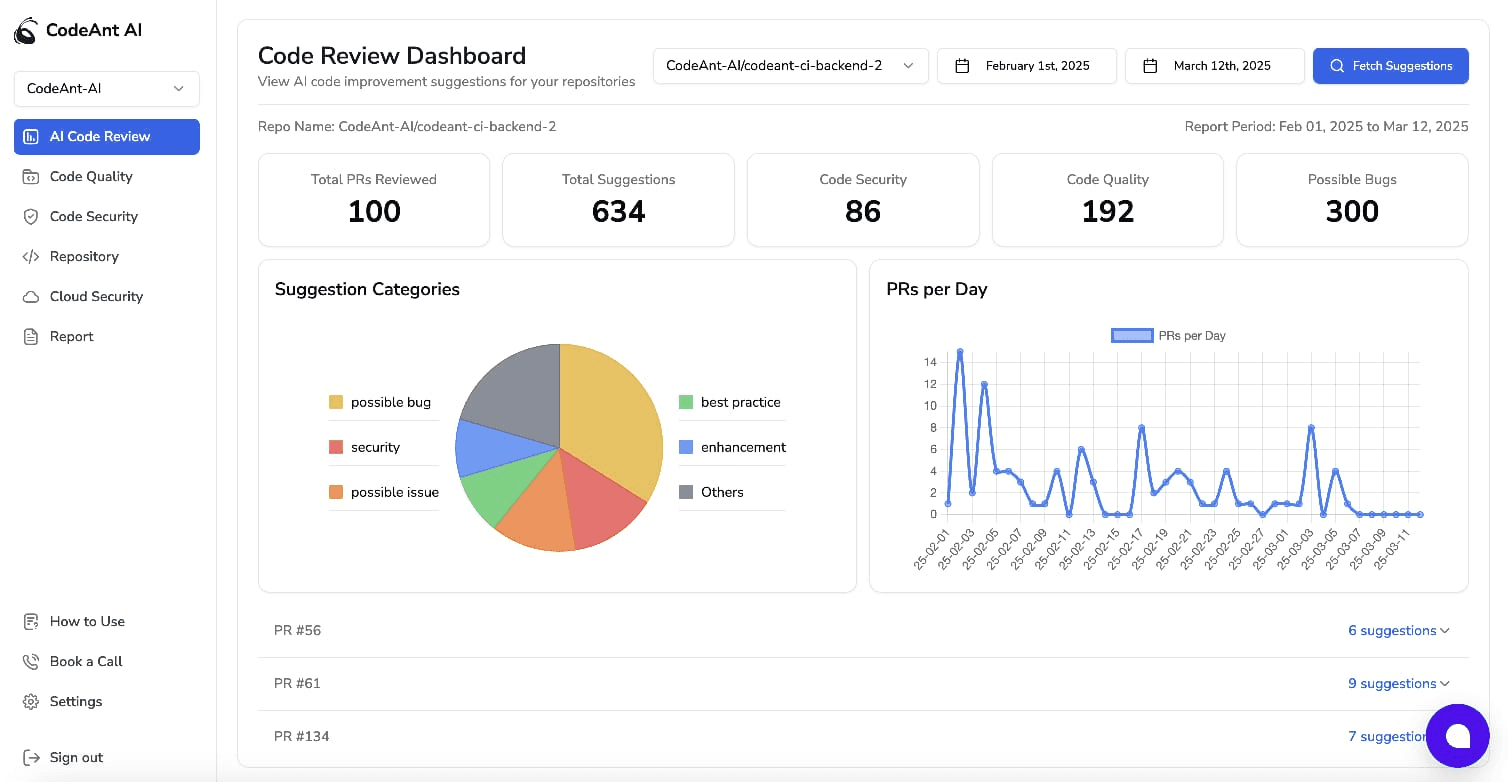
Whether you’re a fast-moving startup or a multi-team org, it adapts to your stack and your standards, with 50M+ lines of code scanned, 500K+ issues auto-fixed, and 100K+ developer hours saved across 30+ languages.
Your AI terminal agent writes the code. CodeAnt AI reviews it before it merges, across GitHub, GitLab, Azure DevOps, and Bitbucket.
FAQs
Is Gemini CLI still free, and what replaced it?
Which AI CLI performs best on real coding tasks (benchmarks like SWE-bench)?
Do these AI CLIs work on Windows, and what's the easiest setup?
How much do AI CLIs cost, and how do I estimate "cost per PR"?
Are AI CLIs safe for proprietary code (privacy, security, and compliance)?