AI Code Review

Mar 1, 2026

Merge Strategies in Azure DevOps: Squash vs Rebase vs Merge Commit Explained

Amartya | CodeAnt AI Code Review Platform
Sonali Sood

Founding GTM, CodeAnt AI

Every pull request eventually reaches the same moment: the merge button.

But what happens when you click it depends on the merge strategy your team uses.

The strategy you choose determines:

  • What your git history looks like

  • Whether individual commits are preserved

  • How easy it is to revert a feature

  • Whether PR boundaries are visible

  • How simple it is to debug production issues months later

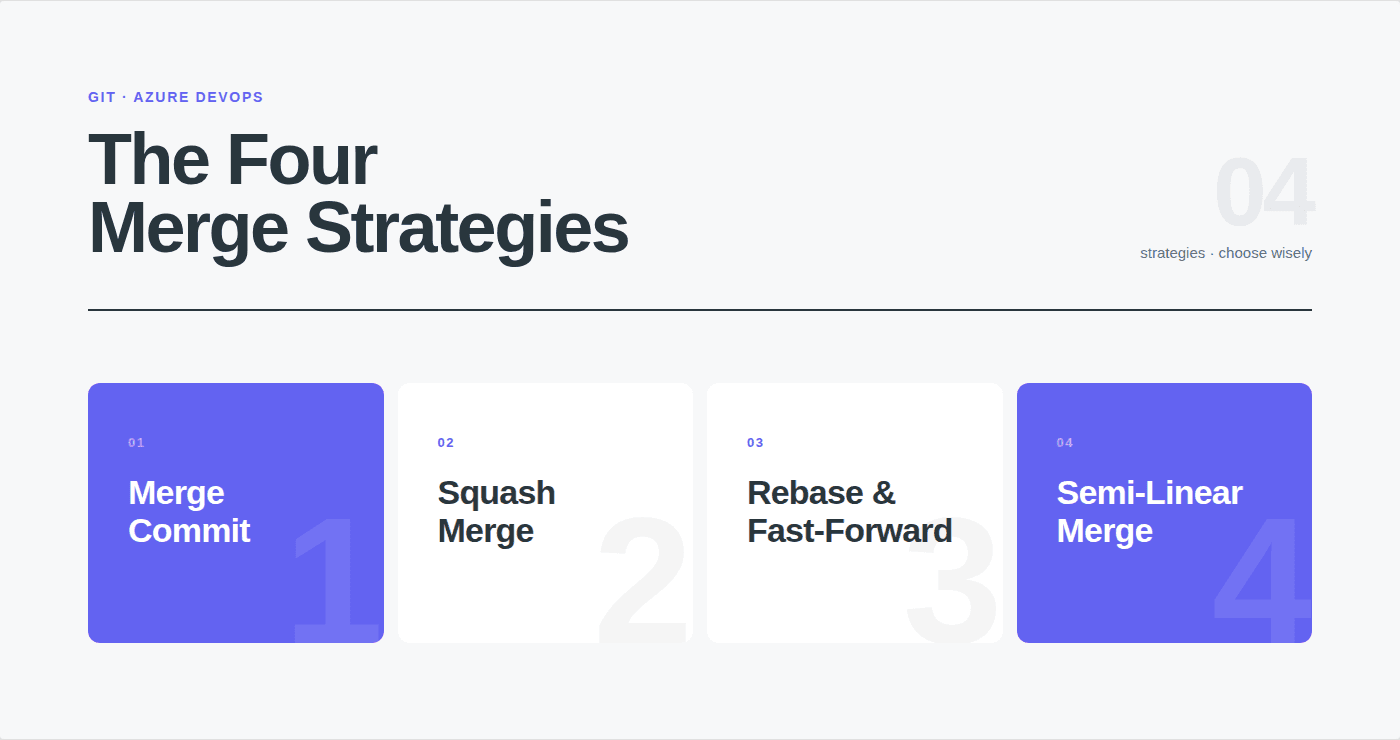
Azure DevOps offers four merge strategies:

  • Merge commit (no fast-forward)

  • Squash merge

  • Rebase and fast-forward

  • Semi-linear merge

Each one produces a completely different commit history, and choosing the wrong strategy can leave your repository difficult to navigate, hard to audit, and painful to debug.

In this guide you’ll learn:

  • What each Azure DevOps merge strategy actually does

  • How squash, rebase, and merge commits change git history

  • When each strategy works best for your team

  • Recommended configurations for startups, product teams, and enterprises

  • How to enforce merge strategies with branch policies

By the end, you’ll know exactly which merge strategy your team should use, and why.

What Are Merge Strategies in Azure DevOps?

A merge strategy in Azure DevOps determines how code from a source branch is integrated into a target branch when a pull request is completed. It controls what your git history looks like after the merge, whether individual commits are preserved, combined into one, rebased, or grouped under a merge commit.

Azure DevOps offers four merge strategies: 

  • merge commit (no fast-forward)

  • squash merge

  • rebase and fast-forward

  • semi-linear merge

Each produces a different git history shape, and each has tradeoffs between readability, traceability, and simplicity. The merge strategy you choose affects how easy it is to understand your project’s history, revert changes, bisect bugs, and audit code changes for compliance.

You select a merge strategy when completing a pull request, but you can also enforce specific strategies per branch using branch policies, preventing developers from accidentally squashing a release merge or rebasing a shared branch.

The Four Merge Strategies: Explained
1. Merge Commit (No Fast-Forward)

Creates a merge commit that joins the source branch into the target. All individual commits from the source branch are preserved in the history, plus one additional merge commit that marks the integration point.

Git command equivalent: git merge --no-ff feature-branch

What happens:

Before merge:

main:     A --- B --- C
                       \\
feature:                D --- E --- F
After merge (no fast-forward):
main:     A --- B --- C --------- M  (merge commit)
                       \\         /
feature:                D --- E --- F
main:     A --- B --- C
                       \\
feature:                D --- E --- F
After merge (no fast-forward):
main:     A --- B --- C --------- M  (merge commit)
                       \\         /
feature:                D --- E --- F

Every commit (D, E, F) remains individually visible in the history. The merge commit (M) records when the feature was integrated and which PR it came from.

What you see in git log --oneline on main:

a1b2c3d  Merge PR #42: Add payment processing endpoint

f4e5d6c  Add retry logic to payment gateway

b7a8c9d  Implement /api/payments POST handler

e0f1a2b  Add payment service skeleton

c3d4e5f  Previous commit on main

Advantages:

  • Full history preserved; every commit is visible and individually inspectable

  • Merge commits create clear integration boundaries; you can see exactly when each PR was merged

  • Easy to revert an entire feature: git revert -m 1 <merge-commit> undoes the whole PR in one command

  • Best for audit and compliance; the complete history of every change is preserved with timestamps and authors

Disadvantages:

  • History can become noisy with WIP commits (“fix typo”, “oops”, “try again”, “actually fix it this time”)

  • Non-linear history is harder to read in git log, you see branches and merges interleaved

  • Merge commits add visual clutter if your team merges many small PRs

Best for: Protected branches (main, release/*) where you need full traceability. Release branches where auditors need to see exactly when each change was integrated.

2. Squash Merge

Combines all commits from the source branch into a single new commit on the target branch. The individual commits (D, E, F) are discarded from the target branch history, only the squashed result appears.

Git command equivalent: git merge --squash feature-branch && git commit

What happens:

Before merge:

main:     A --- B --- C
                       \\
feature:                D --- E --- F
After squash merge:
main:     A --- B --- C --- S  (single squashed commit)

main:     A --- B --- C
                       \\
feature:                D --- E --- F
After squash merge:
main:     A --- B --- C --- S  (single squashed commit)

(feature branch commits D, E, F are NOT in main's history)

All changes from D + E + F are combined into a single commit S. The commit message typically includes the PR title and number.

What you see in git log --oneline on main:

a1b2c3d  Add payment processing endpoint (PR #42)

c3d4e5f  Previous commit on main

Advantages:

  • Clean, linear history; one commit per PR, easy to scan

  • WIP commits (“fix typo”, “debug attempt 3”) never reach the target branch

  • Simple to revert: git revert <squash-commit> undoes the entire PR

  • Easy to bisect; each commit on main corresponds to one complete, tested feature or fix

  • Encourages small, focused PRs (since the whole PR becomes one commit, developers naturally keep PRs small)

Disadvantages:

  • Individual commits are lost on the target branch; you can’t see the step-by-step development history

  • Author attribution may be lost if multiple developers contributed commits to the source branch (only the squash committer is recorded as author; original authors appear in the PR, not the git log)

  • If the source branch had meaningful, well-structured commits, squashing throws away that structure

  • Harder to correlate specific lines of code back to specific development steps

Best for: Feature branches merging into develop or main. The most popular strategy for day-to-day development work. If your team’s feature branch commits are mostly WIP (“initial attempt”, “fix tests”, “address review feedback”), squash is the right choice.

3. Rebase and Fast-Forward

Replays each commit from the source branch on top of the target branch’s latest commit, then fast-forwards the target branch pointer. No merge commit is created. The result is a perfectly linear history where it looks like all development happened sequentially on the target branch.

Git command equivalent: git rebase main feature-branch && git checkout main && git merge --ff-only feature-branch

What happens:

Before merge:

main:     A --- B --- C
                       \\
feature:                D --- E --- F
After rebase and fast-forward:
main:     A --- B --- C --- D' --- E' --- F

main:     A --- B --- C
                       \\
feature:                D --- E --- F
After rebase and fast-forward:
main:     A --- B --- C --- D' --- E' --- F

(D', E', F' are new commits, same content as D, E, F but with new commit hashes)

The commits are replayed (creating D’, E’, F’ with new hashes) so they appear directly after C on main. No merge commit, no branch history.

What you see in git log --oneline on main:

f1e2d3c  Add retry logic to payment gateway

b4a5c6d  Implement /api/payments POST handler

e7f8a9b  Add payment service skeleton

c3d4e5f  Previous commit on main

Advantages:

  • Perfectly linear history; no merge commits, no branch points, cleanest possible git log

  • Every commit is individually visible and attributed to its original author

  • Easy to read in git log, history looks like one continuous stream of work

  • Good for git bisect since every commit is a complete, buildable state

Disadvantages:

  • Commit hashes change during rebase; if anyone else has pulled the original commits, they’ll see conflicts

  • No merge commit means no clear boundary marking where one PR ends and another begins

  • Cannot be used safely on branches shared between multiple developers (rebase rewrites history)

  • If the source branch has conflicts with the target, each commit is rebased individually; you may need to resolve the same conflict multiple times

  • Rebase can fail if the target branch has diverged significantly; Azure DevOps will reject the merge and show a conflict error

Best for: Small teams (2–5 developers) where everyone works on their own branches and wants a clean, linear history on main. Avoid on shared branches or in teams where multiple developers contribute to the same feature branch.

4. Semi-Linear Merge (Rebase + Merge Commit)

First rebases the source branch commits onto the target branch (like rebase and fast-forward), then creates a merge commit (like merge no-fast-forward). The result is a linear base with explicit merge points, you get the clean history of rebase plus the PR boundary markers of merge commits.

Git command equivalent: git rebase main feature-branch && git checkout main && git merge --no-ff feature-branch

What happens:

Before merge:

main:     A --- B --- C
                       \\
feature:                D --- E --- F
After semi-linear merge:
main:     A --- B --- C --- D' --- E' --- F' --- M  (merge commit)
main:     A --- B --- C
                       \\
feature:                D --- E --- F
After semi-linear merge:
main:     A --- B --- C --- D' --- E' --- F' --- M  (merge commit)

The commits are rebased (D’, E’, F’) so the history is linear, but a merge commit (M) is added to mark where the PR was integrated.

What you see in git log --oneline on main:

a1b2c3d  Merge PR #42: Add payment processing endpoint

f1e2d3c  Add retry logic to payment gateway

b4a5c6d  Implement /api/payments POST handler

e7f8a9b  Add payment service skeleton

c3d4e5f  Previous commit on main

Advantages:

  • Linear history (easy to read) with merge commit boundaries (easy to identify PRs)

  • Best of both worlds: clean git log + clear “this PR was merged here” markers

  • Supports git revert -m 1 <merge-commit> to undo an entire PR

  • Individual commits preserved and attributed to original authors

Disadvantages:

  • Same rebase caveats; commit hashes change, can’t be used on shared branches

  • More complex than squash; some developers find it confusing

  • Rebase step can fail if there are significant conflicts with the target branch

  • Not as clean as squash (multiple commits per PR) or as simple as merge-no-ff (no rebase step)

Best for: Medium teams (5–20 developers) that want linear history but also need clear PR boundaries. A good middle ground between squash and merge commit.

Side-by-Side Comparison


Merge Commit (no-ff)

Squash

Rebase + Fast-Forward

Semi-Linear

Individual commits preserved

Yes

No (combined into one)

Yes (rebased)

Yes (rebased)

Merge commit created

Yes

No

No

Yes

History shape

Non-linear (branches visible)

Linear (one commit per PR)

Linear (no merge points)

Linear (with merge points)

Commit hashes change

No

N/A (new commit)

Yes

Yes

Safe for shared branches

Yes

Yes

No

No

Easy to revert entire PR

Yes (git revert -m 1)

Yes (git revert)

No (must revert each commit)

Yes (git revert -m 1)

WIP commits reach target

Yes

No

Yes

Yes

Author attribution

All authors preserved

Only squash committer

All authors preserved

All authors preserved

git bisect friendly

Somewhat (merge commits complicate)

Yes (each commit = one PR)

Yes (each commit buildable)

Somewhat (merge commits present)

Complexity

Simple

Simple

Medium

Medium

Decision Tree: Which Strategy Should Your Team Use?

START: How large is your team?


├── 2-5 developers
│   
│   ├── Do you care about preserving individual commit history?
│      ├── Yes Rebase and fast-forward
│   │   └── No  Squash merge (simplest option)
│   
│   └── (Either way: one strategy for everything)

├── 5-20 developers
│   
│   └── Do you need to see exactly where PRs were integrated?
│       ├── Yes Semi-linear merge
│       └── No  Squash merge

└── 20+ developers / regulated industry / compliance requirements
    
    └── Use a MIXED strategy:
        ├── Feature develop:  Squash merge (clean feature history)
        ├── Develop main:     Merge commit no-ff (preserve integration points for audit)
        └── Hotfix main:      Merge commit no-ff (full traceability for incident response)


├── 2-5 developers
│   
│   ├── Do you care about preserving individual commit history?
│      ├── Yes Rebase and fast-forward
│   │   └── No  Squash merge (simplest option)
│   
│   └── (Either way: one strategy for everything)

├── 5-20 developers
│   
│   └── Do you need to see exactly where PRs were integrated?
│       ├── Yes Semi-linear merge
│       └── No  Squash merge

└── 20+ developers / regulated industry / compliance requirements
    
    └── Use a MIXED strategy:
        ├── Feature develop:  Squash merge (clean feature history)
        ├── Develop main:     Merge commit no-ff (preserve integration points for audit)
        └── Hotfix main:      Merge commit no-ff (full traceability for incident response)

Recommended Defaults by Team Type

Team Type

Recommended Strategy

Why

Startup / small team (2-5)

Squash merge for everything

Simplest to reason about. One commit = one PR. Easy reverts. Clean history.

Mid-size product team (5-20)

Squash for feature PRs, semi-linear for integration branches

Clean feature history + visible integration points on protected branches.

Enterprise / regulated (20+)

Squash for features, merge commit (no-ff) for protected branches

Auditors need full traceability on main. Squash keeps feature history manageable.

Open-source project

Squash merge for external contributions, merge commit for maintainer merges

External PRs often have messy commit history; squash cleans it up. Maintainer merges preserve internal attribution.

Monorepo

Squash merge for everything

With hundreds of PRs per day, one commit per PR is the only way to keep history navigable.

Release-branch workflow (e.g., release/v2.0)

Merge commit (no-ff) for release branches, squash for feature branches

Release branches need to show exactly which fixes were cherry-picked and when.

How to Configure Merge Strategies Per Branch

You can restrict which merge strategies are available per branch using branch policies. This prevents developers from accidentally using the wrong strategy, for example, squashing a release merge that should preserve history.

Configure via Azure DevOps Web UI

  1. Go to Project SettingsReposRepositories → select your repo

  2. Click Policies → select the target branch (e.g., main)

  3. Under Limit merge types, check only the strategies you want to allow:

    • ☑ Merge (no fast-forward)

    • [ ] Squash merge

    • [ ] Rebase and fast-forward

    • [ ] Semi-linear merge

When a developer completes a PR targeting this branch, they’ll only see the allowed strategies in the dropdown.

Configure via Azure CLI

# List current policies on a branch
az repos policy list --branch main --repository-id YOUR_REPO_ID
# Create a merge strategy policy, allow only squash merge on develop
az repos policy merge-strategy create \\
  --branch develop \\
  --repository-id YOUR_REPO_ID \\
  --blocking true \\
  --enabled true \\
  --allow-squash true \\
  --allow-no-fast-forward false \\
  --allow-rebase false \\
  --allow-rebase-merge false
# Create a merge strategy policy, allow only merge commit on main
az repos policy merge-strategy create \\
  --branch main \\
  --repository-id YOUR_REPO_ID \\
  --blocking true \\
  --enabled true \\
  --allow-squash false \\
  --allow-no-fast-forward true \\
  --allow-rebase false \\
  --allow-rebase-merge false
# List current policies on a branch
az repos policy list --branch main --repository-id YOUR_REPO_ID
# Create a merge strategy policy, allow only squash merge on develop
az repos policy merge-strategy create \\
  --branch develop \\
  --repository-id YOUR_REPO_ID \\
  --blocking true \\
  --enabled true \\
  --allow-squash true \\
  --allow-no-fast-forward false \\
  --allow-rebase false \\
  --allow-rebase-merge false
# Create a merge strategy policy, allow only merge commit on main
az repos policy merge-strategy create \\
  --branch main \\
  --repository-id YOUR_REPO_ID \\
  --blocking true \\
  --enabled true \\
  --allow-squash false \\
  --allow-no-fast-forward true \\
  --allow-rebase false \\
  --allow-rebase-merge false

Recommended Per-Branch Configuration

Branch

Allowed Strategy

Why

main

Merge commit (no-ff) only

Full traceability. Every integration is a merge commit with PR reference. Easy to revert entire PRs.

develop

Squash merge only

Clean linear history. One commit per feature. No WIP commits cluttering the integration branch.

release/*

Merge commit (no-ff) only

Release branches need to show exactly which commits are included. Auditors and release managers need this.

hotfix/*

Merge commit (no-ff) only

Hotfixes must be traceable. The merge commit on main records exactly when the fix was applied.

Feature branches (no policy)

Any (default to squash)

Feature branches don’t need branch policies, they merge into develop via squash.

What Each Strategy Looks Like in git log

Understanding how your git log looks after 3 PRs helps you choose the right strategy. Here’s the same 3 PRs merged with each strategy:

After 3 PRs: Merge Commit (no-ff)

$ git log --oneline --graph main
*   e4f5a6b  Merge PR #44: Update error handling in auth service
|\\
| * d3c2b1a  Refactor error codes to use enum
| * a9b8c7d  Add retry on token refresh failure
|/
*   f1e2d3c  Merge PR #43: Add /api/users DELETE endpoint
|\\
| * b4a5c6d  Add integration test for user deletion
| * e7f8a9b  Implement soft delete for users
|/
*   c3d4e5f  Merge PR #42: Add payment processing

$ git log --oneline --graph main
*   e4f5a6b  Merge PR #44: Update error handling in auth service
|\\
| * d3c2b1a  Refactor error codes to use enum
| * a9b8c7d  Add retry on token refresh failure
|/
*   f1e2d3c  Merge PR #43: Add /api/users DELETE endpoint
|\\
| * b4a5c6d  Add integration test for user deletion
| * e7f8a9b  Implement soft delete for users
|/
*   c3d4e5f  Merge PR #42: Add payment processing

Observation: You see every commit AND clear merge boundaries. History is non-linear. Each merge commit tells you which PR it came from.

After 3 PRs: Squash Merge

$ git log --oneline main

e4f5a6b  Update error handling in auth service (PR #44)

f1e2d3c  Add /api/users DELETE endpoint (PR #43)

c3d4e5f  Add payment processing (PR #42)

Observation: One line per PR. Cleanest possible history. No individual commits, no branch structure. Each entry is a complete, tested, reviewed unit of work.

After 3 PRs: Rebase and Fast-Forward

$ git log --oneline main

d3c2b1a  Refactor error codes to use enum

a9b8c7d  Add retry on token refresh failure

b4a5c6d  Add integration test for user deletion

e7f8a9b  Implement soft delete for users

...earlier commits from PR #42...

Observation: All individual commits, perfectly linear, but no markers showing where one PR ends and the next begins. You’d need to cross-reference PR numbers to figure out groupings.

After 3 PRs: Semi-Linear Merge

$ git log --oneline --graph main
*   e4f5a6b  Merge PR #44: Update error handling in auth service
|\\
| * d3c2b1a  Refactor error codes to use enum
| * a9b8c7d  Add retry on token refresh failure
|/
*   f1e2d3c  Merge PR #43: Add /api/users DELETE endpoint
|\\
| * b4a5c6d  Add integration test for user deletion
| * e7f8a9b  Implement soft delete for users
|/
*   c3d4e5f  Merge PR #42: Add payment processing
$ git log --oneline --graph main
*   e4f5a6b  Merge PR #44: Update error handling in auth service
|\\
| * d3c2b1a  Refactor error codes to use enum
| * a9b8c7d  Add retry on token refresh failure
|/
*   f1e2d3c  Merge PR #43: Add /api/users DELETE endpoint
|\\
| * b4a5c6d  Add integration test for user deletion
| * e7f8a9b  Implement soft delete for users
|/
*   c3d4e5f  Merge PR #42: Add payment processing

Observation: Looks similar to merge-no-ff, but the underlying history is linear (commits rebased before merging). You get merge commit boundaries AND a linear base.

Common Mistakes and How to Avoid Them

Mistake: Squashing release merges

What happens: Team squash-merges develop into main for a release. All individual PRs (which were already squashed into develop) get combined into a single “Release v2.0” commit on main. Auditors can’t see which individual changes were included in the release.

Fix: Use merge commit (no-ff) for develop → main merges. Enforce this via branch policy on main.

Mistake: Rebasing shared branches

What happens: Two developers work on the same feature branch. Developer A rebases the branch, changing commit hashes. Developer B pulls and gets conflicts on every commit — even commits they wrote themselves.

Fix: Never use rebase on branches shared between developers. Restrict rebase and fast-forward to single-developer feature branches only. If your team frequently shares branches, disable rebase in branch policies.

Mistake: No merge strategy policy, everyone picks whatever

What happens: One developer squashes, another uses merge commit, a third rebases. The git history on develop is an inconsistent mix of squashed single-commits, merge commits with WIP history, and rebased linear stretches. No one can read it.

Fix: Enforce a single strategy per branch via branch policies. At minimum, set the policy on main and develop.

Mistake: Using merge commit for everything in a monorepo

What happens: A monorepo with 50 PRs per day uses merge-no-ff for everything. The git history becomes an impenetrable web of merge commits and branch points. git log is unreadable. git bisect is painful.

Fix: Squash merge for monorepos. One commit per PR keeps the history navigable at scale.

Mistake: Squashing PRs with multiple authors

What happens: Three developers contribute to a feature branch. When squash-merged, only the person who clicked “Complete” is recorded as the commit author. The other two contributors’ attribution is lost from git log (though it’s preserved in the PR itself).

Fix: If author attribution matters in your git history, use merge commit (no-ff) or semi-linear for multi-author PRs. Or accept that the PR record (not the git log) is the source of truth for attribution.

Troubleshooting

“Rebase failed: conflicts detected”

Azure DevOps rejected the rebase or semi-linear merge because the source branch conflicts with the target. Unlike merge-no-ff (which can often auto-resolve), rebase replays each commit individually, and any commit that conflicts will fail.

Fix: Merge the target branch into your source branch locally to resolve conflicts, then push:

git checkout feature/your-branch
git pull origin main
# Resolve conflicts
git add .
git commit -m "Resolve conflicts with main"
git push origin feature/your-branch
Or rebase locally and force-push:
git checkout feature/your-branch
git rebase origin/main
# Resolve conflicts commit-by-commit
git add .
git rebase --continue
git push --force-with-lease origin feature/your-branch

git checkout feature/your-branch
git pull origin main
# Resolve conflicts
git add .
git commit -m "Resolve conflicts with main"
git push origin feature/your-branch
Or rebase locally and force-push:
git checkout feature/your-branch
git rebase origin/main
# Resolve conflicts commit-by-commit
git add .
git rebase --continue
git push --force-with-lease origin feature/your-branch

“Merge strategy not available when completing PR”

Branch policies restrict which strategies are allowed. If you only see “Squash merge” when completing a PR, the branch policy on the target branch has locked it to squash only.

Fix: If you need a different strategy, ask a project admin to update the branch policy (Project Settings → Repos → Policies → branch → Limit merge types).

“Squash merge lost my co-author attribution”

By design, squash creates a single new commit attributed to the person completing the PR. The original authors are recorded in the PR history, not in git log.

Workarounds:

  • Add Co-authored-by: Name <email> trailers to the squash commit message (Azure DevOps supports this in the completion dialog)

  • Use merge commit (no-ff) for multi-author PRs to preserve individual commit attribution

  • Accept that the PR (not git log) is the source of truth for attribution

How Merge Strategies Interact with AI Code Review

Merge strategy choice doesn’t affect how AI code review tools analyze your PRs, the review happens on the diff before the merge, regardless of which strategy is selected for completion. CodeAnt AI reviews the PR diff (source branch vs. target branch), posts inline comments, and evaluates quality gates before any merge occurs.

However, the merge strategy affects what happens after the review. If your team uses squash merge, the AI’s review comments are associated with the PR (which links to the single squashed commit). If you use merge commit, the comments link to the merge commit which preserves all individual commits. In both cases, the review history is fully preserved in the PR record, the merge strategy only affects how the git log looks afterward.

For teams using CodeAnt AI on Azure DevOps, see the AI code review setup guide for integration details.

Merge Strategy Shapes Your Git History: Choose Deliberately

Merge strategies aren’t just a git preference.

They determine how readable your repository history is, how easy it is to debug production issues, and how clearly you can trace code changes months or years later.

A quick summary:

  • Squash merge keeps history clean and simple, ideal for feature development.

  • Merge commit (no-ff) preserves full history and integration points, essential for protected branches and compliance environments.

  • Rebase and fast-forward produces the cleanest possible history but requires disciplined workflows.

  • Semi-linear merge combines a linear history with visible PR boundaries.

Most teams eventually adopt a mixed strategy:

  • Squash merges for feature development

  • Merge commits for production or release branches

This gives you both clean development history and full traceability for critical branches.

But a merge strategy alone doesn’t guarantee code quality.

Before any merge happens, teams still need to review the pull request, analyze the diff, and verify security and quality issues.

That’s where AI code review tools like CodeAnt AI fit into the workflow.

CodeAnt analyzes pull request diffs before the merge happens, posting inline comments, security findings, and quality insights directly on the PR, so issues are caught before the merge strategy ever matters.

Merge strategies shape your history. AI review improves the code that enters it. To learn more, book your 1:1 with our experts today!

Every pull request eventually reaches the same moment: the merge button.

But what happens when you click it depends on the merge strategy your team uses.

The strategy you choose determines:

  • What your git history looks like

  • Whether individual commits are preserved

  • How easy it is to revert a feature

  • Whether PR boundaries are visible

  • How simple it is to debug production issues months later

Azure DevOps offers four merge strategies:

  • Merge commit (no fast-forward)

  • Squash merge

  • Rebase and fast-forward

  • Semi-linear merge

Each one produces a completely different commit history, and choosing the wrong strategy can leave your repository difficult to navigate, hard to audit, and painful to debug.

In this guide you’ll learn:

  • What each Azure DevOps merge strategy actually does

  • How squash, rebase, and merge commits change git history

  • When each strategy works best for your team

  • Recommended configurations for startups, product teams, and enterprises

  • How to enforce merge strategies with branch policies

By the end, you’ll know exactly which merge strategy your team should use, and why.

What Are Merge Strategies in Azure DevOps?

A merge strategy in Azure DevOps determines how code from a source branch is integrated into a target branch when a pull request is completed. It controls what your git history looks like after the merge, whether individual commits are preserved, combined into one, rebased, or grouped under a merge commit.

Azure DevOps offers four merge strategies: 

  • merge commit (no fast-forward)

  • squash merge

  • rebase and fast-forward

  • semi-linear merge

Each produces a different git history shape, and each has tradeoffs between readability, traceability, and simplicity. The merge strategy you choose affects how easy it is to understand your project’s history, revert changes, bisect bugs, and audit code changes for compliance.

You select a merge strategy when completing a pull request, but you can also enforce specific strategies per branch using branch policies, preventing developers from accidentally squashing a release merge or rebasing a shared branch.

The Four Merge Strategies: Explained

1. Merge Commit (No Fast-Forward)

Creates a merge commit that joins the source branch into the target. All individual commits from the source branch are preserved in the history, plus one additional merge commit that marks the integration point.

Git command equivalent: git merge --no-ff feature-branch

What happens:

Before merge:

main:     A --- B --- C
                       \\
feature:                D --- E --- F
After merge (no fast-forward):
main:     A --- B --- C --------- M  (merge commit)
                       \\         /
feature:                D --- E --- F

Every commit (D, E, F) remains individually visible in the history. The merge commit (M) records when the feature was integrated and which PR it came from.

What you see in git log --oneline on main:

a1b2c3d  Merge PR #42: Add payment processing endpoint

f4e5d6c  Add retry logic to payment gateway

b7a8c9d  Implement /api/payments POST handler

e0f1a2b  Add payment service skeleton

c3d4e5f  Previous commit on main

Advantages:

  • Full history preserved; every commit is visible and individually inspectable

  • Merge commits create clear integration boundaries; you can see exactly when each PR was merged

  • Easy to revert an entire feature: git revert -m 1 <merge-commit> undoes the whole PR in one command

  • Best for audit and compliance; the complete history of every change is preserved with timestamps and authors

Disadvantages:

  • History can become noisy with WIP commits (“fix typo”, “oops”, “try again”, “actually fix it this time”)

  • Non-linear history is harder to read in git log, you see branches and merges interleaved

  • Merge commits add visual clutter if your team merges many small PRs

Best for: Protected branches (main, release/*) where you need full traceability. Release branches where auditors need to see exactly when each change was integrated.

2. Squash Merge

Combines all commits from the source branch into a single new commit on the target branch. The individual commits (D, E, F) are discarded from the target branch history, only the squashed result appears.

Git command equivalent: git merge --squash feature-branch && git commit

What happens:

Before merge:

main:     A --- B --- C
                       \\
feature:                D --- E --- F
After squash merge:
main:     A --- B --- C --- S  (single squashed commit)

(feature branch commits D, E, F are NOT in main's history)

All changes from D + E + F are combined into a single commit S. The commit message typically includes the PR title and number.

What you see in git log --oneline on main:

a1b2c3d  Add payment processing endpoint (PR #42)

c3d4e5f  Previous commit on main

Advantages:

  • Clean, linear history; one commit per PR, easy to scan

  • WIP commits (“fix typo”, “debug attempt 3”) never reach the target branch

  • Simple to revert: git revert <squash-commit> undoes the entire PR

  • Easy to bisect; each commit on main corresponds to one complete, tested feature or fix

  • Encourages small, focused PRs (since the whole PR becomes one commit, developers naturally keep PRs small)

Disadvantages:

  • Individual commits are lost on the target branch; you can’t see the step-by-step development history

  • Author attribution may be lost if multiple developers contributed commits to the source branch (only the squash committer is recorded as author; original authors appear in the PR, not the git log)

  • If the source branch had meaningful, well-structured commits, squashing throws away that structure

  • Harder to correlate specific lines of code back to specific development steps

Best for: Feature branches merging into develop or main. The most popular strategy for day-to-day development work. If your team’s feature branch commits are mostly WIP (“initial attempt”, “fix tests”, “address review feedback”), squash is the right choice.

3. Rebase and Fast-Forward

Replays each commit from the source branch on top of the target branch’s latest commit, then fast-forwards the target branch pointer. No merge commit is created. The result is a perfectly linear history where it looks like all development happened sequentially on the target branch.

Git command equivalent: git rebase main feature-branch && git checkout main && git merge --ff-only feature-branch

What happens:

Before merge:

main:     A --- B --- C
                       \\
feature:                D --- E --- F
After rebase and fast-forward:
main:     A --- B --- C --- D' --- E' --- F

(D', E', F' are new commits, same content as D, E, F but with new commit hashes)

The commits are replayed (creating D’, E’, F’ with new hashes) so they appear directly after C on main. No merge commit, no branch history.

What you see in git log --oneline on main:

f1e2d3c  Add retry logic to payment gateway

b4a5c6d  Implement /api/payments POST handler

e7f8a9b  Add payment service skeleton

c3d4e5f  Previous commit on main

Advantages:

  • Perfectly linear history; no merge commits, no branch points, cleanest possible git log

  • Every commit is individually visible and attributed to its original author

  • Easy to read in git log, history looks like one continuous stream of work

  • Good for git bisect since every commit is a complete, buildable state

Disadvantages:

  • Commit hashes change during rebase; if anyone else has pulled the original commits, they’ll see conflicts

  • No merge commit means no clear boundary marking where one PR ends and another begins

  • Cannot be used safely on branches shared between multiple developers (rebase rewrites history)

  • If the source branch has conflicts with the target, each commit is rebased individually; you may need to resolve the same conflict multiple times

  • Rebase can fail if the target branch has diverged significantly; Azure DevOps will reject the merge and show a conflict error

Best for: Small teams (2–5 developers) where everyone works on their own branches and wants a clean, linear history on main. Avoid on shared branches or in teams where multiple developers contribute to the same feature branch.

4. Semi-Linear Merge (Rebase + Merge Commit)

First rebases the source branch commits onto the target branch (like rebase and fast-forward), then creates a merge commit (like merge no-fast-forward). The result is a linear base with explicit merge points, you get the clean history of rebase plus the PR boundary markers of merge commits.

Git command equivalent: git rebase main feature-branch && git checkout main && git merge --no-ff feature-branch

What happens:

Before merge:

main:     A --- B --- C
                       \\
feature:                D --- E --- F
After semi-linear merge:
main:     A --- B --- C --- D' --- E' --- F' --- M  (merge commit)

The commits are rebased (D’, E’, F’) so the history is linear, but a merge commit (M) is added to mark where the PR was integrated.

What you see in git log --oneline on main:

a1b2c3d  Merge PR #42: Add payment processing endpoint

f1e2d3c  Add retry logic to payment gateway

b4a5c6d  Implement /api/payments POST handler

e7f8a9b  Add payment service skeleton

c3d4e5f  Previous commit on main

Advantages:

  • Linear history (easy to read) with merge commit boundaries (easy to identify PRs)

  • Best of both worlds: clean git log + clear “this PR was merged here” markers

  • Supports git revert -m 1 <merge-commit> to undo an entire PR

  • Individual commits preserved and attributed to original authors

Disadvantages:

  • Same rebase caveats; commit hashes change, can’t be used on shared branches

  • More complex than squash; some developers find it confusing

  • Rebase step can fail if there are significant conflicts with the target branch

  • Not as clean as squash (multiple commits per PR) or as simple as merge-no-ff (no rebase step)

Best for: Medium teams (5–20 developers) that want linear history but also need clear PR boundaries. A good middle ground between squash and merge commit.

Side-by-Side Comparison


Merge Commit (no-ff)

Squash

Rebase + Fast-Forward

Semi-Linear

Individual commits preserved

Yes

No (combined into one)

Yes (rebased)

Yes (rebased)

Merge commit created

Yes

No

No

Yes

History shape

Non-linear (branches visible)

Linear (one commit per PR)

Linear (no merge points)

Linear (with merge points)

Commit hashes change

No

N/A (new commit)

Yes

Yes

Safe for shared branches

Yes

Yes

No

No

Easy to revert entire PR

Yes (git revert -m 1)

Yes (git revert)

No (must revert each commit)

Yes (git revert -m 1)

WIP commits reach target

Yes

No

Yes

Yes

Author attribution

All authors preserved

Only squash committer

All authors preserved

All authors preserved

git bisect friendly

Somewhat (merge commits complicate)

Yes (each commit = one PR)

Yes (each commit buildable)

Somewhat (merge commits present)

Complexity

Simple

Simple

Medium

Medium

Decision Tree: Which Strategy Should Your Team Use?

START: How large is your team?


├── 2-5 developers
│   
│   ├── Do you care about preserving individual commit history?
│      ├── Yes Rebase and fast-forward
│   │   └── No  Squash merge (simplest option)
│   
│   └── (Either way: one strategy for everything)

├── 5-20 developers
│   
│   └── Do you need to see exactly where PRs were integrated?
│       ├── Yes Semi-linear merge
│       └── No  Squash merge

└── 20+ developers / regulated industry / compliance requirements
    
    └── Use a MIXED strategy:
        ├── Feature develop:  Squash merge (clean feature history)
        ├── Develop main:     Merge commit no-ff (preserve integration points for audit)
        └── Hotfix main:      Merge commit no-ff (full traceability for incident response)

Recommended Defaults by Team Type

Team Type

Recommended Strategy

Why

Startup / small team (2-5)

Squash merge for everything

Simplest to reason about. One commit = one PR. Easy reverts. Clean history.

Mid-size product team (5-20)

Squash for feature PRs, semi-linear for integration branches

Clean feature history + visible integration points on protected branches.

Enterprise / regulated (20+)

Squash for features, merge commit (no-ff) for protected branches

Auditors need full traceability on main. Squash keeps feature history manageable.

Open-source project

Squash merge for external contributions, merge commit for maintainer merges

External PRs often have messy commit history; squash cleans it up. Maintainer merges preserve internal attribution.

Monorepo

Squash merge for everything

With hundreds of PRs per day, one commit per PR is the only way to keep history navigable.

Release-branch workflow (e.g., release/v2.0)

Merge commit (no-ff) for release branches, squash for feature branches

Release branches need to show exactly which fixes were cherry-picked and when.

How to Configure Merge Strategies Per Branch

You can restrict which merge strategies are available per branch using branch policies. This prevents developers from accidentally using the wrong strategy, for example, squashing a release merge that should preserve history.

Configure via Azure DevOps Web UI

  1. Go to Project SettingsReposRepositories → select your repo

  2. Click Policies → select the target branch (e.g., main)

  3. Under Limit merge types, check only the strategies you want to allow:

    • ☑ Merge (no fast-forward)

    • [ ] Squash merge

    • [ ] Rebase and fast-forward

    • [ ] Semi-linear merge

When a developer completes a PR targeting this branch, they’ll only see the allowed strategies in the dropdown.

Configure via Azure CLI

# List current policies on a branch
az repos policy list --branch main --repository-id YOUR_REPO_ID
# Create a merge strategy policy, allow only squash merge on develop
az repos policy merge-strategy create \\
  --branch develop \\
  --repository-id YOUR_REPO_ID \\
  --blocking true \\
  --enabled true \\
  --allow-squash true \\
  --allow-no-fast-forward false \\
  --allow-rebase false \\
  --allow-rebase-merge false
# Create a merge strategy policy, allow only merge commit on main
az repos policy merge-strategy create \\
  --branch main \\
  --repository-id YOUR_REPO_ID \\
  --blocking true \\
  --enabled true \\
  --allow-squash false \\
  --allow-no-fast-forward true \\
  --allow-rebase false \\
  --allow-rebase-merge false

Recommended Per-Branch Configuration

Branch

Allowed Strategy

Why

main

Merge commit (no-ff) only

Full traceability. Every integration is a merge commit with PR reference. Easy to revert entire PRs.

develop

Squash merge only

Clean linear history. One commit per feature. No WIP commits cluttering the integration branch.

release/*

Merge commit (no-ff) only

Release branches need to show exactly which commits are included. Auditors and release managers need this.

hotfix/*

Merge commit (no-ff) only

Hotfixes must be traceable. The merge commit on main records exactly when the fix was applied.

Feature branches (no policy)

Any (default to squash)

Feature branches don’t need branch policies, they merge into develop via squash.

What Each Strategy Looks Like in git log

Understanding how your git log looks after 3 PRs helps you choose the right strategy. Here’s the same 3 PRs merged with each strategy:

After 3 PRs: Merge Commit (no-ff)

$ git log --oneline --graph main
*   e4f5a6b  Merge PR #44: Update error handling in auth service
|\\
| * d3c2b1a  Refactor error codes to use enum
| * a9b8c7d  Add retry on token refresh failure
|/
*   f1e2d3c  Merge PR #43: Add /api/users DELETE endpoint
|\\
| * b4a5c6d  Add integration test for user deletion
| * e7f8a9b  Implement soft delete for users
|/
*   c3d4e5f  Merge PR #42: Add payment processing

Observation: You see every commit AND clear merge boundaries. History is non-linear. Each merge commit tells you which PR it came from.

After 3 PRs: Squash Merge

$ git log --oneline main

e4f5a6b  Update error handling in auth service (PR #44)

f1e2d3c  Add /api/users DELETE endpoint (PR #43)

c3d4e5f  Add payment processing (PR #42)

Observation: One line per PR. Cleanest possible history. No individual commits, no branch structure. Each entry is a complete, tested, reviewed unit of work.

After 3 PRs: Rebase and Fast-Forward

$ git log --oneline main

d3c2b1a  Refactor error codes to use enum

a9b8c7d  Add retry on token refresh failure

b4a5c6d  Add integration test for user deletion

e7f8a9b  Implement soft delete for users

...earlier commits from PR #42...

Observation: All individual commits, perfectly linear, but no markers showing where one PR ends and the next begins. You’d need to cross-reference PR numbers to figure out groupings.

After 3 PRs: Semi-Linear Merge

$ git log --oneline --graph main
*   e4f5a6b  Merge PR #44: Update error handling in auth service
|\\
| * d3c2b1a  Refactor error codes to use enum
| * a9b8c7d  Add retry on token refresh failure
|/
*   f1e2d3c  Merge PR #43: Add /api/users DELETE endpoint
|\\
| * b4a5c6d  Add integration test for user deletion
| * e7f8a9b  Implement soft delete for users
|/
*   c3d4e5f  Merge PR #42: Add payment processing

Observation: Looks similar to merge-no-ff, but the underlying history is linear (commits rebased before merging). You get merge commit boundaries AND a linear base.

Common Mistakes and How to Avoid Them

Mistake: Squashing release merges

What happens: Team squash-merges develop into main for a release. All individual PRs (which were already squashed into develop) get combined into a single “Release v2.0” commit on main. Auditors can’t see which individual changes were included in the release.

Fix: Use merge commit (no-ff) for develop → main merges. Enforce this via branch policy on main.

Mistake: Rebasing shared branches

What happens: Two developers work on the same feature branch. Developer A rebases the branch, changing commit hashes. Developer B pulls and gets conflicts on every commit — even commits they wrote themselves.

Fix: Never use rebase on branches shared between developers. Restrict rebase and fast-forward to single-developer feature branches only. If your team frequently shares branches, disable rebase in branch policies.

Mistake: No merge strategy policy, everyone picks whatever

What happens: One developer squashes, another uses merge commit, a third rebases. The git history on develop is an inconsistent mix of squashed single-commits, merge commits with WIP history, and rebased linear stretches. No one can read it.

Fix: Enforce a single strategy per branch via branch policies. At minimum, set the policy on main and develop.

Mistake: Using merge commit for everything in a monorepo

What happens: A monorepo with 50 PRs per day uses merge-no-ff for everything. The git history becomes an impenetrable web of merge commits and branch points. git log is unreadable. git bisect is painful.

Fix: Squash merge for monorepos. One commit per PR keeps the history navigable at scale.

Mistake: Squashing PRs with multiple authors

What happens: Three developers contribute to a feature branch. When squash-merged, only the person who clicked “Complete” is recorded as the commit author. The other two contributors’ attribution is lost from git log (though it’s preserved in the PR itself).

Fix: If author attribution matters in your git history, use merge commit (no-ff) or semi-linear for multi-author PRs. Or accept that the PR record (not the git log) is the source of truth for attribution.

Troubleshooting

“Rebase failed: conflicts detected”

Azure DevOps rejected the rebase or semi-linear merge because the source branch conflicts with the target. Unlike merge-no-ff (which can often auto-resolve), rebase replays each commit individually, and any commit that conflicts will fail.

Fix: Merge the target branch into your source branch locally to resolve conflicts, then push:

git checkout feature/your-branch
git pull origin main
# Resolve conflicts
git add .
git commit -m "Resolve conflicts with main"
git push origin feature/your-branch
Or rebase locally and force-push:
git checkout feature/your-branch
git rebase origin/main
# Resolve conflicts commit-by-commit
git add .
git rebase --continue
git push --force-with-lease origin feature/your-branch

“Merge strategy not available when completing PR”

Branch policies restrict which strategies are allowed. If you only see “Squash merge” when completing a PR, the branch policy on the target branch has locked it to squash only.

Fix: If you need a different strategy, ask a project admin to update the branch policy (Project Settings → Repos → Policies → branch → Limit merge types).

“Squash merge lost my co-author attribution”

By design, squash creates a single new commit attributed to the person completing the PR. The original authors are recorded in the PR history, not in git log.

Workarounds:

  • Add Co-authored-by: Name <email> trailers to the squash commit message (Azure DevOps supports this in the completion dialog)

  • Use merge commit (no-ff) for multi-author PRs to preserve individual commit attribution

  • Accept that the PR (not git log) is the source of truth for attribution

How Merge Strategies Interact with AI Code Review

Merge strategy choice doesn’t affect how AI code review tools analyze your PRs, the review happens on the diff before the merge, regardless of which strategy is selected for completion. CodeAnt AI reviews the PR diff (source branch vs. target branch), posts inline comments, and evaluates quality gates before any merge occurs.

However, the merge strategy affects what happens after the review. If your team uses squash merge, the AI’s review comments are associated with the PR (which links to the single squashed commit). If you use merge commit, the comments link to the merge commit which preserves all individual commits. In both cases, the review history is fully preserved in the PR record, the merge strategy only affects how the git log looks afterward.

For teams using CodeAnt AI on Azure DevOps, see the AI code review setup guide for integration details.

Merge Strategy Shapes Your Git History: Choose Deliberately

Merge strategies aren’t just a git preference.

They determine how readable your repository history is, how easy it is to debug production issues, and how clearly you can trace code changes months or years later.

A quick summary:

  • Squash merge keeps history clean and simple, ideal for feature development.

  • Merge commit (no-ff) preserves full history and integration points, essential for protected branches and compliance environments.

  • Rebase and fast-forward produces the cleanest possible history but requires disciplined workflows.

  • Semi-linear merge combines a linear history with visible PR boundaries.

Most teams eventually adopt a mixed strategy:

  • Squash merges for feature development

  • Merge commits for production or release branches

This gives you both clean development history and full traceability for critical branches.

But a merge strategy alone doesn’t guarantee code quality.

Before any merge happens, teams still need to review the pull request, analyze the diff, and verify security and quality issues.

That’s where AI code review tools like CodeAnt AI fit into the workflow.

CodeAnt analyzes pull request diffs before the merge happens, posting inline comments, security findings, and quality insights directly on the PR, so issues are caught before the merge strategy ever matters.

Merge strategies shape your history. AI review improves the code that enters it. To learn more, book your 1:1 with our experts today!

FAQs

What merge strategies does Azure DevOps support?

What is squash merge in Azure DevOps?

What’s the difference between rebase and merge in Azure DevOps?

What is a semi-linear merge?

Can I use different merge strategies for different branches?

Table of Contents

Start Your 14-Day Free Trial

AI code reviews, security, and quality trusted by modern engineering teams. No credit card required!

Share blog:










