

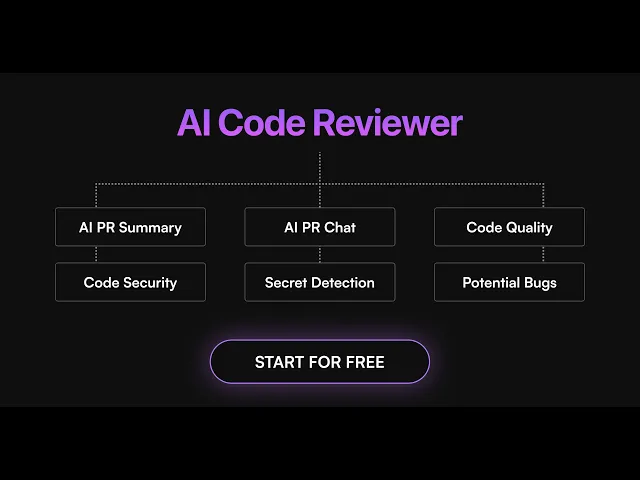
Graphite built its name on stacked pull requests, and its Diamond AI reviewer earned a loyal following. Then Cursor acquired Graphite in December 2025 and teams started asking what comes next.
Maybe you need deeper security scanning that catches vulnerabilities before they hit production. Perhaps you want AI that actually understands your entire codebase, not just the diff you’re reviewing. Or you’re looking for tools that can auto-fix issues instead of just flagging them, saving hours of manual cleanup work.
Whatever your specific pain point, the AI code review landscape has exploded with alternatives that push far beyond Graphite’s capabilities.
In this guide, we’ll explore 11 powerful Graphite alternatives that developers are using to ship faster, safer code in 2026. From CodeAnt.ai’s unified security and quality platform to automated bug fixing, we’ll break down:
What makes each tool unique, and why teams are switching
Honest pros and cons based on developer feedback + internet sentiment
Pricing breakdowns and team fit analysis
Whether you’re a solo developer tired of limited features, a startup team needing better security coverage, or an enterprise organization requiring enterprise-grade compliance, this guide will help you find an AI code reviewer that accelerates your development instead of holding it back.
What Changed at Graphite in 2026
Anysphere, the company behind Cursor, acquired Graphite in December 2025. The product now lives at graphite.com, and Cursor Cloud Agents run directly inside it.
Diamond is gone as a brand. AI review and chat now ship as the Graphite Agent, and unlimited AI reviews sit in the $40/user/month Team tier.
Starter is $20/user/month, Hobby stays free with limited AI reviews, and the platform remains GitHub-only. If you rely on GitLab or Bitbucket, you already need one of the alternatives below.
How We Chose These Graphite Alternatives
We tested each tool on real pull requests and tracked what developers are actually saying across Reddit, GitHub discussions, and developer forums. No marketing fluff, just what works.
Our research process:
Community feedback analysis We scanned Reddit and Twitter to see which tools people recommend and which ones they complain about. Real user experiences beat marketing claims every time.
Hands-on testing Each tool got tested on actual codebases with security vulnerabilities, performance issues, and code quality problems. Tools that missed obvious bugs or generated too much noise got cut.
Integration reality check We set up each tool from scratch to see if the “5-minute setup” claims are real or if you need a PhD in DevOps to get them working.
Pricing verification We calculated real costs for 5, 20, and 100+ developer teams. Hidden fees and surprise overages got called out.
Enterprise requirements SOC 2 compliance, on-premises deployment, and data retention policies - we verified what’s real versus what’s just on the marketing page.
The tools that made this list consistently delivered useful feedback, integrated smoothly, and had developers saying “this actually saves time” instead of “this creates more work.”
If you are comparing broader workflow automation options, see our guide to the pull request automation tools that combine review, security, quality checks, and PR workflow automation.
Comparison Table on Best Graphite Alternatives for AI Code Review
We shortlisted the best Graphite alternatives for your Ai code review .
Short on time? Here is the quick verdict.
Best overall and for enterprises - CodeAnt AI, one platform for review, security, and quality
Best GitHub-native reviewer - CodeRabbit
Best security-first pick - Aikido Security
Best budget pick - Bito AI
Most flexible pricing - Greptile with credits, or Qodo for open source teams
Tool Name | Pricing | Key Features | Best For | Limitations | Free Tier |
CodeAnt.ai | $24/user/mo Premium | Unified security + quality platform, Bulk auto-fix up to 200 files, Enterprise compliance (SOC2/HIPAA) | Enterprise teams needing consolidated tools and compliance | No permanent free plan | 14-day trial |
Greptile | $30/seat + credits | Full codebase context understanding, Language-agnostic support, Self-hosting with SOC2 compliance | Mid-size to enterprise teams with complex codebases | Higher price point, context window limits | Yes (50 credits/mo) |
CodeRabbit | $24-48/user/mo | Code-graph AST analysis, Interactive learning from feedback, One-click fix patches | Small-medium GitHub teams wanting quick setup | Can get chatty on large PRs | Limited (PR summaries only) |
Qodo Merge | $30/mo base + credits | RAG-powered context indexing, Multi-platform parity, Slash command interface | GitLab/Bitbucket teams, self-hosting needs | Enterprise features locked, learning period | Trial, OSS free |
Panto AI | On request | 30K+ security analysis checks, Business context integration, Ultra-low false positive ratio | Security-conscious teams with compliance needs | Setup complexity, documentation gaps | Yes (open source) |
GitHub Copilot | $10-39/user/mo | Native PR reviews, ruleset auto-request, IDE continuity | GitHub teams already on Copilot | Comment-only reviews, no security scanning | No (needs Pro) |
Aikido Security | $300/mo (10 users) | Comprehensive security platform, 95% noise reduction, AI-powered auto-fix PRs | Mid-size teams wanting security consolidation | High entry price, enterprise features limited | Yes (2 users) |
Bito AI | $12-20/seat/mo | Full-repo RAG understanding, multi-platform support, IDE reviews | Growing teams wanting measurable gains | Beta IDE features, manual seat management | Yes (PR summaries) |
Amazon Q Developer | $19/user/mo Pro | AWS-native review, security scans, agentic coding | AWS-heavy teams | Tied to AWS ecosystem | Yes (limited) |
Tabnine Code Review | $39-59/user/mo | Plain language rule conversion, IDE integration, Enterprise knowledge automation | Enterprise teams with defined standards | Enterprise-only features, preview status | No |
Sourcegraph Cody (Enterprise) | Enterprise only | Whole codebase context, Documentation integration, IDE-native experience | Large codebases needing deep understanding | Context accuracy issues, expensive enterprise | No |
Okay, now, let’s dive in.
1. CodeAnt.ai
CodeAnt AI is a defensive and offensive security platform that replaces 4-5 separate tools for code reviews, security scanning, and developer metrics. It cuts manual review time by 50% while catching security vulnerabilities and code quality issues that human reviewers typically miss.
CodeAnt AI Key Features:
Unified Security + Quality Platform - Combines SAST, secret scanning, IaC security, and code quality in one tool instead of juggling multiple vendors
Bulk Auto-Fix Capabilities - Fixes up to 200 files in a single click for issues like dead code, duplicates, and security vulnerabilities
Enterprise-Ready Compliance - SOC 2 & HIPAA compliant with on-premises deployment, zero data retention, and audit-ready PDF/CSV reports
Custom Rules in Plain English - Define coding standards like “All database queries must use prepared statements” without writing complex YAML
Real-Time PR Reviews - Reviews pull requests in under 2 minutes with AI summaries, one-click fixes, and chat functionality
Cross-Platform Integration - Works with GitHub, GitLab, Bitbucket, Azure DevOps plus 30+ programming languages
Limitations:
No Permanent Free Plan - Premium starts at $24/user/month. But the 14-day trial with 100 PR reviews needs no card 😉
Pricing:
14-day free trial with 100 PR reviews, no credit card
Premium at $24/user/month with unlimited PR reviews
Enterprise custom, with SSO and on-prem or VPC deployment
Free for open source projects
Pricing verified July 2026
Best for:
Small to mid-sized to enterprise teams (20+ developers) who want to consolidate multiple tools, need strong security compliance, and can invest time in proper setup. Particularly valuable for teams in regulated industries or handling sensitive data who need SOC 2/HIPAA compliance.
Check out this comparison - Codeant.ai vs Graphite.dev
2. Greptile

Greptile Key Features:
Full Codebase Understanding - Generates a detailed graph of your codebase and understands how everything connects, unlike diff-only tools
Language-Agnostic - Works with any programming language or framework, from Python to Rust to Go
Self-Hosting Option - SOC 2 Type II compliant with self-hosted deployment for maximum security
Limitations:
Higher Price Point - $30/user/month makes it one of the more expensive options in the market
Context Window Limits - Won’t work effectively on huge pull requests due to LLM context limitations
Learning Curve - Teams report needing time to properly configure custom rules and context
Pricing:
Starter is free with 50 credits a month for one developer. Pro is $30/seat/month with 50 credits per seat, extra credits at $1 each, and open source is free.
Best for:
Mid-sized to enterprise teams with complex, interconnected codebases who need deep contextual understanding and can justify the higher cost.
Check out the comparison - Greptile vs CodeAnt.ai
3. CodeRabbit

CodeRabbit combines popular static analyzers with advanced AI reasoning models to deliver context-aware reviews with the best signal-to-noise ratio. Teams report it catches subtle bugs like DTO mistakes and validation improvements that human reviewers typically miss.
CodeRabbit Key Features:
Code-Graph Analysis - Uses AST analysis for deep code structure understanding rather than just pattern matching
Interactive Learning - Learns your team’s preferences and coding standards from PR comments and reactions
Quick-Fix Patches - Provides one-click fixes for common issues directly in PR comments
Limitations:
GitHub-Centric - Limited primarily to GitHub, lacking strong support for GitLab and Bitbucket
Surface-Level Reviews - Reviews can be shallow for complex projects, missing architectural issues
Free Tier Restrictions - Free plan only includes PR summarization, missing the tool’s real value
Pricing:
Free tier with PR summaries. Pro is $24/user/month billed annually, Pro Plus $48, and open source public repos are free forever.
Best for:
Small to medium GitHub-focused teams who want quick setup and don’t need deep architectural analysis.
Check out this comparison - Codeant.ai vs CodeRabbit
4. Qodo Merge (formerly CodiumAI)

Qodo Merge provides expert-level insights by understanding your entire codebase and learning your team’s unique patterns and standards. It offers powerful slash commands like /review, /improve, and /describe that make getting specific help incredibly easy.
Qodo Merge Key Features:
RAG-Powered Context - Uses codebase awareness through RAG-based context indexing for precise suggestions
Multi-Repo Support - Works equally well with GitHub, GitLab, and Bitbucket - the only tool with true multi-platform parity
Command-Based Interface - Intuitive slash commands (/describe, /review, /improve) make it easy to get exactly what you need
Limitations:
Enterprise Features Locked - Advanced features like SOC2 compliance and static analysis require paid plans
Self-Hosting Complexity - Open-source version requires more configuration compared to plug-and-play alternatives
Learning Period - Takes time to adapt to your team’s feedback and coding standards
Pricing:
14-day unlimited trial, then Pro Team at $30/month base for up to 30 users plus pooled credit packs at $0.012 per credit. Enterprise is custom.
Best for:
Teams using GitLab/Bitbucket or those needing self-hosting options, plus enterprises requiring multi-repo awareness and strict compliance.
5. Panto AI

Panto AI runs 30,000+ static analysis checks across 30+ languages on every PR, combining SAST, secret scanning, and IaC analysis in one security-first platform.
Panto AI Key Features:
Security-First Approach - 30,000+ rules for SAST, secret detection, IaC scanning, and open-source license scanning with extremely low noise ratio
Business Context Integration - Ties code changes to related Jira/Confluence context to understand why changes were made
High Signal-to-Noise Ratio - Prioritizes security and flags critical issues early while keeping false positives low
Limitations:
Setup Complexity - Onboarding is still maturing with some users finding initial setup less polished than competitors
Documentation Gaps - Limited documentation for advanced configuration, especially for complex use cases
Overwhelming for Small Teams - Some small teams may not need all 30K checks and could find the tool’s depth overwhelming at first
Pricing:
Panto now leads with its QA product, and published plans run $0 to $999/month for QA. Code Review Agent pricing is on request, with open source free.
Best for:
Security-conscious teams who need comprehensive vulnerability detection with business context and can handle a more thorough setup process.
6. GitHub Copilot Code Review
GitHub Copilot now reviews pull requests natively inside GitHub. It comments on diffs, suggests fixes, and can be auto-requested on every PR through repository rulesets.
GitHub Copilot Key Features:
Native PR Reviews - Lives inside GitHub with no extra app to install, and feedback arrives minutes after a pull request opens
Ruleset Automation - Repository rulesets can auto-request Copilot as a reviewer on every PR across the organization
IDE Continuity - The same assistant handles completions, chat, and reviews across VS Code, JetBrains, and github.com
Limitations:
Comment-Only Reviews - Copilot never approves or requests changes, so it cannot satisfy required approvals in branch protection
No Security Platform - Lacks the SAST, secrets, and dependency scanning that dedicated review platforms bundle
Plan-Gated - Code review is excluded from Copilot Free, so every reviewer seat needs Pro or better
Pricing:
Included from Copilot Pro at $10/month, with Pro+ at $39 and Max at $100. Organizations can cover unlicensed users with GitHub AI credits.
Best for:
GitHub teams already paying for Copilot who want first-pass review feedback without adding another vendor. Looking for Ellipsis? It pivoted to deploying AI software engineers and no longer ships a code review product.
7. Aikido Security

Aikido combines SAST, DAST, container scanning, secrets detection, and cloud security into one developer-friendly platform that reduces noise by 95%.
Aikido Security Key Features:
Comprehensive Security Platform - SAST, DAST, container scanning, secrets detection, IaC analysis, and cloud posture management in one unified dashboard
Smart Vulnerability Filtering - AI-powered triage filters out false positives and non-exploitable issues, reducing alert fatigue significantly
AI Auto-Fix - Generates pull requests to fix SAST, IaC, dependency, and container issues automatically
Limitations:
Enterprise Features Limited - Complex RBAC, compliance dashboards, and advanced API support not fully addressed for large enterprises yet
Language Coverage Gaps - Limited support for some frameworks or legacy stacks, particularly non-mainstream tech
High Entry Price - Basic is $300/month for up to 10 users, though the two-user Developer plan is free
Pricing:
Free Developer plan for two users. Basic is $300/month for 10 users, with Pro and Advanced tiers above it and custom Enterprise pricing.
Best for:
Mid-sized teams who want comprehensive security coverage with minimal false positives and can justify the higher price point for consolidated tooling.
8. Bito AI Code Review Agent

Bito’s AI Code Review Agent is a good graphite alternative, it speeds up PR merges with great amount of time, reduces regressions by 34%, and delivers 87% human-grade feedback.
Bito AI Code Review Agent Key Features:
Full-Repo Understanding - Uses RAG and AST parsing to deeply understand your entire codebase for context-aware suggestions
Multi-Platform Support - Seamlessly integrates with GitHub, GitLab, Bitbucket, and self-managed instances
Custom Rules - Set repository-specific code review guidelines to enforce standards and team nuances for every pull request
Limitations:
Beta IDE Features - IDE integration is currently in limited beta for enterprise teams by request only
No Code Storage - Doesn’t store or train models on your code, but some teams want persistent learning capabilities
Seat-Based Pricing - Only counts seats when PRs are reviewed, but still requires manual seat management
Pricing:
Team is $12/seat/month billed annually or $15 monthly. Professional is $20 annually or $25 monthly, with 5,000 lines reviewed per seat each month, then $5 per 1,000 lines.
Best for:
Growing teams who want comprehensive codebase understanding with measurable productivity gains and don’t mind managing seat assignments manually.
9. Amazon Q Developer
Amazon Q Developer replaced CodeGuru Reviewer as the AWS code review path. CodeGuru stopped accepting new repository associations on November 7, 2025, and AWS points new adopters to Q Developer.
Amazon Q Developer Key Features:
Agentic Coding in IDE and CLI - Reviews code, generates fixes, and automates routine tasks across VS Code, JetBrains, and the command line
AWS-Native Context - Deep awareness of AWS APIs, services, and cost patterns, carrying over CodeGuru’s old specialty
Security Scanning Included - Built-in code security scans with automated remediation suggestions
Limitations:
AWS Ecosystem Lock-in - Works best inside AWS tooling and feels less natural for teams on other clouds
Successor Transition - CodeGuru-era docs and reviews still circulate, which muddies evaluation research
IDE-Centric Reviews - PR-level review depth trails dedicated reviewers like CodeAnt AI or CodeRabbit
Pricing:
Free tier available. Q Developer Pro is $19/user/month. CodeGuru Reviewer itself no longer accepts new repositories.
Best for:
AWS-heavy teams that want code review, security scans, and agentic coding from the vendor they already pay.
10. Tabnine Code Review Agent

Tabnine’s Code Review Agent, and a decent graphite alternative, it is the first-of-its-kind AI that converts your team’s unique standards and institutional knowledge into automated rules using plain language.
Tabnine Code Review Agent Key Features:
Converts Docs to Rules - Takes your accepted standards, best practices, or corporate policies written in plain language and converts them into comprehensive rules
IDE Integration - Reviews code directly inside your code editor, flagging deviations with explanations and fix suggestions
Enterprise Preview - Code Review Agent designed to ensure quality, security, and compliance with team-specific customization
Limitations:
Enterprise-Only - Enterprise Plan at $39/user/month required for Code Review Agent features
Still in Preview - Recently launched feature that may have limited availability and ongoing development
Setup Complexity - Requires initial effort to define standards and train the agent on your team’s specific practices
Pricing:
Code Assistant Platform is $39/user/month and the Agentic Platform $59, billed annually, with LLM token costs on top. There is no free tier anymore.
Best for:
Enterprise teams with well-defined coding standards who want to automate institutional knowledge and enforce consistent practices across large development organizations.
11. Sourcegraph Cody (Enterprise)

Sourcegraph Cody is now an enterprise-only product. Sourcegraph ended Cody Free and Pro in July 2025, and its agentic sibling Amp spun out as a separate company in December 2025.
Sourcegraph Cody Key Features:
Codebase-Aware Assistant - Uses whole codebase context and shared prompts to ensure quality and consistency across enterprises
Documentation Integration - Connects with tools like Notion, Linear, and Prometheus to enhance development context
IDE-Native Experience - Deep integration with IDEs like VS Code, PyCharm, and JetBrains without disrupting workflows
Limitations:
Context Accuracy Issues - Sometimes the context selected isn’t the most useful, and users struggle to exclude certain files
Pattern Memory Problems - Doesn’t follow patterns consistently within single chat sessions, forgetting established coding styles
Enterprise-Only Access - There is no free or Pro tier anymore, so individuals and small teams are out of scope
Pricing:
Enterprise contracts only. Cody Free and Pro were discontinued on July 23, 2025, so current pricing comes through sales.
Best for:
Large enterprises already on Sourcegraph Code Search that want codebase-aware AI with contract-level support.
The Best Graphite Alternatives Are Already Here
Manual code reviews are killing your productivity. Your senior engineers spend a huge share of their week on tedious reviews while critical bugs still slip through.
We’ve analyzed 11 leading Graphite alternatives, and here’s the truth:
Speed-first tools give quick feedback but miss the security issues that actually matter.
Security-focused platforms catch vulnerabilities but create so much noise teams start ignoring alerts.
Enterprise solutions promise everything but need months of setup for basic functionality.
Budget options look attractive until you realize you need 3-4 additional tools to get real coverage.
Here’s the reality: piecemeal solutions create piecemeal results.
Juggling separate tools for reviews, security, and quality doesn’t just cost more. It fragments workflows, creates blind spots, and burns out developers.
The teams winning in 2026 know the best tool isn’t the one with the most features. It’s the one that unifies everything without the complexity.
That means AI code reviews that actually understand your codebase. Security scanning that catches real threats, not false positives. Auto-fixes that save hours, not create more work. Enterprise compliance that doesn’t slow development.
The bottom line. Stop playing tool Tetris with mismatched solutions that drain your budget and frustrate your team.
Ready to see what unified code review actually looks like? Start your free 14-day CodeAnt.ai trial and discover why leading teams choose one powerful platform over a dozen fragmented tools. No credit card required.

