

Burp Suite is an intercepting proxy with a toolkit built around it, and everything else PortSwigger sells is a variation on that idea. The proxy sits between your browser and the target, and every other tool operates on the traffic it captures for you.
PortSwigger now ships four products under the Burp name, aimed at three different jobs. Knowing which one owns which capability saves you a lot of confusion when a feature you read about turns out to live in a product you did not buy.
What Burp Suite does here: it gives a human tester complete visibility and control over HTTP traffic, then layers automation on top. The scanner, the AI features, and the new agent all work through the same tools a person would drive by hand, which is the design principle that makes Burp predictable and also caps what it can do unattended.
Below is what each tool actually does, verified against PortSwigger’s own documentation in July 2026, plus the parts of application security Burp deliberately leaves alone.
What Is Burp Suite Used For?
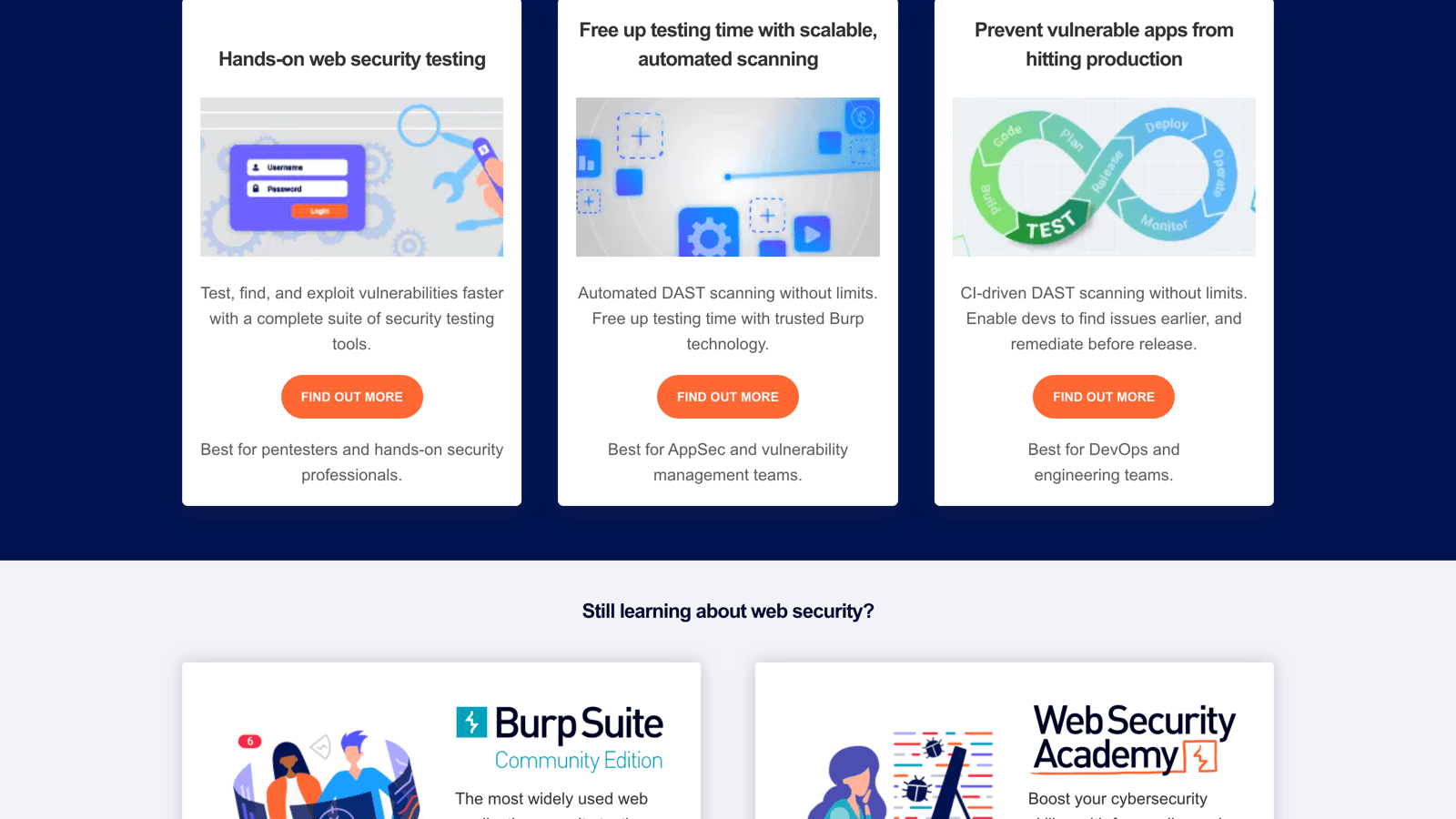
Burp Suite is used for manual and automated web application security testing, primarily penetration testing of web apps and APIs. PortSwigger positions Burp Suite Professional as the toolkit for “pentesters and hands-on security professionals” and sells automated portfolio scanning as a separate product.
The four products split along that line.
Product | What it is | Who PortSwigger aims it at |
|---|---|---|
Community Edition | Free manual toolkit, no scanner | Learning AppSec |
Professional | Full manual toolkit plus the vulnerability scanner | Pentesters and hands-on security professionals |
Burp Suite DAST | Automated scanning at portfolio scale | AppSec and vulnerability management teams |
Burp AT | Agentic AI driving Burp’s own tools | Pentesters, in public beta |
The practical read is that Professional tests whatever your tester points it at, and DAST covers your applications on a schedule. Buying one does not give you the other.
What Are the Core Burp Suite Professional Features?
Burp Suite Professional features thirteen tools that share one captured traffic stream. The tabs across the top of your window are the toolkit.
Tool | What it does |
|---|---|
Proxy | “an intercepting web proxy that operates as a man-in-the-middle between the end browser and the target web application” |
Repeater | “a tool for manually manipulating and resending individual messages, and analyzing the application’s responses” |
Intruder | “a powerful tool for carrying out automated customized attacks against web applications” |
Scanner | “an advanced web vulnerability scanner, which can automatically crawl content and audit for numerous types” of vulnerability |
Collaborator | “a manual tool for identifying out-of-band vulnerabilities” |
DOM Invader | “a tool for finding DOM XSS vulnerabilities” |
Sequencer | “a sophisticated tool for analyzing the quality of randomness in an application’s session tokens” |
Decoder | “a useful tool for performing manual or automated decoding and encoding of application data” |
Comparer | “a handy utility for performing a visual diff between any two items of data” |
Organizer | “a tool for storing and annotating HTTP messages that you want to investigate later” |
Logger | “a tool for recording and analyzing HTTP traffic that Burp Suite generates” |
Inspector | “provides some useful features for analyzing and editing HTTP and WebSockets messages” |
Burp Browser | preconfigured Chromium that works with Burp’s full functionality out of the box |
Proxy, the tool everything else depends on
The Proxy captures traffic between your browser and the target, and it is where interception, editing, and the site map all originate. PortSwigger ships a preconfigured browser so you are not installing certificates before your first test.
Match and replace rules automate the repetitive edits. PortSwigger describes them as rules that “automatically replace parts of HTTP and WebSocket messages as they pass through the proxy”, useful for adjusting headers or rewriting authentication tokens in real time. The Java-based script mode of those rules is Professional-only.
A naming change matters if you maintain allowlists. Release 2026.7 rebranded the embedded Chromium as Burp Browser, and PortSwigger’s release notes warn that security configurations referencing the old name need updating.
Intruder and its four attack types
Intruder automates customized attacks by inserting payloads at marked positions in a request. The attack type you pick decides how those payloads get distributed, and the wrong choice wastes hours.
Attack type | How payloads are placed | Request count |
|---|---|---|
Sniper | “places each payload into each payload position in turn” | Positions multiplied by payloads |
Battering ram | “places the same payload into all of the defined payload positions simultaneously” | One per payload |
Pitchfork | Different payload set per position, advanced in parallel | Size of the smallest set |
Cluster bomb | Different set per position, “all payload combinations are tested” | Product of every set size |
Sniper is your default for fuzzing one parameter at a time. Cluster bomb is the one that turns two modest wordlists into a request count that outlives your patience, so check the arithmetic before you start it.
Burp Suite Community Edition features a cut-down Intruder that PortSwigger labels “Burp Intruder (demo)”. No official throttle figure is published, so treat the specific rates quoted in community posts as unofficial.
Scanner, crawl and audit
Burp Scanner works in two phases. Crawling “catalogs the content of the application and the navigational paths within it” by following links, submitting forms, and automating logins, and auditing “analyzes the application’s traffic and behavior to identify security vulnerabilities and other issues.”
PortSwigger says the crawler “navigates obstacles like CSRF tokens, stateful functionality, and volatile URLs”, and that the scanner is designed to replicate the actions of a skilled manual tester. It also claims Burp Scanner “is capable of finding many critical vulnerabilities that even an expert manual tester could easily miss.”
Custom checks come in two forms. BChecks are plain-text definitions Burp Scanner runs “in addition to its built-in scanning routine”, available in both Professional and DAST, and release 2025.9 added custom scan checks written in Java through the Montoya API.
Collaborator and out-of-band testing
Burp Collaborator catches vulnerabilities that produce no visible response. Burp generates payloads that are subdomains of the Collaborator server, you inject them into requests, and Burp polls the server to see whether your target reached out.
The technique is how blind SSRF, blind XSS, and asynchronous injection get confirmed at all. PortSwigger claims “OAST testing in particular, produces an extremely low rate of false positives”, and you can self-host a private Collaborator server when sending interactions to a public domain is not acceptable.
DOM Invader, for client-side bugs
DOM Invader is preinstalled in Burp’s own browser and adds a tab to DevTools. It exposes an augmented DOM showing controllable sinks and sanitization context, detects client-side prototype pollution sources with gadget scanning, handles DOM clobbering, and can “log, modify, and resend web messages that are sent on a page via the postMessage() method.”
Extensions, the reason Burp is hard to leave
The BApp Store carries what PortSwigger’s Pro page counts as 300+ extensions from 250+ authors, written against the Montoya API in Java. Turbo Intruder, Autorize, Hackvertor, HTTP Request Smuggler, and Param Miner are the names that come up repeatedly in practitioner threads.
Reddit’s assessment of the ecosystem is blunter than PortSwigger’s marketing. The top reply on a thread about switching off Burp reads “Burp ain’t that much on its own, but the extensions are those that really make it godlike. Turbo intruder seems a hard thing to replicate for example.”
What Are the Burp AI Features?
Burp AI features are five assistive capabilities inside Professional, all metered by credits. PortSwigger launched them in March 2025 alongside a grant of 10,000 free credits described in its release notes as equivalent to $5 USD.
Explore Issue. Autonomously investigates vulnerabilities Burp Scanner found, attempting to exfiltrate data, reach further attack surface, and identify escalation paths while generating proofs of concept.
Explainer. Highlight part of a message and get security-focused explanations of unfamiliar technologies, headers, cookies, and code without leaving Burp.
Broken access control false-positive reduction. Burp Scanner filters out irrelevant findings before reporting them. The scope is narrower than it sounds, covering broken access control checks only, not the scanner as a whole.
AI-powered recorded logins. Burp generates recorded login sequences automatically, removing a fiddly manual step.
AI in Repeater. Custom prompts run against any tab, plus AI-powered custom actions for context-aware analysis of HTTP messages.
Extensions can call PortSwigger’s AI platform through the Montoya API “without requiring external API keys”, which is how the AI-enhanced research extensions like Shadow Repeater work. Shadow Repeater is a BApp from PortSwigger Research, not a built-in feature, and it watches your manual attacks, tries permutations, and reports discoveries through Organizer.
On data handling, PortSwigger states that “Your data stays within PortSwigger’s secure AI platform and is never stored by the AI service provider or used for model training purposes.”
Reception among practitioners has been mixed. The top reply on an r/cybersecurity thread asking whether anyone enjoys Burp AI was “AI is just a marketing buzzword at this point.”
A more specific objection in the same thread is the one to weigh on a real engagement. As a pentest lead wrote there, “it’s not even possible to plug in your own LLM and for obvious reasons, i don’t want all the traffic from our entire assessments going somewhere i don’t particularly trust.”
What Is Burp AT?
Burp AT is PortSwigger’s agentic AI product, announced on 27 July 2026 and shipped in release 2026.7 as a public beta for Professional users. It runs pentesting tasks through Burp’s existing tools rather than inventing new ones.
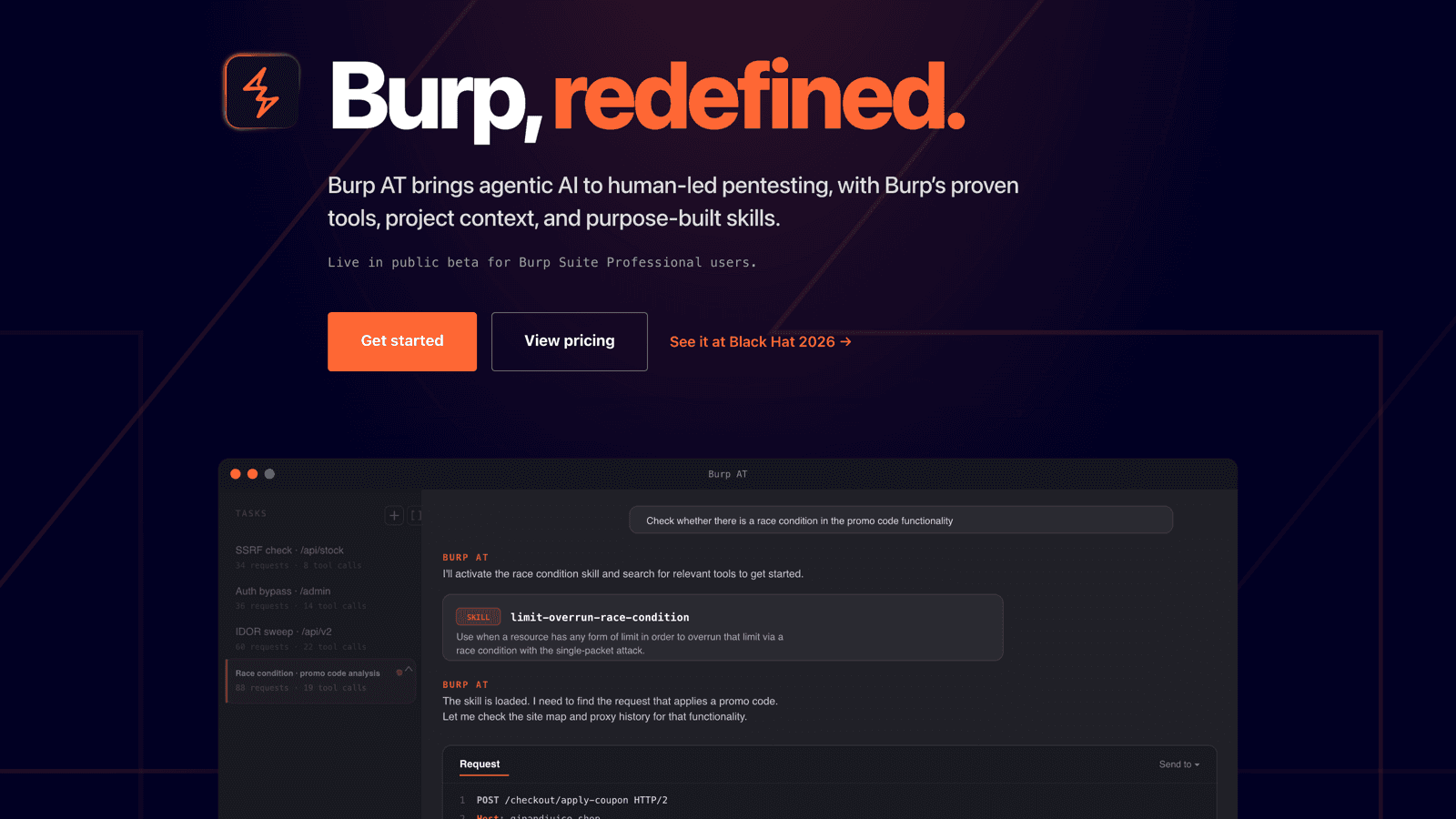
The architectural claim is the interesting part. PortSwigger’s stated principle is “Agents propose. Burp enforces. You decide.”
Scope, tool access, and approval rules are enforced at the tooling layer instead of through model instructions, and every agent request lands in the Burp project record.
The Burp AT product page defines three autonomy modes.
Mode | Behavior |
|---|---|
Manual | Follows your tool configuration and asks before acting |
Smart | Acts independently, pausing to ask before anything it deems risky |
Autonomous | Acts independently, using only the tools you enabled |
Skills are a library of pentesting methodologies developed with PortSwigger Research, and the agent draws on the site map, traffic, and issues already sitting in your project. Because it reuses Burp’s tools, PortSwigger describes the behavior as deterministic with “consistent, repeatable results.”
Its positioning is candid about the limits. PortSwigger frames it as “Hand off the repetition. Keep the judgment”, and Dafydd Stuttard’s own line is that “Burp AT is new, and it has to earn that trust in the real world.”
Billing runs on the same credit meter, with credits deducted as tasks progress. The Burp Suite pricing breakdown covers how those credits work and what they cost.
What Does Burp Suite DAST Add?
Burp Suite DAST is the automated scanning product, renamed from Burp Suite Enterprise Edition in May 2025. PortSwigger called it “just a new, clearer name” and explained the old one “often led to confusion, with some assuming it was merely a multi-user version of Burp Suite Professional.”
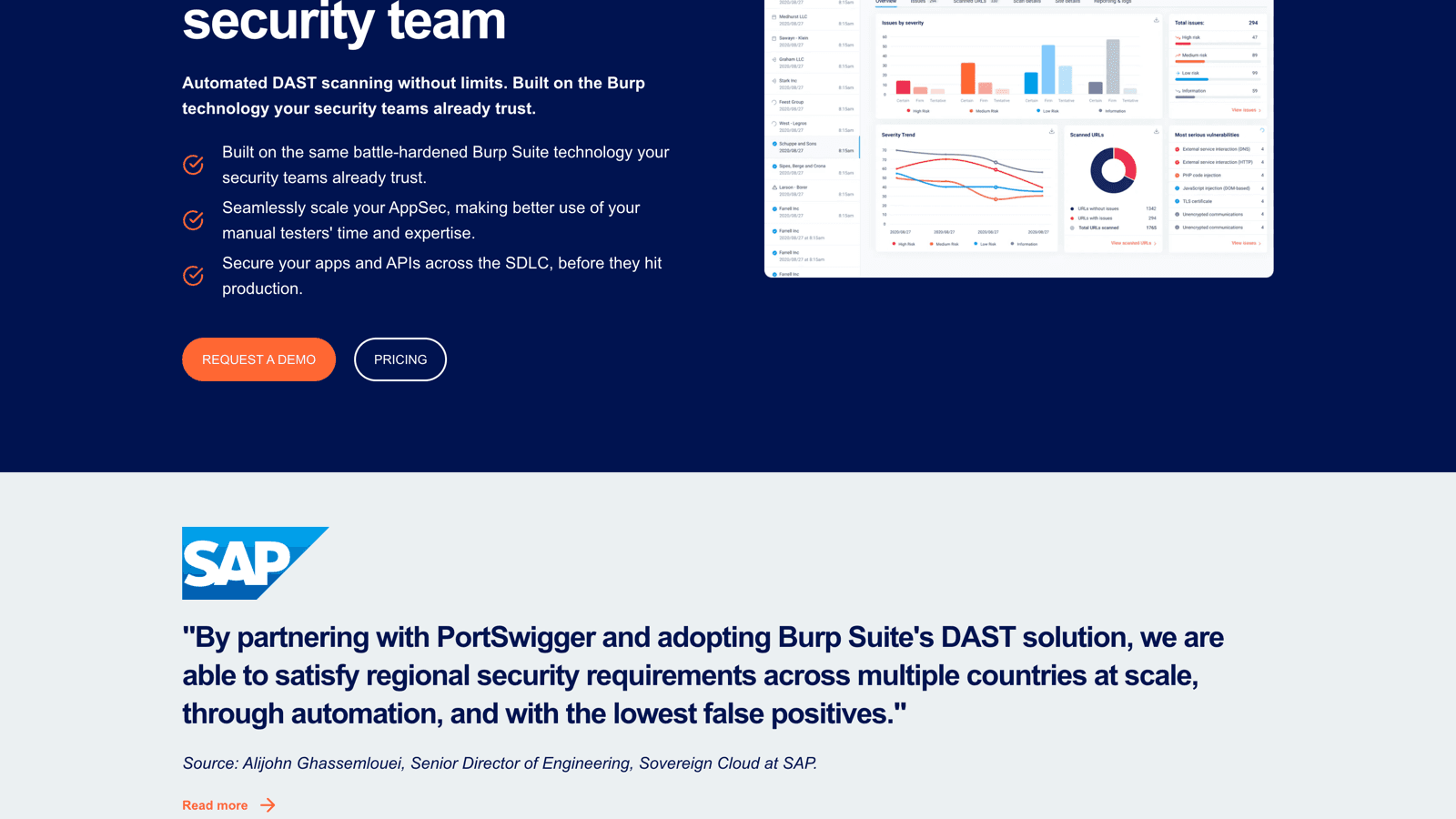
It runs the same scanning engine with an enterprise wrapper around it.
Scanning at scale. Recurring scans across thousands of sites, an embedded browser for single-page apps, authenticated scanning including SSO, and scan modes from lightweight to deep.
API scanning. Postman collections, OpenAPI JSON or YAML, SOAP WSDL, and GraphQL via introspection. PortSwigger states it “fully support[s] OpenAPI 3.1 and provisionally support[s] OpenAPI 3.2.”
CI/CD integration. CI-driven scans run from a Docker container with JUnit or Burp XML output, supported on Jenkins, TeamCity, GitHub Actions, and any platform that runs containers.
Access control. Role-based access control, unlimited users, and SSO through SAML, LDAP, ADFS, Okta, or Active Directory.
Deployment choice. On-premise installer, Kubernetes with auto-scaling, or PortSwigger’s hosted cloud.
Reporting. Dashboards with trends, delta analysis, and compliance checks for PCI DSS and the OWASP Top 10 2021.
Recent releases have gone after authentication coverage specifically. DAST 2026.3 added WebAuthn scanning for content behind biometrics and passkeys, TOTP multi-factor support where Burp generates valid passcodes mid-scan, and an Amazon API Gateway connector that discovers APIs running in your AWS environment.
Scanning capacity is managed through scanning machines you assign to pools, each with a maximum concurrent scan count. Kubernetes deployments support auto-scaling only, so a fixed machine setup is not an option if you run there.
What Burp Suite Does Not Do
Burp is a black-box tool by design, and PortSwigger is refreshingly direct about the consequences. Your program planning has to account for three gaps.
No source-code analysis. PortSwigger states plainly that Burp “is a DAST solution”, that this “differs from SAST products, which work from within”, and that “DAST necessitates that the security tester has no knowledge of an application’s internals.” Burp reads responses, never your repository.
The company also documents what that costs. Its own AST comparison concedes that “there will always be vulnerabilities that DAST and OAST can’t see - just as there are others that SAST will miss”, and that DAST “will not identify” vulnerabilities in inputs that are not externally exposed.
No software composition analysis. PortSwigger’s application-security-testing hub covers DAST, SAST, IAST, and OAST, and no product page claims dependency or SCA scanning. Vulnerable third-party packages in your dependency tree are somebody else’s product.
No coverage between engagements. Professional is documented as single user, local installation only, with no access control. Continuous coverage is a separate purchase, which is the structural point behind comparing continuous and annual pentesting as operating models.
A fourth practical limit shows up in reviews instead of docs. Burp is a Java desktop application, and PortSwigger’s system requirements recommend 16GB of RAM generally and 32GB with four cores for intensive scanning, with project files starting near 2GB.
G2 reviewers list slow performance among the top complaints. A May 2026 review puts the cost concretely, saying that “because Burp Suite is Java-based, memory usage can climb quickly during large scans or heavy Proxy usage. On machines with less than 16GB of RAM, the slowdown during longer engagements becomes noticeable and frustrating.”
Does Burp Suite Test Mobile Apps and APIs?
Burp tests mobile application traffic by proxying the device, and it tests APIs natively. Neither is quite point-and-click.
For mobile, PortSwigger’s guidance is that “you need to configure the mobile device to proxy its traffic via Burp Proxy”, after which you can “intercept, view, and modify all the HTTP/S requests and responses processed by the mobile app”. The documentation is honest that this “can be complex” thanks to proxy configuration and TLS certificate pinning, and ships dedicated iOS and Android guides.
API testing is stronger. Burp Scanner accepts API definitions directly, and DAST handles Postman, OpenAPI, SOAP, and GraphQL. Anything using a non-HTTP protocol falls outside the toolkit.
How Burp Suite Features Compare With CodeAnt AI
Burp gives a tester manual control over a running application. CodeAnt AI runs agents across code, infrastructure, and runtime to prove what is exploitable, which covers a different span of the same problem.
Capability | Burp Suite | CodeAnt AI |
|---|---|---|
Manual request manipulation | Proxy, Repeater, and Intruder, the strongest in the category | Not offered, testing is agent-driven |
Source-code analysis | Not offered, black-box by design | SAST, secrets, IaC, and dependency scanning on every pull request |
Agentic testing | Burp AT, public beta, credit-metered | Blackbox, Whitebox, and Graybox with Code Memory |
Continuous coverage | Separate DAST purchase | Included, running on pull requests and deployed apps |
Out-of-band detection | Burp Collaborator, a category standard | Covered within agentic pentesting |
Extension ecosystem | 300+ BApps, a genuine moat | Platform integrations instead of a plugin marketplace |
Audit-ready reporting | Manual assembly from scanner output | SOC 2 and ISO 27001 reports within 48 hours |
Retesting after a fix | Rerun by hand, or a new engagement | Free unlimited re-scans |
CodeAnt AI’s advantage is that its offensive agents already know the implementation. Testing informed by the codebase starts from architecture rather than from a port scan, which is the defensive and offensive platform model in practice.
Burp keeps a real advantage where a skilled human needs to pause mid-request, tweak a payload, and watch what breaks. Nothing here replaces that, which is why the CodeAnt AI and Burp Suite comparison treats them as complements more often than substitutes.
Where This Leaves You
Burp Suite’s feature set is deep exactly where a human is driving and thin exactly where the work should run without one. The toolkit around the proxy is the best in its category, and everything continuous is sold separately or, in Burp AT’s case, still in beta.
Match the tool to the job you actually have. For what it costs you to assemble, see the Burp Suite pricing guide, and for what else covers this ground, the best Burp Suite alternatives sorts the field by which part of Burp you are replacing.

