AI Code Review
The Problem with Manual Flow Mapping in Code Review Processes

Sonali Sood

Founding GTM, CodeAnt AI
It's 3 PM, you're three files deep into a pull request, and you've completely lost track of where that variable came from. You scroll back, click through another import, and try to reconstruct the execution path in your head, again.
This is manual flow mapping, and it's eating your team's time while letting bugs slip through. We'll break down why tracing data and control flow by hand creates bottlenecks, where the real risks show up, and how automated flow analysis changes the equation.
What is Manual Flow Mapping in Code Reviews
Manual flow mapping is the process of tracing how data and logic move through code during a pull request review, without any automated tooling. Picture this: you're reviewing a PR, and you're clicking through file after file, tracking a variable as it passes through functions, trying to figure out what the code actually does. That's manual flow mapping.
In practice, reviewers jump between files, follow function calls, and mentally reconstruct execution paths. For a small change, this works fine. But as codebases grow, the cognitive load becomes significant.
A few key terms help clarify what's happening:
Data flow: How values move through variables, parameters, and return statements
Control flow: The order in which statements execute, including branches and loops
Code paths: All possible routes through the code based on conditions and inputs
When reviewers map flows manually, they're doing work that automated tools handle faster and more consistently.
Why Manual Flow Mapping is Time-Consuming
Tracing data paths through complex codebases
Modern applications spread logic across dozens, sometimes hundreds, of files. A single variable might pass through multiple transformations before reaching its destination. Reviewers trace paths by hand, clicking through imports, following function calls, and mentally tracking state changes.
This detective work adds up quickly. What looks like a simple PR can hide complexity that takes hours to fully understand.
Context-switching between files and functions
Every time you jump to a new file, you lose context. Your brain reloads the surrounding code, remembers why you navigated there, and reconnects the dots. In a typical review, you might switch contexts dozens of times. Each switch costs mental energy and increases the chance of missing something important.
Reviewing without historical context
Reviewers often lack visibility into why code changed or what it connects to. Why does this function exist? What depends on it? What broke last time someone touched it?
Without that context, you end up re-investigating the same patterns every review cycle. This missing context forces redundant work and slows down even experienced reviewers.
Why Manual Flow Mapping is Error-Prone
Cognitive overload and reviewer fatigue
Holding multiple code paths in working memory is hard. As PRs grow larger, the mental load increases, and so does the error rate. Fatigue sets in, attention drifts, and subtle issues slip through.
This isn't a skill problem. It's a human limitation. Even the best reviewers miss things when they're mentally exhausted.
Inconsistent review standards across teams
Different reviewers apply different mental models. One engineer might focus on performance, another on readability, and a third on security. Without standardized tooling, review quality varies based on who happens to pick up the PR.
This inconsistency creates unpredictable outcomes. Some PRs get thorough scrutiny while others get a quick approval and a thumbs-up emoji.
Missing edge cases and security vulnerabilities
Humans naturally follow the "happy path," which is the expected flow through the code. Edge cases, error handlers, and unusual input combinations often get overlooked. Unfortunately, that's exactly where security vulnerabilities hide.
Common issues that slip through manual reviews:
Null reference exceptions in rarely-executed branches
Injection points where untrusted input reaches sensitive operations
Race conditions in concurrent code paths
Improper error handling that exposes internal state
Risks of Manual Flow Analysis in Code Reviews
Security flaws slipping through reviews
When vulnerabilities escape detection, they reach production. The cost of fixing a security issue in production is orders of magnitude higher than catching it during review. Beyond the engineering time, there's compliance exposure, potential breach risk, and reputational damage.
Technical debt accumulating undetected
Complexity, duplication, and poor maintainability compound over time. Manual reviews tend to focus on the immediate change, not systemic issues across the codebase. Technical debt builds quietly until it becomes a major drag on velocity.
Check out our interesting reads on:
9 tools to measure technical debt in 2026
How automated code quality reduce technical debt
Compliance gaps and audit failures
Inconsistent reviews create documentation and governance gaps. Auditors expect traceable, repeatable processes. If your review quality depends on which engineer is available, demonstrating compliance with standards like SOC 2 or ISO 27001 becomes difficult.
How Automated Flow Mapping Works
Data flow analysis
Data flow analysis automatically traces how values propagate through variables, parameters, and return statements. Tools build graphs that track data from source to sink, showing exactly where a value originates and where it ends up. This eliminates the manual detective work of following variables across files.
Control flow analysis
Control flow analysis maps all possible execution paths, including branches, loops, and conditionals. Automated tools identify unreachable code, infinite loops, and logic errors that humans often miss. The result is a complete picture of how code actually executes, not just the path the reviewer happened to follow.
Taint analysis for security
Taint analysis tracks untrusted input from entry points to sensitive operations. If user input can reach a database query, file system call, or external API without proper sanitization, taint analysis flags it. This technique catches injection vulnerabilities, data leakage, and other security issues that manual reviews routinely miss.
How AI Improves Flow Analysis in Code Reviews
Context-aware vulnerability detection
AI models understand code semantics beyond simple pattern matching. They consider the full context of changes, not just individual lines, to identify issues that rule-based tools miss. This means fewer false negatives and more accurate detection of real vulnerabilities.
Intelligent fix suggestions
Modern AI tools generate actionable remediation, not just alerts. Instead of telling you something is wrong, they show you how to fix it, often with suggestions that respect your codebase's conventions and patterns.
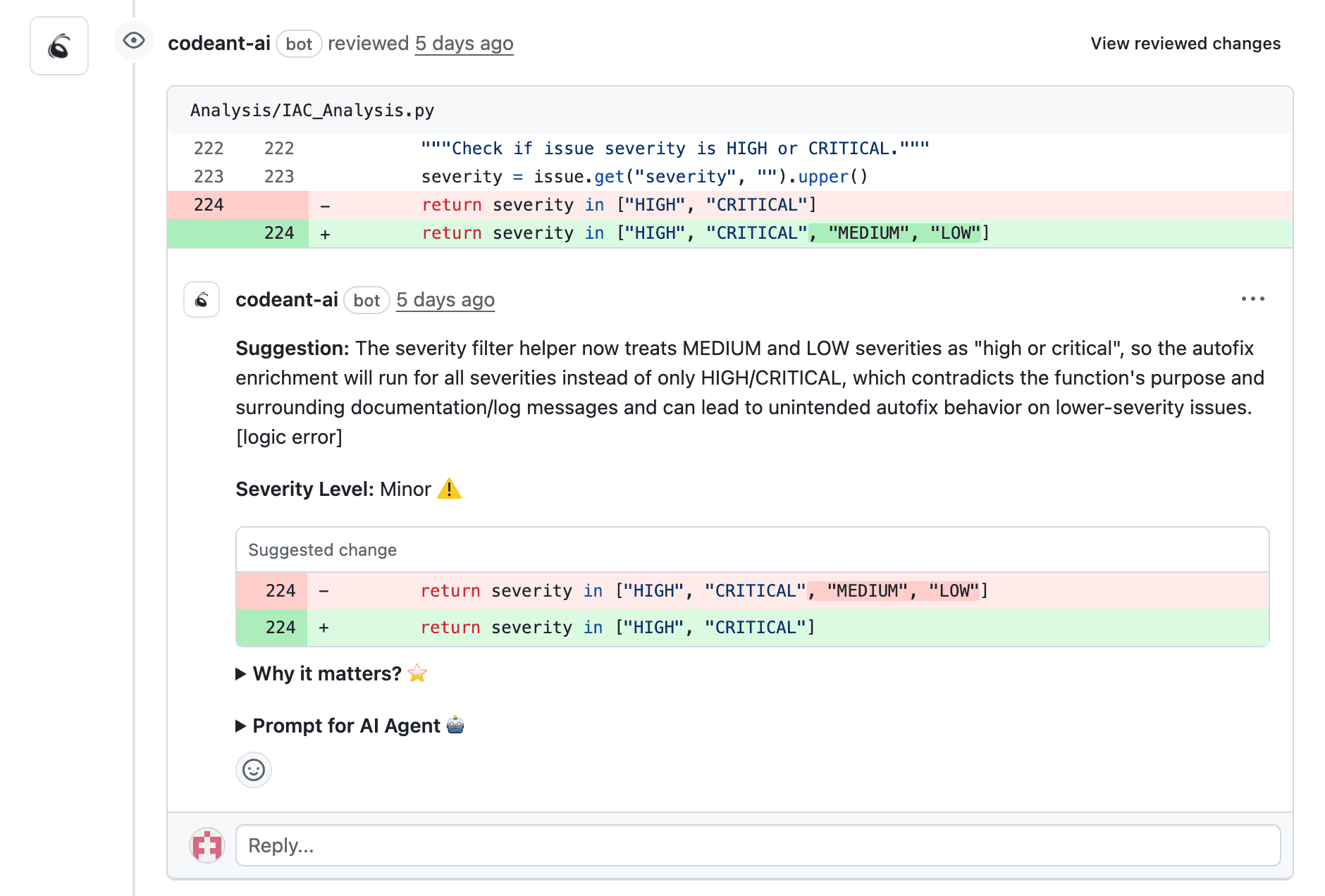
CodeAnt AI, for example, provides line-by-line suggestions directly in pull requests, reducing the back-and-forth that slows down reviews.
Noise reduction and issue prioritization
AI filters false positives and ranks findings by severity. This keeps developers focused on real issues instead of wading through noise. When every alert matters, teams actually pay attention to them.
Manual vs Automated Flow Mapping in Code Reviews
Dimension | Manual flow mapping | Automated flow mapping |
Speed | Slow, depends on reviewer availability | Fast, runs on every PR |
Consistency | Variable, differs by reviewer | Uniform, same rules every time |
Coverage | Partial, limited by human attention | Comprehensive, analyzes all paths |
Scalability | Bottleneck as team grows | Scales with codebase size |
Security detection | Misses subtle vulnerabilities | Catches injection, secrets, misconfigurations |
Automation doesn't replace human judgment. It handles the repetitive analysis so reviewers can focus on architecture, business logic, and design decisions that actually require human insight.
How to Choose a Code Review Automation Tool
Integration with your existing tech stack
The best tool is one your team will actually use. Look for native support for your Git provider, whether that's GitHub, GitLab, Azure DevOps, or Bitbucket, plus IDE plugins and CI/CD pipeline compatibility.
Accuracy and false positive rates
Noisy tools get ignored. If developers spend more time dismissing false positives than fixing real issues, adoption will fail. Look for tools with strong accuracy and tunable sensitivity.
Security and compliance capabilities
For teams with compliance requirements, look for Static Application Security Testing (SAST), secrets detection, dependency scanning, and compliance reporting. Support for frameworks like SOC 2, GDPR, and CIS Benchmarks matters in regulated industries.
Scalability for growing engineering teams
Your tool handles increasing PRs, repos, and contributors without becoming a bottleneck. Organization-wide policy enforcement ensures consistent standards as you scale.
How to Integrate Automated Flow Mapping Into Your Workflow
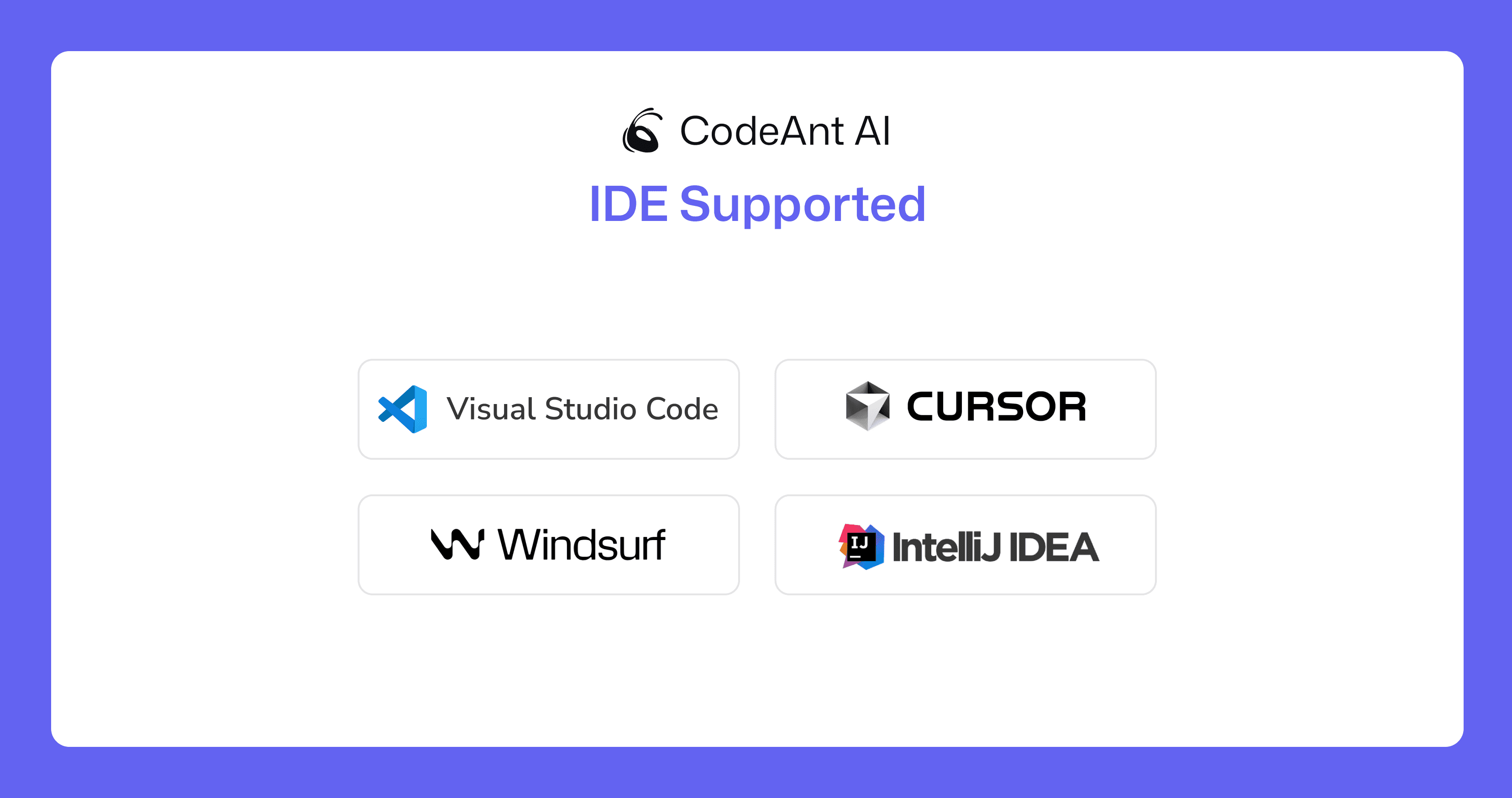
In the IDE during development
Catching issues before commit trains developers to write better code and reduces the volume of findings in PR reviews. Real-time feedback in the IDE shifts detection left, where fixes are cheapest.
During pull request reviews
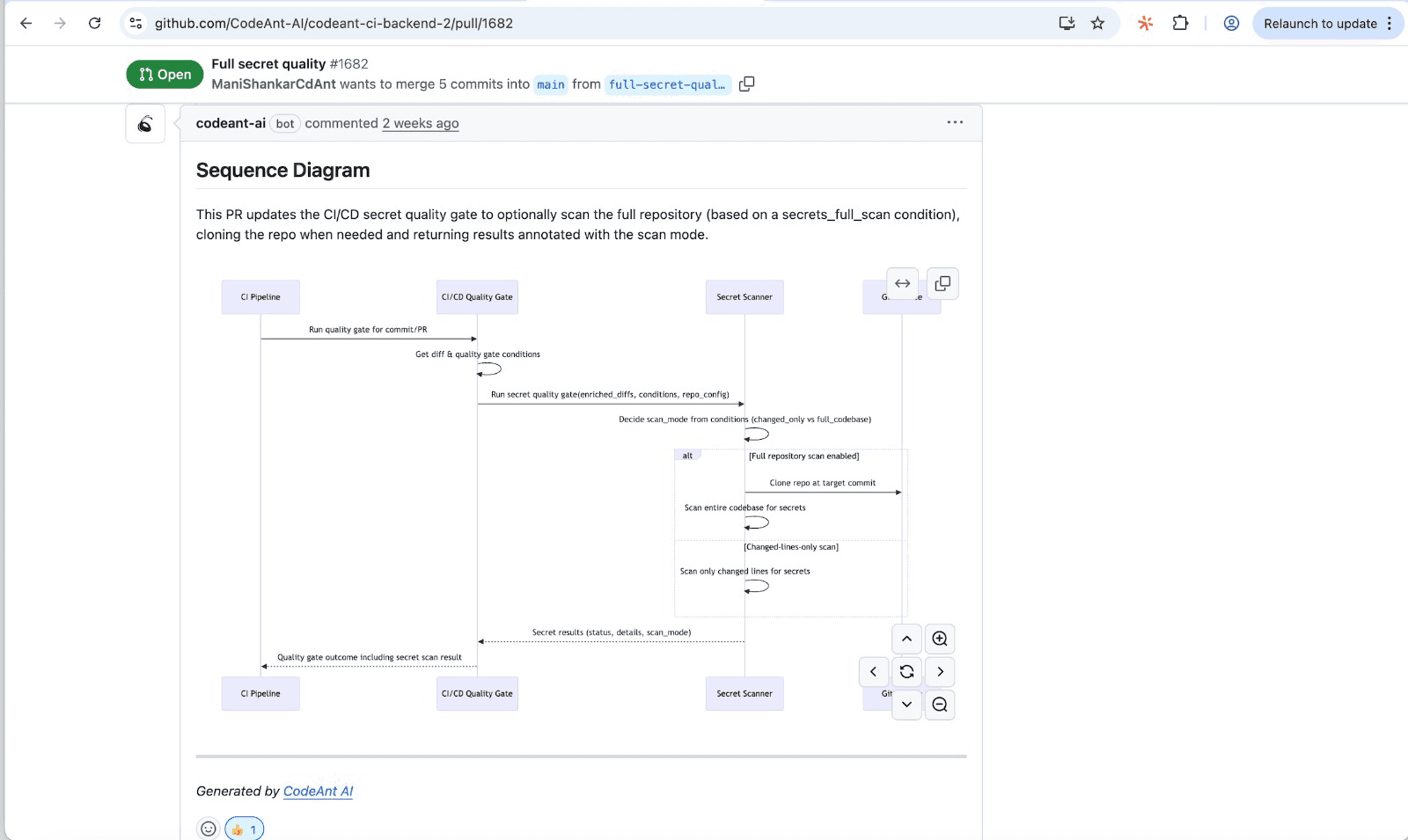
Automated PR comments with line-by-line findings speed up reviewer comprehension. CodeAnt AI generates sequence diagrams for every PR that capture the core runtime flow, showing reviewers which modules interact, in what order, and where the key decision points happen.
In CI/CD pipelines
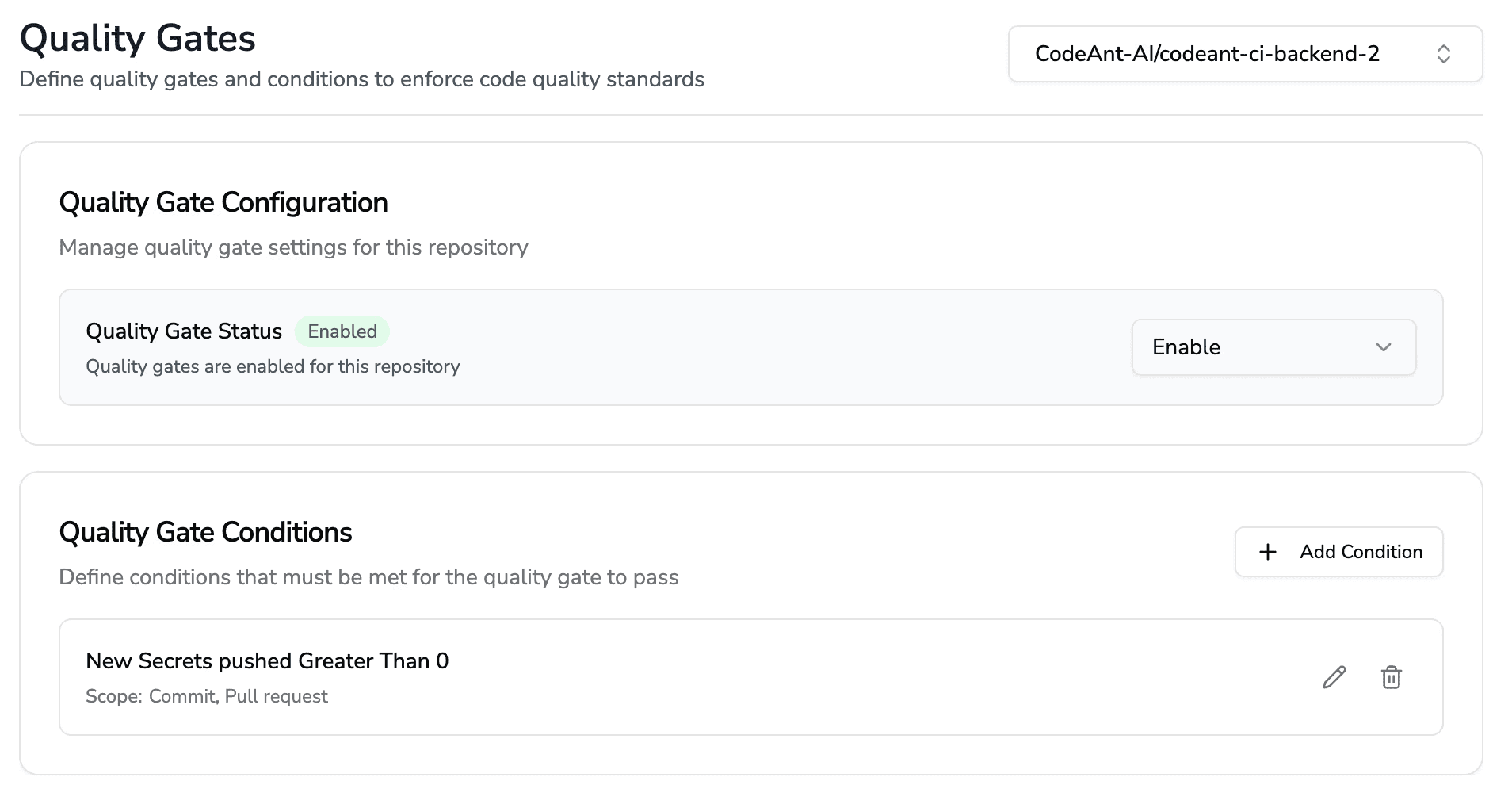
Quality gates that block merges when standards aren't met enforce consistent governance without manual effort. This ensures every merge meets your team's quality and security bar.
Eliminate Manual Flow Mapping with AI-powered Code Reviews
Manual flow mapping slows teams down and lets critical issues slip through. The cognitive load is unsustainable as codebases grow, and the inconsistency creates real risk.
CodeAnt AI automates flow analysis, security scanning, and code quality enforcement in one unified platform. For every PR, it generates sequence diagrams that capture the core runtime flow, showing reviewers which modules interact, in what order, and where the key decision points happen. No more mentally simulating code across multiple files.
Ready to eliminate manual flow mapping? Check out our tool today at app.CodeAnt.ai and for more details book your 1:1 with our experts today!
FAQs
How long does it take to transition from manual to automated flow mapping?
Can automated flow mapping replace human reviewers entirely?
What programming languages support automated flow analysis?
How do engineering teams measure the ROI of automated flow mapping?
Does automated flow mapping work with legacy codebases?