

A PTaaS provider is only as useful as the timelines it can actually commit to.
A polished dashboard, strong methodology page, and impressive sample report all matter. But when a critical vulnerability is found, a customer security review is blocked, or a SOC 2 auditor asks for proof of remediation, the real question becomes much simpler:
How fast can the provider respond, validate, report, and retest?
That is why teams are now asking what SLAs leading PTaaS providers guarantee, how fast AI penetration testing vendors deliver findings, whether retesting is included, and which automated pentest platforms offer continuous testing.
The answer is not one universal SLA.
A good PTaaS agreement should define multiple service levels across the full testing lifecycle:
Time to kickoff
Time to first finding
Critical finding notification
Final report delivery
Retest turnaround
Remediation verification
Evidence delivery
Support response time
This guide breaks down the PTaaS SLAs that actually matter, what good vendors should guarantee, and how AI-powered pentesting changes expectations around speed, validation, and accountability.
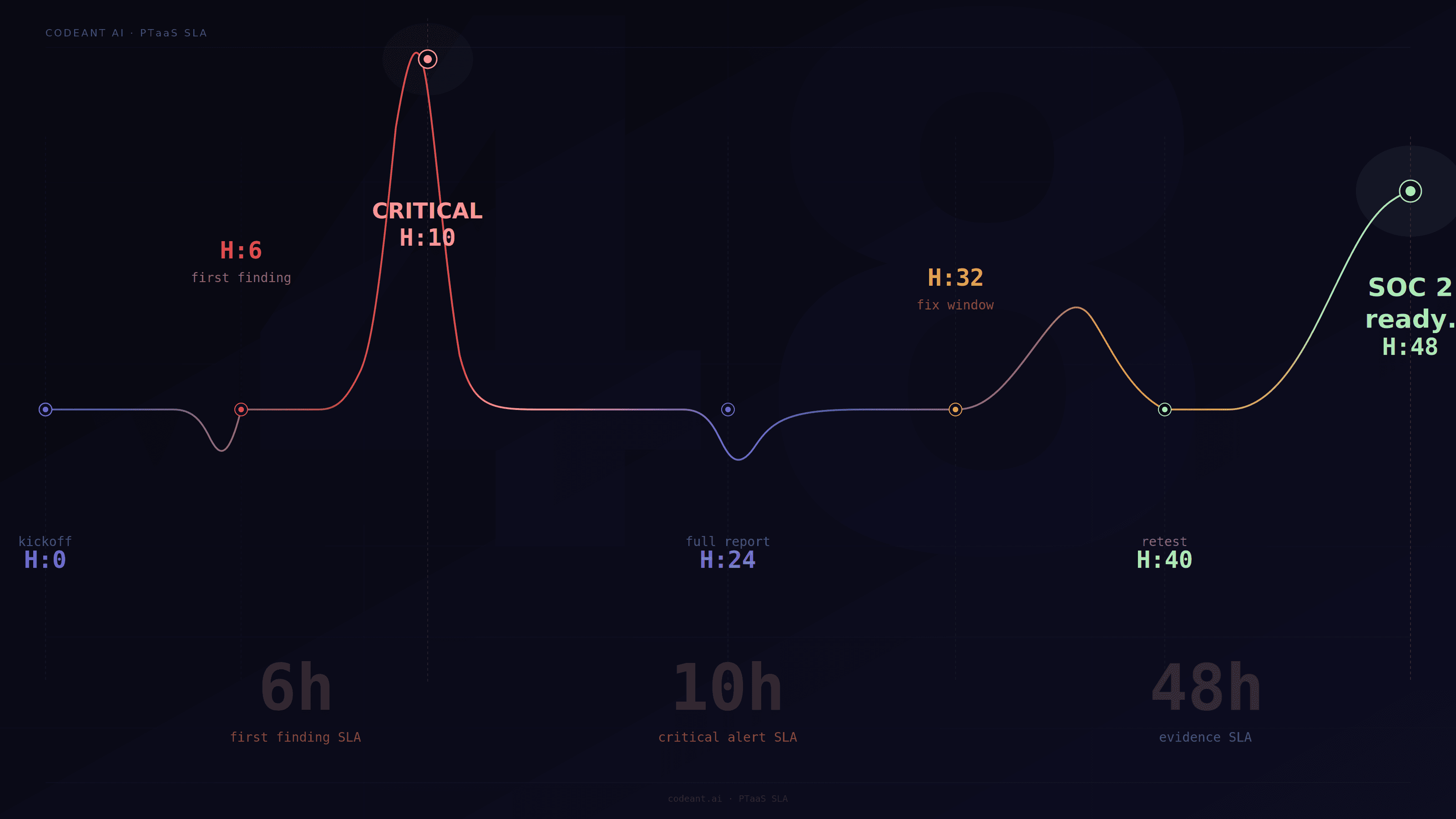
Why PTaaS SLAs Matter More Than The Dashboard
A PTaaS platform can make penetration testing easier to manage, but the dashboard is not the product.
The product is the security outcome.
That outcome depends on whether the provider can deliver testing, findings, retesting, and evidence on predictable timelines.
For fast-growing SaaS teams, weak SLAs create real business problems:
A critical finding may sit unreported for too long
Engineering may not know what to fix first
Retesting may delay SOC 2 evidence
Customer security reviews may stay blocked
Compliance teams may lack proof of remediation
Product launches may be delayed by unresolved risk
The best PTaaS providers make timelines explicit.
They do not just say “fast testing” or “continuous validation.” They define what happens, when it happens, and what the customer receives.
SLA 1: Time To Kickoff
Time to kickoff defines how quickly testing begins after scope approval.
For some vendors, kickoff may happen within days. For others, scheduling depends on tester availability, scoping calls, contract review, and environment setup.
For urgent SaaS needs, ask:
How soon can testing begin after scope is approved?
Is there a rapid-start option?
What access is required before kickoff?
Are test accounts needed?
Can testing begin with partial scope?
Does kickoff depend on manual scheduling?
For a narrow web app or API assessment, a modern PTaaS provider should be able to start quickly if scope, access, and rules of engagement are ready.
For larger cloud, internal, or multi-product scopes, kickoff may require more planning.
The key is clarity.
A vendor should not promise “fast pentesting” without defining when work actually begins.
SLA 2: Time To First Finding
Time to first finding measures how quickly the provider can begin surfacing validated issues.
This is not the same as report delivery.
In modern pentesting, especially AI penetration testing and automated penetration testing, findings should not wait until the final PDF.
If the provider confirms a high-risk issue, the customer should see it quickly through the platform, ticketing system, or direct alert.
A strong first-finding SLA is useful because it helps teams fix issues while testing continues.
For example:
Finding Type | Expected Handling |
|---|---|
Critical auth bypass | Immediate alert |
Customer data exposure | Immediate alert |
High-risk cloud exposure | Same-day notification |
Medium issue | Platform finding or report queue |
Low issue | Final report or dashboard |
A first-finding SLA should focus on validated findings, not raw scanner alerts.
Fast noise is not helpful.
SLA 3: Critical Finding Notification
Critical finding notification is one of the most important SLAs in any PTaaS agreement.
If a provider finds a critical vulnerability, it should not wait for the final report.
Critical findings may include:
Authentication bypass
Cross-tenant data exposure
Remote code execution
Cloud credential exposure
Public access to sensitive data
Privilege escalation to admin
Exposed production secrets
Critical business logic abuse
A strong SLA should define:
How quickly the customer is notified
Which communication channel is used
Who receives the alert
What evidence is included
Whether remediation guidance is provided immediately
Whether the finding is verified before escalation
For SaaS companies, critical notification should usually happen within hours, not days.
The final report can come later. The risk cannot.
SLA 4: Final Report Delivery
Final report delivery is the SLA most buyers ask about first.
It matters, but it should not be the only metric.
A final report should include:
Scope
Methodology
Assets tested
Finding summary
Detailed findings
Proof-of-exploit
Severity rationale
Business impact
Remediation steps
Retest status or retest plan
Evidence suitable for customers or auditors
For small focused engagements, report delivery may happen within 48 hours or a few business days.
For larger scopes, the timeline may be longer.
But the standard should be clear.
The provider should explain when the report will be delivered and what level of validation it contains.
A fast report without evidence is weak. A slow report with no interim alerts is also weak.
The best PTaaS providers separate real-time finding delivery from final documentation.
SLA 5: Retesting Turnaround
Retesting is where many PTaaS providers fall apart.
A vendor may deliver a good report, but if retesting takes too long or costs extra every time, the customer still has a problem.
Retesting SLA defines how quickly the provider verifies a fix after the customer marks it ready.
This matters because remediation is not complete until the fix is validated.
Retesting delays can block:
SOC 2 audit completion
Customer security reviews
Procurement approvals
Production releases
Internal risk closure
Board or investor updates
A strong retesting SLA should define:
How retest requests are submitted
How quickly retesting begins
How quickly results are returned
Whether retesting is included
Whether multiple retests are allowed
Whether a formal retest report is provided
For fast-moving SaaS teams, retesting may matter more than initial report speed.
A finding that takes two days to report but two weeks to retest still creates friction.
SLA 6: Remediation Verification Evidence
Retesting says whether a fix passed.
Remediation verification evidence proves it.
For compliance and customer review purposes, teams often need more than “fixed.”
They need evidence such as:
Original finding
Fix date
Retest date
Retest result
Validation method
Updated request and response
Screenshots or logs where safe
Final status
Residual risk if applicable
This evidence is especially important for SOC 2 Type 2, enterprise vendor reviews, HIPAA-aligned SaaS, and regulated customer environments.
A strong PTaaS provider should make remediation evidence exportable.
If the customer has to manually build an evidence packet from emails, screenshots, tickets, and PDFs, the workflow is weak.
SLA 7: Support Response Time
Support response time is often overlooked.
But engineering teams need fast answers when they are fixing findings.
A good PTaaS provider should define how quickly it responds to:
Clarification questions
False positive disputes
Remediation questions
Retest requests
Scope updates
Evidence requests
Customer-facing documentation requests
This matters because unclear findings slow down remediation.
A finding should not force engineering to guess.
If a developer asks, “Which authorization check failed?” or “Which role was used?” the vendor should respond quickly with useful context.
SLA 8: Scope Change Turnaround
Modern SaaS environments change quickly.
A new API launches. A cloud asset appears. A staging system becomes public. A customer asks for testing of a specific module.
A PTaaS provider should define how scope changes are handled.
Ask:
Can new assets be added mid-engagement?
How fast can new scope be tested?
Does added scope change pricing?
Can urgent modules be prioritized?
Are CI/CD-driven changes detected automatically?
Does the platform support continuous testing?
For teams searching which automated pentest platforms offer continuous testing, this SLA matters a lot.
Continuous testing is not only about running tools repeatedly. It is about adapting when the attack surface changes.
SLA 9: Evidence Delivery For SOC 2 And Customer Reviews
A PTaaS provider should not only help security teams.
It should also support compliance and sales needs.
For SOC 2 and customer security reviews, evidence delivery should include:
Executive summary
Technical findings
Retest report
Methodology
Scope confirmation
Severity definitions
Remediation status
Data handling statement
Testing timeline
Proof-of-fix confirmation
This evidence should be easy to share internally and externally with appropriate redaction.
For SaaS companies, evidence delivery can directly affect revenue.
A delayed evidence package can delay a deal.
What SLAs Should Look Like In A PTaaS Agreement
Here is a practical SLA table buyers can use.
SLA Area | What To Ask For |
|---|---|
Kickoff | Defined start timeline after scope approval |
First finding | Timeline for first validated issue |
Critical alert | Immediate or same-day notification |
Final report | Fixed delivery timeline by scope size |
Retest | Defined turnaround after fix submission |
Evidence package | Exportable report and retest proof |
Support | Response time for remediation questions |
Scope changes | Process for adding new assets |
Continuous testing | Frequency and triggers clearly defined |
This table helps separate real PTaaS maturity from vague promises.
How AI Penetration Testing Changes SLA Expectations
AI penetration testing changes what buyers should expect from PTaaS providers.
If a vendor uses AI only for marketing, SLAs may not improve much.
But if AI is used meaningfully, it can accelerate:
Reconnaissance
Endpoint discovery
Source-assisted analysis
Exploit path generation
Retest automation
Finding correlation
Report drafting
Evidence collection
This can reduce time to first finding and retest turnaround. However, buyers should still ask how findings are validated. AI-assisted does not automatically mean accurate.
A strong provider should explain:
What AI does
What humans review
How exploitability is confirmed
How false positives are controlled
How evidence is collected
How retesting is handled
The best AI penetration testing providers use AI to improve speed and coverage without sacrificing proof.
Automated Penetration Testing And Continuous Testing SLAs
Automated penetration testing adds another layer to SLA expectations. If a provider claims continuous testing, ask what triggers testing.
Possible triggers include:
New deployment
New API route
New subdomain
Cloud configuration change
New exposed port
New authentication flow
New repository change
New staging environment
Scheduled recurring tests
Also ask what happens after the trigger.
Does the platform only alert that something changed? Or does it validate whether the change is exploitable?
A mature continuous testing SLA should define:
Testing frequency
Trigger conditions
Alerting rules
Validation depth
Retest workflow
Reporting format
Ownership routing
Without this, “continuous testing” may just mean “scheduled scanning.”
Where CodeAnt Fits In SLA-Driven Security Programs
For SLA-driven teams, the biggest problem is usually handoff.
One tool finds a code issue. Another vendor runs a pentest. A ticket is created. Engineering fixes it. Someone waits for retesting. Compliance asks for evidence. The customer wants proof. Every handoff adds delay.
CodeAnt’s model is different because it compresses that loop.
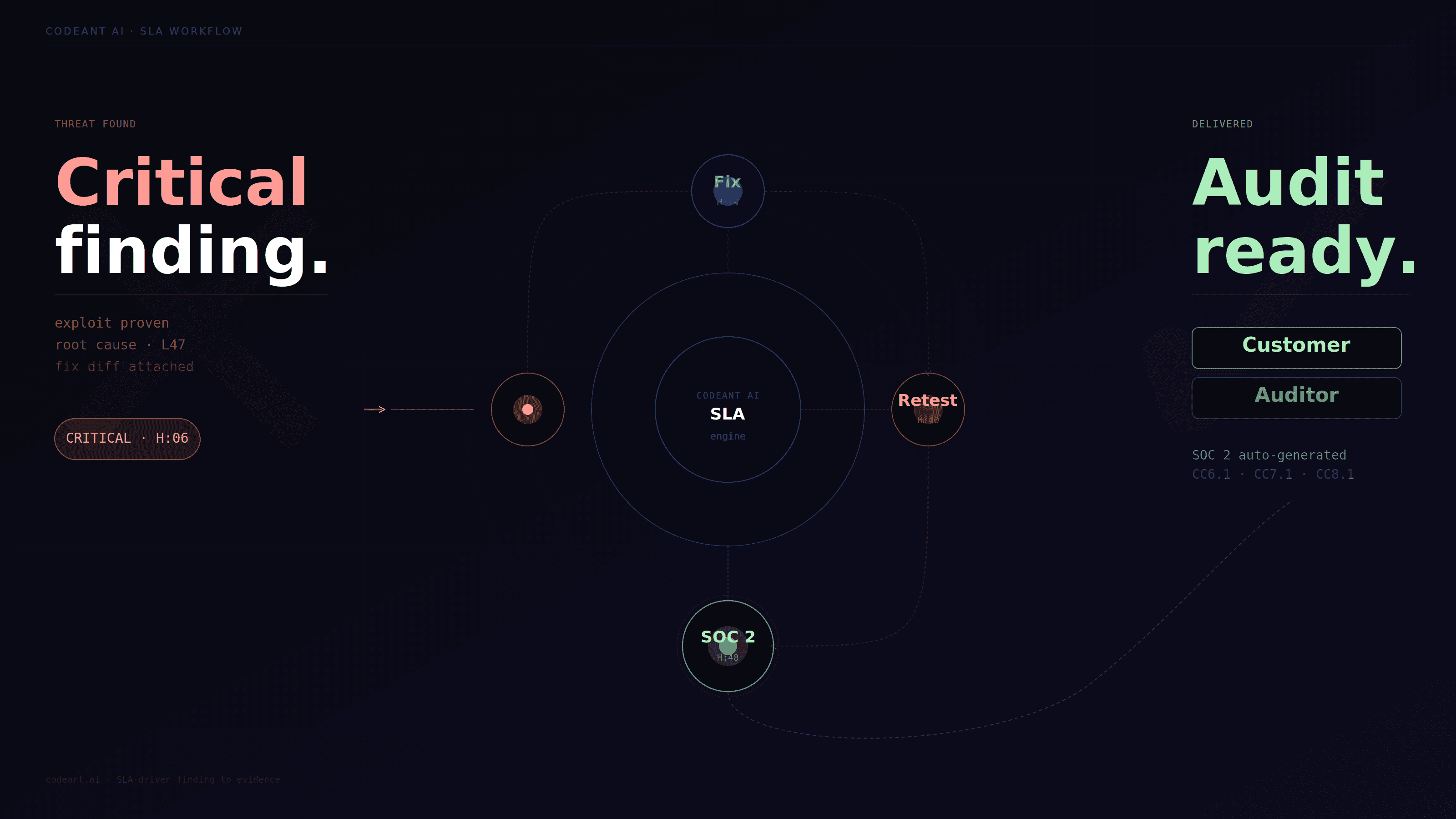
It sees the code before deployment, understands risky patterns, tests the exposed surface after deployment, validates exploitability, and feeds remediation context back to developers.
That matters for SLAs because the platform is not starting from zero at every phase.
A retest is faster when the system already knows the original exploit path. Remediation guidance is clearer when the platform can tie the exploit back to code behavior. Evidence is stronger when the same workflow tracks finding, fix, validation, and final status.
This is the practical advantage of combining defensive and offensive security in one platform.
It is not just a positioning line. It reduces security handoff friction.
Questions To Ask Before Signing A PTaaS SLA
Use these questions in vendor evaluation:
What does your SLA define as kickoff?
How quickly do you report critical findings?
Do you report findings during testing or only at the end?
What is your retest turnaround time?
Are retests included or billed separately?
Do you provide formal retest reports?
What evidence is included for SOC 2?
Can you support customer security review deadlines?
How do you handle urgent scope changes?
What does continuous testing mean in your platform?
Are findings validated with proof-of-exploit?
How do you reduce false positives?
How quickly can engineering get remediation support?
If a vendor cannot answer these clearly, their PTaaS SLA may not be mature enough.
Common Red Flags In PTaaS SLAs
Watch for these warning signs:
“Fast delivery” with no defined timeline
Critical findings only included in final report
Retesting not included
No written retest SLA
No support SLA for remediation questions
No evidence package for compliance
No explanation of continuous testing triggers
No proof-of-exploit requirement
Scope changes handled manually with long delays
Reports filled with unvalidated scanner findings
A PTaaS provider should reduce uncertainty, not create more of it.
Conclusion: PTaaS SLAs Should Prove Accountability, Not Just Speed
The best PTaaS SLAs are not only about delivering reports faster.
They are about making the entire security testing lifecycle accountable.
A strong provider should define how quickly testing starts, how critical findings are escalated, when reports are delivered, how fixes are retested, and what evidence is provided for auditors, customers, and internal teams.
For SaaS companies, the most important SLA is often not report delivery. It is retesting and remediation verification.
That is where security becomes measurable.
AI penetration testing and automated penetration testing can improve these timelines, but only when they produce validated findings and clear proof. Speed without exploit validation is just faster noise.
CodeAnt’s advantage in this workflow is that it connects code intelligence, offensive testing, remediation, and retesting into a tighter loop. That means fewer handoffs, clearer findings, and stronger evidence.
Before choosing a PTaaS provider, do not ask only how fast they deliver.
Ask what they guarantee after the finding is found.
👉 If you want to reduce detection time and eliminate repeat vulnerabilities, start by evaluating a unified approach that connects your code to real-world attack paths.
Try our free penetration testing today. Pay only on high & critical issues.

