

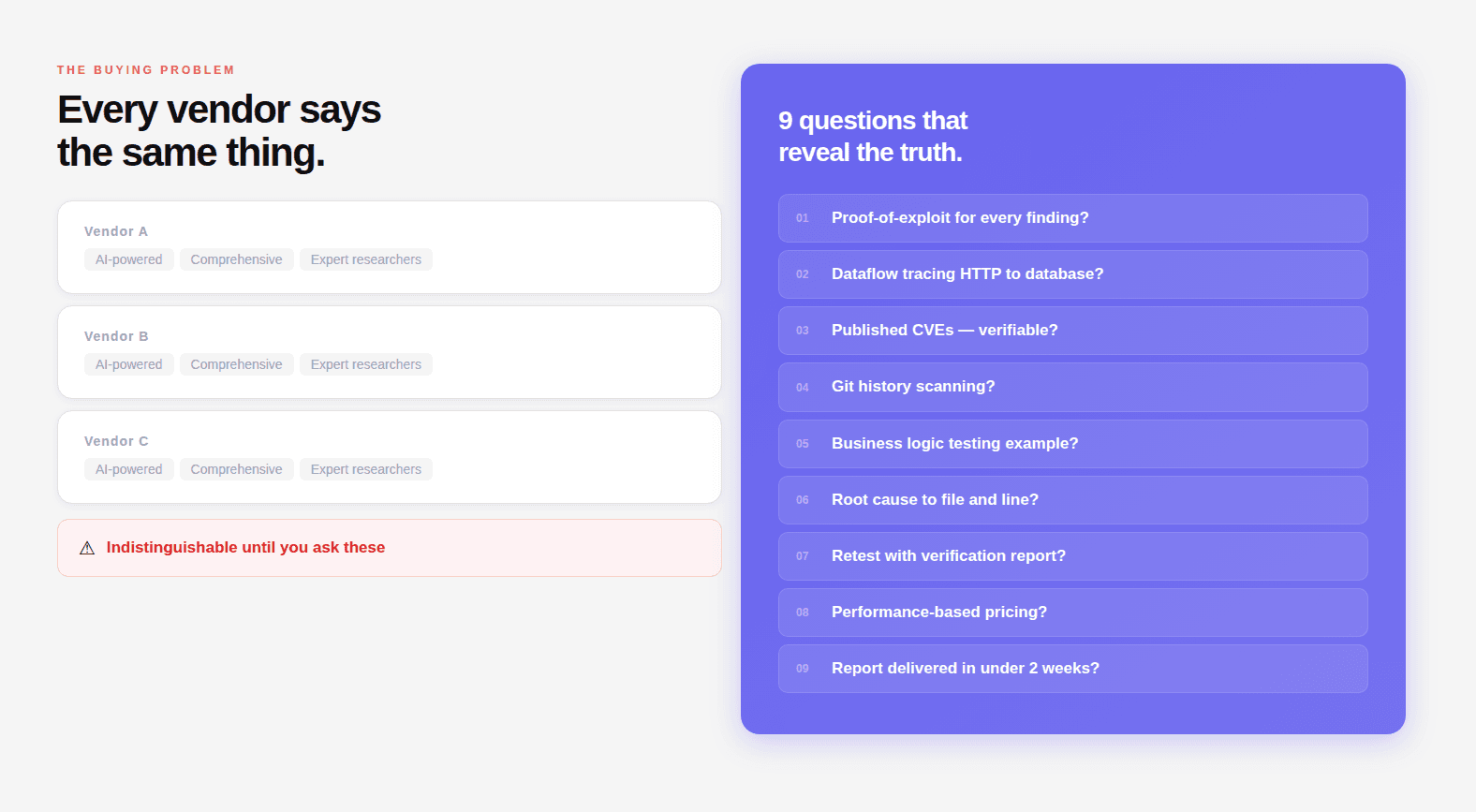
"AI-powered penetration testing" appears on every vendor's website. It describes two completely different things: a scanner with ML-assisted output prioritization, and a reasoning engine that reads source code, traces data flows, and chains findings into working exploits. The label doesn't distinguish between them.
These nine questions do.
Each is designed to produce a specific answer. A provider with genuine methodology answers in technical detail with examples. A provider running scanner output through a reporting layer gives you marketing language that sounds like an answer but isn't.
What this guide covers:
Nine evaluation questions with good and bad answer examples
A scoring rubric to compare vendors objectively
Red flags that should end the conversation immediately
A pre-contract checklist of documentation and commitments
Related:
What is AI Penetration Testing? The Complete Deep-Dive Guide
What Is a CVSS Score? How Security Teams Use it to Prioritize
Why the Standard Evaluation Process Fails
Most organizations evaluate penetration testing vendors the same way they evaluate any enterprise software vendor: website review, analyst report, reference calls, proposal comparison, price negotiation.
This process works poorly for penetration testing because:
Websites are indistinguishable. Every vendor's website says "comprehensive," "AI-powered," "expert researchers," "proven methodology." These words have been drained of meaning through universal adoption.
Reference calls are curated. Vendors provide references from engagements that went well. You don't hear from the customer whose critical IDOR was missed, who found out about the vulnerability six months later from a security researcher.
Sample reports can be cherry-picked. A vendor can show you their best report from their most skilled consultant's best engagement. You don't know if that represents their median output or their 95th percentile.
Price comparison is meaningless without methodology comparison. A $20,000 engagement that finds your critical vulnerability is cheaper than a $10,000 engagement that misses it and you spend $4M on breach response.
The solution is to ask questions that are technically specific enough that vague or marketing-level answers are immediately identifiable, and that a vendor with a strong methodology can answer in detail from direct experience.
Question 1: Can You Provide a Working Proof-of-Exploit for Every Finding You Report?
Why This Question Is the Foundation
This is the single most important question in any penetration testing evaluation. The answer immediately classifies the provider.
A penetration test finding has two possible states: confirmed exploitable, or suspected based on evidence. The difference matters operationally because:
A confirmed finding comes with a working proof-of-concept, a curl command, a Python script, or step-by-step browser reproduction that any engineer on your team can execute and reproduce the vulnerability within minutes. The finding is not theoretical. It is demonstrated.
A suspected finding comes with a description of why the response pattern suggests a possible vulnerability. It may or may not be real. It requires your engineering team to spend time investigating whether the issue is genuine before they can even begin remediation.
When a provider reports 50 findings with no proof-of-exploit, your engineering team will spend weeks triaging. They'll find that many findings are false positives, scanner artifacts, or vulnerabilities in code paths that aren't actually reachable in your application. The security work becomes triage work.
What Good Answers Look Like
Strong answer: "Yes, every finding we report comes with a working proof-of-concept. For web vulnerabilities, that's typically a curl command or Python script that reproduces the issue. For logic flaws, it's a documented step-by-step reproduction sequence. We don't report anything we haven't confirmed works, if we can't exploit it, it doesn't go in the report."
Acceptable answer: "For the majority of findings, yes. There are rare categories, some denial-of-service findings, some race conditions — where we can demonstrate the mechanism but not safely execute full exploitation in production. In those cases, we document the reproduction steps and the evidence we used to confirm the vulnerability."
What Bad Answers Look Like
Weak answer: "We use CVSS scoring to rate our findings and document the evidence that led to each finding."
Red flag answer: "We provide detailed descriptions of each vulnerability with references to the relevant CVE or OWASP entry."
Neither of these answers the question. If a provider can't directly say "yes, proof-of-exploit for every finding," they're running a scanner and calling the output a penetration test.
How to Verify
Ask for a redacted sample report. Open any finding. Look for:
A
curlcommand with actual parametersA Python or Bash script that performs the test
A step-by-step reproduction sequence specific enough to run in under 10 minutes
If the finding has a description, a CVSS score, and a link to OWASP — but no PoC — that's scanner output.
Question 2: Walk Me Through How You Trace a SQL Injection From the HTTP Request to the Database
Why This Question Matters
This question tests whether the provider actually performs dataflow analysis, the technique that finds injection vulnerabilities by following user-controlled input from where it enters the application to where it reaches a dangerous sink, or whether they rely on response-based detection that only finds obvious injection patterns.
The distinction matters because:
Response-based SQL injection detection (what DAST scanners do) finds cases where the injection produces an observable error message, a timing difference, or a data difference in the HTTP response. It misses injection vulnerabilities where the response looks normal, blind injections, second-order injections, injections in code paths that don't return data to the API caller.
Dataflow-based SQL injection detection (what white box penetration testing does) follows the input through the code regardless of whether the response is observable. It finds the injection at the source, at the specific line where user input reaches a raw SQL query, even if the vulnerability produces no external signal.
What Good Answers Look Like
Strong answer: "In white box engagements, we trace user-controlled input from the HTTP request handler through every function call it touches, through middleware, service layers, repositories, until it reaches a database call. We specifically look for cases where parameterization is missing: raw SQL construction via string concatenation or f-strings, ORM raw() methods with unparameterized input, stored procedure calls that construct dynamic SQL internally. We map the exact path from entry point to the vulnerable line. The finding includes the file, class, method, and line number where the input reaches the database without parameterization."
Follow-up you should ask: "Can you give me an example of a SQL injection you found through dataflow tracing that was invisible to external testing?"
A provider who does real dataflow analysis will have specific examples, a blind injection in a logging function, a second-order injection where user input was stored then executed later, an injection in a background job that never returns HTTP responses.
What Bad Answers Look Like
Weak answer: "We test all input parameters for SQL injection using our payload library and analyze the responses for error messages and timing differences."
This describes DAST. It does not describe dataflow analysis. The provider is testing from the outside, they will miss every injection vulnerability that doesn't produce an observable response anomaly.
Another weak answer: "Our AI identifies potential injection points and tests them automatically."
This is still DAST with AI-assisted payload generation. "Identifies potential injection points" from the outside — not from reading the code.
The Code Example That Reveals Understanding
Ask the provider: "How would you find SQL injection in code like this?"
A provider who does dataflow analysis explains how they'd trace report_type from request.data.get() through generate_report_task.delay() into the Celery task where it reaches cursor.execute() with f-string formatting.
A provider who does DAST scanning says they'd send SQL payloads to the POST endpoint and analyze the response. They will never find this vulnerability, the response is always {"status": "Report generation started"} regardless of what's injected.
Question 3: What CVEs Has Your Team Published? Can I Verify Them?
Why This Question Is the Credibility Filter
CVE numbers are public, verifiable, and assigned by external authorities, MITRE, or a registered CNA (CVE Numbering Authority). They cannot be fabricated. A firm with published CVEs has demonstrated two things under external validation:
They can find novel vulnerabilities, not just known patterns from CVE databases
They can document findings rigorously enough to pass external review and meet the disclosure standard
A firm without published CVEs has not demonstrated either. They may still be competent, but they haven't produced the public, verifiable evidence that separates verifiable claims from marketing claims.
How to Verify
Every CVE is searchable at nvd.nist.gov. Search by CVE number. You'll see: the affected package, the CVSS score, the CWE classification, and the reference links including the original disclosure. If the disclosure links back to the firm's research blog, the attribution is confirmed.
For CodeAnt AI: 87+ published CVEs including CVE-2026-29000 (pac4j-jwt, CVSS 10.0, full authentication bypass) and CVE-2026-28292 (simple-git, CVSS 9.8, arbitrary command execution). All assigned via VulnCheck, a registered CNA. All verifiable in the NVD.
The significance isn't the number alone. It's that the same AI reasoning engine that produced these findings, in widely-deployed production packages used by 1.85 billion monthly downloads, is applied to your codebase. The track record is evidence of capability, not just a credential for its own sake.
What to Ask If They Have No Published CVEs
"Has your team identified vulnerabilities in third-party software that were responsibly disclosed?"
Some legitimate security firms do internal research that gets fixed without public CVE assignment. But a firm that has been in this business for years with no published CVEs has not demonstrated its ability to find novel vulnerabilities in real production software.
Follow up: "What was the most significant vulnerability your team has found in production software in the last 12 months? Can you describe it in technical detail?"
The depth and specificity of the answer reveals genuine research capability vs. scanner operation.
Question 4: Do You Scan Git History for Deleted Secrets and How?
Why This Question Reveals White Box Depth
Git history scanning is a specific, non-obvious technique that is only possible in white box engagements and that consistently produces active credential findings. The fact that a provider does or doesn't do it tells you something precise about how thoroughly they conduct source code review.
Here's why it matters:
The developer rotated nothing. The credential is active. Any attacker with a clone of the repository can retrieve and use it. The majority of "git history secret" findings CodeAnt AI encounters are still active, credentials that were deleted from the codebase but never rotated.
What Good Answers Look Like
Strong answer: "Yes, it's part of our standard white box methodology, not an add-on. We scan every branch, every tag, every commit in the repository history. We use a combination of pattern-based detection for known secret formats and entropy analysis for high-randomness strings that might be secrets we don't have patterns for. Every discovered historical secret is verified for current validity before being reported, we don't report dead credentials as critical findings."
The verification step is important. A provider that scans Git history but doesn't verify whether discovered secrets are still active will generate false urgency around rotated credentials. The finding that matters is: this credential from 14 months ago is still active and grants production database access.
What Bad Answers Look Like
Weak answer: "We use SAST tools to check the current codebase for hardcoded secrets."
This is checking HEAD only. Git history is invisible to this approach.
Another weak answer: "We check all files in the repository for credentials."
"All files in the repository" typically means the current state of the default branch, not the commit history. Ask explicitly: "When you say all files, does that include every historical commit, or just the current state of the codebase?"
Question 5: How Do You Test Business Logic; Walk Me Through a Specific Example
Why This Question Exposes the Deepest Gap
Business logic testing is the category most clearly absent from scanner-based approaches and most clearly present in genuine penetration testing. It requires understanding what an application is supposed to do, not just what HTTP response patterns look anomalous, and then systematically verifying that every flow enforces that intent.
The question asks for a specific example because a provider who actually does business logic testing has stories. They know what it felt like to discover that a payment confirmation endpoint could be called without completing the payment step. They know what the HTTP request looked like, what the response contained, what the impact was.
A provider who doesn't do business logic testing gives you a category description, "we test business logic including payment flows and access controls," that could be read off any vendor's website.
What Good Answers Look Like
Strong answer: "In a recent gray box engagement, the application had a multi-step checkout flow. We mapped the complete flow from the API calls the frontend made, then tested every permutation: skipping steps, calling steps out of order, calling the final confirmation endpoint directly with a valid cart ID but without the payment step having been completed. The confirmation endpoint accepted the request and returned a success response, the order was created without payment processing. The vulnerability was that the confirmation endpoint only validated that the cart existed and belonged to the user, not that a payment record with a matching cart ID existed in a completed state. CVSS 7.5, classified as business logic flaw, direct financial loss per exploitation."
The specifics matter: file they tested, what the successful attack looked like, what the server returned, what the root cause was. Vague descriptions of business logic testing are not evidence of having done it.
What Bad Answers Look Like
Weak answer: "We test business logic vulnerabilities including access control, payment manipulation, and workflow bypass."
This is a category list. Ask: "Can you describe a specific business logic finding from a recent engagement, what the application was supposed to do, what it actually did, what the payload looked like, and what the impact was?"
If they can't produce a specific technical story, they're describing a category they've read about, not a technique they practice.
The Follow-Up That Confirms or Refutes
After their answer, ask: "How do you test rate limiting bypass?"
Strong answer describes specific techniques: rotating X-Forwarded-For headers, varying request parameters that reset rate limit counters, using different API versions of the same endpoint, testing whether mobile and web API versions share rate limit state.
Weak answer: "We check if rate limiting is implemented."
Question 6: Show Me a Sample Report: Does It Include Root Cause to File and Line?
Why the Report Is the Most Direct Evidence of Methodology Quality
A sample report is the most honest window into what the engagement actually produces. It's not curated for marketing, it's the actual output format. Every gap in the report format reflects a gap in what the methodology actually delivers.
Ask for a sample report before any contract discussion. Tell them you want a representative example, not their best engagement, but a typical one.
What to Look For in the Report
Finding structure, minimum acceptable standard:
What the PoC should look like:
What a bad PoC looks like:
This is not reproducible. An engineer receiving this cannot verify the vulnerability without rediscovering it themselves.
Root cause: the differentiator between depth levels:
Remediation specificity:
Red Flags in Sample Reports
Findings without PoC
CVSS scores without the full vector string
Root cause described at the feature level ("the search functionality") not the code level
Remediation that's a link to OWASP
No compliance mapping
Findings that could have been generated by a scanner with no manual verification
Question 7: Is Retesting Included, and What Does the Verification Report Look Like?
Why Retesting Defines Whether Security Actually Improved
A penetration test that doesn't include retesting tells you what was broken. It doesn't tell you whether the fixes worked. These are different things.
Engineering teams fix what they understand from the report description. Sometimes they fix exactly the right thing. Sometimes they fix a symptom, not the root cause, and the vulnerability is still exploitable through a slightly different path. Sometimes they fix one instance of a pattern but miss the same pattern in a different part of the codebase.
Retesting verifies which scenario is true. A written verification report closes audit loops: SOC 2, PCI-DSS, and HIPAA auditors all want evidence of remediation, not just evidence of findings.
What Good Retesting Looks Like
Strong answer: "Retesting is included in every engagement at no additional cost. After your team completes remediation, we schedule a retest window. We re-execute the proof-of-concept for every confirmed finding. For findings where the fix was made at the code level, we also review the remediation code to confirm the fix is correct and doesn't introduce new vulnerabilities. We deliver a written verification report that documents each finding's status: Remediated, Partially Remediated, or Open with notes. This is the document you submit to auditors as remediation evidence."
Ask to see a sample verification report. It should look something like:
This document is what you hand to an auditor. "We had these findings, here's evidence they were fixed, here's who retested them and when."
What Bad Retesting Looks Like
Weak answer: "Retesting is available as an additional engagement."
Additional cost, additional scheduling, additional weeks of delay. For a team trying to close a compliance audit, this is a significant problem.
Another weak answer: "We can schedule a retest call with your engineering team to review the fixes."
A call where engineers explain what they changed is not a retest. A retest is independent verification that the fix works, running the PoC and confirming it no longer succeeds.
Question 8: What Is Your Pricing Model If No Critical Vulnerability Is Found?
Why Financial Structure Reveals Methodology Confidence
This question doesn't just evaluate pricing. It evaluates how confident the provider is in their own methodology.
A provider who charges regardless of outcome is selling effort. The fee covers the consultant's time. You pay the same whether they find ten critical vulnerabilities or none. There's no financial alignment between the fee and the security outcome you're purchasing.
A provider who offers performance-based pricing, or a guarantee tied to finding outcomes, is selling results. The fee is tied to the security value delivered. They're only willing to offer this if their methodology is effective enough that they expect to find critical vulnerabilities in most engagements.
CodeAnt AI's Model
If no CVSS 9+ critical vulnerability or active data leak is found, you pay nothing. The complete report, every low and medium finding, full methodology documentation, compliance mapping, is delivered at zero cost.
For the full reasoning behind this outcome-based model, see our guide to the pentest you only pay for when it finds something.
This works because:
The methodology is comprehensive enough to find critical vulnerabilities in the vast majority of applications that have them
The researchers behind it have published 87+ CVEs, demonstrating the ability to find critical vulnerabilities in production software under controlled, verifiable conditions
A no-finding outcome is genuinely informative, it means the specific tested surface, at that point in time, doesn't have obvious critical vulnerabilities. That's worth knowing.
What to Ask Any Provider
"If your engagement finds no CVSS 9+ vulnerabilities, what do we pay?"
Strong answer: "If we don't find a CVSS 9+ or an active data leak, you pay nothing. You receive the complete report for free."
Acceptable answer: "Our standard engagement is fixed-fee. However, we've never completed a full assessment of a production SaaS application and found nothing significant, our average engagement finds 2–3 critical findings."
Weak answer: "Our pricing is competitive and reflects the thoroughness of our methodology." (Deflection, they pay regardless.)
Red flag answer: "Security testing value isn't measured by what's found." (True in general, false as a reason not to offer any financial accountability.)
Question 9: How Long Does an Engagement Take, From Our Scoping Call to Report Delivery?
Why Timeline Reveals Actual AI Involvement
This is the question that most directly reveals whether AI is genuinely in the methodology or only in the marketing.
A human penetration tester in a standard engagement takes 3–5 days to test a web application, 1–2 weeks to produce the report, and the calendar time from initial inquiry to report delivery is 6–10 weeks. This is not laziness, it's the realistic throughput of human-bounded analysis at reasonable quality.
An AI reasoning engine working continuously on the same application covers more ground in 48 hours than a human tester covers in 5 days. Not because the AI is more skilled, because it processes in parallel, doesn't need sleep, and doesn't make time-allocation trade-offs between "interesting" and "thorough."
If a provider claims to use AI in their penetration testing methodology but quotes you a 3–4 week timeline for a standard web application assessment, ask: what is the AI doing for three weeks?
The honest answer in most cases is: the "AI" is assisting with report generation and finding prioritization, not conducting the analysis. The timeline is human-bounded because the analysis is human-conducted.
What Good Timelines Look Like
Strong answer: "Scoping call today, testing starts within 24 hours of authorization. For a Full Assessment (black box + white box + gray box), report delivery is within 48–96 hours of testing start. Total calendar time from scoping to report: 3–5 days. Walkthrough call within 2 days of delivery. Retest scheduled as soon as remediation is complete, typically within 10 business days of report delivery."
Acceptable answer: "Standard engagement is 5–7 business days from scope confirmation to report delivery. We front-load the testing, most findings are identified in the first 48 hours."
What Bad Timelines Look Like
Weak answer: "We typically deliver the report 2–3 weeks after the testing window closes. Testing windows are 1–2 weeks."
Total: 4–5 weeks. If AI is doing the analysis, why does it take 4–5 weeks?
Red flag answer: "Our standard timeline is 6–8 weeks from initial scoping to report delivery."
This is a traditional consulting engagement timeline. Whatever AI is in this product, it's not conducting the analysis.
The Scoring Rubric: How to Compare Vendors Objectively
Score each provider 0–2 on each question:
Question | 0: Fails | 1: Partial | 2: Strong |
|---|---|---|---|
Working PoC for every finding | Cannot confirm | Most findings | Every finding, verified |
Dataflow tracing methodology | DAST only | Describes technique | Technical explanation + specific example |
Published CVEs (verifiable) | None | Unverified claims | Verifiable CVEs in NVD |
Git history secret scanning | Not performed | Current HEAD only | Full history + validity verification |
Business logic testing | Category description | General description | Specific technical story with PoC |
Root cause to file and line | Not in report | Module/function level | File + class + method + line |
Attack chain construction | Not performed | Mentioned, no process | Systematic with combined PoC |
Chain elevation process | Not performed | Ad hoc | Defined process with combined CVSS |
Business model alignment | Flat fee regardless | Partial success-based | Pay only for high/critical |
Score interpretation:
15–18: Strong methodology, proceed to contract review
10–14: Adequate for standard compliance, gaps in depth
6–9: Scanner with professional reporting, not genuine penetration testing
0–5: Do not engage
Red Flags That Should End the Conversation
Pre-promising finding counts before the engagement starts. Any provider guaranteeing they will find X issues before seeing your application is optimizing for the sale.
"Our AI automatically generates exploits." Automated exploit generation without human validation produces false positives and misses business logic issues. AI generates. Researchers validate.
"We guarantee a clean report." No legitimate penetration testing firm guarantees a clean report. The point is to find what they can find.
"Our tool covers all OWASP Top 10 categories." Scanner coverage of vulnerability categories is not the same as finding those vulnerabilities in your application. Every scanner claims this.
Refusal to provide a verifiable sample report. Any legitimate firm can show a redacted sample. Refusal signals that report quality would not survive scrutiny.
No named security researchers with verifiable public profiles. The "AI" needs to have been built by actual researchers with public track records, published CVEs, disclosed research, verifiable credentials.
No mention of researcher sign-off. For enterprise audits, SOC 2, HIPAA, PCI-DSS, ISO 27001, and CERT-In, the report needs to be signed off by a security researcher providing third-party attestation. Automated-only output does not satisfy this requirement.
Pre-Contract Checklist
Before signing, confirm in writing that you will receive:
Free external scan from one URL before payment is required
Signed authorization letter before testing starts
Working proof-of-exploit for every high and critical finding
Root cause to file, class, method, and line for every finding
Specific remediation diff (code before and after) for every finding
Compliance mapping to specific control IDs (SOC 2, HIPAA, PCI-DSS, ISO 27001, CERT-In) per finding
Attack chain findings reported with combined CVSS and combined PoC
Retest included at no additional cost until findings are remediated
Report delivery within stated timeframe (get this in writing, should be 48 hours)
Named researchers who will work on your engagement
Zero charge if no high or critical findings are found
Data deletion certificate issued on engagement close
Don't Buy a Pentest. Buy a Methodology With Accountability.
The penetration testing market has a buying problem and a selling problem. Buyers can't easily evaluate methodology quality before purchasing. Sellers know this and market at the level of abstraction where all providers sound similar.
The nine questions in this guide break through that abstraction. They are technically specific enough that a provider with a real methodology answers them in detail from direct experience. A provider without a real methodology gives you marketing language.
The evaluation scorecard converts those answers into a comparable score. The checklist ensures you get the contractual commitments that make the engagement actually useful.
What you're ultimately buying is not an engagement window. Not a report document. Not a CVSS score per finding. You're buying the answer to one question: what can an attacker actually do to our users and our data right now?
The provider who answers that question with working proof-of-exploit, root cause to specific line of code, and a retest that verifies the fixes, while standing behind their methodology with a guarantee, is selling you the answer. Everyone else is selling you the process of looking for the answer.
CodeAnt AI stands behind the methodology with the clearest guarantee in the market: no CVSS 9+ critical vulnerability found, no payment. 87+ published CVEs. Testing starts within 24 hours of scoping.
→ Book a 30-minute scoping call. Bring these questions. We'll answer all that you have on the free demo call that you book here.
Continue reading:

